AI Sales & Customer Acquisition Team
AI Sales & Customer Acquisition Team
User Guide
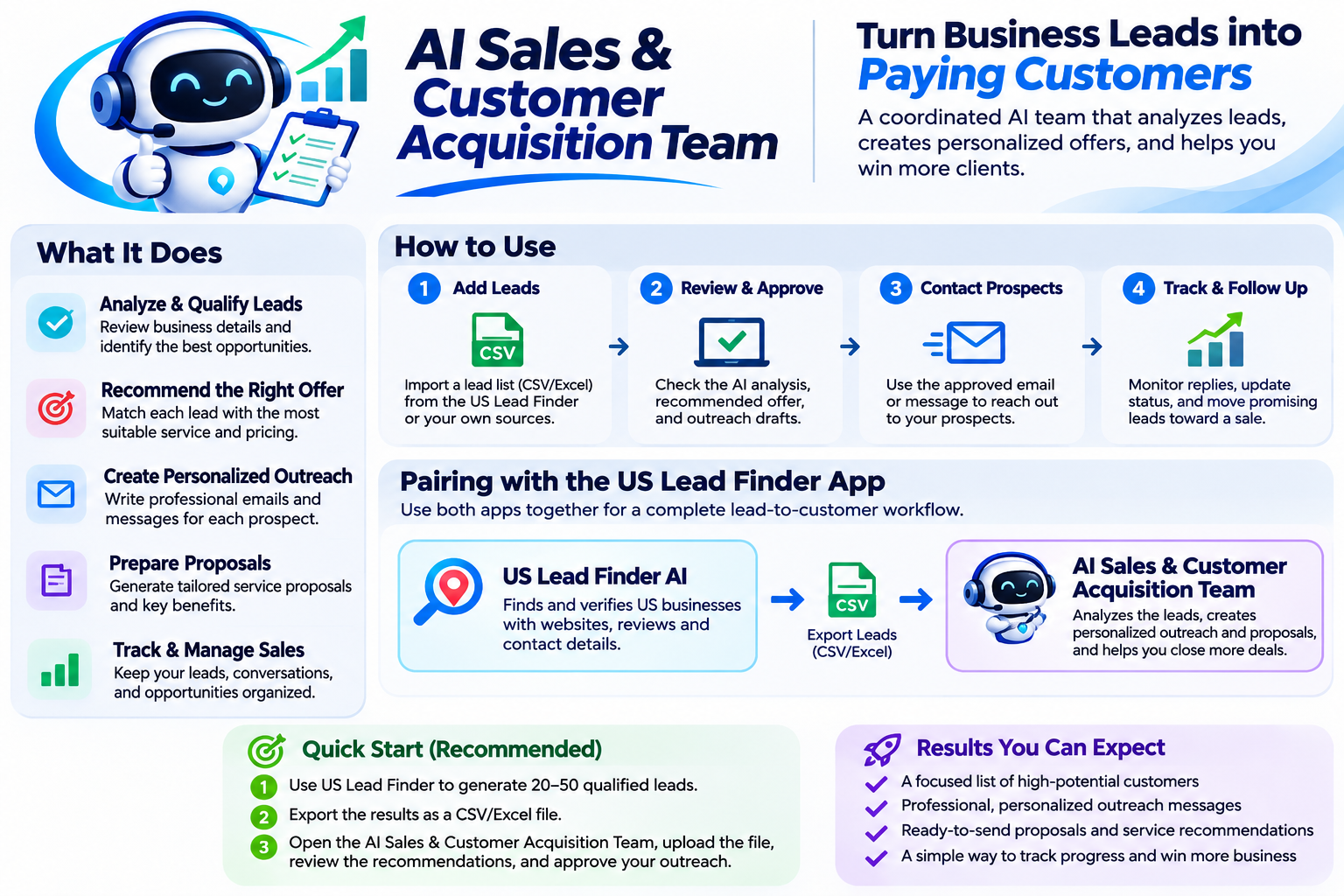
What This Agent Does
This AI Sales Team helps businesses turn qualified prospects into organized sales opportunities.
It can:
- Import and analyze prospect lists.
- Identify and score potential customers.
- Recommend suitable services based on documented business needs.
- Prepare personalized outreach email drafts.
- Track leads and approval status.
- Generate sales pipeline reports.
Important: This version does not independently discover new leads, send emails, collect payments, or guarantee sales.
How to Use
Step 1 — Prepare Your Leads
Upload a CSV prospect list containing business names, websites, contact details, and available research evidence.
Step 2 — Analyze Prospects
Ask the AI Sales Team to review the imported businesses and identify the strongest opportunities.
Step 3 — Generate Outreach
Request personalized outreach drafts based on each prospect’s verified business needs.
Step 4 — Review and Approve
Check the recommendations and messages before contacting customers. You remain responsible for approving customer-facing communications.
Step 5 — Track Sales
Update prospect status and generate sales reports to monitor progress.
Pairing with US Lead Finder AI
Use the two agents together:
- Open US Lead Finder AI.
- Request qualified businesses by location and industry.
- Export the verified prospect list as CSV.
- Open AI Sales & Customer Acquisition Team.
- Import the CSV file.
- Ask the Sales Team to analyze, score, and prepare personalized outreach.
- Review and approve the messages.
- Contact prospects through your existing email or messaging service.
- Track responses and update the sales pipeline.
Example Commands
“Analyze my uploaded prospect list and identify the highest-priority sales opportunities.”
“Prepare personalized outreach drafts for businesses that need website redesign services.”
“Recommend suitable services for each qualified prospect.”
“Show the sales pipeline and identify leads requiring follow-up.”
“Export the latest lead analysis and sales report.”
Quality and Safety Rules
Never invent business information, owner identities, email addresses, or customer complaints.
Base recommendations on documented evidence.
Do not contact customers without user approval.
Clearly distinguish verified facts from assumptions.
Best Practice
Start with 10–20 qualified prospects, review the results, and expand once the workflow has been tested successfully.