
ComicPress: Comic Layout & Lettering

Symbolic illustration, not a screenshot of actual output.
Who it’s for
For independent comic creators laying out pages for adults and general readers. Share a title and a script organized by page and panel, with dialogue, captions or sound effects. Attach your own PNG or JPEG art if you have it and say which file goes in each panel. Use only text and art you have the right to use. If art is missing, ComicPress uses geometric stand-ins to show the layout. It does not draw or generate illustrations.
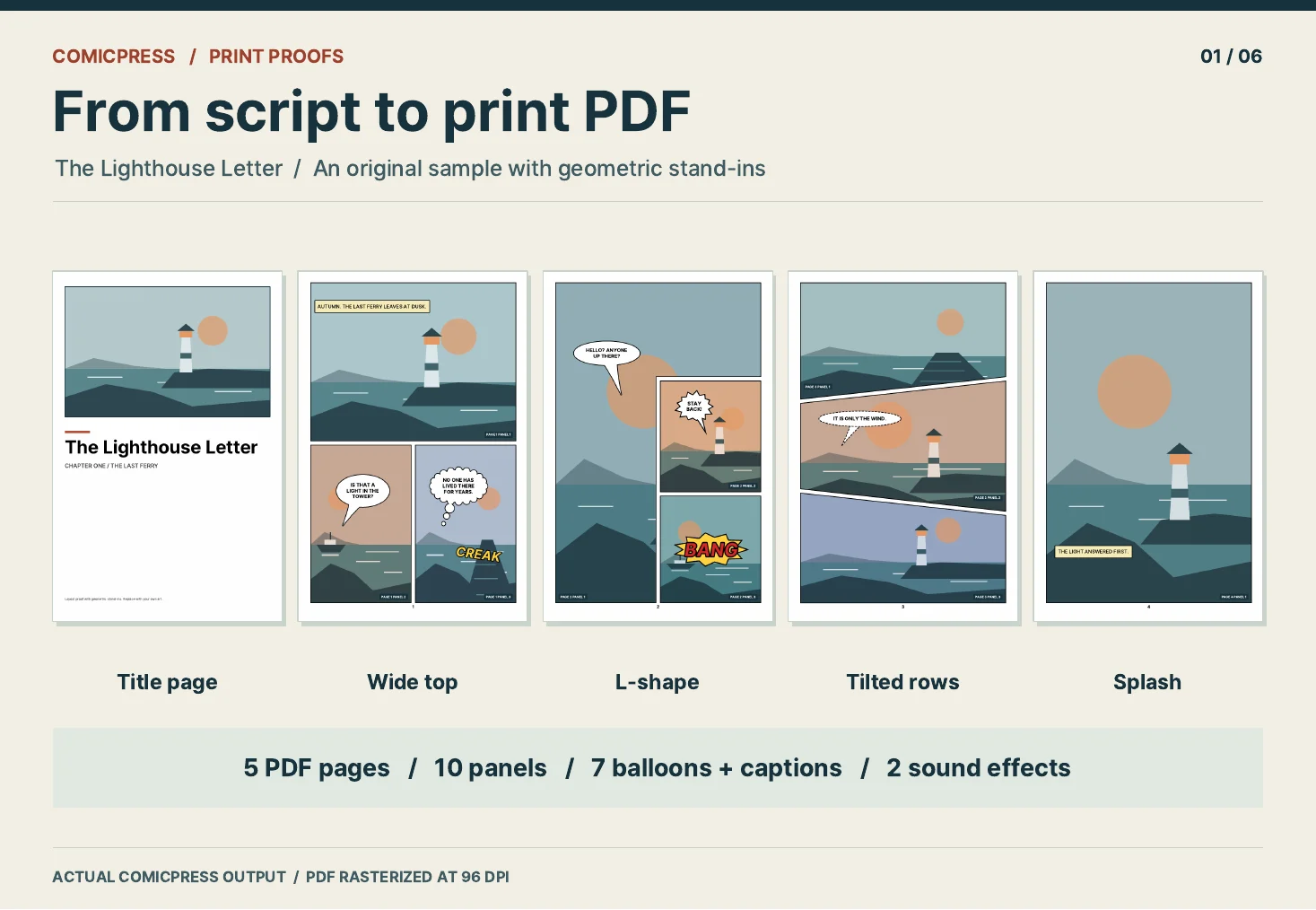
Real ComicPress output from a sample job.
Trim and lettering
Choose a trim: US comic (6.625 × 10.25 in), 6 × 9 in, or 5.5 × 8.5 in. A4 and A5 are not supported. Options include one to six panels per page, angled gutters, fitted balloons and captions, page numbers and a title page. Lettering accepts printable ASCII only (U+0020 to U+007E): no accented letters, curly quotes, emoji or non-Latin scripts. Reading order is left to right, top to bottom; no right-to-left or vertical lettering.
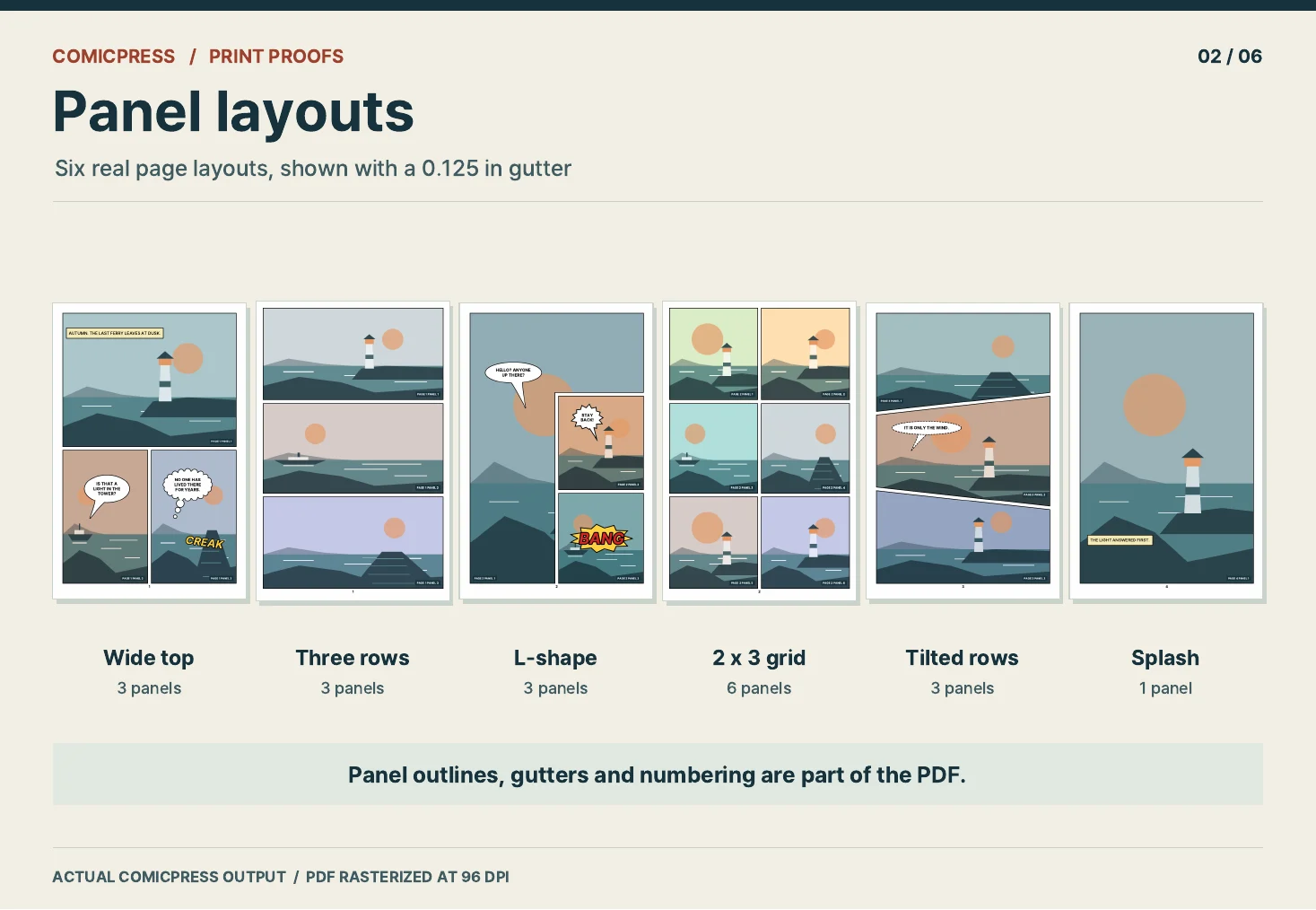
Real ComicPress output from a sample job.
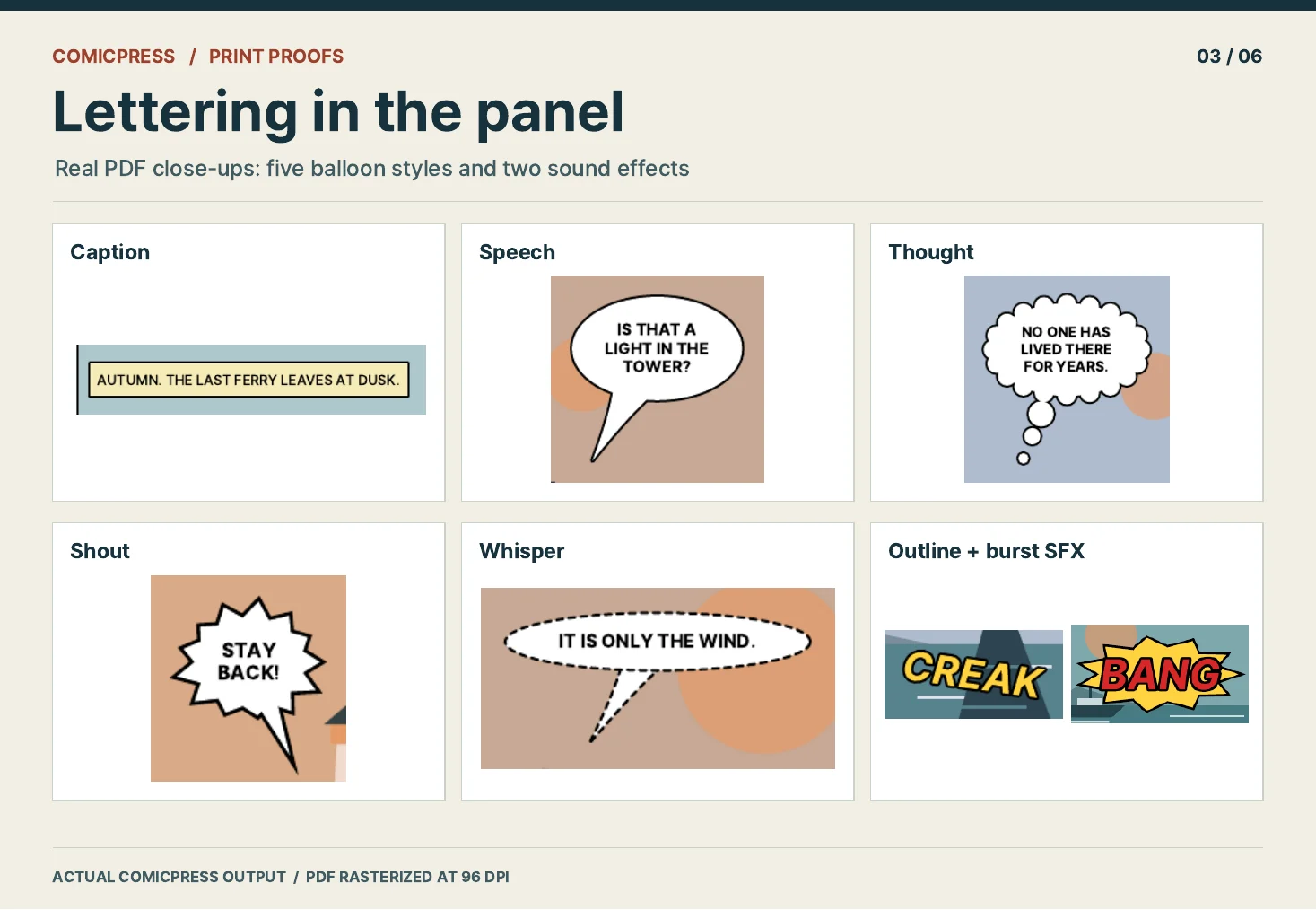
Real ComicPress output from a sample job.
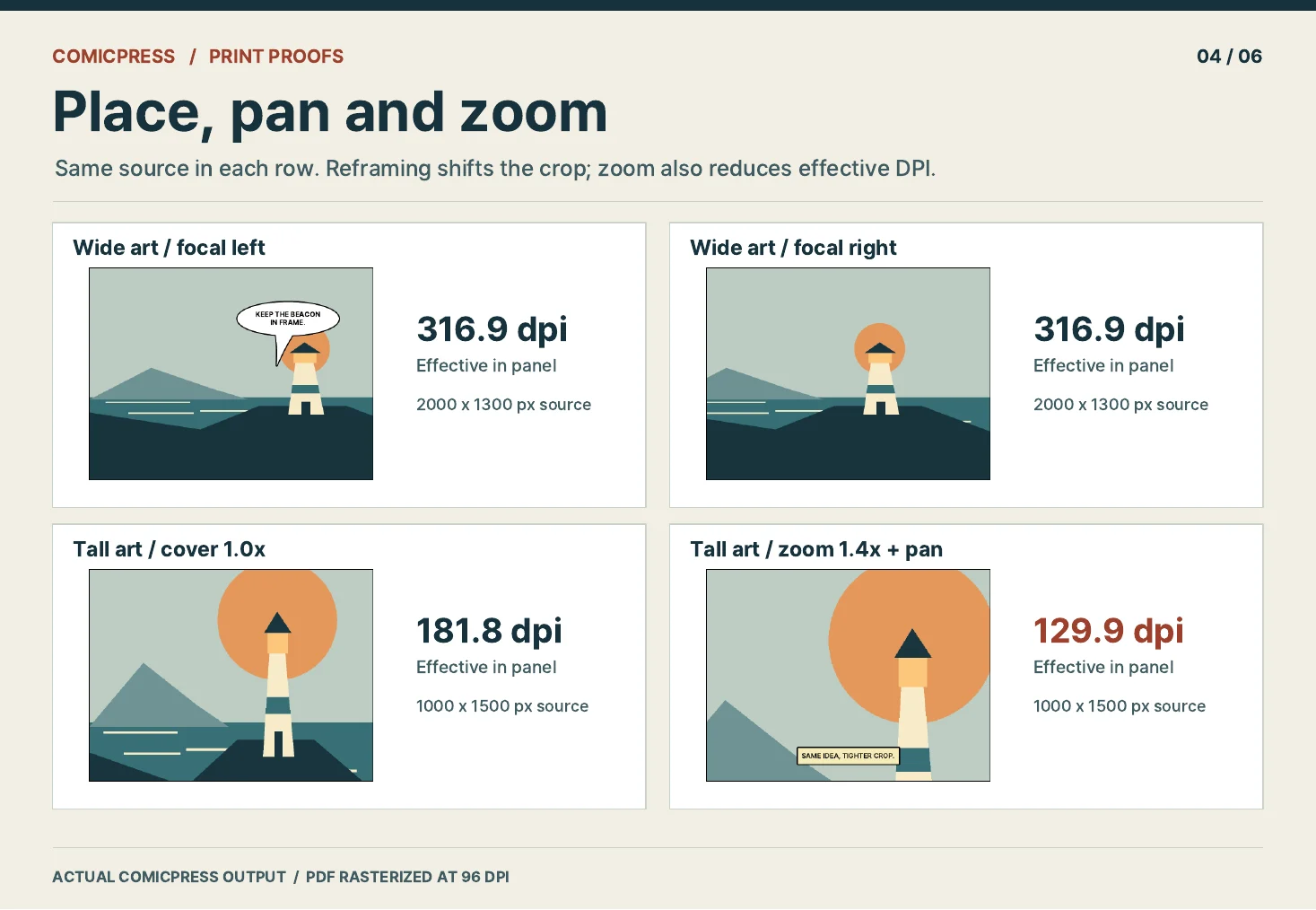
Real ComicPress output from a sample job.
What you get
In chat, the assistant asks for missing details, including whether you need bleed, then prepares and validates the job, generates the files, verifies the core outputs and explains any warnings. You get comic.pdf for printing, comic-overlay-check.pdf for inspecting trim and safe-area guides, manifest.json with panel and lettering positions, and qa-report.md plus qa-report.json. Per-page SVGs are optional. The listing previews show real ComicPress PDF output and report data; PNG preview sheets are not delivered with each job.
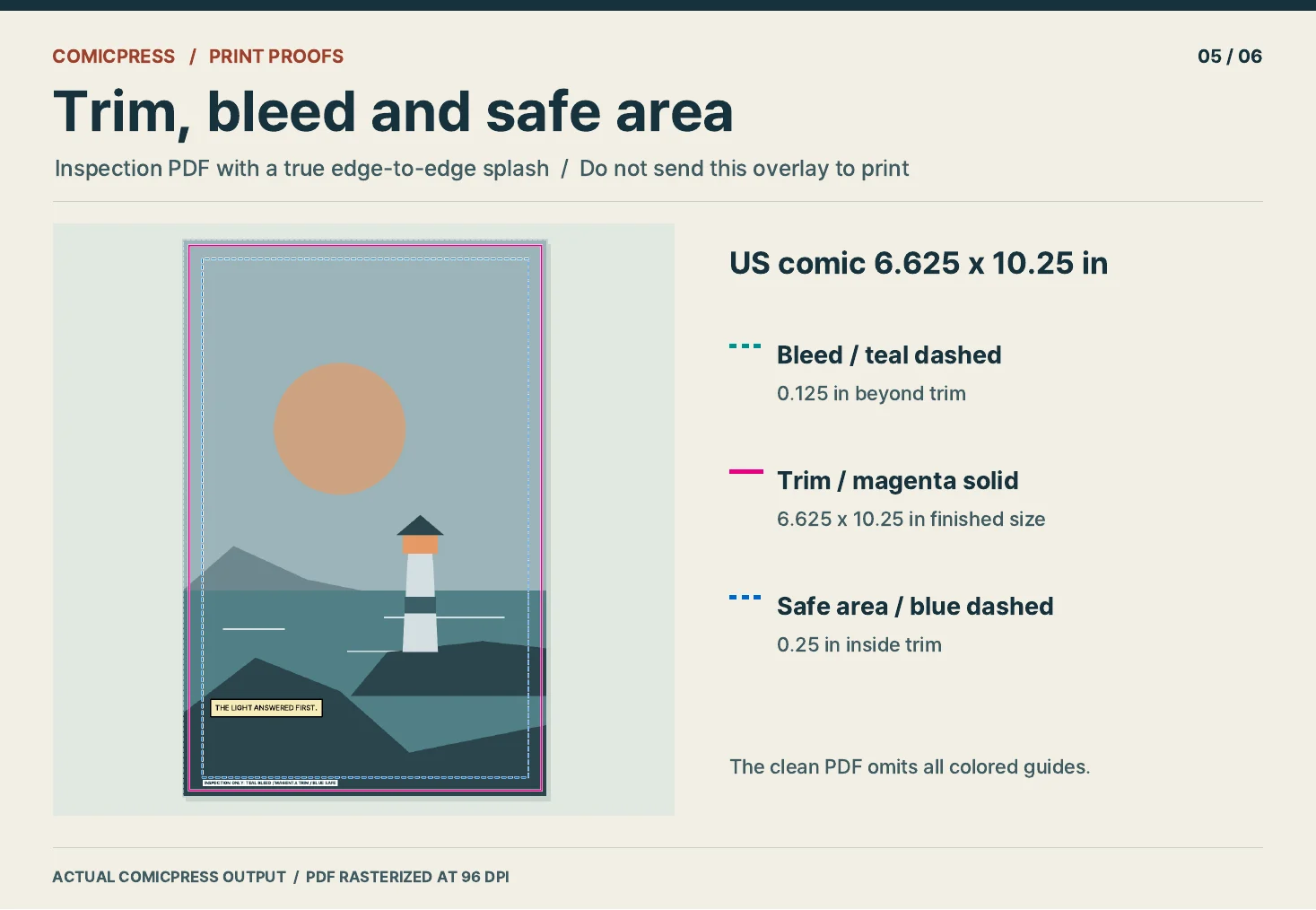
Real ComicPress output from a sample job.
Quality checks
Checks cover text overflow, balloon overlap, tail anchors, safe areas and the effective dpi of art at its placed size. An odd total page count gets a warning, not an error. These checks do not promise acceptance by any printer or platform. The generator reads job files and writes outputs without making network calls; this does not describe the chat service's data handling. In one local run on an Apple Silicon Mac (arm64) with Node 26, generating a two-page example with art took about 0.28 s, including process startup. Linux/cloud performance is unverified.
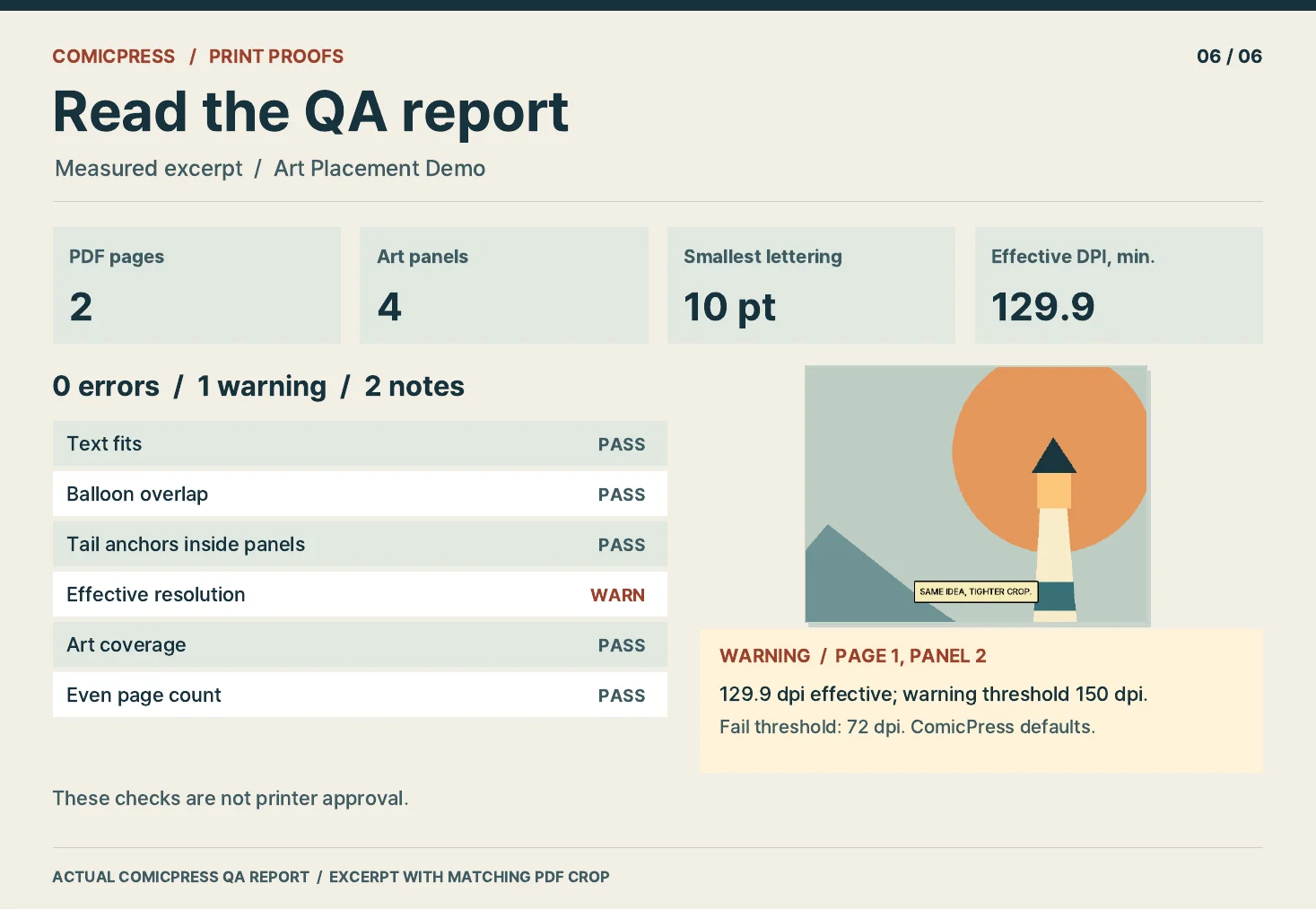
Real ComicPress output from a sample job.
Plans
- Weekly: US$6.99 for 12 requests.
- Monthly: US$14.99 for 40 requests.
- No free trial.