PDF Translator — Keep the Exact Layout
PDF Translator — Keep the Exact Layout
Translate catalogues, brochures, datasheets and manuals without losing the design.
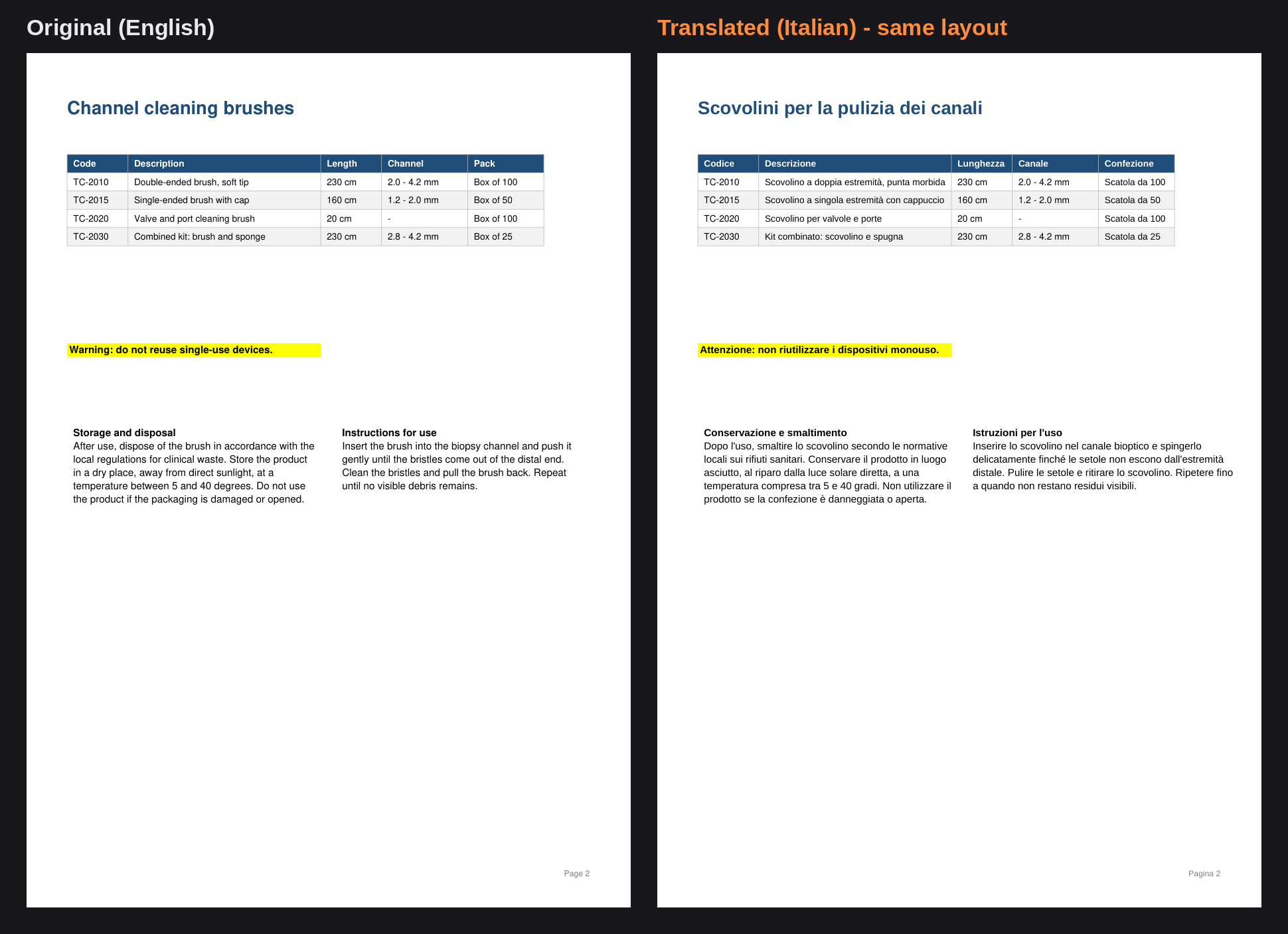
Your PDF comes back with every image, colour, table and column exactly where it was. Only the words change.
[IMMAGINE: before_after_page1.png]
How it works
Most tools extract the text and rebuild the document from scratch, losing images and breaking tables.
This Agent edits your original file in place: the original text is removed and the translation is written back in the same position, colour, size and alignment. Photos, backgrounds, logos and graphics are never touched.
[IMMAGINE: before_after_page2.png]
What it handles
- Paragraphs, headings, table cells, bullet lists and multi-column pages
- Centred, right-aligned and justified text, plus vertical text along margins
- Text inside coloured panels, highlights and table cells stays inside its box
- Longer translations are fitted like a typesetter would: tighter line spacing first, shared space between paragraphs, smaller font only as a last resort
- Product codes, measurements, URLs, brand names and standards (ISO 13485, CE, MDR) are left exactly as written
- Your glossary, applied consistently across the whole document
- A side-by-side visual check before delivery, with a report of any passage printed smaller
Example
Input: a 32-page product catalogue in English + "translate into Italian"
Output: the same 32-page PDF in Italian, with identical layout, images and tables, plus a short note on what was kept unchanged (codes, brand names) and any page where text had to be printed smaller.
Use cases
- Product catalogues and price lists for new markets
- Datasheets, user manuals and instructions for use
- Brochures, flyers and corporate presentations exported to PDF
Languages
40+ languages written in Latin, Greek or Cyrillic script: Italian, English, French, German, Spanish, Portuguese, Dutch, Polish, Czech, Romanian, Swedish, Greek, Russian, Ukrainian, Turkish and many more.
FAQ
Does it work on scanned PDFs?
No. Scanned pages have no text layer and need OCR first.
Will the font be identical?
The original typeface is replaced by a close metric-compatible font (similar to Arial, Times or Courier), so lettering may differ slightly.
What if the translation is much longer than the original?
The Agent writes concisely for the available space and adapts spacing and size. Any passage printed noticeably smaller is listed in the delivery note.
Can I give it my own terminology?
Yes. Provide a list of terms and their required translations, and they will be used throughout.
What is not supported?
Right-to-left languages (Arabic, Hebrew), text embedded inside images, form fields and comments.
<img width="1940" height="1407" alt="bef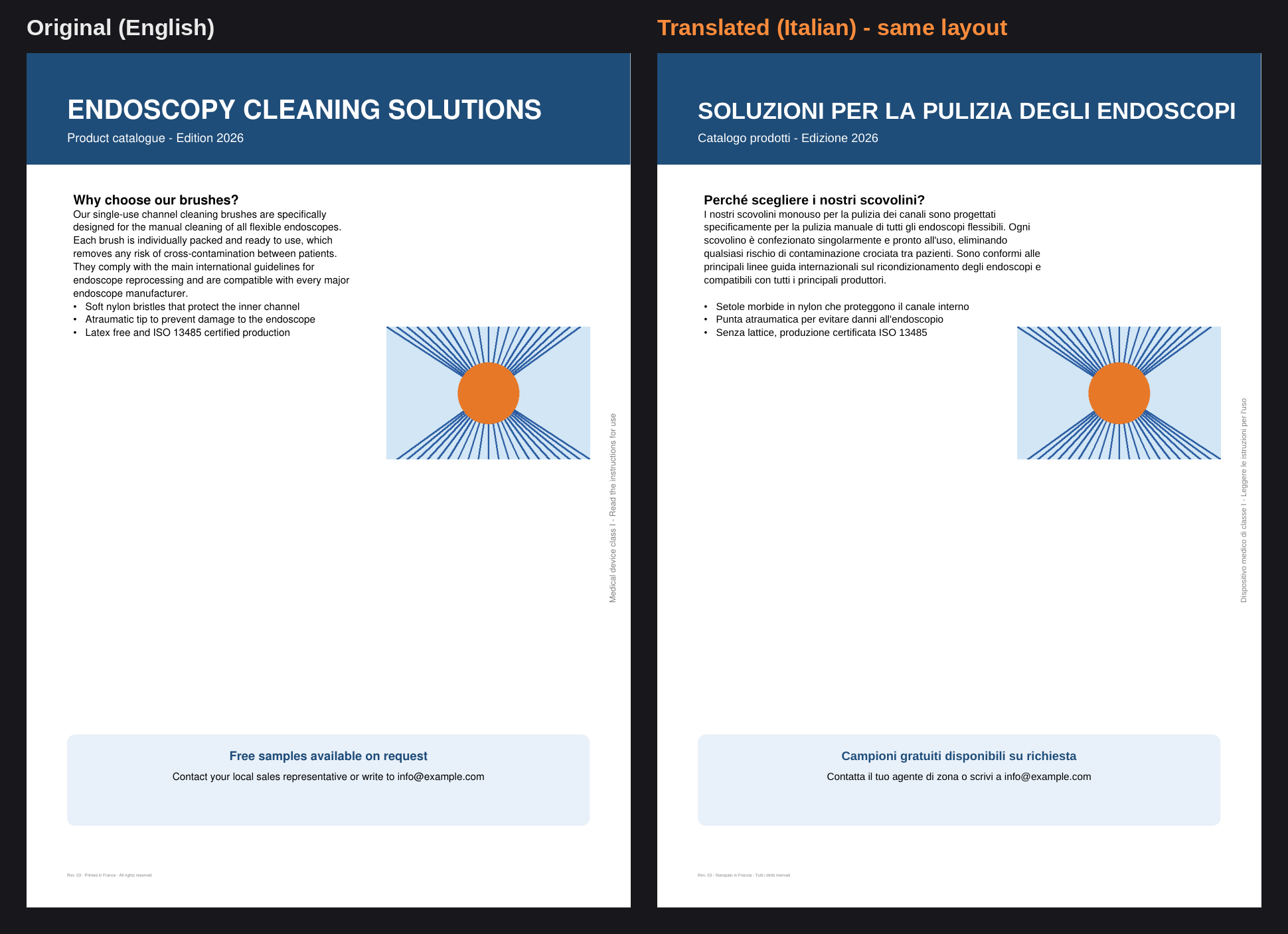 ore_after_page2.png" src="https://files.capafy.ai/public/agent/detail/2106410495389880320/2026/10/0309fa46ae5ac74dd7b119c076939e199e.png" />