
Website SEO & GEO Audit + Platform Fix Plan
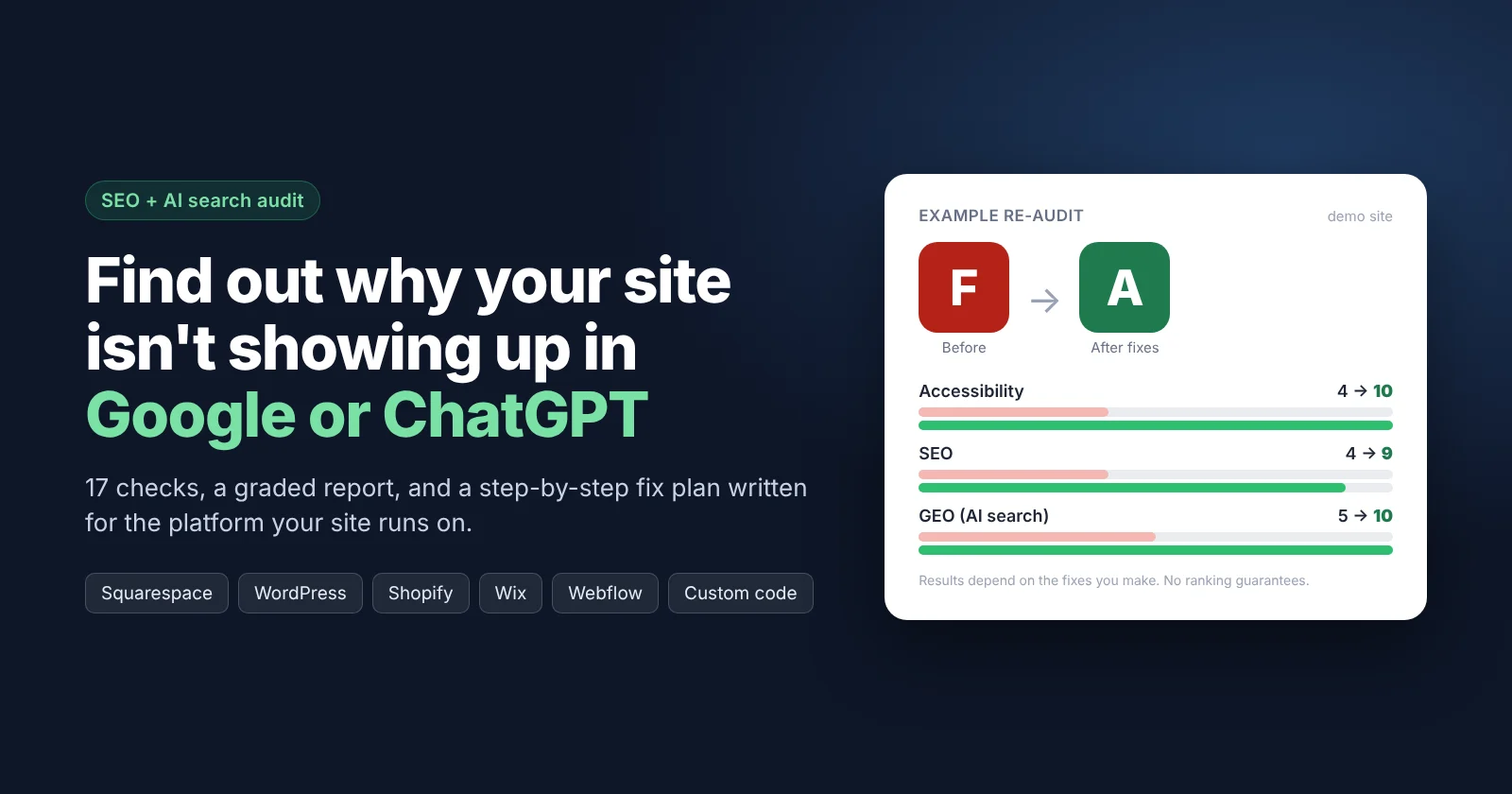
Paste your homepage URL. Get a graded report and a fix plan you can finish in an afternoon.
Built for small business owners, indie makers and freelancers who run their own site on Squarespace, WordPress, Shopify, Wix, Webflow or custom code, and want to know why Google, Bing, ChatGPT or Perplexity aren't sending anyone their way.
What you get
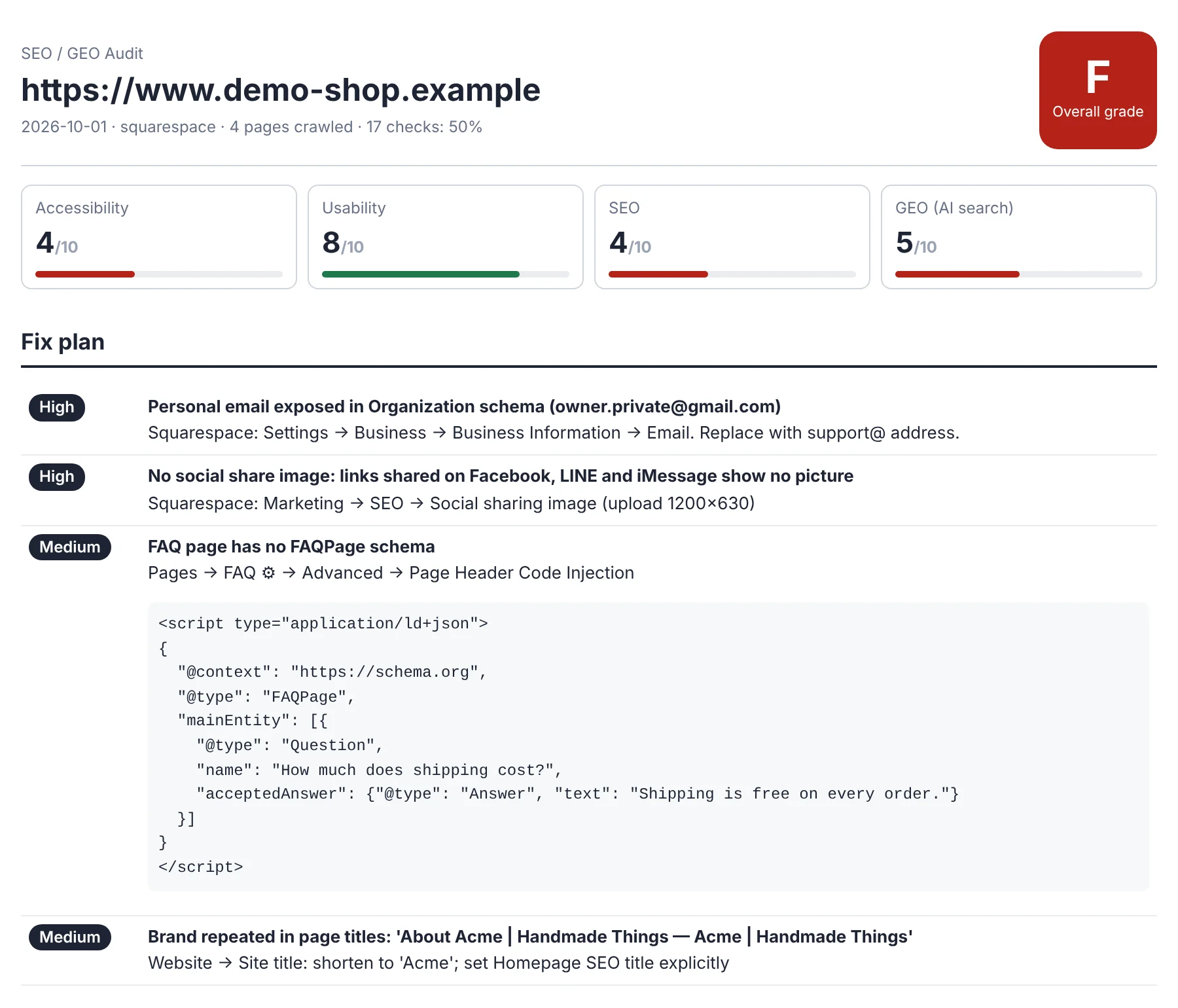
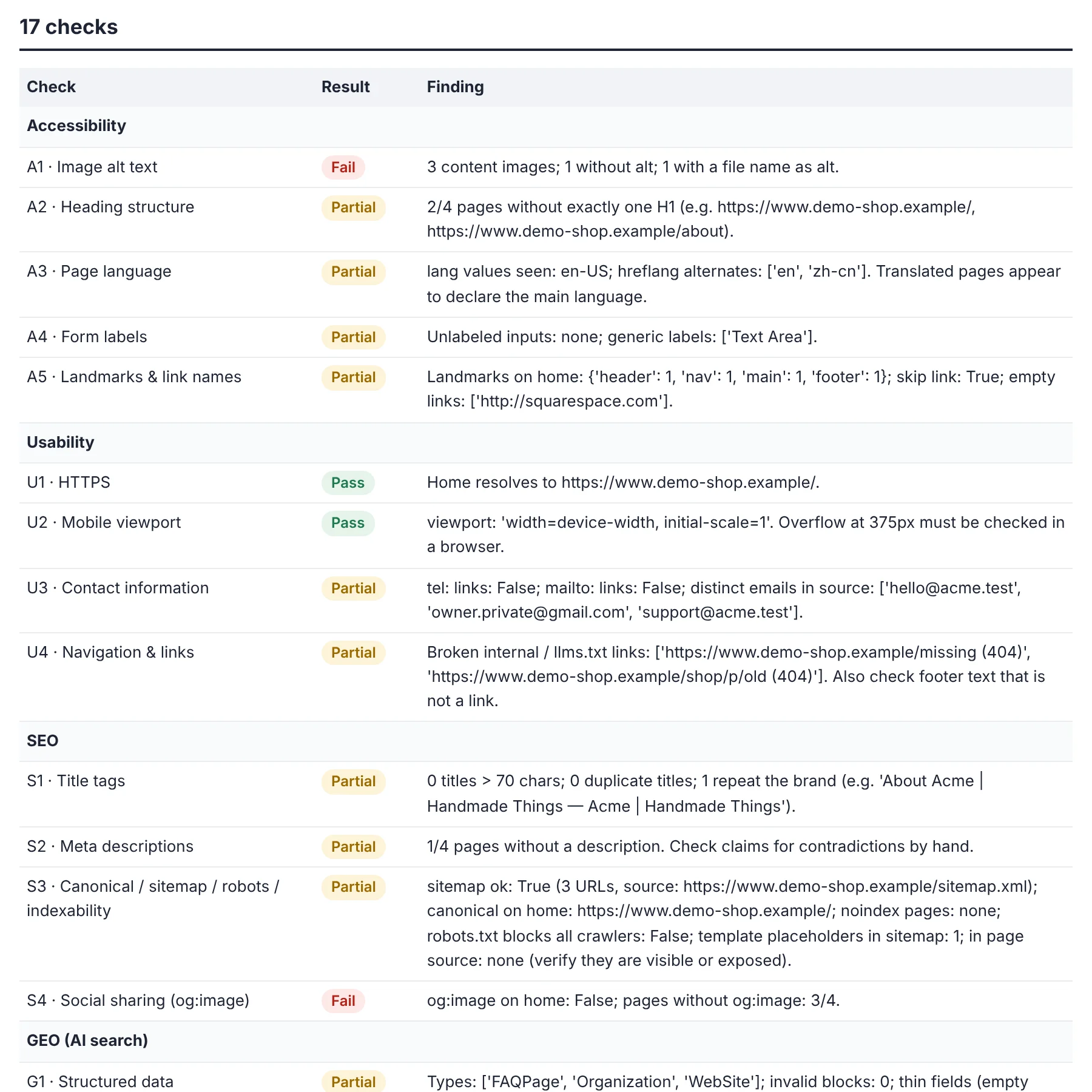
| 📊 Graded report | An A–F grade and 0–10 scores for Accessibility, Usability, SEO and GEO (AI search), across 17 checks. Every finding points to the page and the HTML that caused it. |
| 🛠️ Fix plan for your platform | It detects what your site is built on and tells you where to click in your dashboard and what to type. |
| 📋 Code you can paste | Organization and FAQ schema, per-page language fixes, HTML tables. Generated from your live page text. |
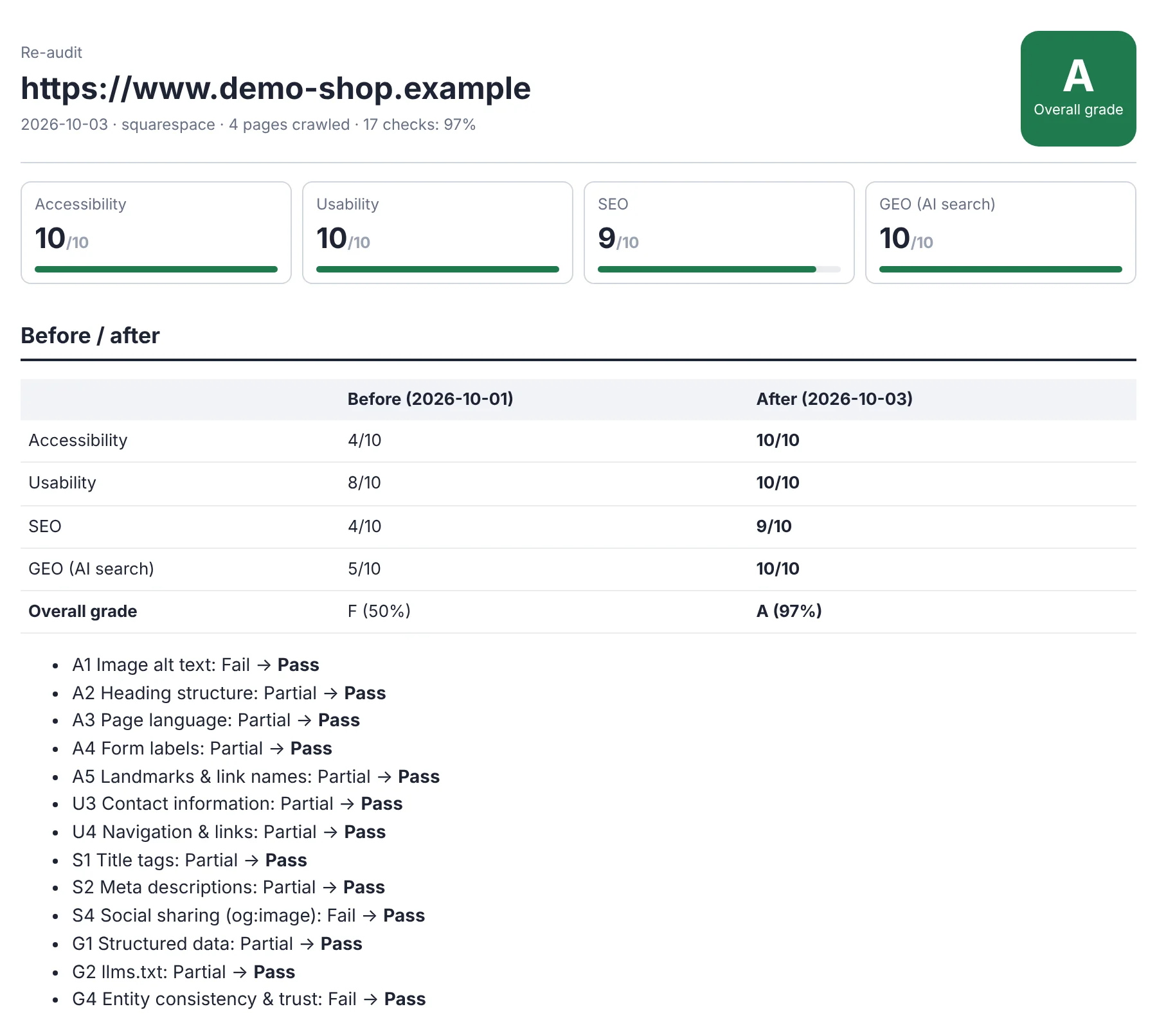
| 🔁 Before / after re-audit | Run it again after fixing, and see which checks moved and what still needs work. |
Reports come in English or Simplified Chinese.
What it catches that generic SEO tools miss
- "noindex" left on after launch. WordPress's "Discourage search engines", a Shopify password page or a Webflow staging domain can quietly keep a site out of Google.
- AI crawlers blocked by your CDN. Cloudflare can block GPTBot and ClaudeBot even when your robots.txt allows them.
- Leftover template text. "Make it stand out", "Lorem ipsum" and "Sample Page" stay hidden on the page but still show up in your sitemap and search snippets.
- Schema that silently broke. One missing
</script>in a code box disables every block of structured data after it. - Facts that contradict each other. Three different support emails, two shipping policies, or a personal Gmail in your business schema. AI engines trust sites that say the same thing everywhere.
- Invisible empty links, headings used for styling, tables posted as screenshots, and other things screen readers and AI crawlers stumble over.
How it works
- Send your homepage URL. It crawls the homepage, sitemap, robots.txt, llms.txt and up to 40 pages.
- Get the report and fix plan. The fixes come in small groups, sorted by priority, so you can do one group per sitting.
- Fix, then re-run. The re-audit confirms each fix against your live HTML and shows the before/after.
You never share a password or give admin access. Every change is made by you, and every check is done from the outside.
Where it came from
I built this while fixing my own two Squarespace sites, an online shop and an iOS app site. Both started at C. After working through the fix plans over two days, they re-audited at A- and A. Every trap in the list above is one I actually found on those sites.
The 17 checks
| Area | Checks |
|---|---|
| Accessibility | Image alt text · Heading structure · Page language · Form labels · Landmarks & link names |
| Usability | HTTPS · Mobile viewport · Contact information · Navigation & broken links |
| SEO | Title tags · Meta descriptions · Canonical / sitemap / robots / indexability · Social share image |
| GEO (AI search) | Structured data · llms.txt · AI crawler access · Entity consistency & trust |
FAQ
Which platforms are supported?
Any public website. Squarespace, WordPress, Shopify, Wix and Webflow get dedicated fix guides. Everything else (Framer, Ghost, GoDaddy, Next.js, hand-coded sites) gets developer-ready instructions.
Will this get me to #1 on Google?
No tool can promise that. Passing these checks makes your site eligible to rank and to be cited by AI search. Content, competition and time do the rest.
Do I need any technical skills?
No. If you can edit a page in your site builder, you can follow the fix plan. Code snippets come with the exact box to paste them into.
What if my site blocks crawlers or is built with JavaScript?
The report tells you, because the same block probably affects Google and AI crawlers too. It then checks the facts another way.
How long does it take?
A few minutes for most sites. Larger sites are capped at 40 pages per run to keep it fast.
Try it on your homepage now. The first run shows you exactly where you stand.