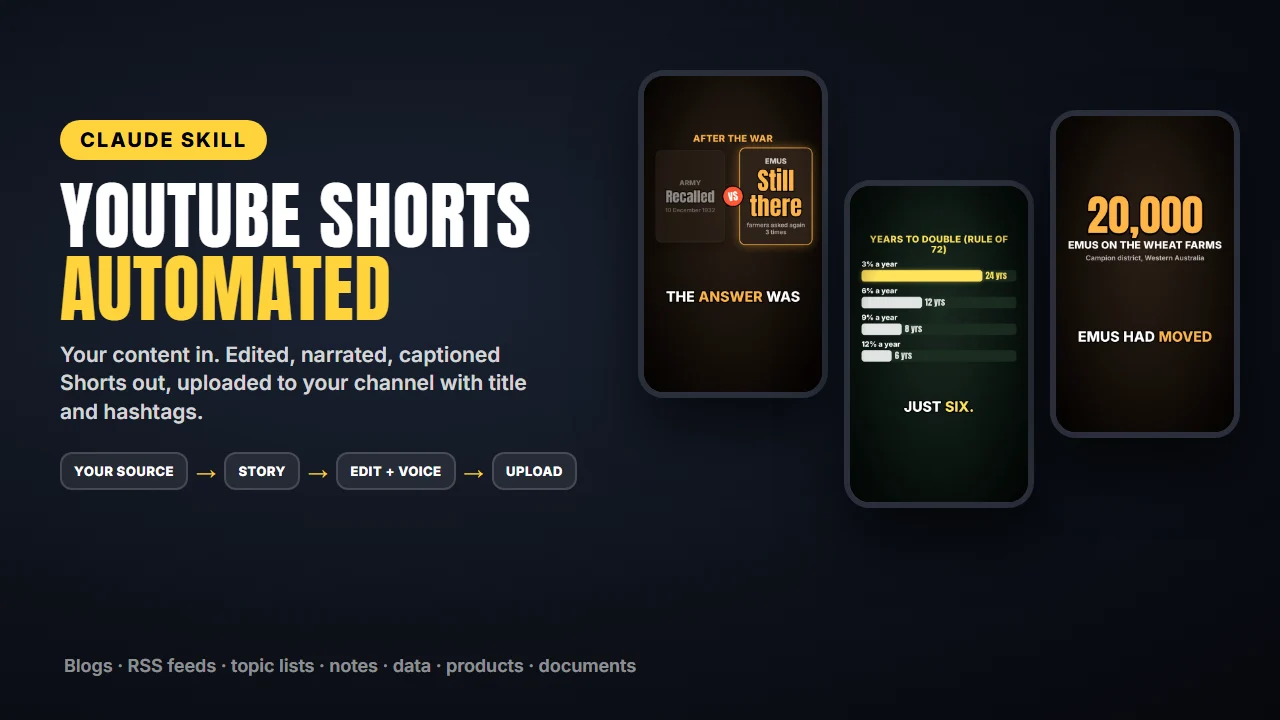
YouTube Shorts Automation
WHAT THIS IS
A downloadable toolkit (a Claude Code skill with scripts and a video template) that you install and run on your own computer. It is NOT a hosted service or a cloud agent: nothing runs on Capafy or on the seller's servers, and nothing works until you complete the installation below. You use it by chatting with Claude Code on your own machine.
WHAT IT PRODUCES
- One vertical video per run: an MP4 file (1080x1920, usually 35-55 seconds) saved on your computer, made from content you provide or point to (a blog or RSS feed, a list of links or topics, a folder of notes or photos, a spreadsheet, a document, your product page).
- The video has an AI narrator voice, word-by-word captions, animated title / number / list / quote / versus / chart cards, transitions, camera punch-ins and sound effects. No music.
- A suggested YouTube title, description and hashtags for each video.
- Optional: the video uploaded to YOUR YouTube channel through the official YouTube API, as private by default (or scheduled), only after you set up your own Google Cloud OAuth access (see below) and approve each upload.
WHAT THE TOOLKIT DOES vs WHAT YOU DO
The toolkit (Claude + the included scripts, on your computer): reads the source you point to, writes and fact-checks a short script, generates the voice, renders the video, and uploads it when you say yes.
You: install the required software; run the one-time setup; describe your channel and content source; supply any images or clips (only ones you have the rights to); create your own Google Cloud OAuth credentials if you want automatic uploads; review each video; approve each upload; publish it on YouTube (uploads are private unless you change that).
SUPPORTED ENVIRONMENT
- Claude Code (the desktop app or the command-line version). It does not run in the claude.ai web chat or on phones.
- Windows 10/11 (tested). macOS and Linux are supported but less tested.
- Python 3.9 or newer and Node.js 18 or newer (both free).
- About 2 GB of free disk space; setup downloads about 1 GB. Internet connection for setup and uploads.
- Rendering a 50-second Short takes about 3-8 minutes on a typical laptop.
- English narration only.
INSTALLATION (about 20-30 minutes, once)
- Install Python (python.org) and Node.js LTS (nodejs.org) if you don't have them.
- Unzip the package into your Claude skills folder (.claude/skills/youtube-shorts-automation in your home folder).
- Open Claude Code and say "Set up my YouTube Shorts toolkit". Setup installs a Python environment, the Remotion video renderer, a headless Chrome browser and the narrator voice model (about 1 GB, 5-15 minutes), then checks every part.
- Answer Claude's questions about your channel (topic, audience, tone, content source, hashtags, privacy).
- Optional, for automatic uploads: the Google OAuth setup below. Without it you still get the MP4 files and can upload them to YouTube, TikTok or Reels by hand.
YOUTUBE UPLOADS: YOUR OWN GOOGLE OAUTH SETUP (about 10 minutes, step-by-step guide included)
- In Google Cloud Console you create a free project, enable the "YouTube Data API v3", set up the OAuth consent screen (add your Google account as a test user) and create an OAuth client of type "Desktop app". You download its JSON file and put it in the toolkit's data folder.
- The first upload opens your browser so you sign in to your channel's Google account and allow uploads. The resulting sign-in token is stored only on your computer. The seller never sees your credentials.
- Limits set by Google: about 6 uploads per day on a new project (default quota). While the OAuth app is in "Testing" mode Google asks you to sign in again every 7 days. Google may lock videos uploaded through an unaudited API project as private; lifting that requires Google's free API audit, and meanwhile you can upload the MP4 by hand.
EXTERNAL SERVICES IT USES
- Claude (Anthropic), through your own Claude Code, to read sources and write scripts.
- Google / YouTube Data API, only for uploads, with your own credentials.
- Setup downloads from npm, PyPI, GitHub (voice model) and Google (headless Chrome).
- The websites you choose as content sources.
The narrator voice (Kokoro) runs locally: no text-to-speech service or account.
COSTS
- This toolkit: US$15, one time. Updates included.
- Claude Code needs a paid Claude plan or Anthropic API credits (not included). Each Short uses part of your Claude usage.
- Google Cloud project and YouTube Data API: free within Google's default quota (no billing account needed).
- Narrator voice: free (runs on your computer).
- Remotion (the video renderer): free for individuals and companies with up to 3 employees; larger companies need a paid Remotion Company License.
- No other subscriptions.
WHAT'S INCLUDED
The skill instructions for Claude, the video engine (Remotion template with 8 scene types, 6 colour looks, 4 transitions, 16 sound effects, 2 fonts), the narrator and timing pipeline, the YouTube uploader, the channel profile, content-source readers, upload history (avoids repeating topics, looks and titles), and guides: setup, Google OAuth, writing, troubleshooting.
NOT INCLUDED / LIMITS
No hosted service, no music, no stock images or footage (use your own media, or the built-in animated cards). Automatic upload is YouTube only. No views, subscribers or income are promised; you are responsible for following YouTube's policies (YouTube may demonetize channels that mass-produce repetitive videos).