Cliplantern: Talking Video to Captioned Shorts
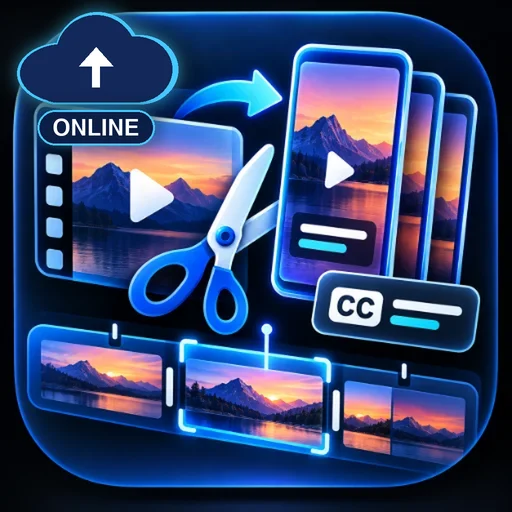
Send a long talking video (podcast, interview, talk) as an upload or direct file link. Cliplantern transcribes up to 8 minutes per message (up to 20 minutes when the video has subtitles), picks the strongest self-contained moments, cuts up to 3 vertical or square clips with burned-in captions, checks each clip, and returns MP4s with a suggested title, opening hook and hashtags. Longer videos are covered window by window over several messages.
#الفيديو
التقييم
مطلوب المزيد من التقييمات
المبيعات
0
كيفية الاستخدام
التشغيل على Capafy
متاح أيضًا في التطبيقات الخارجية
يوفّره الناشر
google/gemini-3.8-flash
Cliplantern: Talking Video to Captioned Shorts
Cliplantern takes a long video with continuous speech, such as a podcast, interview or talk, and cuts up to 3 short vertical or square clips with burned-in captions.
What it does
- Gets your source from an uploaded file or a direct
https://file link. YouTube page links work only ifyt-dlpis installed in the sandbox and YouTube does not block the server. Otherwise, upload the file. - Transcribes speech. It uses subtitles already in the file, or an attached
.srt/.vtt, first, at no model cost. Otherwise the audio is transcribed with an AI model in 4-minute chunks. - Picks self-contained moments of 15-90 seconds with a clear opening line and a resolved ending, and suggests a title, opening hook and hashtags for each.
- Cuts the clips locally with ffmpeg. Layout is vertical 9:16 (1080x1920) or square (1080x1080) using a center crop; there is no face tracking. Captions are burned in, wrapped to at most 3 lines.
- Checks each clip (length, audio track, caption fit, captions present) and marks it
ready,revise(no audio track) orreject, with the reasons.
How to use it
Example prompts:
- "Here's my 45-minute podcast episode (upload). Make 3 vertical clips from the first part."
- "Use 12:00 to 20:00 of this interview and give me 2 square clips."
- "Continue with the next window." (after a clip round reports the next time range)
Not suited to music videos, silent footage or fast-cut gameplay.
What you get
- MP4 clips with burned-in captions and the original audio, each with a suggested title, hook, hashtags and the reason it was chosen.
- Clips that fail the checks are flagged with the reason.
- Caption timing follows the transcript and can drift by a fraction of a second. No views, reach or engagement are promised.
Limits per message (enforced in code)
- 1 transcription run and 1 clip-selection run per message. A second run in the same message is refused.
- AI transcription covers at most 8 minutes per message (2 calls of up to 4 minutes, at most 3,000 output tokens each). With subtitles, a window of up to 20 minutes is used at no model cost.
- If you ask for a longer range, it is cut to the cap and the next time window is given for your next message.
- Clip selection reads at most 30,000 characters of transcript and writes at most 1,500 tokens.
- At most 3 clips per message, each 15-90 seconds. Source files up to 2 GB.
Model
- Transcription and clip selection:
google/gemini-3.8-flashthrough OpenRouter, reasoning effort low.meta/muse-spark-1.3is used only if the first model returns an HTTP error. - Cutting, captions and checks run locally with ffmpeg and Pillow, at no model cost.
- The assistant runs on
google/gemini-3.8-flashthrough OpenRouter with reasoning effort set to low. It makes at most 3 model calls per message (plus up to 2 short summary calls if that limit is reached).
Plans and prices
One request = one message you send.
| Plan | Price | Requests (messages) |
|---|---|---|
| Day | $4.49 | 6 |
| Week | $8.99 | 8 |
| Month | $17.99 | 24 |
No free trial on any plan.
Data handling
- Your messages and uploaded files are processed inside this agent's Capafy run sandbox.
- Audio chunks of the selected window (when no subtitles are available) and the transcript text are sent to OpenRouter, which forwards them to Google (
google/gemini-3.8-flash), or to Meta for themeta/muse-spark-1.3fallback. The video itself is not sent to a model; cutting happens in the sandbox. Links you provide are downloaded into the sandbox. - Results are written to the sandbox's
output/folder and returned to you in the chat. - A small usage file in the sandbox home folder stores only timestamps and counts (no prompts or file contents). It enforces the per-message and per-24-hour limits.
- The package does not send your content to any other service, and it has no analytics or tracking.
- API keys are the publisher's hosted keys. You don't need to provide any key, and the package never prints or stores keys.
- Don't upload anything you are not allowed to share with these model providers.
Support
Questions or problems: [email protected]