
CutEZ — من فيديو طويل إلى مقاطع قصيرة بنقرة
📡 ما الذي يفعله فعليًا
يقرأ الفيديو قبل اقتطاعه. يكفي أن تعطيه رابطًا ليفهم موضوع المصدر، ويختار الجزء الجدير بالاقتطاع، ويحدد الإعدادات، ثم ينشئ المقاطع ويعيد تقييم النتائج التي وصلته. وإذا رُفض جزء كان قد استحسنه، فسيخبرك بذلك بدلًا من أن يسلّمك بصمت ما تبقى.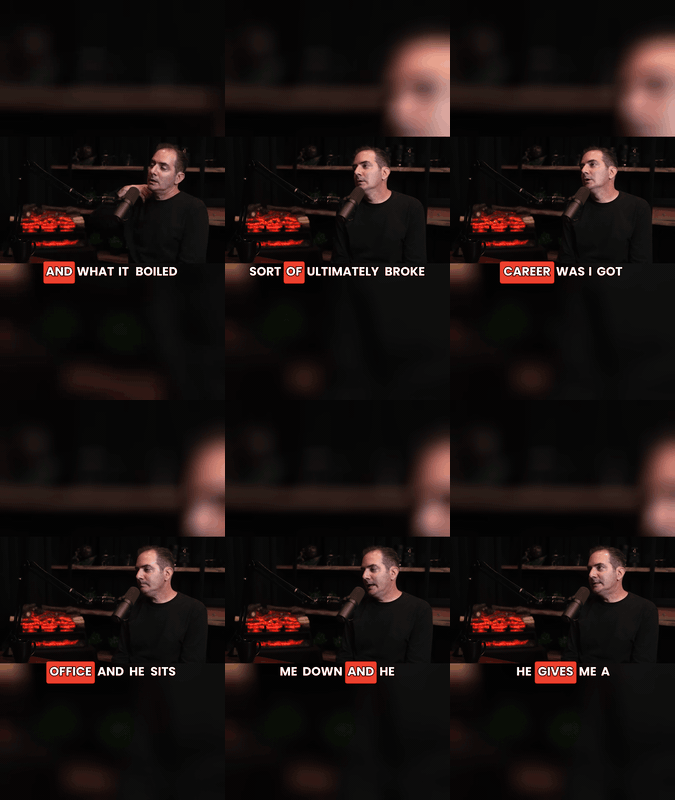
مصمم للفيديوهات التي تعتمد على الكلام. البودكاست، والمقابلات، والمحاضرات، والشروحات، والتعليقات: أي مصادر يتواصل فيها الكلام. ليس موجهًا للموسيقى أو اللقطات الصامتة أو فيديوهات اللعب ذات الانتقالات السريعة، ولا يقدم وعودًا بشأنها.
أي فيديو طويل. يمكن إدخال رابط صفحة YouTube مباشرة. أما أي مصدر آخر، سواء كان منصة أخرى أو حاوية تخزين سحابية أو تسجيلًا خاصًا بك، فيُقدَّم كرابط مباشر لملف فيديو: Amazon S3 أو Google Cloud Storage أو Azure Blob أو Cloudflare R2 أو Backblaze B2 أو MinIO أو DigitalOcean Spaces أو أي CDN عام. تصل مدة ملفات المصدر إلى 5 ساعات.
روابط ملفات وليست تكاملات مع الخدمات. تعمل خدمات التخزين هذه لأنها توفر روابط مباشرة للملفات؛ لا يوجد ربط للحسابات ولا متصفح لملفاتها.
يفهم المصدر قبل إنفاق أي شيء. تُقرأ البيانات الوصفية والمدة والنصوص التوضيحية محليًا. وإذا لم تتوفر نصوص توضيحية، يمكن استخدام نموذج صوتي خفيف اختياري لتفريغ الكلام. وإذا فشل التحليل المحلي بالكامل، حتى في قراءة البيانات الوصفية للمصدر نفسه، تستمر الجولة باستخدام نطاق افتراضي. يُمرَّر المصدر إلى المرحلة التالية ولا يُتخلّى عنه.
يختار نطاقًا متصلًا مدته 5–20 دقيقة يمكن أن يستقل بذاته: يبحث عن بداية جاذبة واضحة، وأشخاص أو أحداث أو أرقام أو صراع محدد، ونهاية تقدم حلًا أو مفاجأة. تقل أولوية الأحاديث الجانبية والتمهيد والإعلانات المقروءة والحشو.
يشرح اختياره في جملة مفهومة. ليس مجرد تقييم آلي، بل سبب حقيقي يُضمَّن في التسليم.
يعثر على عدة خيارات مرشحة، ولا يلقي عليك قائمة فصول لتختار منها بنفسك.
نطاق واحد في كل جولة. لا يرسل نطاقًا ثانيًا حتى تطلب منه ذلك.
📊 كيف تسير الجولة
التحليل المسبق — المدة واللغة والنصوص التوضيحية ذات الطوابع الزمنية. لا يُستخدم التفريغ الاختياري إلا عند الحاجة.
الاختيار — النطاق والطول والتخطيط ونمط النصوص التوضيحية والسبب.
الإنشاء — طلب واحد يعالج 60–1200 ثانية من المصدر.
المراجعة — يُقيَّم كل مقطع ناتج على حدة: البداية الجاذبة، والاكتمال، وإمكان فهمه مستقلًا، والحشو، ومدى تطابق العنوان. تكون النتيجة ready أو revise أو reject.
التسليم — على دفعات، وليس كومة روابط دفعة واحدة. إذا اجتاز مقطع واحد المراجعة، يُسلَّم بوصفه مقطعًا واحدًا.
🧠 يختار النطاق بدلًا منك
يرتّب أجزاء الخط الزمني حسب الأولوية، ثم يوسّع تفاصيل الطوابع الزمنية الأصلية لأكثر المرشحين وعدًا قبل اتخاذ القرار.
يقرأ جزءًا محدودًا من النص المفرغ في كل مرة، حتى لا يستنفد بودكاست مدته 3 ساعات سعة السياق لديه.
يختار افتراضيًا نطاقًا قويًا واحدًا عندما يكون الفيديو قصيرًا، والفيديو كاملًا عندما تقل مدة المصدر عن 20 دقيقة.
إذا حددت نطاقًا بنفسك، تكون الأولوية لتحديدك.
💬 النصوص التوضيحية: اختيار النمط المناسب ثم التحقق
يسرد أنماط النصوص التوضيحية المتاحة لدى الخدمة المزوِّدة، ويختار منها ما يناسب المحتوى. فالكلام المباشر القابل للاقتباس، والسرد الهادئ، والدروس والشروحات تُعالَج بأساليب مختلفة. وتُفحَص معاينة النمط المختار قبل استخدامه.
تُستخدم الأنماط التي تدعم التفاف السطور للغات التي تطول فيها أسطر النص. بعض الأنماط تعرض سطرًا واحدًا لا يمكن تقسيمه: في مصدر روسي، أظهر القياس إطارًا بإطار أن أحد الأنماط امتد إلى 717 بكسل من أصل 720 وقطع الحروف في منتصف خطوطها، بينما لم يقطع النمط الذي يدعم التفاف السطور أي شيء. تُوجَّه اللغات ذات السطور الطويلة إلى أنماط تتجنب هذه المشكلة.
لا يُحكم على شيء بأنه جيد قبل مشاهدته. تُؤخذ عينات من الإطارات عبر كل مقطع، وتُقصّ إلى شريط النصوص التوضيحية، ثم تُقرأ معًا في مرور واحد. النص المقطوع عند الحواف أو المعروض بصورة غير مقروءة لا يمكن تسليمه بحالة ready. فحص الإطارات ليس اختياريًا للمقطع المكتمل؛ لا يمكن وضع علامة ready على مقطع لم يُفحَص.
✅ فحص إلزامي قبل إعلان الاكتمال
يُقيَّم كل مقطع على أساس جودته هو، لا على أساس درجة المزوِّد.
تتطلب حالة ready إجراء فحص إطارات النصوص التوضيحية. لا يوجد مسار يتيح اعتبار المقطع مكتملًا دون فحص.
تُفصل المقاطع التي لا تجتاز المراجعة وتُوضَّح مشكلاتها؛ ولا تُخلط أبدًا مع مجموعتك المكتملة.
تعني revise أن المشكلة سُمّيت، لا أنها أُصلحت. يُبلَّغ عن المقطع الذي يحتاج إلى عمل مع توضيح الخلل فيه؛ لا يُعاد اقتطاعه أو إعداد نصوصه التوضيحية بصمت ثم يُقدَّم على أنه مكتمل.
يُتحقق من التنزيلات: استجابة صالحة وملف غير فارغ، لا مجرد افتراض النجاح.
📦 ما الذي تتلقاه
كل مقطع يجتاز المراجعة مع رابطه المباشر، وعنوان مقترح، وملاحظة تشرح سبب الاحتفاظ به، إضافةً إلى افتتاحية جاذبة ووسوم عندما يناسبها المقطع.
نسخة محلية تبقى محفوظة. تنتهي صلاحية روابط CDN؛ لذلك تُحفَظ ملفاتك محليًا ويُعطى لك مسارها.
سطر يوضح أي جزء من المصدر عولج، وما الذي بقي.
التسليم على دفعات، بحيث تصلك المهمة الطويلة على أجزاء بدلًا من جدار واحد من الروابط.
⏱️ ما الذي يمكنك توقعه
وقت الانتظار. تستغرق الجولة عادةً نحو 10–20 دقيقة، وقد تطول عندما يكون طابور المعالجة مزدحمًا أو يلزم تنزيل نموذج أولًا.
عدد المقاطع متغير. قد ينتج نطاق مدته 20 دقيقة عدة مقاطع تجتاز المراجعة، أو مقطعًا واحدًا، أو لا شيء. خمسة مقاطع ليست وعدًا؛ ويُبلَّغ عن النطاق الذي لا ينتج شيئًا بدلًا من إخفائه.
لا يُنفَّذ شيء من دون علمك. نطاق واحد في كل جولة، ولا إعادة إرسال تلقائية بعد الفشل.
🔄 المصادر الأطول: نطاق واحد في كل جولة
يعالج المنتج ما يصل إلى 20 دقيقة في كل طلب، بينما قد يكون المصدر أطول بكثير.
ردّ بكلمة "continue" للانتقال إلى النطاق التالي في الترتيب، بعد إعادة قراءة ذلك النطاق وإعادة تحديد إعداداته.
لن ينتقل من تلقاء نفسه، ولن يطلب منك المتابعة قبل انتهاء الجولة الأولى.
⚠️ حدود نوضحها بصراحة
لا تقتطع الخدمة المزوِّدة إلا الفيديوهات التي تعتمد على الكلام. ويُطبَّق فحصها على كل نطاق، لا على المصدر كله: في بودكاست مقابلة يشارك فيه 3 أشخاص، رُفض نطاق عند تقدم 40%، بينما أنتج نطاق أسبق من الفيديو نفسه مقاطع بصورة طبيعية. حصل النطاق المرفوض على درجة 5.058 في التحليل المحلي، لذلك لا يمكن توقع ذلك مسبقًا أو تجنبه باختيار مختلف. وعندما يحدث، يُبلَّغ عن ذلك النطاق بصياغة المزوِّد نفسها، ثم تنتقل إلى نطاق آخر.
يجب أن يكون الرابط المباشر رابط ملف حقيقيًا. لا تعمل روابط المشاركة في Dropbox وGoogle Drive؛ فهي تعيد صفحة معاينة HTML بدلًا من بيانات الفيديو نفسها. استخدم تخزين الكائنات أو CDN أو خادمًا تتحكم فيه.
لا يُقبل رابط صفحة منصة غير YouTube مباشرةً، مثل Bilibili أو Vimeo وغيرهما؛ احصل على رابط ملف الفيديو بدلًا منه. YouTube هو المصدر الوحيد الذي يمكن تمرير رابط صفحته كما هو.
تفرض الخدمة المزوِّدة حدًا أقصى قدره 5 ساعات لملفات المصدر.
التخطيط ليس ثابتًا على الوضع العمودي؛ تتوفر auto وfill وfit وsquare. وقد يضيف خيار "الاحتفاظ بالإطار كاملًا" حوافًا فارغة بدلًا من القص حول الوجه.
خيارات مظهر النصوص التوضيحية محدودة: لا توجد عناصر للتحكم في حجم الخط أو التفاف السطور أو الموضع. النمط هو الخيار الوحيد القابل للتعديل.
يُبلَّغ دائمًا عن أي نطاق يفشل أو يُرفض. لن يُقال لك إن المهمة اكتملت إذا فشل جزء منها.
العناوين والافتتاحيات الجاذبة التي تُنشأ هي اقتراحات وليست أحكامًا نهائية؛ راجعها قبل النشر.
واجهات API الخارجية
Ssemble