Kapi - Hatch Your Own Desktop Pet
Kapi - Hatch Your Own Desktop Pet
Bring the pet you love into your digital life.
Start with a single photo, hatch your own desktop pet, care for it, and teach it new things.
Kapi turns an uploaded pet photo into a one-of-a-kind desktop companion while preserving its original fur color, facial features, and familiar expressions.
This is more than just an animated image. It is a journey that you help shape. From its appearance, gaze, and movements to its personality, sounds, and daily habits, every detail can be gradually adjusted to feel more like the pet you remember.
🐾 Hatch Your Own Desktop Pet from a Photo
Upload a photo and bring your real-life pet onto your desktop as a unique digital companion.
You can gradually customize:
- Fur color and facial features
- Gaze and expressions
- Movements and behaviors
- Personality and speaking style
- Familiar sounds and reactions
Your desktop pet will not only look like them—it will also begin to feel like them.
👀 It Watches You and Responds
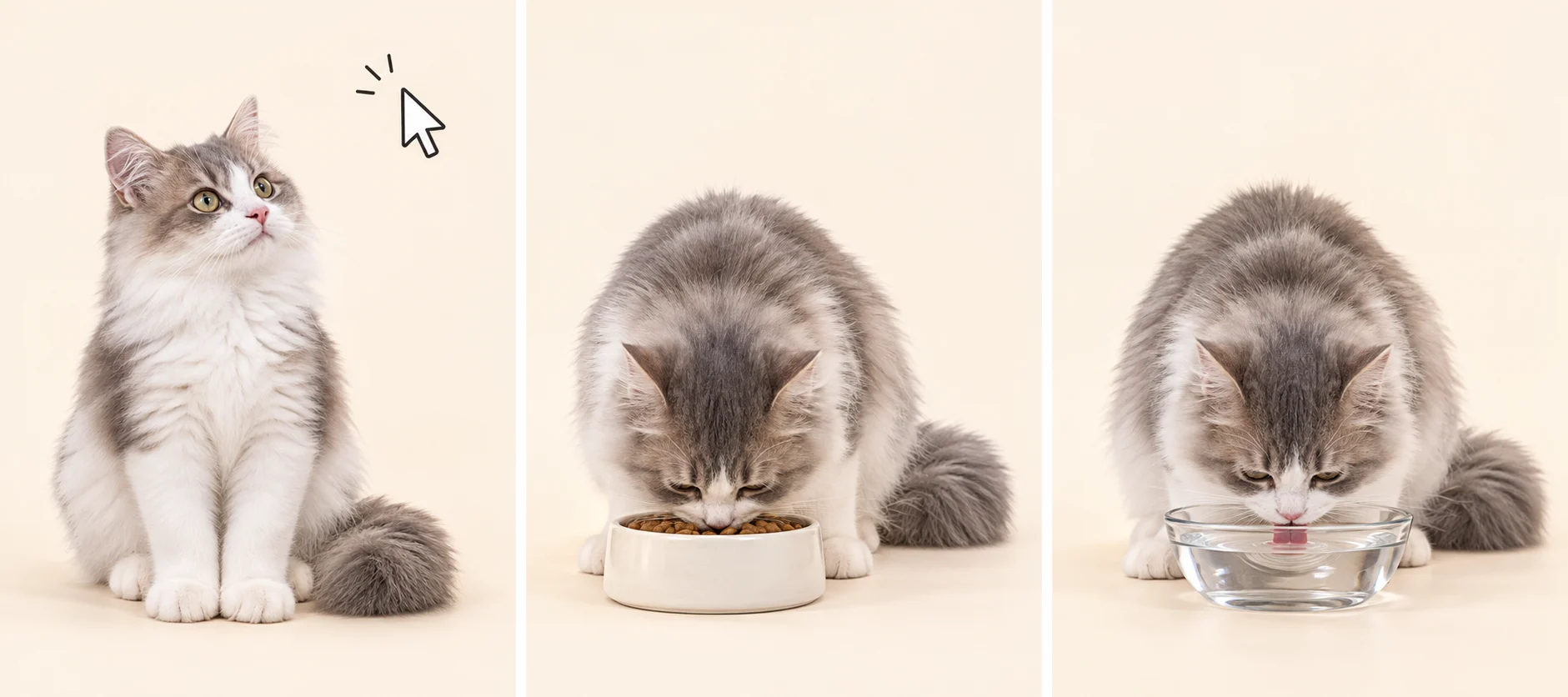
Your pet blinks, breathes, and follows your cursor with its eyes.
When you click, pet, or drag it, it responds with different expressions, movements, and sounds. Even when you are not interacting with it, your pet will rest, observe, and occasionally perform adorable little actions on its own.
🌱 Help It Grow Like a Real Pet
You can feed it, give it water, let it rest, and care for its mood and energy.
As you spend time together each day, your pet gains experience, levels up, and records its journey in its little notebook, including:
- Abilities it has learned
- Daily wishes
- Collections it has found
- Growth diary entries
- Story chapters you have experienced together
Your pet does not stop changing after it is first created. It continues to grow through the time you spend together.
🎓 Teach It New Abilities Yourself
Want your pet to wave, spin around, dance, pounce, make a heart, or recreate one of its signature real-life behaviors? You can teach it step by step.
Once it has learned an ability, you can select it directly from the little notebook and ask your pet to perform it again.
Every movement and every line it learns becomes something you created together.
⏰ Decide What It Does and When
You can create personalized routines and interaction rules for your pet, such as:
- Reminding you to finish work in the evening
- Running over for affection after you have worked too long
- Quietly hiding when your battery is low
- Dancing happily when you drag an image onto it
- Approaching you when it feels hungry or lonely
- Greeting you good morning and good night in a familiar way every day
Your pet does more than perform actions—it gradually becomes part of your daily life.
💬 Create Its Unique Personality and Voice
You can teach your pet to express its feelings in a familiar way, create custom lines, set daily reminders, and remember important anniversaries.
Whether it is acting affectionate, getting grumpy, cheering you on, or reminding you to drink water and take a break, every interaction can feel more like the pet you remember.
🎀 Unlock Outfits and Special Looks
Spend time with your pet to unlock different outfits, accessories, and seasonal styles.
Its appearance can continue to change with the seasons, its mood, and the stories you create together—making it a truly one-of-a-kind desktop companion.
📦 Keep Updating Without Starting Over
After your pet is first hatched, you can continue adding new movements, lines, outfits, and interactive abilities.
Your desktop pet keeps all of its existing growth and memories, so you never need to start over.
Currently available on Windows; the macOS version is still being tested.