
StoryBible | Kids character sheets & episode plans
StoryBible
Plan kids animation episodes with a character sheet and episode plans you can reuse. You describe the series once. StoryBible writes a series bible that locks each character's look, then turns every episode idea into a storyboard, a script, ready-to-paste prompts for your image or video tool, a shot list and draft captions.
StoryBible writes plans and prompts. It does not make pictures, video or voice. You generate those in the tool you already use.
What you send
- First episode: a few sentences about the series (who the characters are, where they live), the age group (2-4, 4-6 or 6-8), this episode's idea and the length (30 seconds to 3 minutes). Anything you leave out gets a default: 90 seconds, ages 4-6, flat picture-book style.
- Next episodes: upload the
bible.jsonyou got last time, plus the new idea. New characters can join; the old ones stay exactly as they were.
What you get back
| File | What it is |
|---|---|
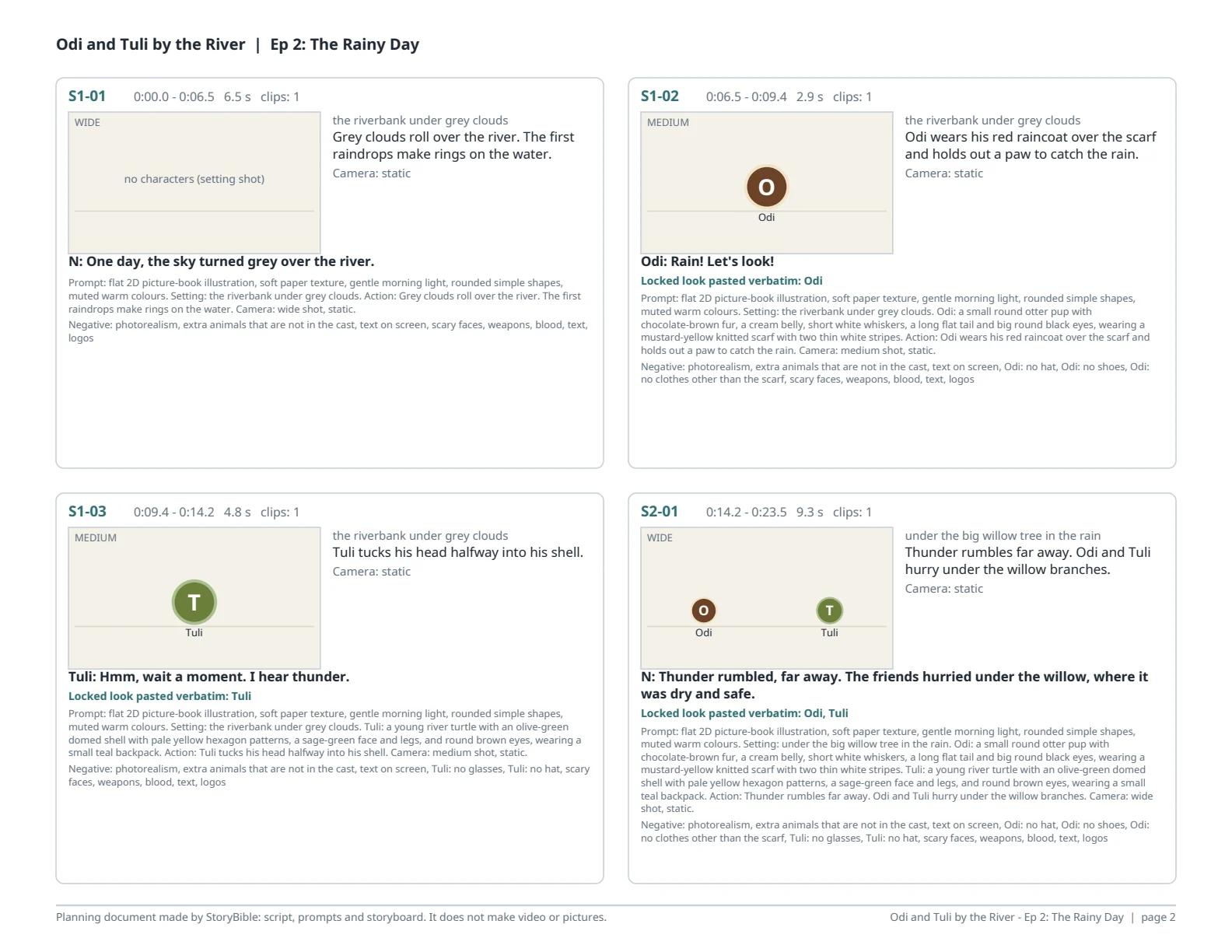
storyboard.pdf |
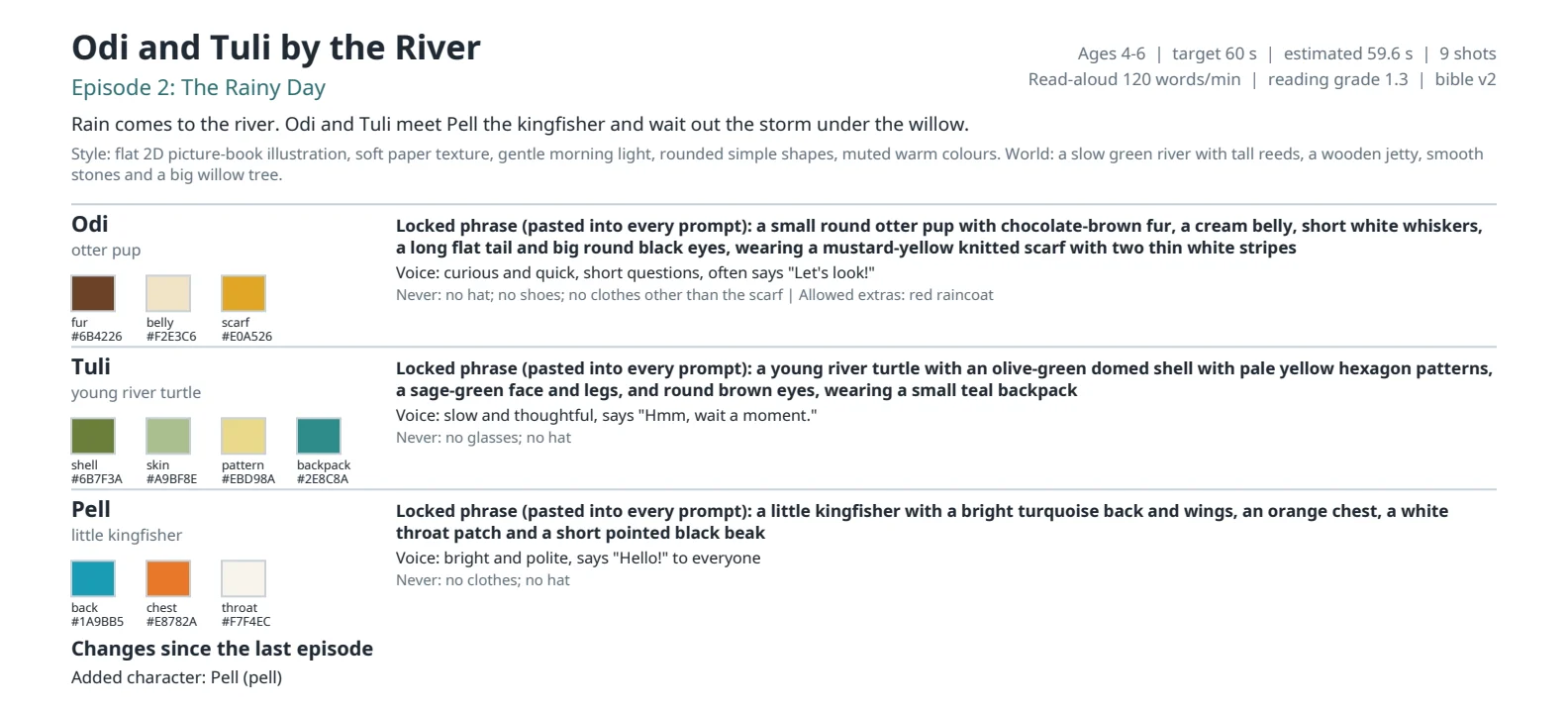
Character sheet with colour swatches and locked looks, then shot cards: timecode, framing, a simple blocking sketch, action, lines and the prompt |
prompts.txt |
One prompt and one negative prompt per shot, ready to paste |
shots.csv |
The shot list for a spreadsheet or editor: start, end, seconds, clips, cast, camera, lines, prompts |
narration.srt |
Draft captions timed at read-aloud speed, at most 2 lines of 42 characters |
script.md |
The script with narration and dialogue by scene |
bible.json |
The locked series bible. Upload it with your next request |
How character descriptions are kept the same
Each character gets one locked phrase: shape, colours and a distinctive feature, plus what they always wear. The build pastes that phrase word for word into every shot prompt, in every episode. Shot text that gives a character a different colour or a new piece of clothing is refused. Changing a locked field later needs your request, and the change is listed in the next storyboard.
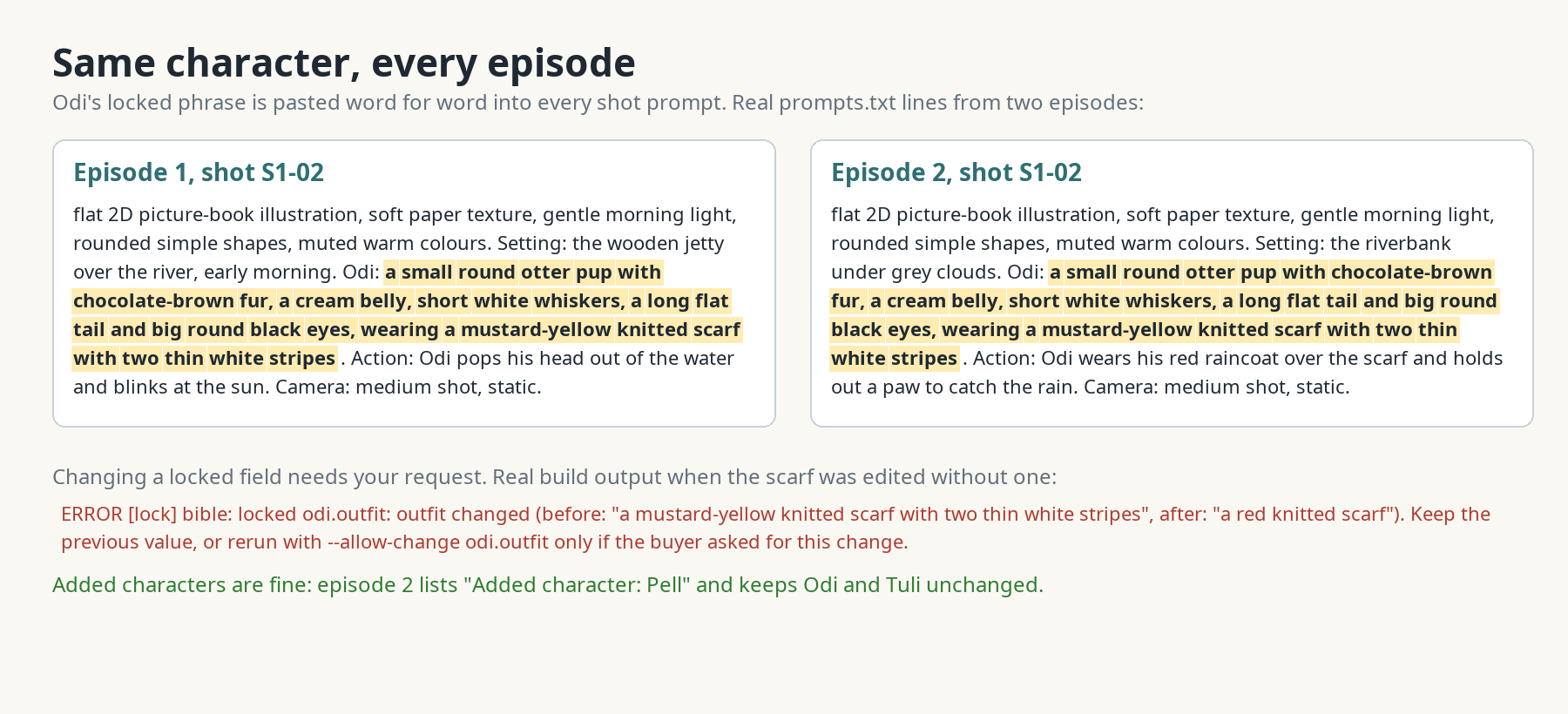
An image or video generator can still drift. Using the same words every time reduces that; it does not guarantee it.
Checks on every episode
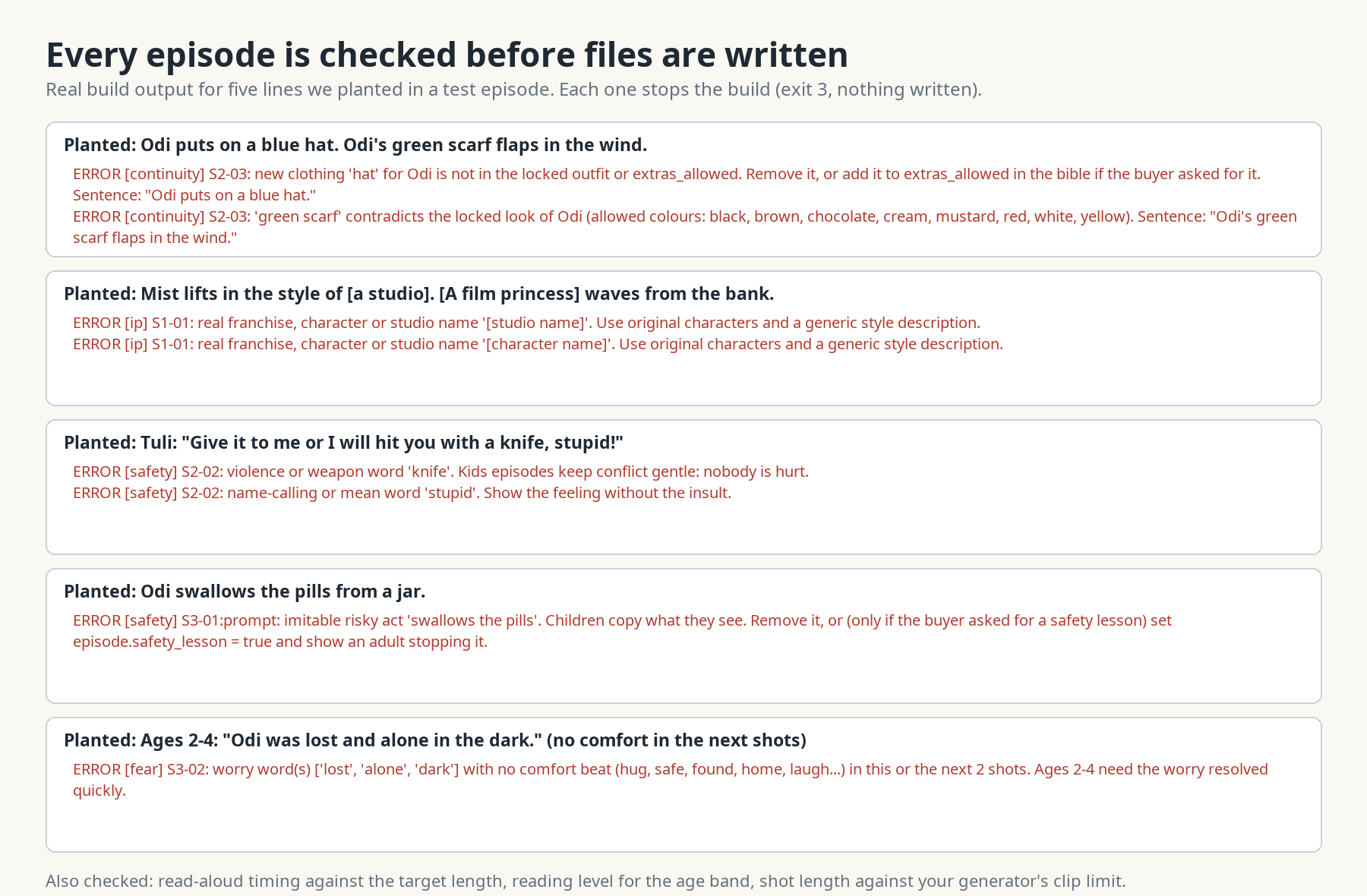
- Child safety: no violence or weapons, no insults, no adult themes, no risky acts a child could copy, no horror. A worry (lost, dark, thunder) has to be comforted within two shots for ages 2-6.
- Original characters only: names of existing characters, franchises and studios are refused, and so is "in the style of" a show or film.
- Length: every shot is timed at read-aloud speed (110, 120 or 130 words per minute by age group) and the total is compared with your target.
- Reading level: sentence length and long words for the age group, measured for English.
- Generator limits: shots longer than your tool's clip length (10 seconds unless you say otherwise) are marked, for example "2 x 5.0s".
How long it takes
Most of the time is the assistant writing the episode. The build itself, measured in a 2 CPU sandbox: 0.13 seconds for a 13-shot, 90-second episode and 0.14 seconds for a 34-shot, 3-minute episode. The first request of a session also installs the Python packages (7 to 30 seconds, depending on download speed).
Plans and limits
| Plan | Price | Requests |
|---|---|---|
| Daily | $3.99 | 5 per day |
| Weekly | $7.99 | 10 per week |
| Monthly | $19.99 | 25 per month |
Every message you send uses 1 request from your plan. One episode with two or three changes is usually 3 to 5 requests.
What it does not do
- It does not generate pictures, video, music or voice, and it does not post anything.
- It does not copy existing characters, franchises or studio styles.
- Caption timing is a draft based on read-aloud speed. Re-time the captions to your real voice track.
- Reading level is measured for English only. Episodes in other languages still get timing, safety and continuity checks. The PDF font covers Latin, Greek and Cyrillic scripts; for other scripts you get every file except the PDF.
- It does not check pictures you generated.
FAQ
Which image or video tool does it work with?
Any tool that takes a text prompt. If your tool has a shorter clip length or a prompt length limit, say so and the shot list follows it.
Can I change a character later?
Yes. Ask for the change, for example "Odi's scarf is red from now on". It is applied to every later episode and listed under "Changes since the last episode".
Can I use my child's name for a character?
Yes, as a character name. StoryBible does not use photos of real children or add personal details to prompts.
Can it write in another language?
Yes. Ask for the episode in that language. The assistant replies in the language you write in.
Is anything sent to other services?
No. The episode is built inside the workspace. The only network use is installing Python packages from PyPI at setup.
واجهات API الخارجية
PyPI (pypi.org, files.pythonhosted.org)