AI PDF Generator — Anything to PDF
Turn rough business material into a polished PDF people can review, sign, or send.
Most people do not need "a PDF." They need a document that looks credible enough for the moment: a term sheet for investors, a memo for leadership, an agreement for review, a white paper for technical readers, or a report that does not look like pasted notes.
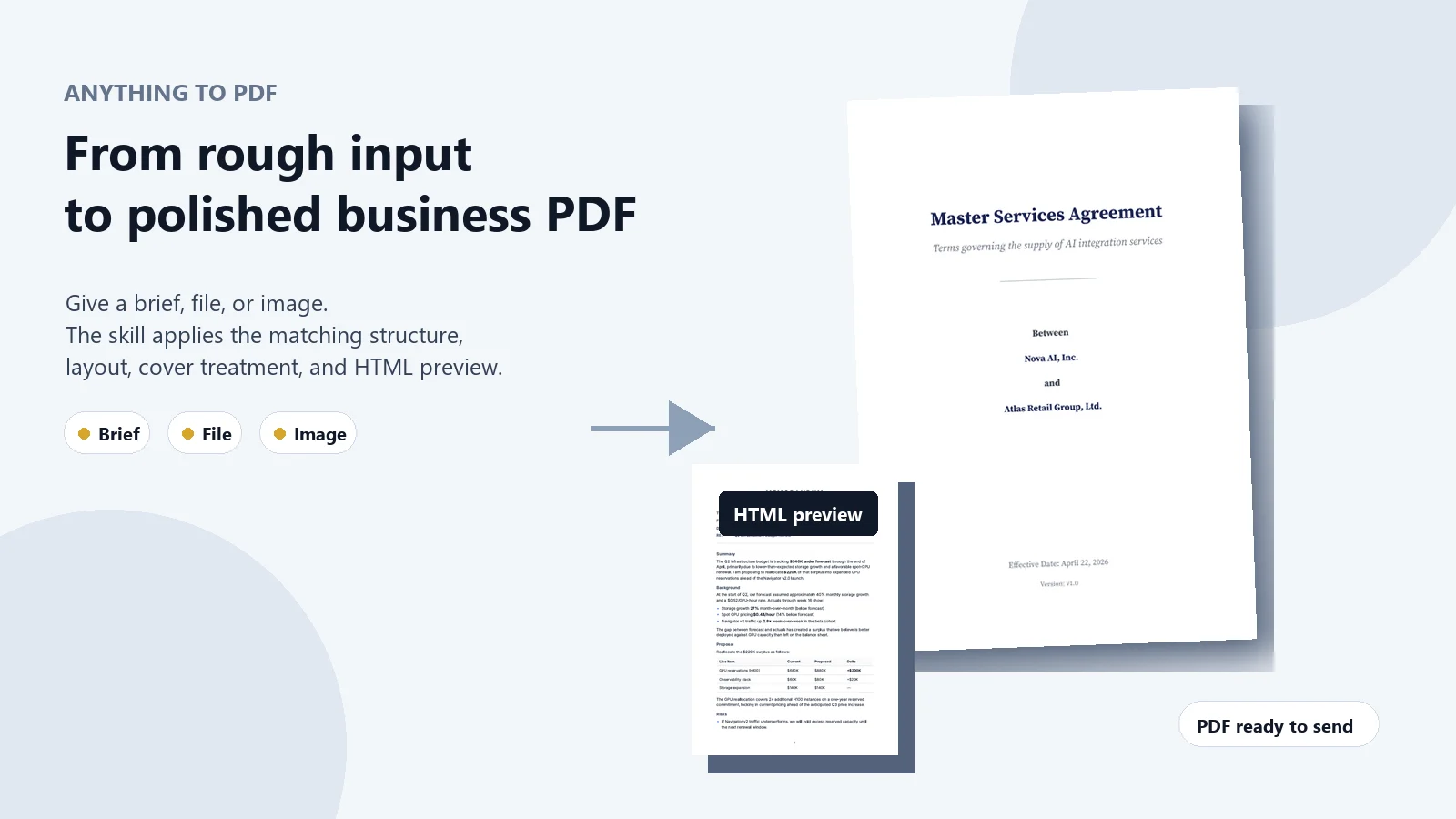
Give me the source material you already have: a short brief, messy notes, a Markdown draft, a file, or an image. I turn it into a structured business PDF with the right sections, visual hierarchy, cover treatment, and review file.
Use it when the content is roughly there, but the document is not ready to put in front of someone important.
Best fit
- You are a founder turning deal notes into an investor-facing term sheet.
- You are an operator turning decisions, findings, or project notes into an executive memo.
- You are counsel or an ops lead formatting a draft agreement, SOW, NDA, or service contract for review.
- You are a product, research, or technical team turning structured material into a white paper or report.
- You need a formal PDF fast, but you do not want to hand-format covers, sections, tables, or signature blocks.
What you get
You get two files:
- A polished PDF ready for review, sharing, signing, or internal circulation.
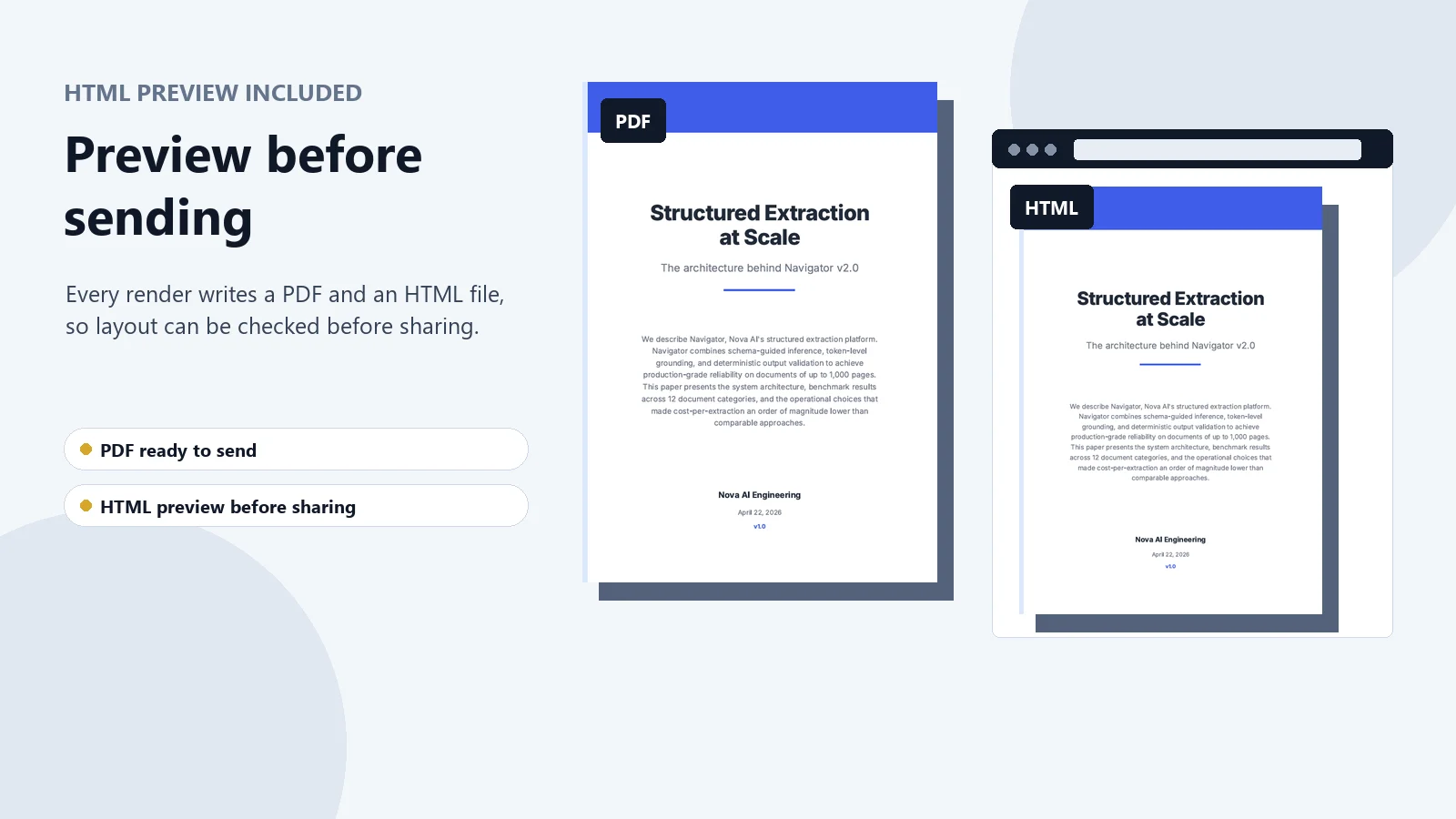
- An HTML preview written alongside the PDF, so layout, spacing, sections, and visual hierarchy can be inspected before anything goes out.
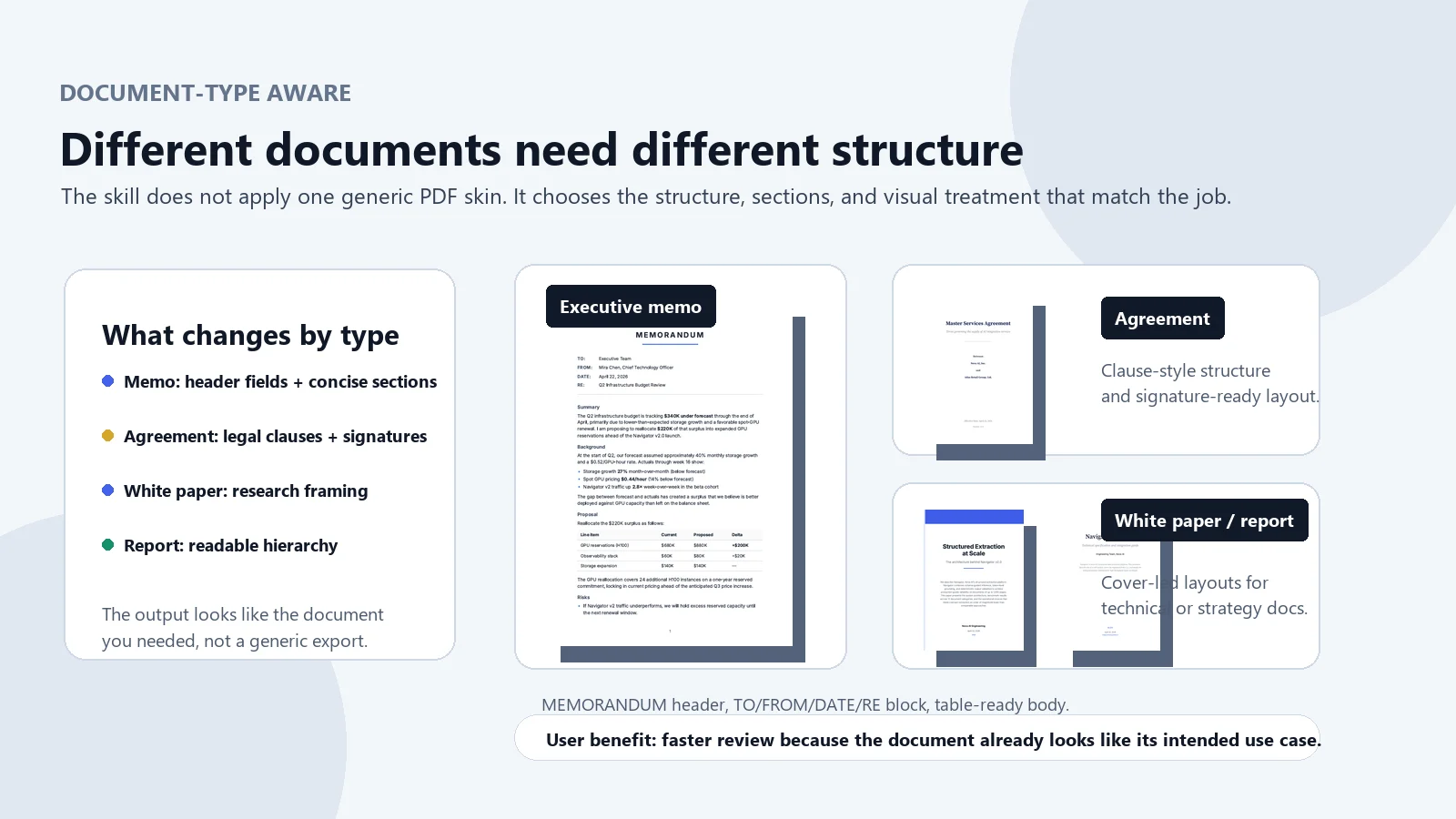
The output is type-aware. A memo should not look like a legal agreement. A term sheet should not look like a generic report. A white paper needs a different reading experience from a board memo.
Five business templates
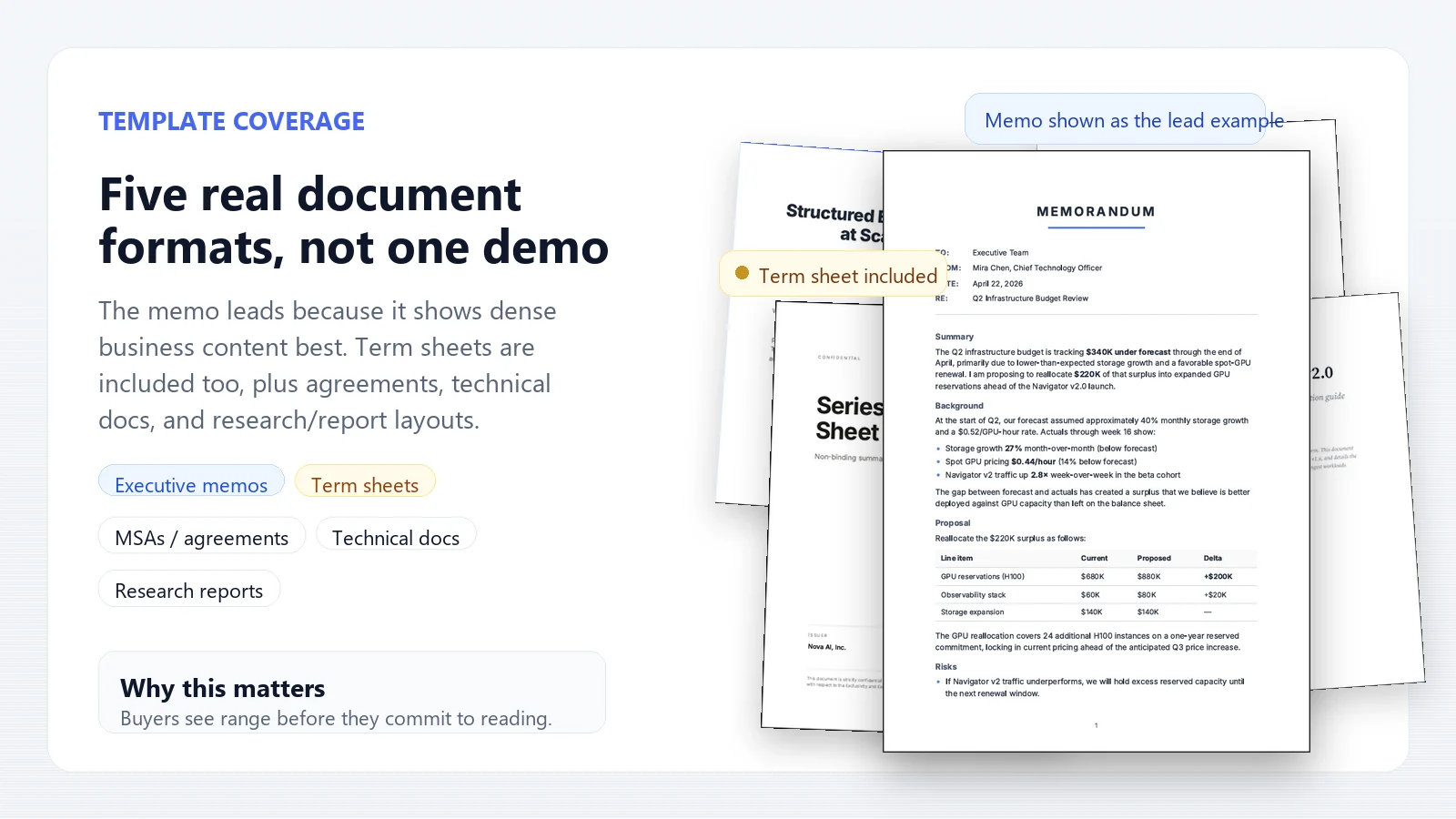
- Term sheets - deal documents with a navy-and-gold cover, key terms tables, numbered sections, and signature blocks.
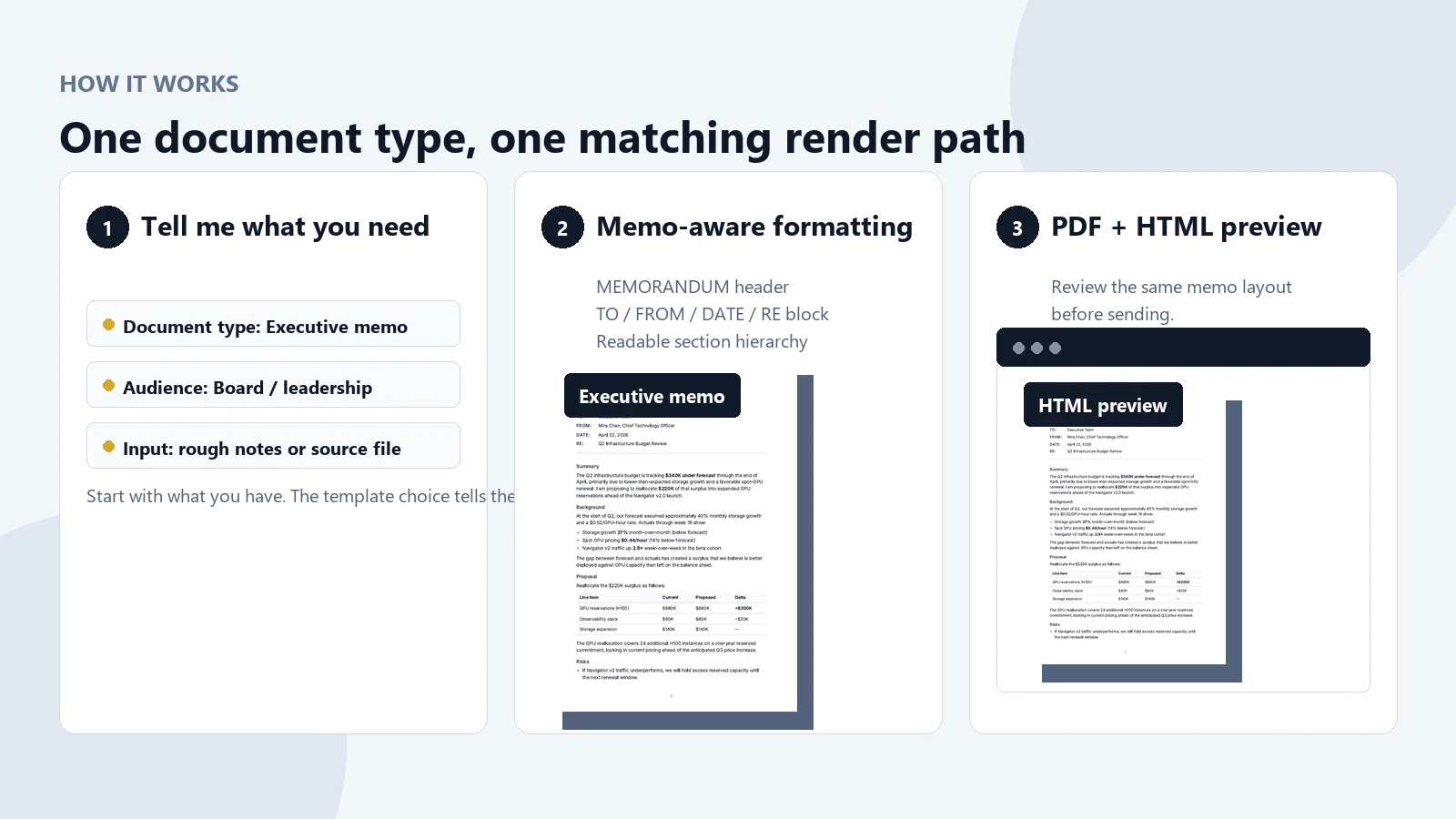
- Executive memos - board updates, strategy memos, operating reviews, and recommendations with a formal MEMORANDUM header.
- Legal agreements - MSAs, SOWs, NDAs, consulting agreements, and service contracts with legal-style numbering and signature blocks. This formats documents; it does not replace legal review.
- White papers - technical or research documents with an abstract, numbered sections, blue accents, and Key Insight callouts.
- Reports and proposals - general reports, specs, product briefs, proposals, and strategy documents with a polished cover and readable section hierarchy.
How it works
- Tell me the document type and what the document needs to accomplish.
- Share the source material you have: brief, notes, draft, file, image, or Markdown.
- I draft or organize the content into the matching template and render it.
- You receive the PDF and the HTML preview for review.
If you have brand colors, required sections, company names, dates, parties, deal terms, audience, or formatting rules, include them. If you only have rough notes, start there.
Why this is different
- Fast path from source to artifact - you do not have to manually build the document structure before the PDF exists.
- Document-type aware formatting - term sheets, memos, agreements, white papers, and reports render differently.
- HTML preview included - inspect the rendered layout before sending the PDF.
- Business-document defaults - covers, section hierarchy, tables, callouts, and signature blocks are handled by the template.
- Honest scope - this helps create and format reviewable business documents; it does not replace legal, financial, or executive judgment.
Not for
This is not the right tool for slide decks, spreadsheets, blog posts, or highly designed magazine layouts. Use it when the goal is a clean, formal business PDF with a reliable structure.