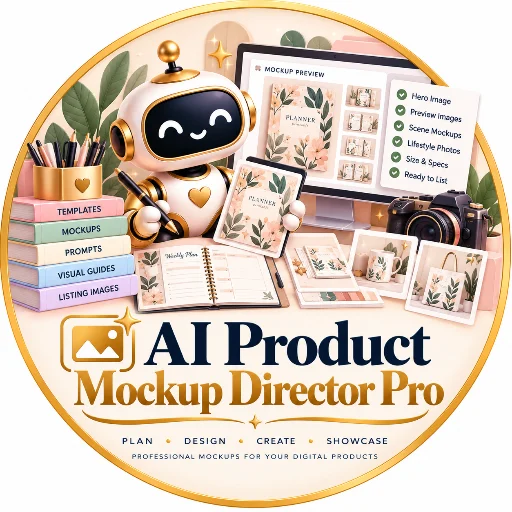
AI Product Mockup Director Pro
AI Product Mockup Director Pro
Turn Your Digital Products into Professional Visual Presentations
Your digital product may be excellent, but buyers need to understand what they will receive before they purchase. AI Product Mockup Director Pro helps you plan professional product mockups, preview images, lifestyle scenes, and visual presentations using your real product assets.
From printable planners and educational resources to ebooks, templates, patterns, and digital bundles, this Skill gives you a structured visual workflow for presenting products clearly and consistently.
WHAT CAN YOU CREATE?
1. Professional Hero Images
Develop a strong visual concept for your main product image, including composition, lighting, background, product placement, color palette, and headline placement.
2. What's Included Previews
Plan visual summaries that communicate the actual files, pages, templates, bonuses, and resources included in your product. Only confirmed deliverables should be shown.
3. Realistic Product Mockups
Develop scene concepts for printable pages, planners, ebooks, patterns, stationery, digital templates, and other products using appropriate materials, props, and settings.
4. Lifestyle and In-Use Scenes
Plan visuals that help buyers understand how a product may be used, such as a printable on a desk, an ebook displayed in a suitable device frame, or a pattern applied to a relevant product surface.
5. Product Detail Previews
Highlight real pages, design details, layouts, patterns, and features so buyers can better understand the contents before purchasing.
6. Consistent Product-Family Visuals
Create reusable art-direction rules for a collection or bundle, keeping colors, lighting, typography, and composition consistent while giving each image a distinct purpose.
THE VISUAL PRODUCTION WORKFLOW
STEP 1 — PRODUCT ANALYSIS
Identify the product type, target buyer, actual deliverables, available source files, brand style, and intended marketplace.
STEP 2 — ASSET TRUTH SHEET
Separate confirmed product facts from unknown details. This helps prevent mockups from showing unconfirmed page counts, file formats, editable features, bonuses, or software compatibility.
STEP 3 — ART DIRECTION
Define the visual style, palette, lighting, background, props, camera angle, composition, and visual hierarchy.
STEP 4 — MOCKUP STORYBOARD
Organize the proposed images into a purposeful sequence, such as hero image, contents preview, in-use scene, detail close-up, features, and specifications.
STEP 5 — IMAGE-GENERATION PROMPTS
Create detailed, copy-ready prompts for compatible image-generation tools. Each prompt explains the scene, composition, visual style, reference assets, exclusions, and final checks.
STEP 6 — TYPOGRAPHY AND COMPOSITING
Identify text that should be added separately in a design tool to improve spelling, readability, and consistency. Use actual product pages and screenshots whenever available.
STEP 7 — QUALITY CONTROL
Review product accuracy, thumbnail readability, visual consistency, image variety, and export requirements. Flag anything that still needs manual inspection.
WHAT MAKES THIS SKILL DIFFERENT?
AI Product Mockup Director Pro focuses on visual merchandising rather than generic image prompting.
Its workflow emphasizes:
- Accurate representation of the real product
- Purposeful preview-image sequencing
- Detailed image-generation prompts
- Consistent visual branding across product collections
- Real source assets instead of invented product contents
- Clear distinction between conceptual mockups and actual deliverables
- Quality-control and export checklists
WHO IS IT FOR?
- Digital-product sellers
- Printable and planner creators
- Ebook and workbook publishers
- Educational-resource designers
- Pattern and surface-design creators
- Template and bundle sellers
- Shopify and marketplace store owners
- Designers building consistent product collections
EXAMPLE PROJECTS
- A hero image for a printable planner
- A visual contents preview for an educational workbook
- A professional mockup set for a digital prompt bundle
- Lifestyle scenes for seamless patterns
- Preview images for a collection of ebooks
- A consistent visual identity for a digital-product bundle
- A product-image storyboard for a Shopify store
WHAT'S INCLUDED?
- AI Product Mockup Director Pro downloadable Skill
- Visual direction workflow
- Mockup prompt-writing guide
- Product-accuracy quality-control checklist
- Platform visual handoff guide
- Visual asset brief template
- Mockup storyboard template
- Visual QA report template
- Sample mockup plan
- Ten manual acceptance tests
- README and license
IMPORTANT LIMITATIONS
This is a downloadable AI Skill, not a standalone image editor or automatic image-generation application. It does not require a paid API by design.
Actual image generation, image editing, compositing, resizing, and file export depend on the tools available in your AI environment. Prompts and visual plans are not themselves finished mockup images.
The Skill does not guarantee sales, conversion rates, or marketplace approval. Sellers remain responsible for confirming product accuracy, image rights, final export dimensions, file size, and current marketplace requirements.
YOUR VISUAL ADVANTAGE
Start with the real product. Build a clear visual story. Present it professionally.
AI Product Mockup Director Pro helps you plan product visuals that are consistent, attractive, and faithful to what buyers will actually receive.