InkLine | Photo to Coloring Book for KDP
Turn your own photos into a print-ready coloring book
Photo coloring books sell because they are personal: the family dog, a wedding venue, a trip, a product line. Making one by hand means tracing every photo, fixing broken lines, sizing pages for print and rebuilding the cover whenever the page count changes.
InkLine does that work. Upload your photos. It turns each one into a coloring page, measures the result, lays out the book and builds a cover sized to the final page count, ready for KDP and other print-on-demand paperbacks. Nothing to install; it runs in the Capafy cloud. The line art is made by fixed image processing, not by an image generator, so the same photos and settings always give the same pages.
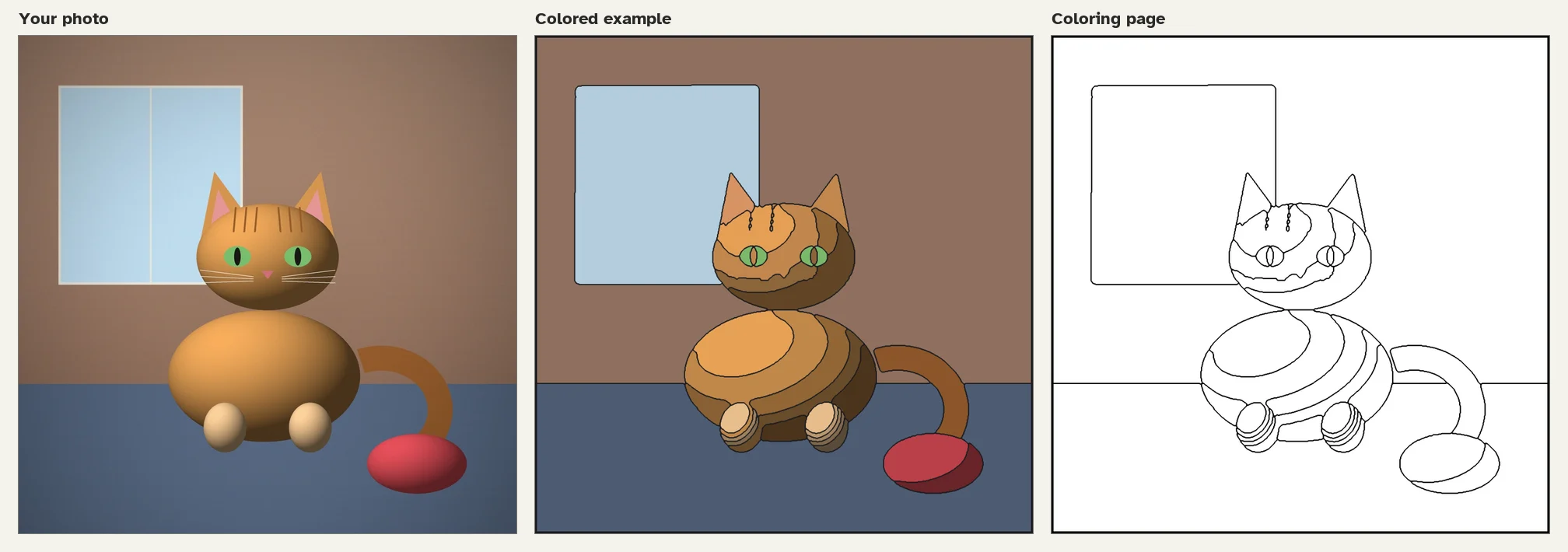
The photo is a synthetic test scene made for this listing, not a real photograph. Middle: the same regions filled with their average colors. Right: the page you get.
How you use it
Here are 12 photos of our dog (zip). Make an 8.5x11 coloring book for adults called "Biscuit's Summer". Captions are in the file names. Back of each page blank.
Leave out what you don't care about. Defaults: 8.5x11, white paper, no bleed, blank backs, adult line style, medium detail, whole photo shown, no captions.
What you get (one folder per book)
| File | What it is |
|---|---|
interior.pdf |
Title page, rights page, how-to page, then one coloring page per photo. 300 dpi, fonts embedded, margins and gutter set for your page count |
cover.pdf |
Back, spine and front as one page with 0.125 in bleed. The front shows your cover photo half colored, half line art. Spine width from your page count and paper. Spine text from 80 pages. Barcode area stays empty |
pages/*.png |
One 300 dpi PNG per coloring page at trim size, for printing at home |
spec_check.md |
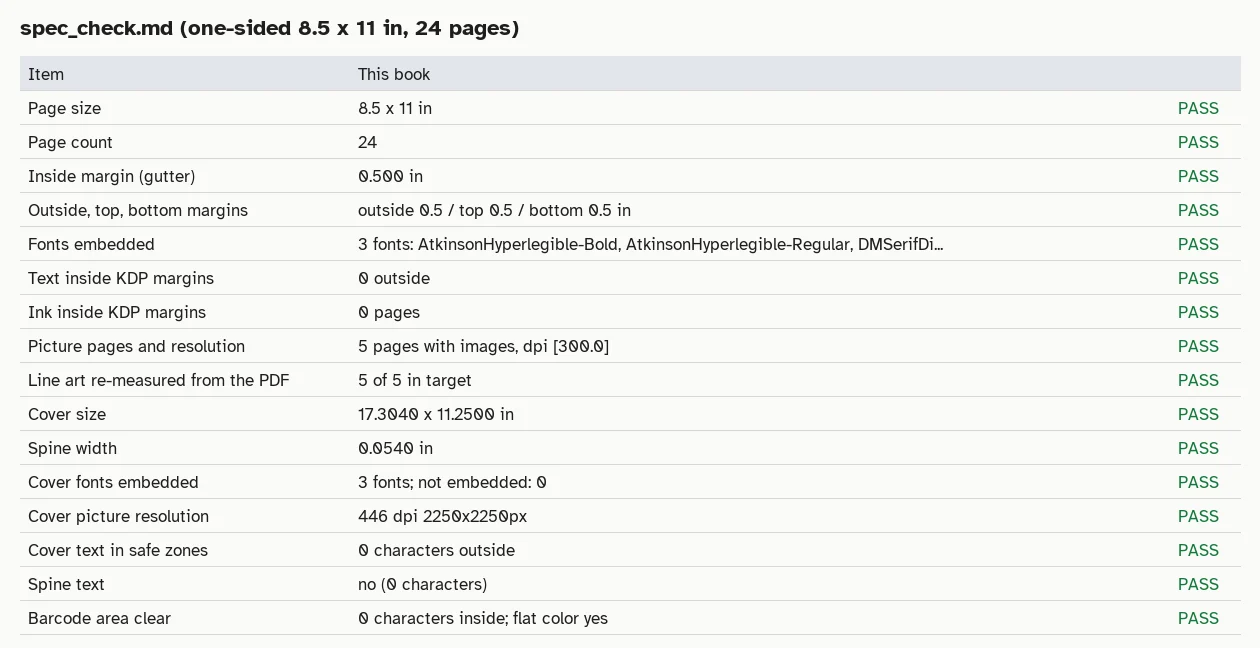
Trim, margins, page count, spine width, cover size, fonts, image resolution, and the measured numbers for every picture |
preview/*.png |
Cover with print guides, page overview, before and after panels |
book.json |
The settings. Upload it again to change one thing and rebuild |
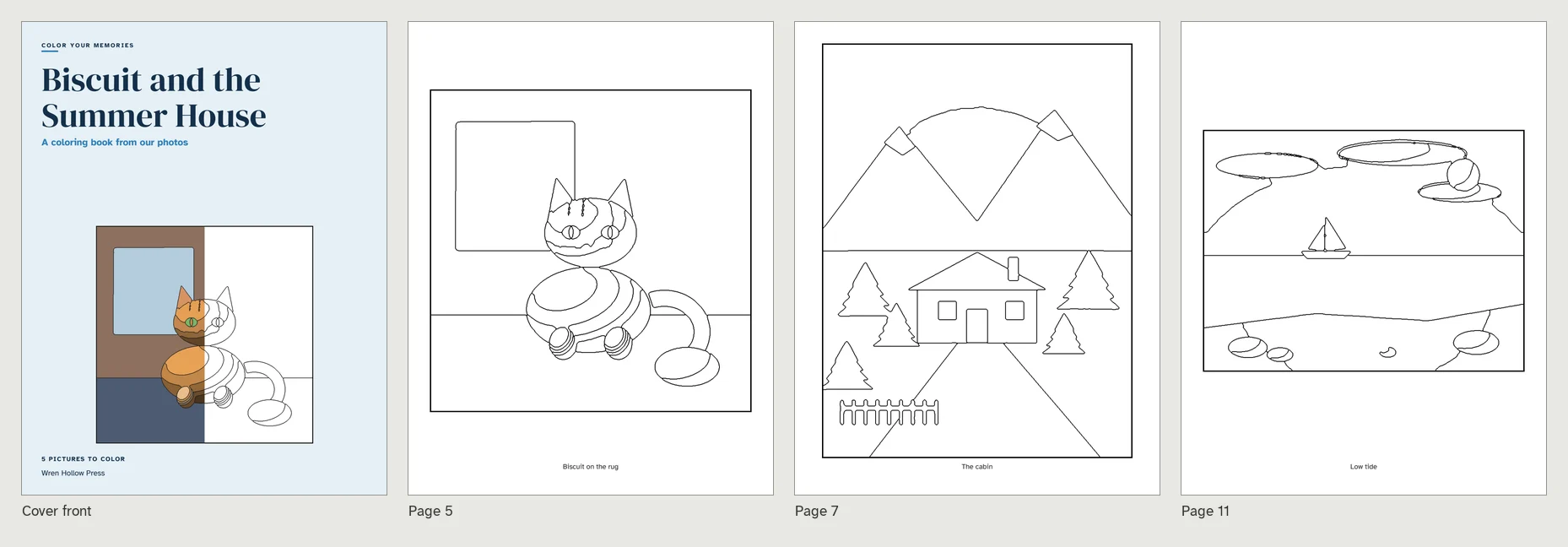
A 24-page sample built from five photos, 8.5 x 11 in, one-sided.
What you can choose
- Trim: 8.5x11, 8x10, 8.5x8.5 or 6x9 inches. White or cream paper, with or without bleed.
- One-sided or two-sided. One-sided puts every picture on a right-hand page and leaves the back blank so markers cannot bleed through.
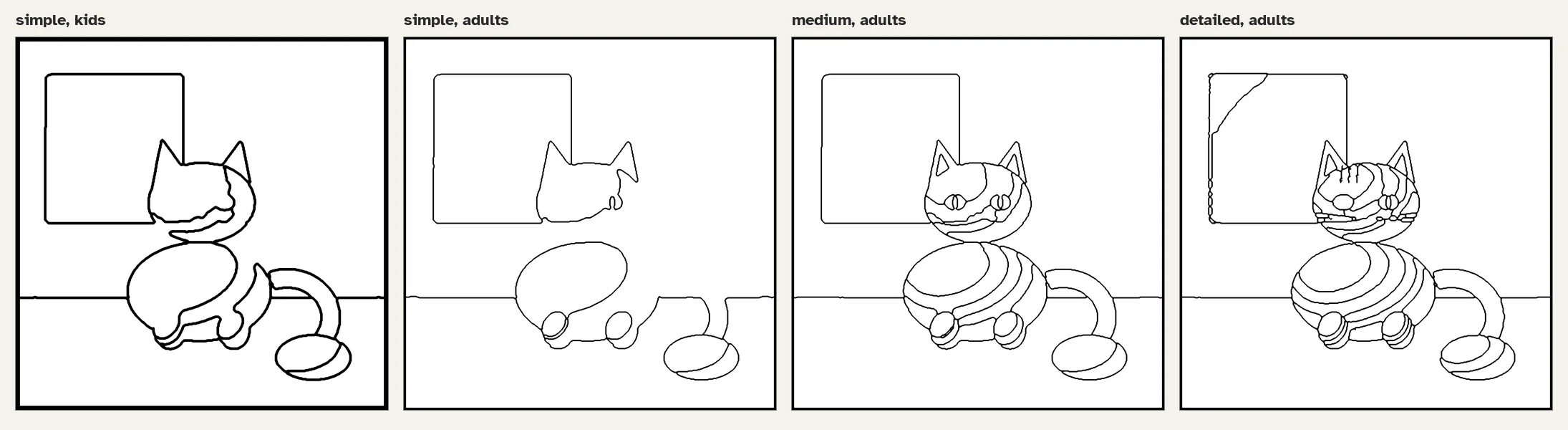
- Audience: adults get 1.25 pt lines. Kids get thick 2.4 pt lines, bigger shapes and fewer areas. Set your own width from 0.75 to 4 pt.
- Detail: simple, medium or detailed, per book or per picture.
- Background: simplify turns the surroundings of the main subject into big calm shapes. Keep treats the whole photo alike, better for landscapes and group shots.
- Captions under each picture, a title, subtitle, author line and cover colors.
How the pages are made and checked
- The background is simplified around the main subject (optional).
- Colors are smoothed and grouped. Areas that are too small are merged into their neighbors, and neighbors with nearly the same color are joined, so shading does not cut a surface into rings.
- The lines are the borders between areas, so every area is closed. All lines get one exact width.
- The page is measured: ink share, number of areas, tiny areas and loose line ends. If a number is outside the target for the chosen detail level, InkLine changes the settings and tries again, up to six times, and keeps the best result. Pages that stay outside the target are marked in the report.
- A separate checker opens the finished PDFs and re-measures every coloring page from the rendered file.
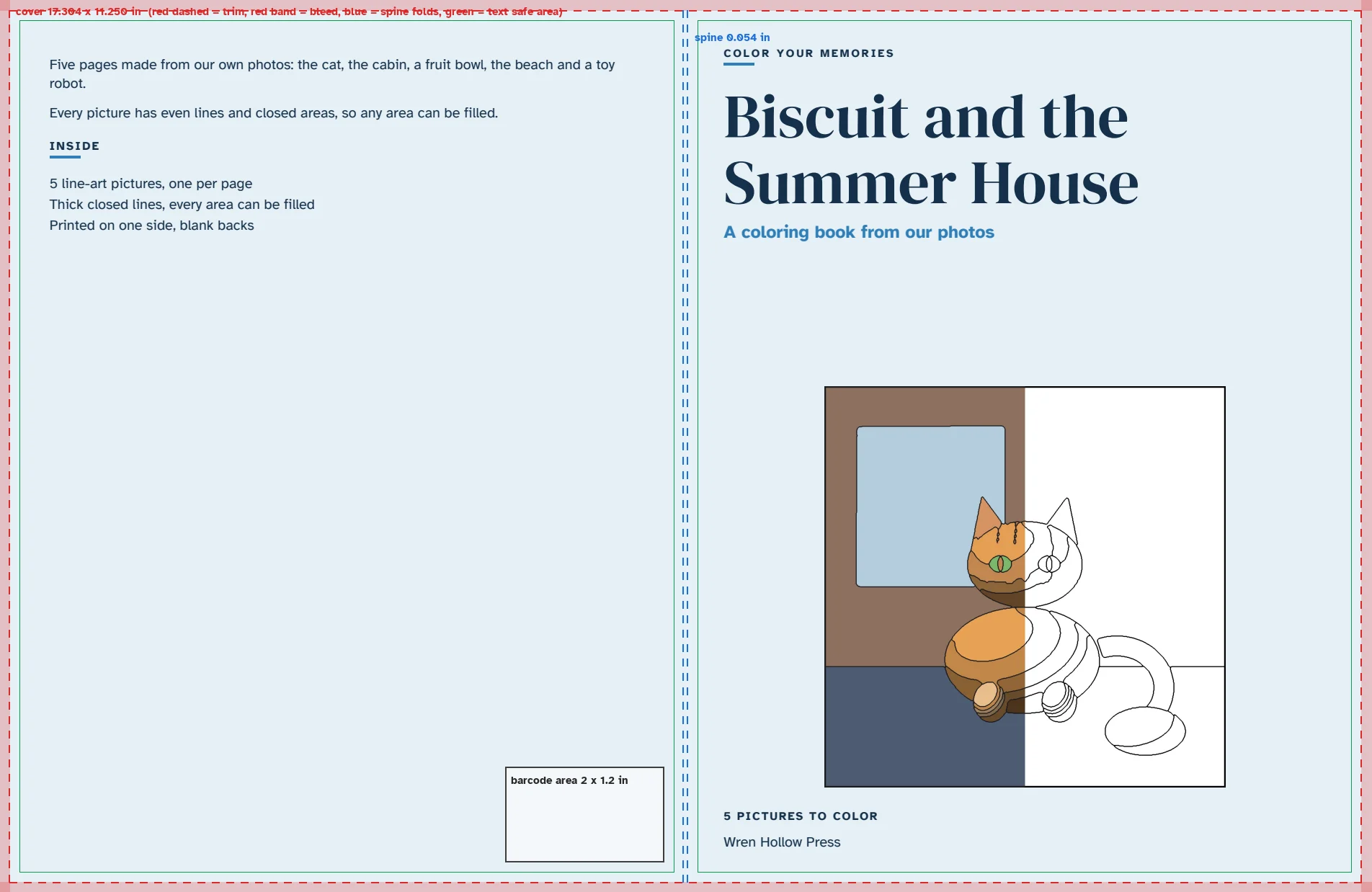
The guide overlay exists only in the preview PNG. cover.pdf has no guide lines.
How long it takes
Measured in a 2-CPU, 4 GB sandbox: about 1 to 1.7 seconds of line work per photo plus about 8 seconds to lay out the book and run the checks. That is 7 seconds for 5 photos, 25 seconds for 12 photos (35 seconds with detailed lines) and 64 seconds for the 40-photo maximum (84 pages, spine text included). After the first build, changing a caption, the cover or the layout takes a few seconds because the line art is kept.
Limits and usage
- Every message you send uses 1 request from your plan. A rebuild after a change is one more message. Plans: daily 5 requests, weekly 8, monthly 25.
- Up to 40 photos per message. HEIC is not supported; send JPG or PNG. Photos under 400 px on the short side are skipped, under 800 px the lines look coarse.
- Line art follows what the photo shows. Flat, dark or very busy photos give plain or crowded pages. Fine details such as eyes can disappear at simple and medium. Faces are not detected or redrawn. Gradients and vignetting in a photo can add curved lines.
- Paperback only, black ink interior. Captions and cover text use Latin letters.
- You must own the rights to every photo or have permission from the owner and the people shown. InkLine does not check or grant rights, and skips obvious third-party material such as logos, screenshots and film stills.
- The checks follow KDP's published paperback rules as of November 2026. They do not guarantee a store will accept the book or that it will sell. Check the store's online previewer before you publish.
FAQ
Does it use AI image generation? No. The pages come from fixed image processing (OpenCV and scikit-image). Your photos stay in the workspace and are not sent to any image service.
Can I print the pages at home? Yes, use the PNGs in pages/.
Can I make a second book from the same photos? Yes. Upload the book.json and change what you want. Unchanged pictures are not recomputed.
What if a page looks too plain or too busy? Say which one. InkLine rebuilds it at another detail level or background setting.
Which stores? The files follow KDP paperback rules. Other print-on-demand services with the same trim sizes accept PDF interiors and wrap covers too, but check their own specs.
Externe APIs
pypi.org, files.pythonhosted.org