
KDP Book Formatter: Kindle EPUB, Covers & Listing
From manuscript to a Kindle-ready book, offline
Formatting is where many self-published books stall: Word files convert with odd breaks, nobody knows the exact paperback cover size, and the KDP listing form gets filled in a rush. This skill handles all three from one manuscript, on your own computer.
Give your agent the manuscript. It runs import → build EPUB3 → pre-upload check → eBook cover → paperback cover size → KDP listing sheet, and keeps fixing until the check shows no errors. Your text is never rewritten; only the markup changes.
What goes into the EPUB
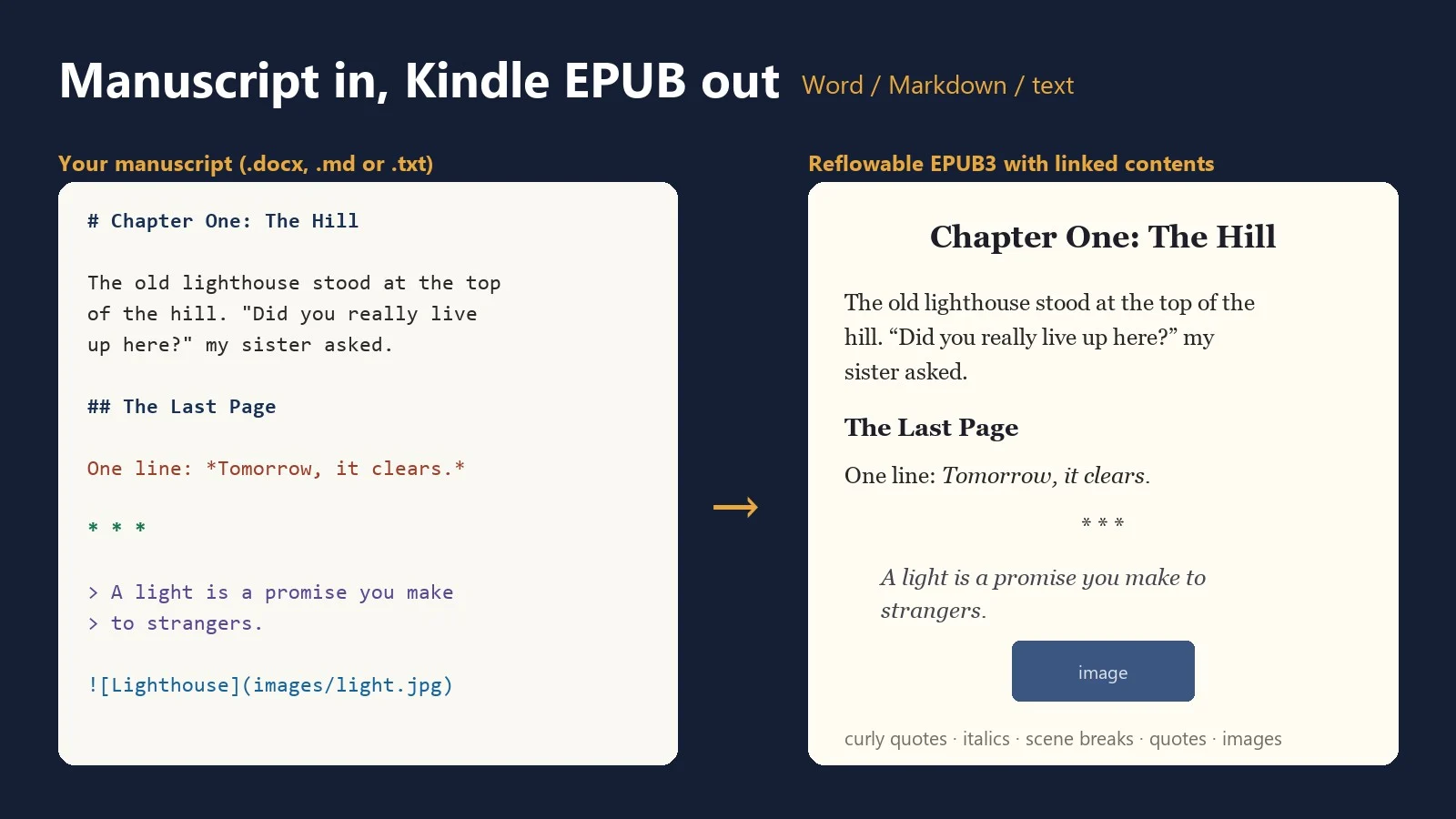
- Chapters from your headings (Word Heading 1/2, or
#/##), a linked contents page and the reader's navigation menu - Title page, copyright page, dedication, About the Author, Also By
- Bold, italic, links, images with captions, block quotes, lists, scene breaks, page breaks
- Curly quotes, em dashes and ellipses; first paragraph after a heading not indented (or spaced block paragraphs for non-fiction)
- A stylesheet that doesn't force font size, font or text color, so readers keep control
- Series, subtitle, ISBN and author sort name in the book's metadata
The pre-upload check
- Re-zipped EPUBs (mimetype problems), broken XHTML, missing images, contents links that go nowhere
- Leftover Markdown, page-break markers shown as text, fixed font sizes, wrong page direction
- Straight quotes, very short text, oversized images, and the estimated Amazon.com delivery cost at the 70% royalty option ($0.15/MB)
- Runs epubcheck too, if you have it installed
Covers and the paperback maths
- eBook cover: a typographic 1600 × 2560 JPEG in three styles (KDP's ideal size), or use your own
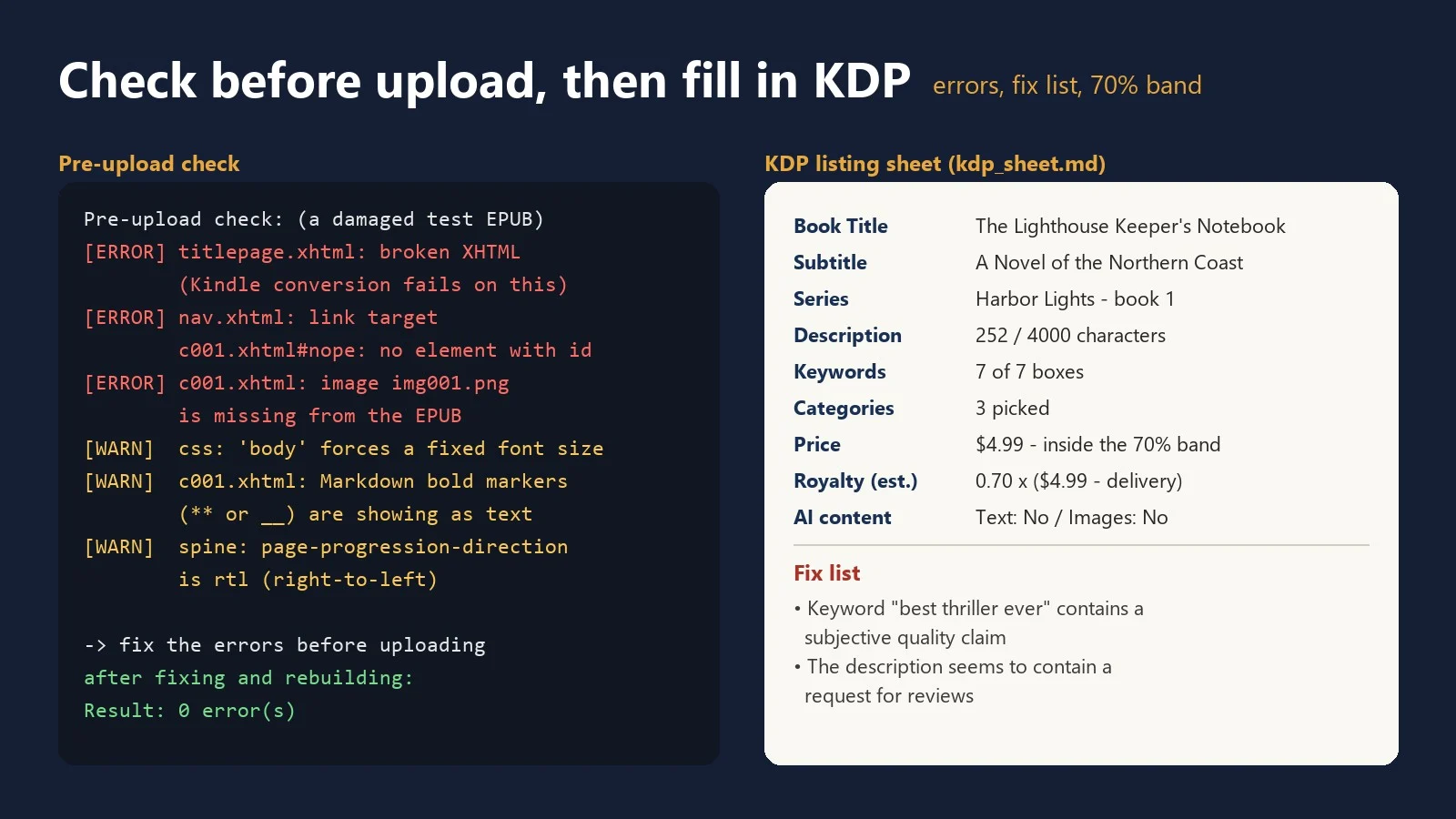
- Paperback: give the trim size, paper type and page count; get the spine width and full cover size from KDP's published formula (bleed + back + spine + front + bleed), the spine-text rule (79+ pages), interior margins for your page count, a 300 DPI CMYK full-wrap cover PDF, and a guide template for your designer
KDP listing sheet
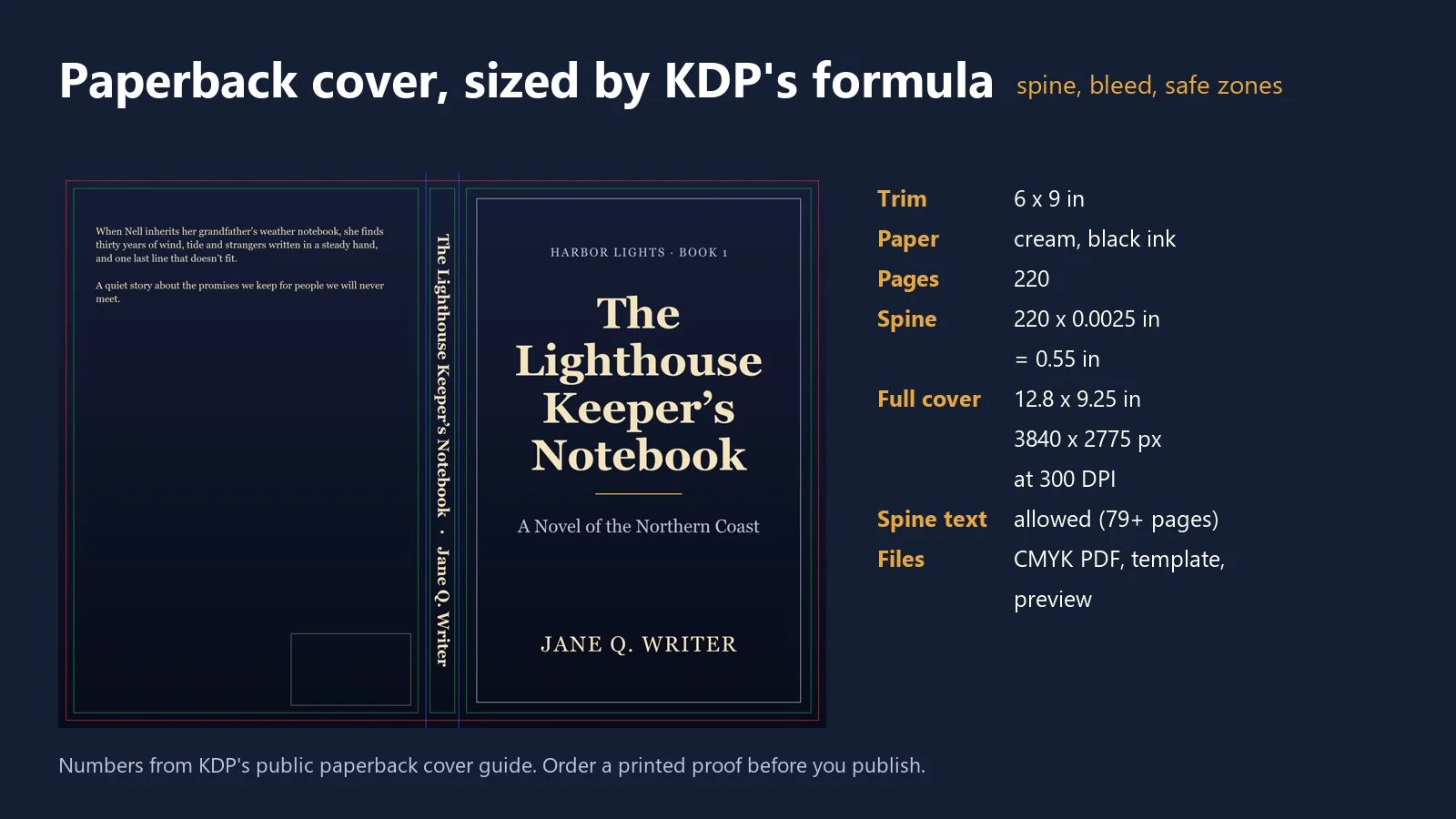
Every field in the order of the KDP screens: title, subtitle, series, description (with a 4,000-character count), 7 keywords, 3 categories, the AI-generated content question, and your price against the Amazon.com 70% royalty band ($2.99–$12.99) with a rough royalty estimate. A fix list points out what KDP's metadata rules don't allow: "bestselling" or "free" in a title; URLs, emails, reviews or review requests in a description; author names or Amazon program names in keywords; unsupported HTML tags.
Every KDP number comes from a public KDP Help page, listed with its link inside the skill.
Works with
- Word (.docx), Markdown (.md), plain text (.txt in UTF-8, UTF-16 or Windows-1252)
- Python 3.8+. The EPUB and the check use only the standard library; covers need
pip install pillow - Windows, macOS, Linux. No API key, no account, no internet connection
What it doesn't do
- Upload or publish on KDP: you do that
- Typeset the paperback interior PDF, or fixed-layout books (picture books, comics)
- Design covers beyond the simple typographic ones (check font licenses for commercial covers)
- Rewrite your book, or promise sales, rankings or KDP approval
- Replace the final look check in Amazon's free Kindle Previewer

