

OnTemplate | Notes to Slides in Your PPT Template
Your weekly report, in your company template
Most slide generators make slides in their own style. Then you copy everything into the company template by hand, fix the fonts, move the logo back and redo the tables. Every week.
OnTemplate starts from your template. Upload the company .pptx or .potx and your notes, and it builds the deck from your template's own slide layouts and placeholders. The logo, colors, fonts and footer stay as your company set them up, and you get a normal .pptx you can keep editing.
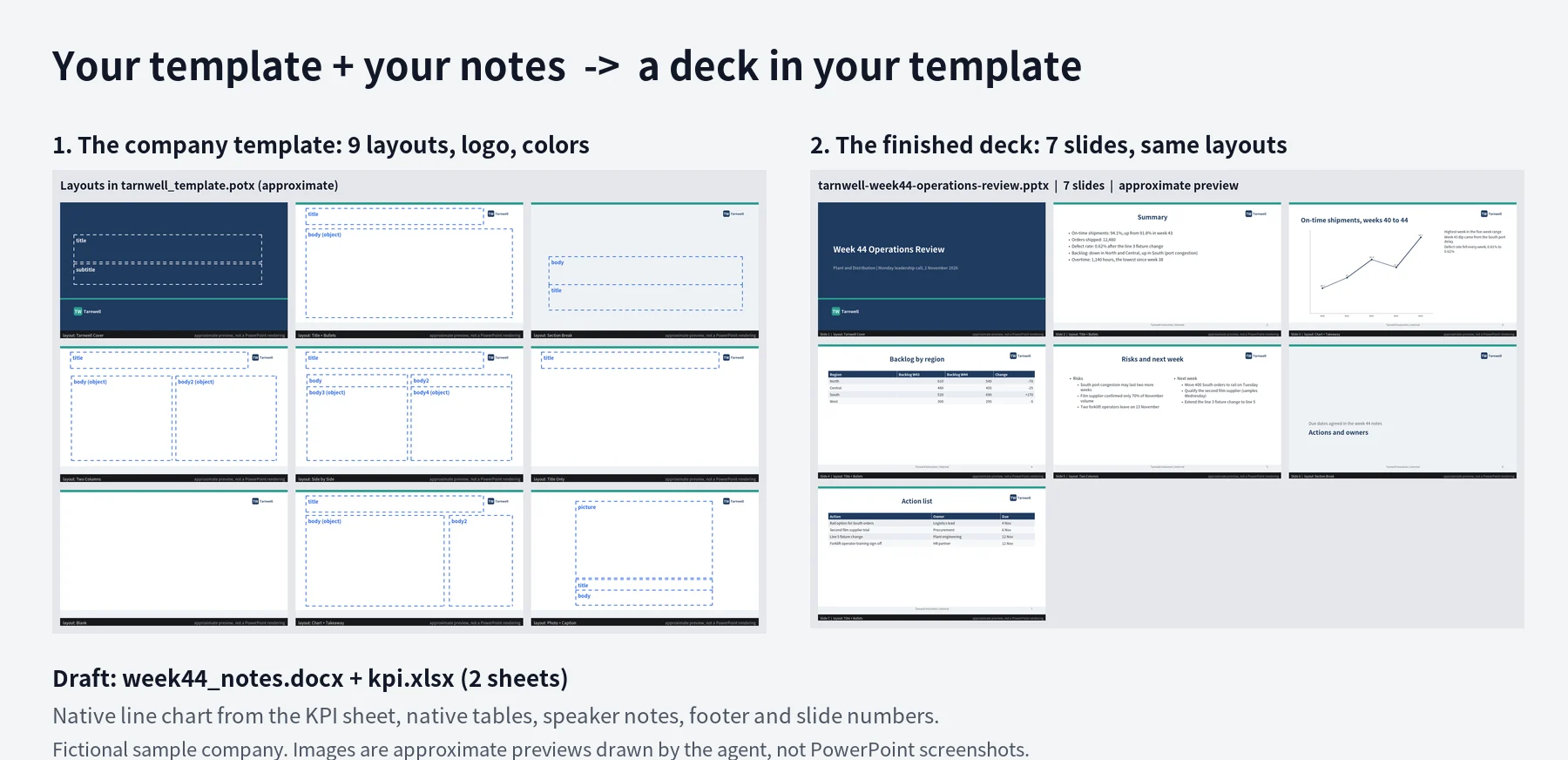
Left: the layouts of a sample company template, as the agent reads them. Right: the 7-slide deck it built from a .docx of notes and a 2-sheet .xlsx. Fictional company. These pictures are approximate previews drawn by the agent, not PowerPoint screenshots.
How you use it
Here's our template and this week's notes. Make the Monday ops update, about 7 slides. Put the KPI sheet in a chart.
You upload the template once per conversation and the draft each time. Drafts can be meeting notes typed in the chat, .docx, .md, .txt, a PDF with a text layer, or last month's .pptx. Tables can be .xlsx or .csv.
What you get
| File | What it is |
|---|---|
<name>.pptx |
The deck. Every slide uses one of your template's layouts. Tables and charts are native PowerPoint objects |
overview.png |
All slides on one sheet, approximate preview |
preview/slide_NN.png |
One approximate preview per slide |
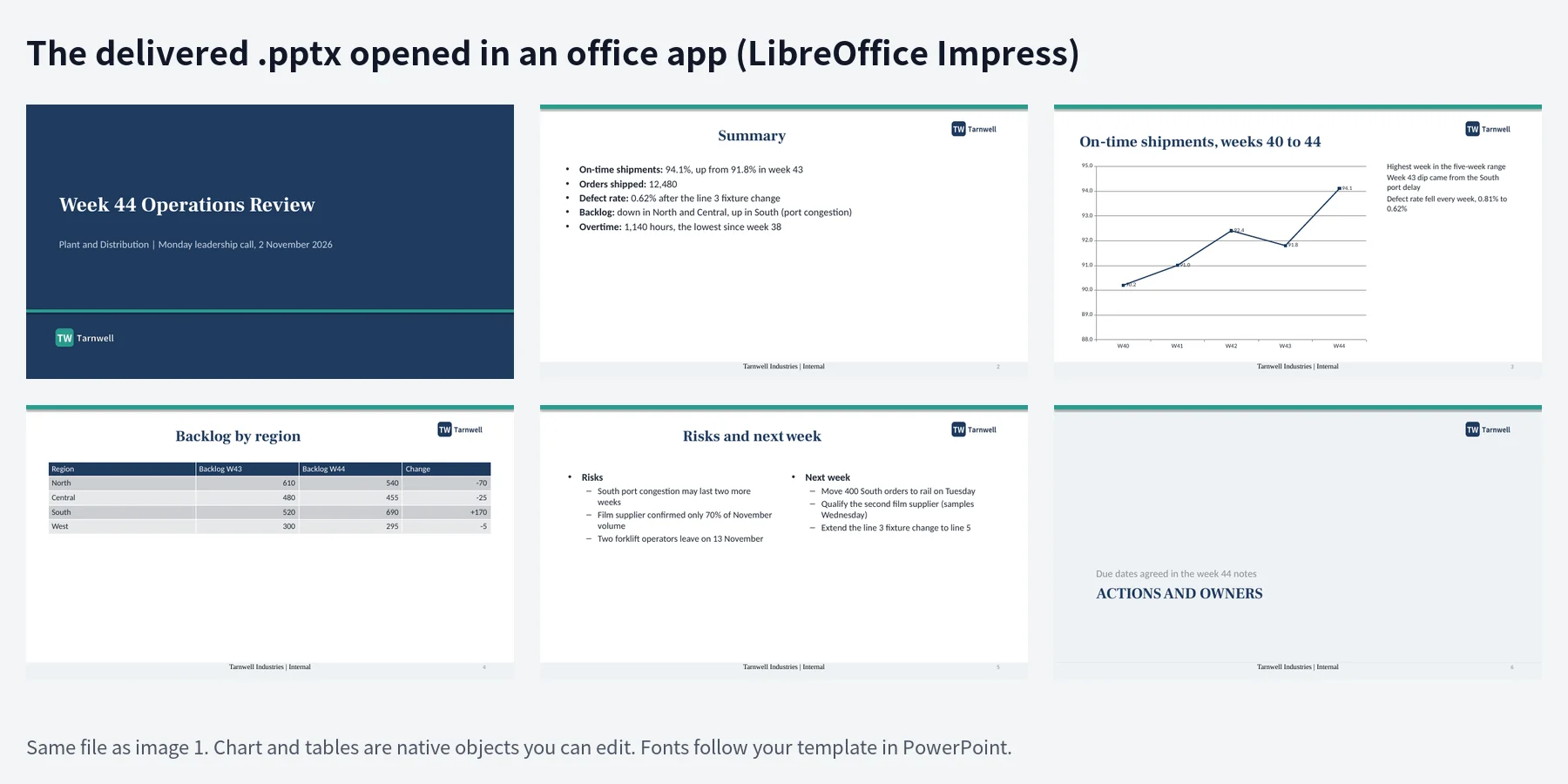
The same .pptx opened in LibreOffice Impress on our test machine. The line chart and both tables are native and editable (right-click the chart, Edit Data).
How it works
- Reads the template. Lists every layout and each placeholder in it: position, inherited font size, and roughly how many lines fit.
- Reads your draft. Word, PDF text, Markdown and spreadsheets become one plain text file, with table values kept exactly.
- Plans the slides. The AI picks a layout for each slide by its purpose (cover, section, bullets, two columns, chart with takeaway) and writes titles, bullets, tables, chart data and speaker notes.
- Builds and checks. A script adds each slide from its layout, fills the placeholders, and checks three things before the file is handed over:
- text that will not fit its box (estimated from the box size and the template's font size),
- numbers on the slides that are not in your draft (calculated ones, like a week-over-week change, are listed in the reply with how they were calculated),
- filler phrases and emoji.
A deck with open warnings is fixed and rebuilt, not delivered.
- Confirms the template is intact. After saving, it reopens the file and confirms every slide's layout name matches your template and the theme is byte-identical.
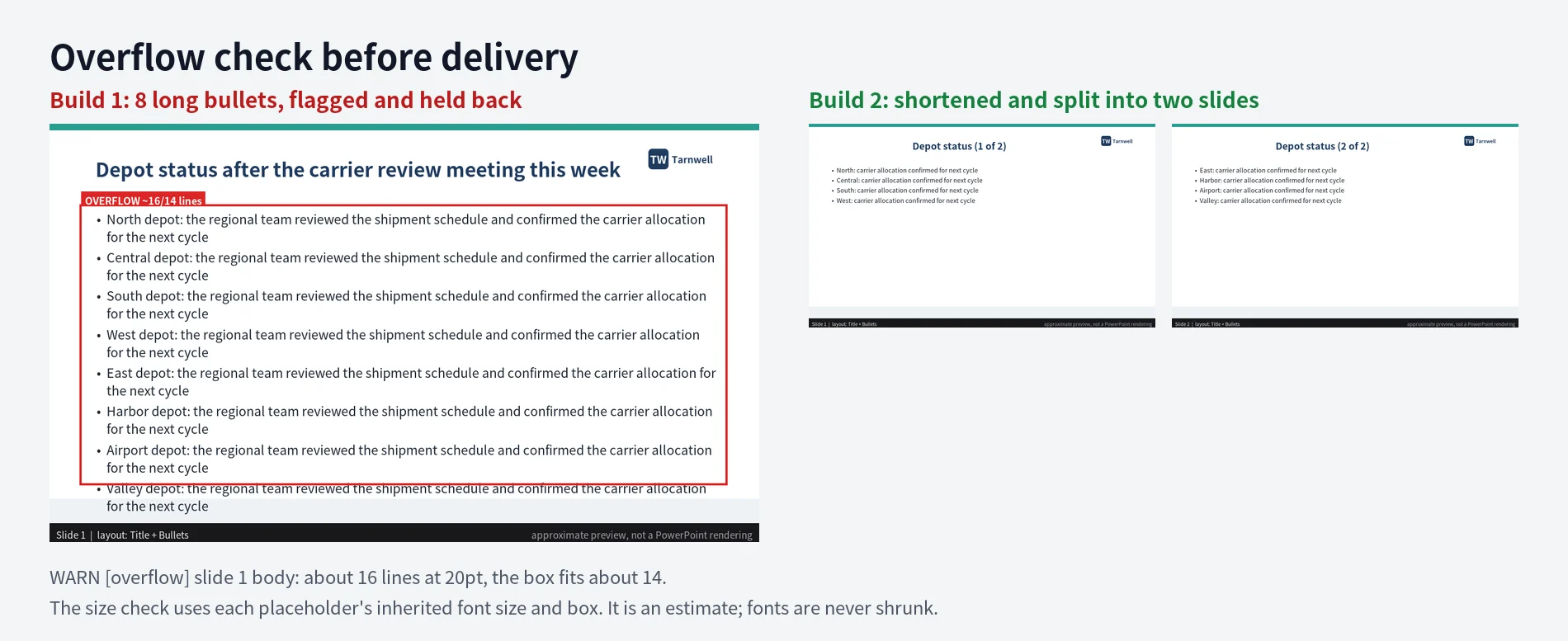
The first build had 8 long bullets in a box that fits about 14 lines. It was held back, then shortened and split into two slides. Fonts are never shrunk to make text fit.
Works with your template as it is
- .pptx and .potx, 16:9, 4:3 or custom sizes, any number of slide masters.
- Layout names in any language. The sample below uses a 4:3 template with Korean layout names and a Korean draft.
- Example slides inside your template are read to see how your company uses its layouts, then left out of the new deck.
- No template? A plain default template is used, and you can upload yours any time.
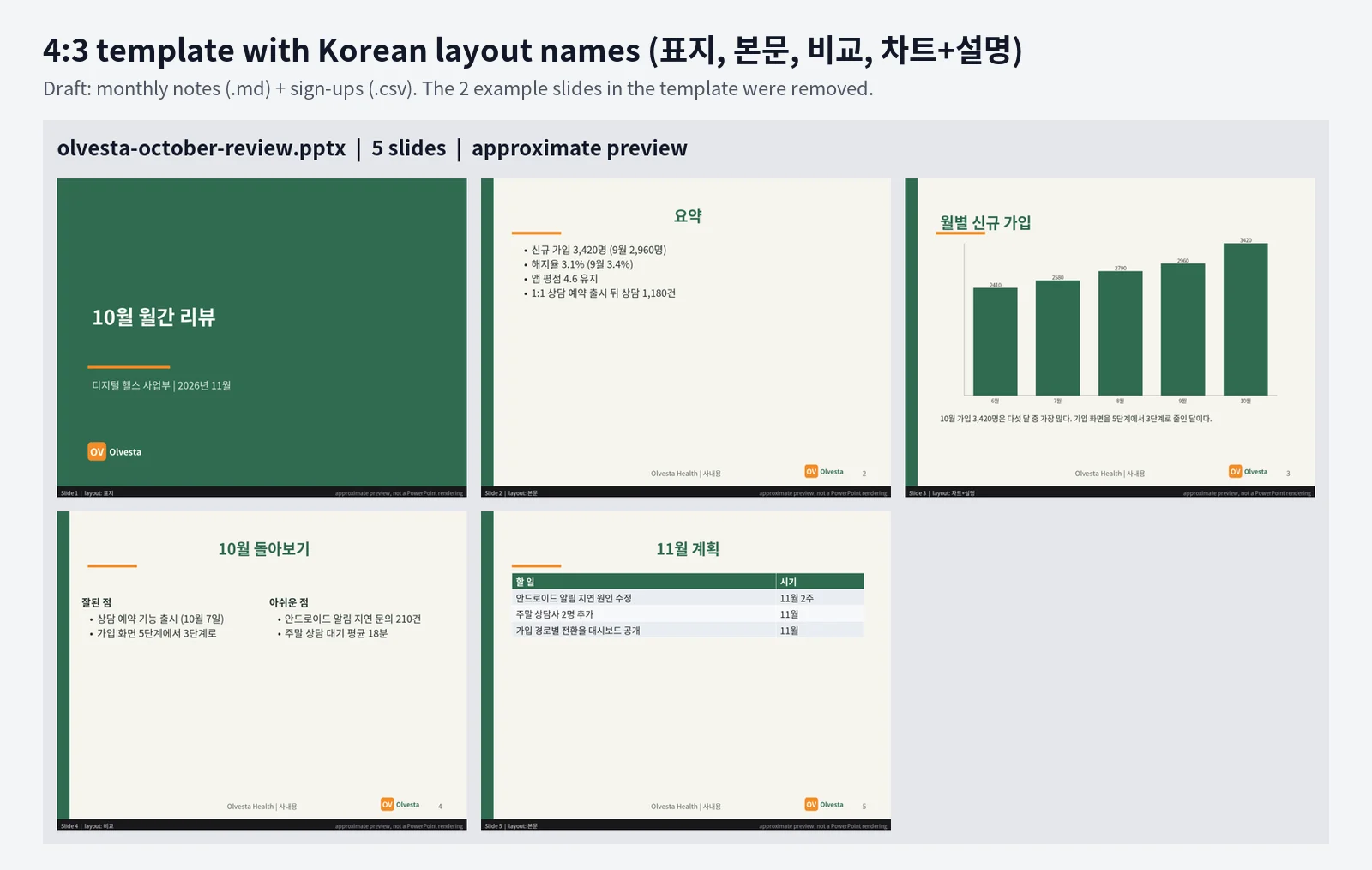
A second fictional template: 4:3, Korean layout names, two example slides removed. Built from a Markdown note and a CSV.
Timing
Measured on a local copy of the sandbox (2 CPU, 4 GB): reading a template about 0.4 seconds, building and checking a 7-slide deck with previews about 1 second. The first job of a session also downloads a font (about 6 seconds). Most of the time per request is the AI reading your draft and writing the slides.
Plans and limits
| Plan | Price | Requests |
|---|---|---|
| Daily | $2.99 | 5 per day |
| Weekly | $5.99 | 8 per week |
| Monthly | $14.99 | 20 per month |
Every message you send uses 1 request from your plan. The weekly plan starts with a 1-day free trial that includes 1 request.
What this agent doesn't do
- Redesign your template or invent a new style. If content doesn't fit, it shortens or splits slides.
- Add facts, numbers, targets or quotes that are not in your draft.
- Generate images or icons. It only places pictures you upload.
- Create SmartArt, animations, transitions or embedded video.
- Read scanned PDFs without a text layer, old .ppt/.doc/.xls files, or macro files (.pptm, .potm).
- Render exact PowerPoint screenshots. The previews are approximate drawings; the .pptx is the real result.
FAQ
Q. Will my fonts and logo look right? The deck uses your template's masters and theme without changes, so PowerPoint shows your fonts and logo exactly as in the template. The preview PNGs use a substitute font.
Q. Can I reuse it every week? Yes. Upload the same template and the new notes, and ask for the same structure as last week. Each new deck is a new request.
Q. Can I edit the charts? Yes. Charts are native PowerPoint charts with their data inside the file. Right-click, Edit Data.
Q. How accurate is the overflow check? It is an estimate with a substitute font and can be off by about one line in a full box. It errs on the safe side when your template uses "shrink text on overflow".
Q. Does my file leave the workspace? No. Your template, draft and deck are processed inside the agent's cloud workspace. The only download is a font, once per session.
Q. Questions? [email protected]
Externe APIs
raw.githubusercontent.com · pypi.org, files.pythonhosted.org

