Browser Handoff — Your Chrome, Split 50/50
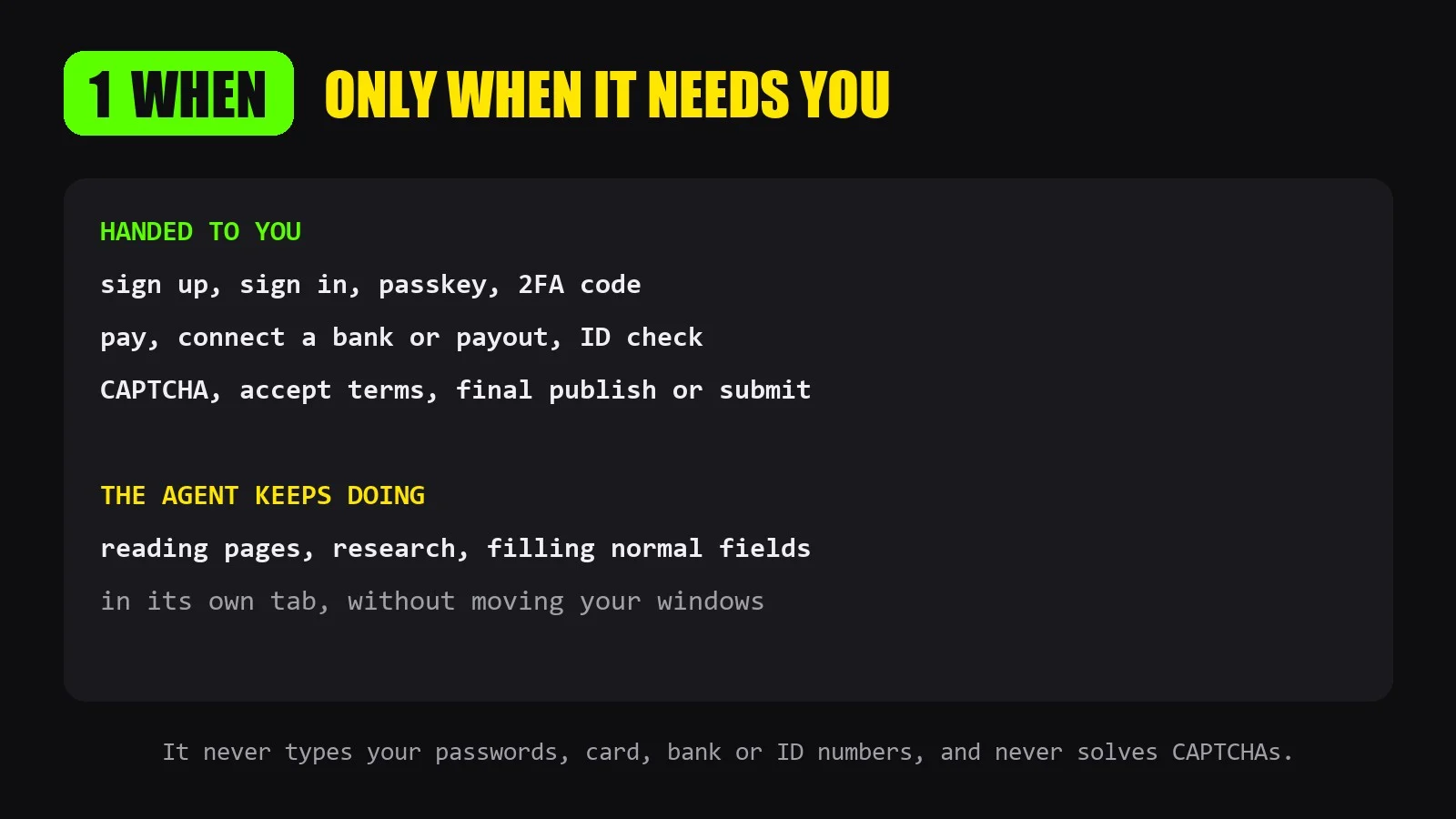
When your AI agent reaches a step only you can do (sign up, passkey, payment, CAPTCHA, final publish), it hands it over cleanly: the page opens in your own Chrome, in the chat's tab group, side by side with the steps. Windows and Mac.
What you get
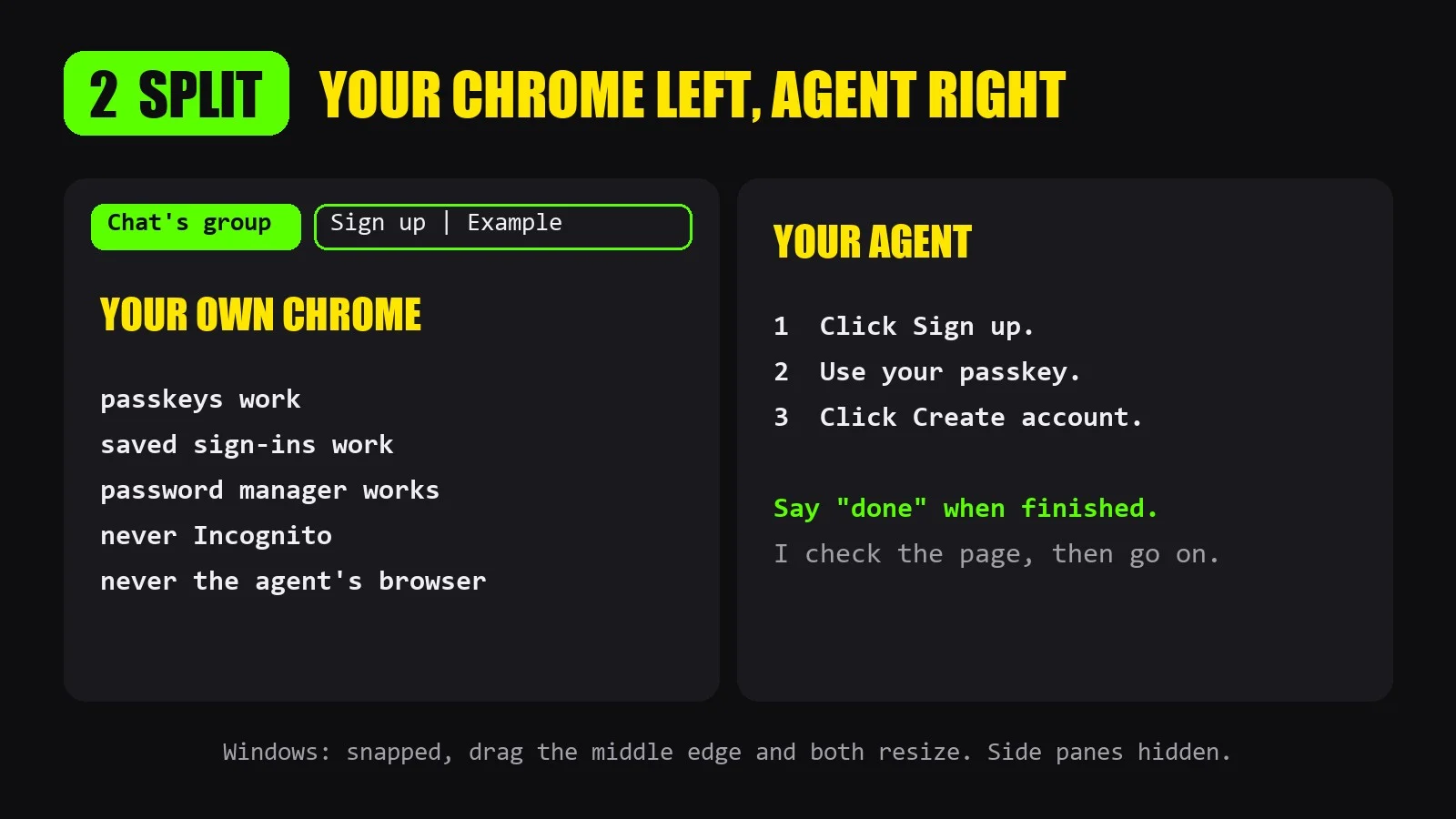
- Opens in your own Chrome, never in the agent's built-in browser. Your passkeys, saved sign-ins, password manager and 2FA work.
- Always in the chat's tab group. With several chats open you see which chat wants what, and close the whole group in one click when done.
- 50/50 split: Chrome left, your agent right. Read the steps and do them at the same time. On Windows the two are snapped together: drag the middle edge and both resize.
- No loose windows from the shell. An optional guard (a Claude Code hook) blocks the common ways a chat opens a browser outside the group. Normal commands and headless Chrome still run.
- Side panes hidden (Claude desktop app), so the steps stay readable at half screen.
- Group opened and brought to the front. No more hunting for a collapsed group behind other windows.
- Never in an Incognito window. A normal window is brought forward first.
- Only when you are needed. Reading pages and research stay in the agent's own tab. Your screen moves only when there is something for you to do.
- Numbered steps, one action each, then the agent waits and checks the page when you say done.
The skill tells the agent never to type your passwords, card, bank or ID numbers, and never to solve CAPTCHAs for you.
Needs
- Windows 10/11 or macOS, with Google Chrome
- The Claude in Chrome extension, connected to your agent
- Claude Code (desktop app or terminal). Other agents with a Chrome tool follow the same rules, without the pane hiding.
- Python 3 for the optional guard
- Mac: the first run asks to let Claude control Google Chrome and System Events. The right-half move needs Accessibility permission.
- Windows: Chrome in English for the automatic split. In other languages the agent asks you to put the windows side by side.
What is in the download
A skill folder: SKILL.md, README.md with install steps, and 5 small scripts (PowerShell for Windows, JavaScript for macOS, Python for the guard). It runs on your own computer with your own agent. Nothing is sent anywhere.
Use
Nothing to say. The agent uses it whenever a task needs you in the browser. You can also say "open it for me" or "I can't see the tab".
<img width="1600" height="900"<img width="1600" height="900" 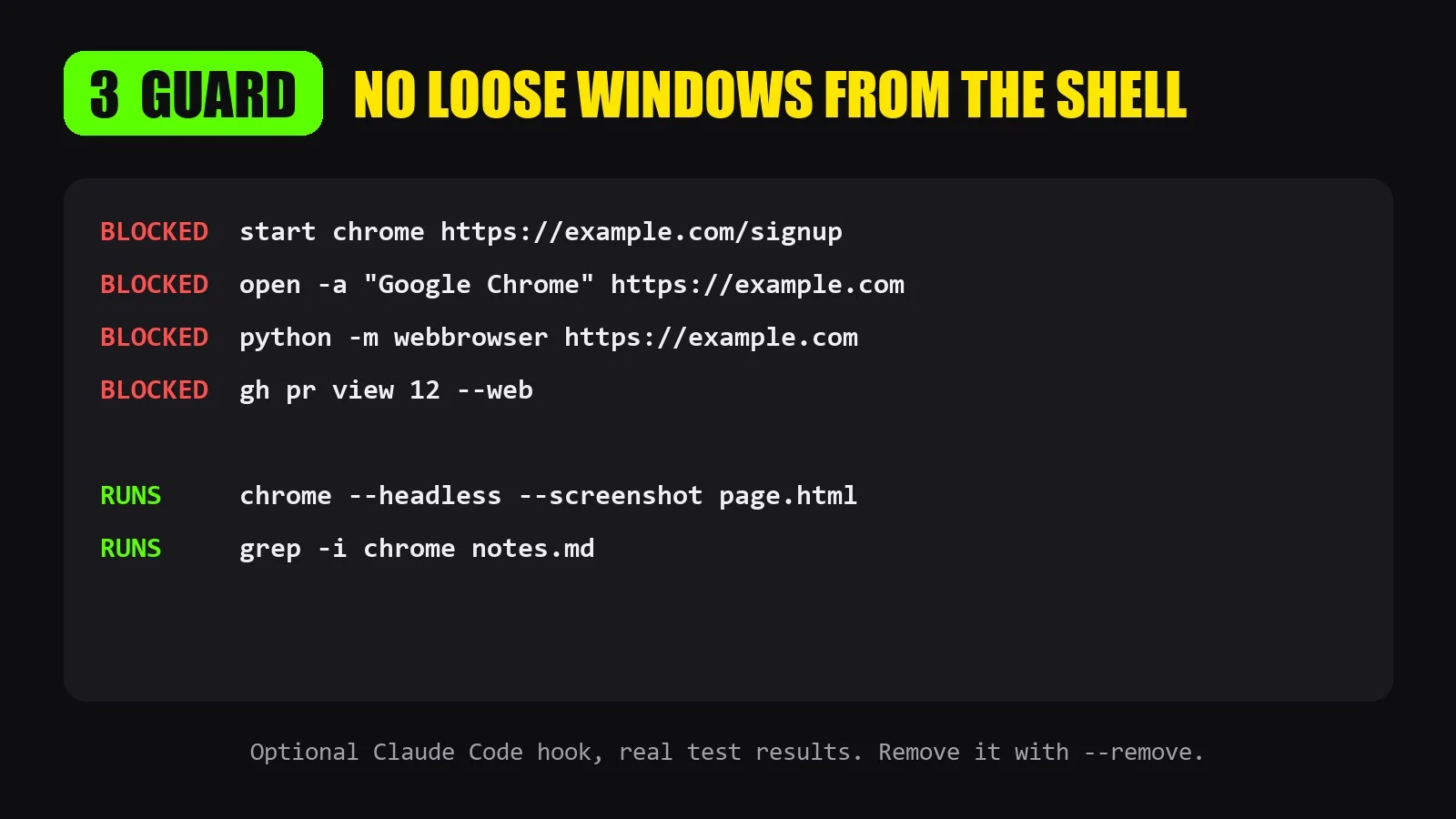 alt="02-split.webp" src="https://files.capafy.ai/public/agent/detail/2119913221604134912/2026/11/11411dd54314e24cd4809f71fa12a7914c.webp" /> alt="01-when.webp" src="https://files.capafy.ai/public/agent/detail/2119913221604134912/2026/11/11ca7c488592de4639887a5779d626b6b9.webp" />
API externas
Google Chrome + Claude in Chrome extension