CloneShift — Video Remix Kit
CloneShift v2 — Video Remix Kit
Plan Smarter. Edit Faster. Create Better Content.
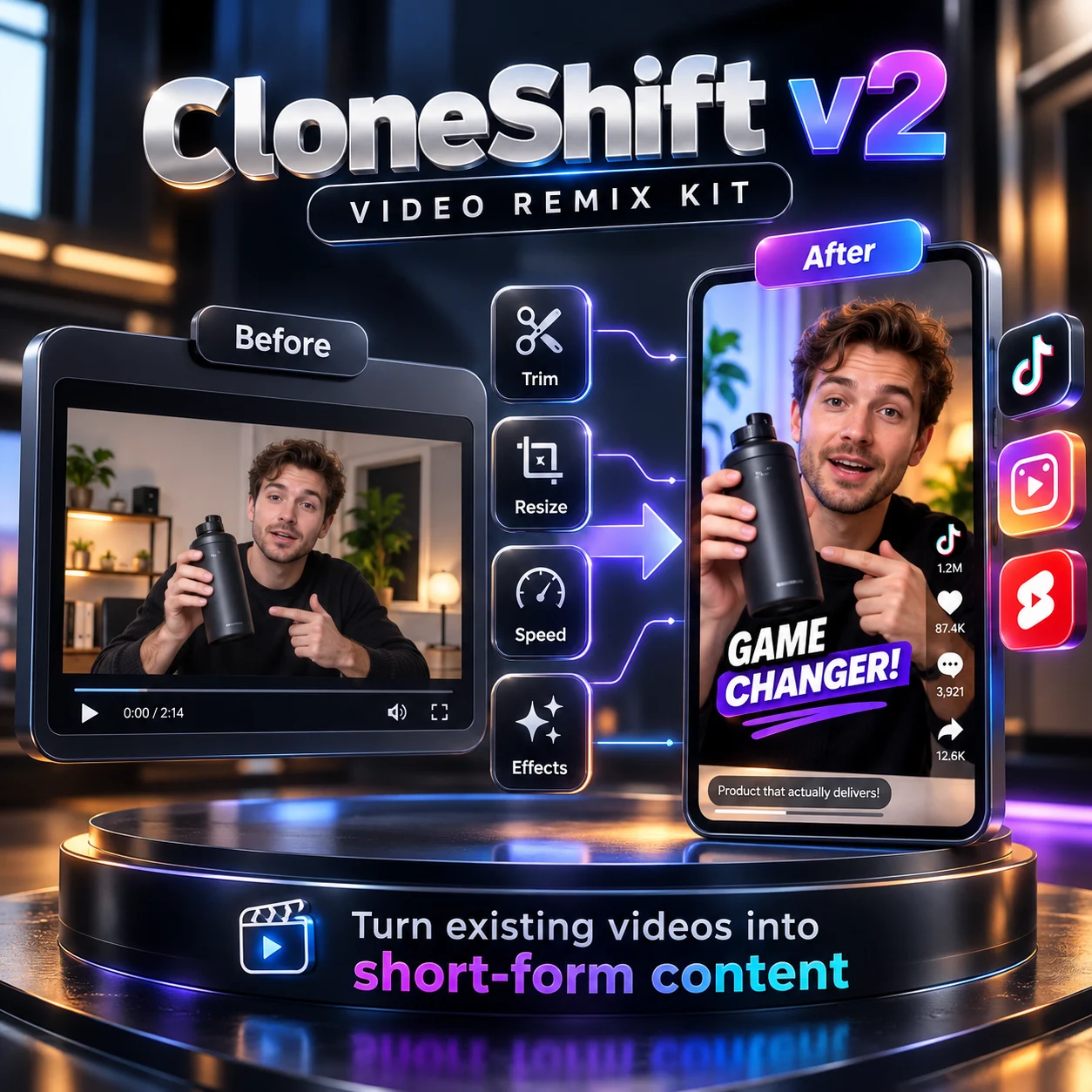
Transform your existing videos into engaging short-form content with CloneShift v2 — a practical video planning and editing toolkit designed for content creators, marketers, social media managers, and businesses.
CloneShift combines structured creative workflows with executable local video editing tools, helping you organize your ideas, prepare video campaigns, and create edited variations from existing footage.
Key Features
- Practical Video Editing
Edit your existing footage using the included Python and FFmpeg processing script.
- Trim videos to selected durations.
- Adjust playback speed from 0.5× to 2×.
- Resize videos for different aspect ratios.
- Add padding to fit vertical video formats.
- Apply grayscale and horizontal flip effects.
- Process original audio when available.
- Export edited video files locally.
- Five Creative Workflow Modes
CloneShift provides five structured modes for different content creation needs:
- Viral Mode: Develop engaging hooks, short-video concepts, and attention-grabbing storyboards.
- Ad Mode: Create structured product advertising concepts, shot lists, and calls to action.
- Remix Mode: Plan video variations and execute supported local edits.
- Story Mode: Organize narrative concepts, scenes, and storytelling sequences.
- Preserve Mode: Define which elements should change and which should remain consistent in your video editing brief.
- Social Media Content Planning
Prepare creative video plans for popular short-form platforms, including:
- TikTok
- Instagram Reels
- YouTube Shorts
Build video concepts, organize scenes, develop hooks, and prepare structured production instructions.
- Structured Video Production Workflow
CloneShift helps streamline the creative process by providing:
- Video concepts and creative briefs.
- Scene-by-scene storyboards.
- Shot lists and timing suggestions.
- Editing instructions.
- Video remix planning.
- Structured prompts for external production tools.
- Local Video Processing
The included video processing script enables supported editing operations directly on your computer.
Basic local processing does not require a paid AI API or cloud rendering subscription.
- Documentation & Configuration
The package includes:
- AI Skill instructions.
- Python video processing script.
- JSON configuration example.
- Creative workflow examples.
- Installation and setup guide.
- Troubleshooting instructions.
- Technical requirements and limitations.
Who Is CloneShift For?
Content Creators: Organize ideas and prepare engaging short-form videos.
Social Media Managers: Plan campaigns and adapt existing footage for different video formats.
E-commerce Businesses: Develop product video concepts and prepare advertising briefs.
Marketing Agencies: Structure creative workflows and perform basic video editing tasks.
Video Editors: Automate supported repetitive editing operations through configurable scripts.
Technical Requirements
CloneShift requires Python 3.10 or newer and FFmpeg installed separately for local video editing.
Users must provide their own source footage and a compatible local execution environment.
CloneShift does not include AI video generation, automated character replacement, product replacement, or background replacement. Advanced generative operations require separate tools and are not executable through this package.
The included editing tools focus on practical local video modifications and structured creative planning.
Why Choose CloneShift v2?
CloneShift brings creative planning and basic executable video editing together in one downloadable toolkit.
Instead of relying on creative prompts alone, you can build structured video concepts and perform supported modifications on your existing footage.
One Toolkit. Five Creative Modes. Practical Video Editing.
⸻
Developed by Mahmoud Hisham
Founder — TYKAIRO-AI
Building Practical AI Tools for Creators, Businesses & Developers.