
KDP Journal & Planner Interiors: Print-Ready PDF
Build print-ready Amazon KDP paperback interiors for journals, notebooks, planners and log books on your own computer: lined, dot, grid, prompt, year, monthly, weekly-spread, habit-tracker and log pages from a short book.json. KDP trim, page limits, bleed, the gutter for your final page count and 0.75 pt lines are applied, then a PDF pre-flight check runs. You also get the spine width, full cover size and a KDP checklist. No API key.
#Escritura#Productividad#Diseño
Valoración
Se necesitan más valoraciones
Vendidos
0
Cómo se usa
Descargar
Low-content interiors, built to KDP's numbers
Most low-content rejections come from the same few things: the wrong page size, text too near the spine once the page count grows, lines too thin to print, an odd page count, and a cover made for the wrong spine. This skill builds the interior PDF to KDP's published numbers and works out the matching cover size.
 ## Page types
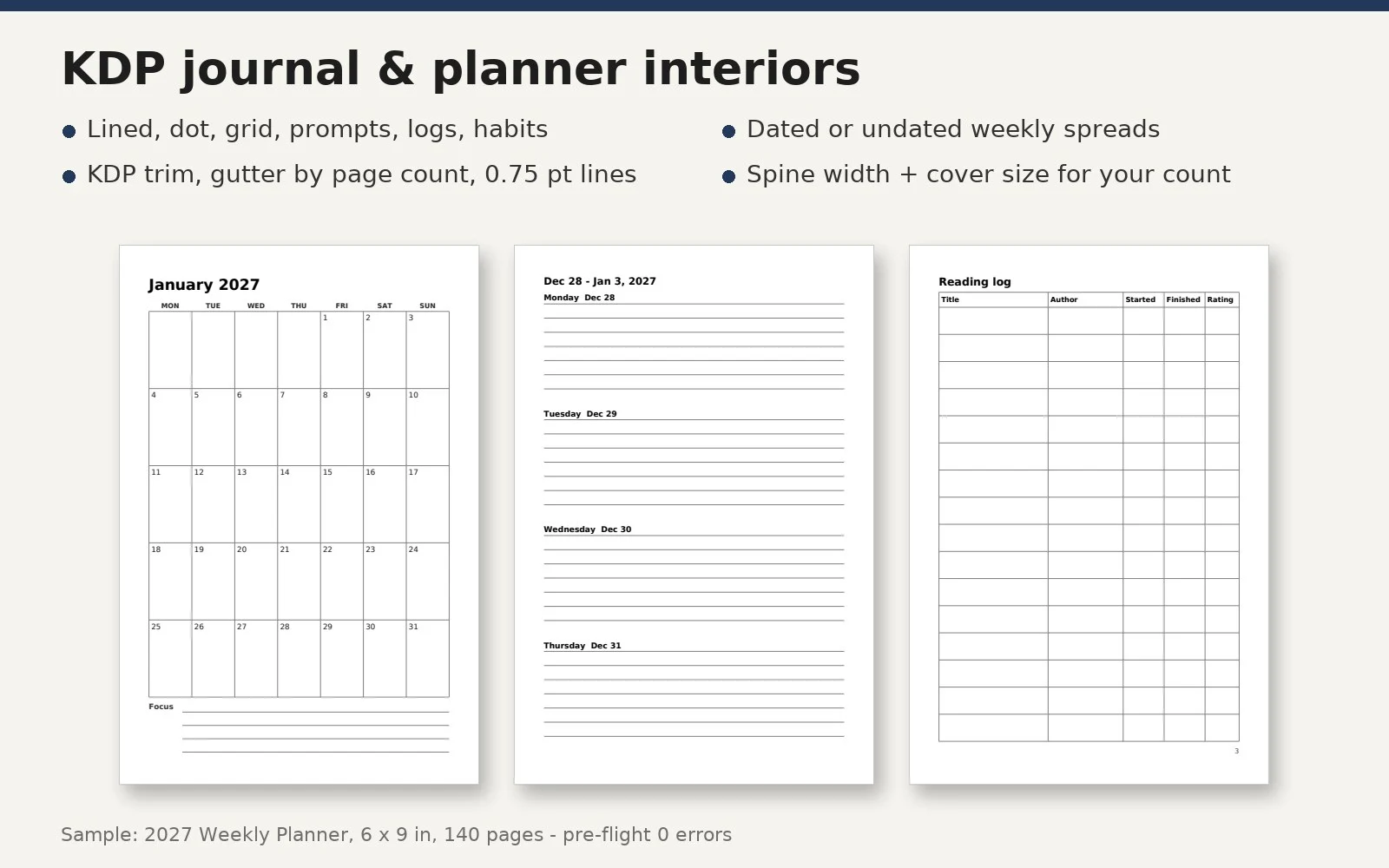
- Lined (wide, college, narrow), dot grid, graph grid, blank, section dividers
- Prompt pages (your prompts, one per page)
- Year at a glance; monthly calendars (dated or undated, with a facing notes page)
- Weekly two-page spreads that always start on a left page (dated or undated)
- Monthly habit trackers; log tables with your own columns (reading, workout, anything)
- Title page with "This journal belongs to"
Seven presets to start from: lined journal, dot journal, 2027 weekly planner, undated planner, habit journal, reading log, prompt journal.
What the build does for KDP
- Any of the 16 KDP paperback trims; white, cream or color paper page ranges
- Bleed page size when you need it (trim + 0.125 in wide, + 0.25 in tall)
- The gutter for the final page count (0.375 in up to 0.875 in), mirrored left and right
- Lines at least 0.75 pt, text at least 7 pt, fonts embedded, even page count
- Pre-flight check of the finished PDF: every page size, fonts, no links or bookmarks, page count
- Spine width and full cover size for the exact page count, a cover guide image (trim, bleed, spine, safe zones) and a KDP checklist: what to pick on each screen, the Low-content box, ISBN, and the AI-content question
Every KDP number comes from a public KDP Help page, listed with its link inside the skill.
Works with
Python 3.8+ with pip install reportlab pypdf pillow pypdfium2. Windows, macOS, Linux. No API key, no account, no internet.
What it doesn't do
- Upload or publish on KDP (you do), or design the cover artwork (you get the size and a guide)
- Write prompts or quotes on its own; if an AI writes words for your book, KDP asks you to declare them
- Promise sales, rankings or KDP approval
More printables tools from the same publisher
- Digital Planner Builder (hyperlinked tablet planners) - capafy.ai/agent/7793095384
- Puzzle Book Builder (word search, sudoku, mazes) - capafy.ai/agent/4139581055
- Mandala & Pattern Coloring Book Builder - capafy.ai/agent/1651177873
- Kids Math Worksheets & Workbooks - capafy.ai/agent/1594105240
- KDP Book Formatter (Kindle EPUB, covers, listing) - capafy.ai/agent/4773701800

