Little Dino KDP Toolkit: Coloring & Puzzle Books
🦖 Little Dino KDP Publishing Toolkit — Publish Books on Amazon from Home
Want to sell coloring books or puzzle books on Amazon KDP, but stuck on print specs, covers, story writing or listing copy?
This toolkit puts the whole publishing workflow in one place: from your pages to the cover and the listing — done in one go.
✅ Who is it for?
- Beginners who want to publish KDP coloring books or puzzle books as a side income
- Sellers who already have coloring-page images (hand-drawn or AI-made) but don't know how to format the interior or make a cover
- Sellers who need help writing titles, descriptions and keywords for Amazon
- AI-art creators who want a whole book with consistent style and a story
- Anyone who wants a word search, sudoku, maze or dot-to-dot book without drawing anything
🖼️ Sample Output
🎨 Coloring Books
🧩 Puzzle Book Generator
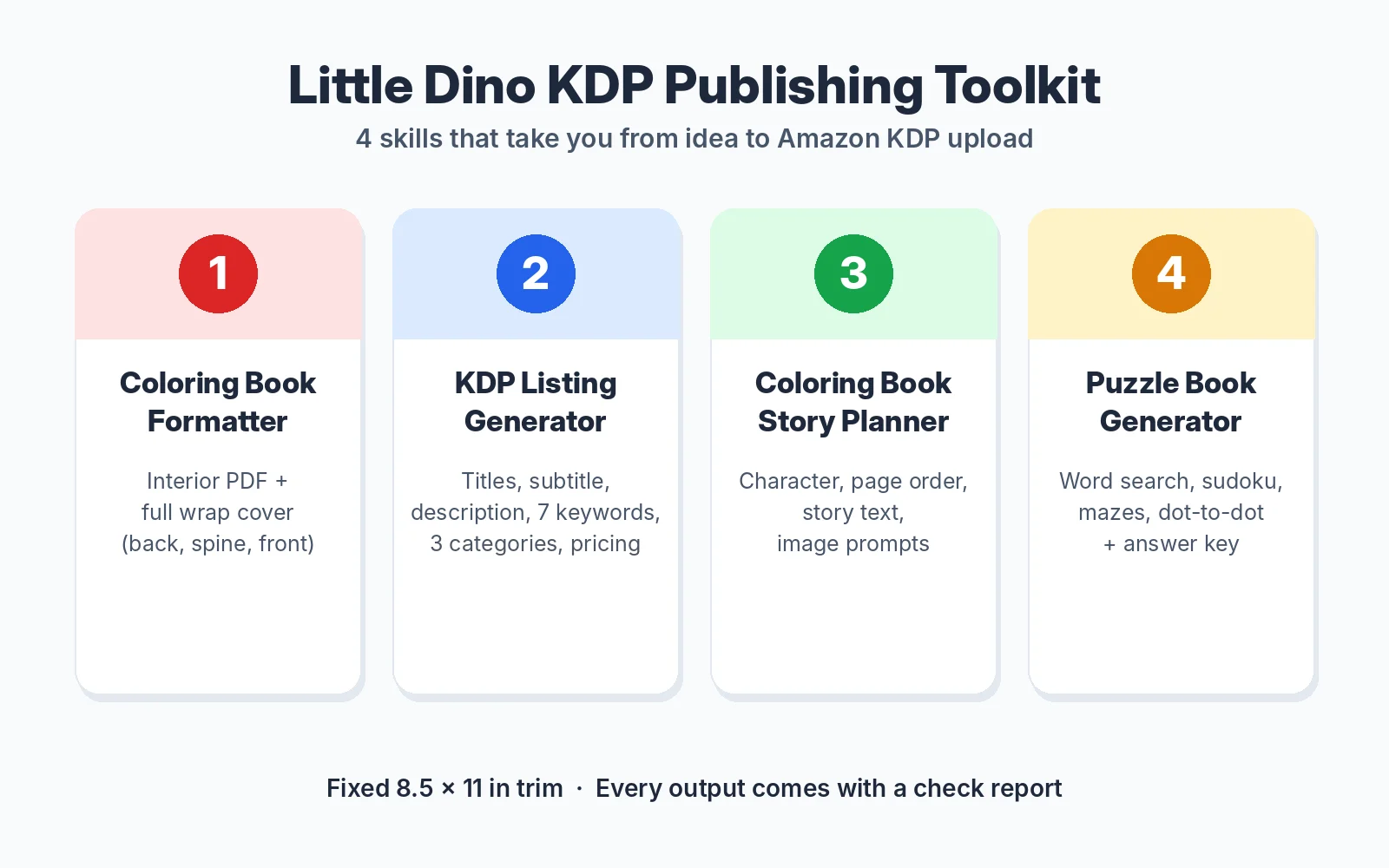
🧰 The Whole Toolkit
📚 Real Book on Amazon
This book was made with this toolkit and is on sale on Amazon now:
Forest Adventure (animal adventure coloring book, 20 pages to color, ages 3–6, 8.5 x 11 in paperback, 40 pages)
👉 See it on Amazon
🧰 5 Features in 4 Skills
📖 1. Story Planner
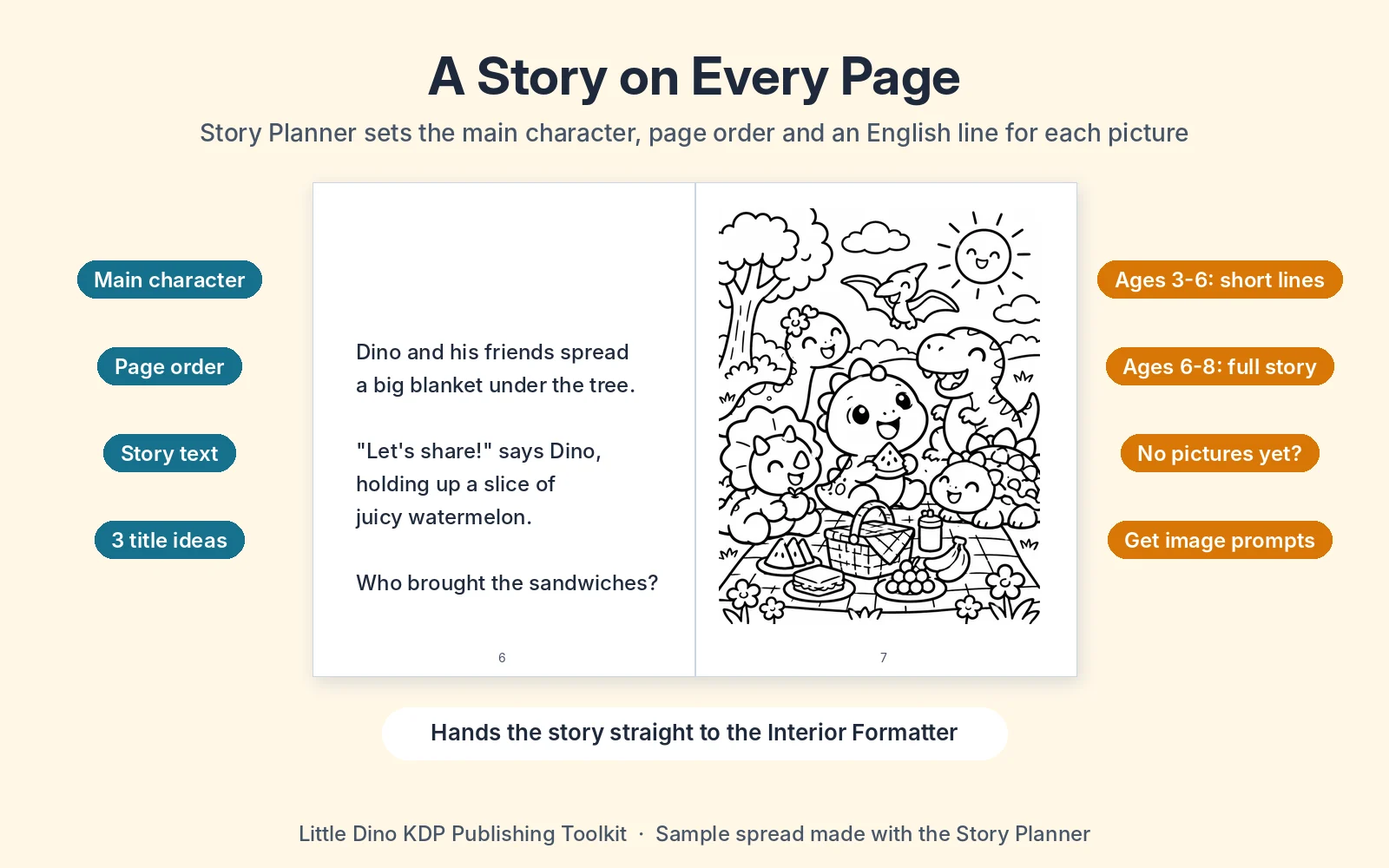
- Upload your coloring pages: it sets up a main character and the page order
- Writes an English story for every page
- Two story styles:
- Short lines (1–2 sentences per page, ages 3–6)
- Full short story (with a plot, ages 6–8)
- Suggests 3 English book titles
- No images yet? No problem: give a theme and get the story plus an image prompt for every page to paste into ChatGPT or Gemini
📐 2. KDP Interior Formatter
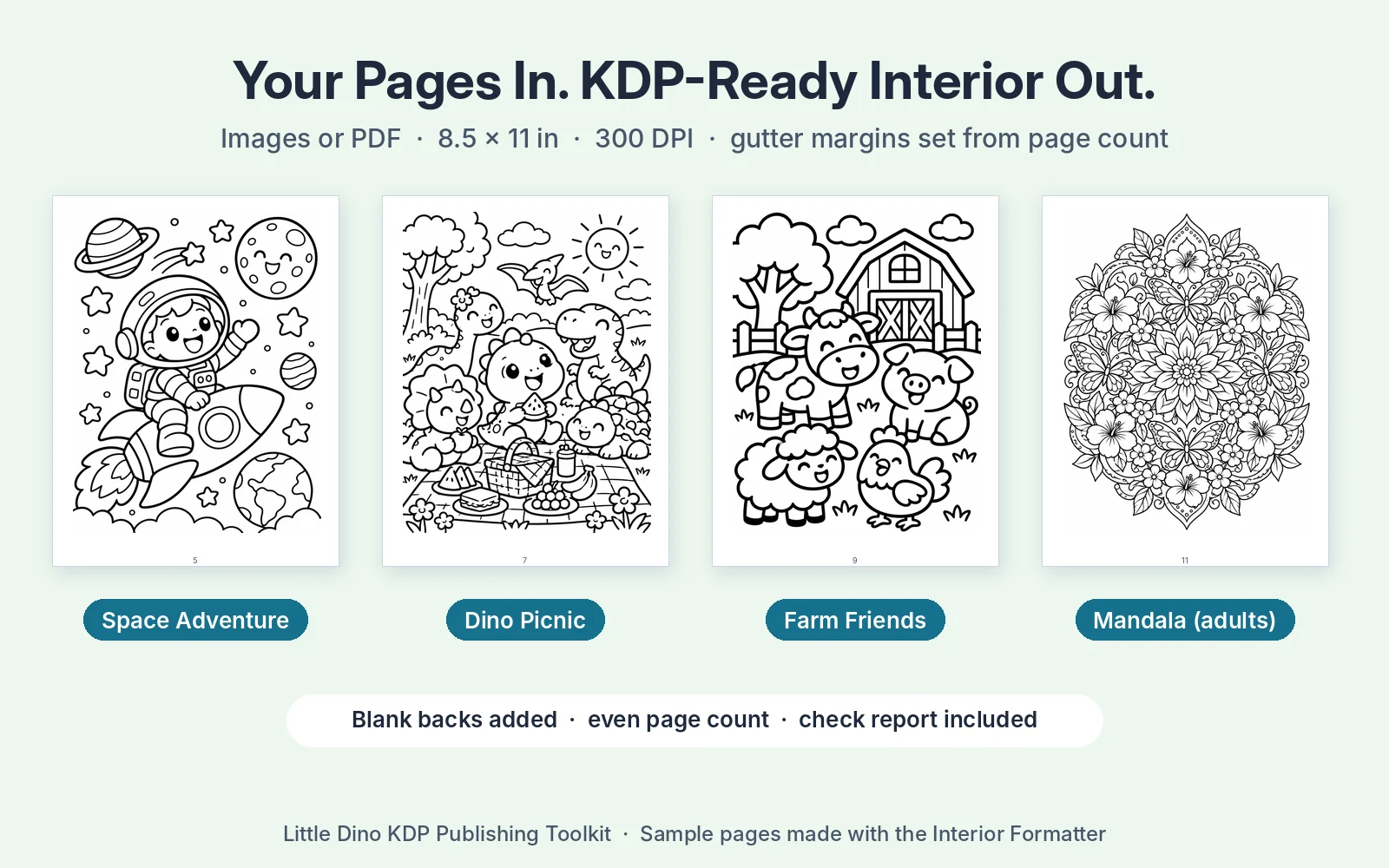
- Accepts images (PNG / JPG) or a PDF
- Outputs an interior PDF ready to upload to KDP
- Fixed 8.5 x 11 in trim (the most common coloring-book size)
- 300 DPI print quality
- Gutter margins set automatically from the page count
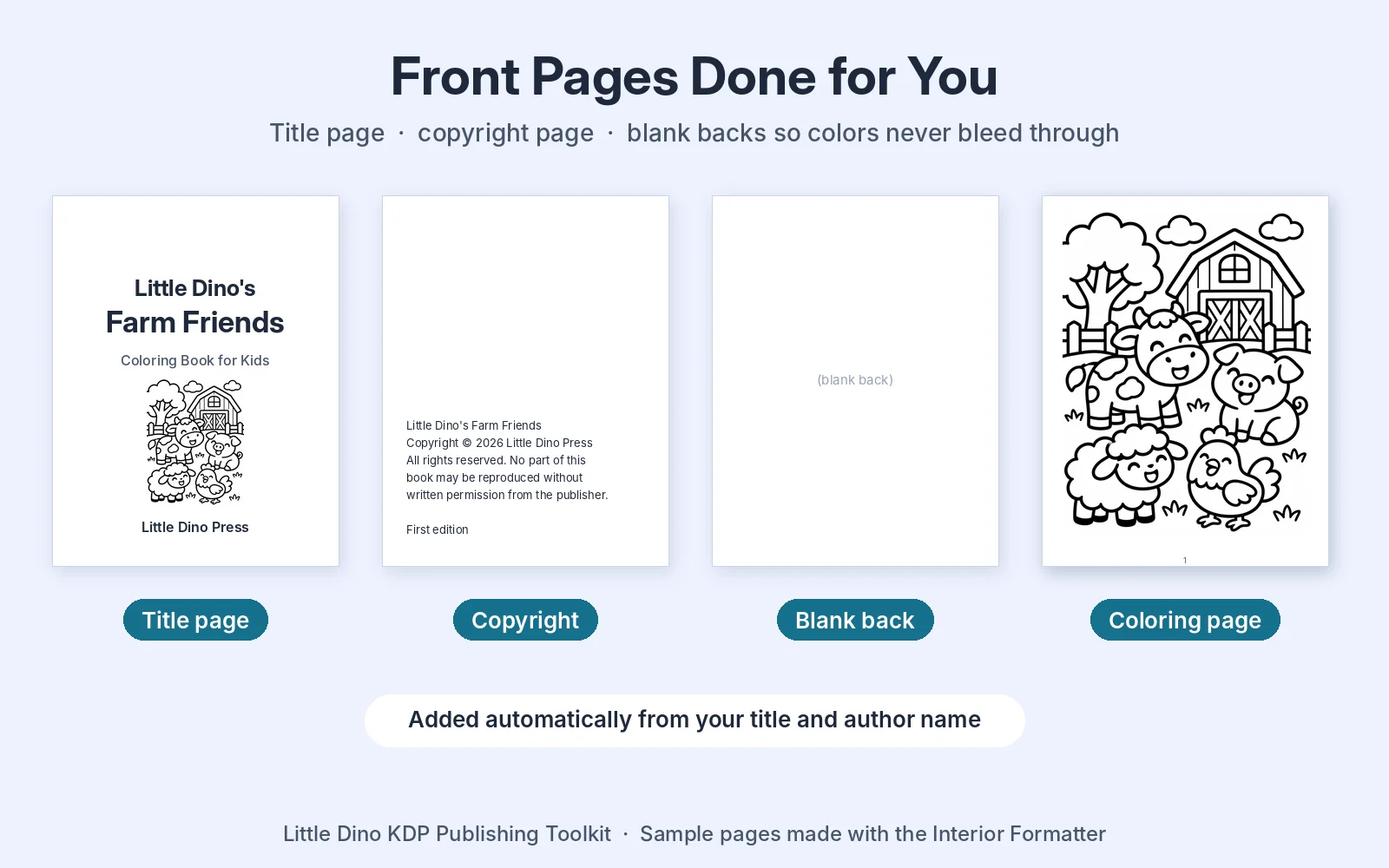
- Pads to an even page count and adds title, copyright and story pages
- Comes with a check report that flags problems such as low resolution, to lower the chance of rejection
🎨 3. Cover Formatter
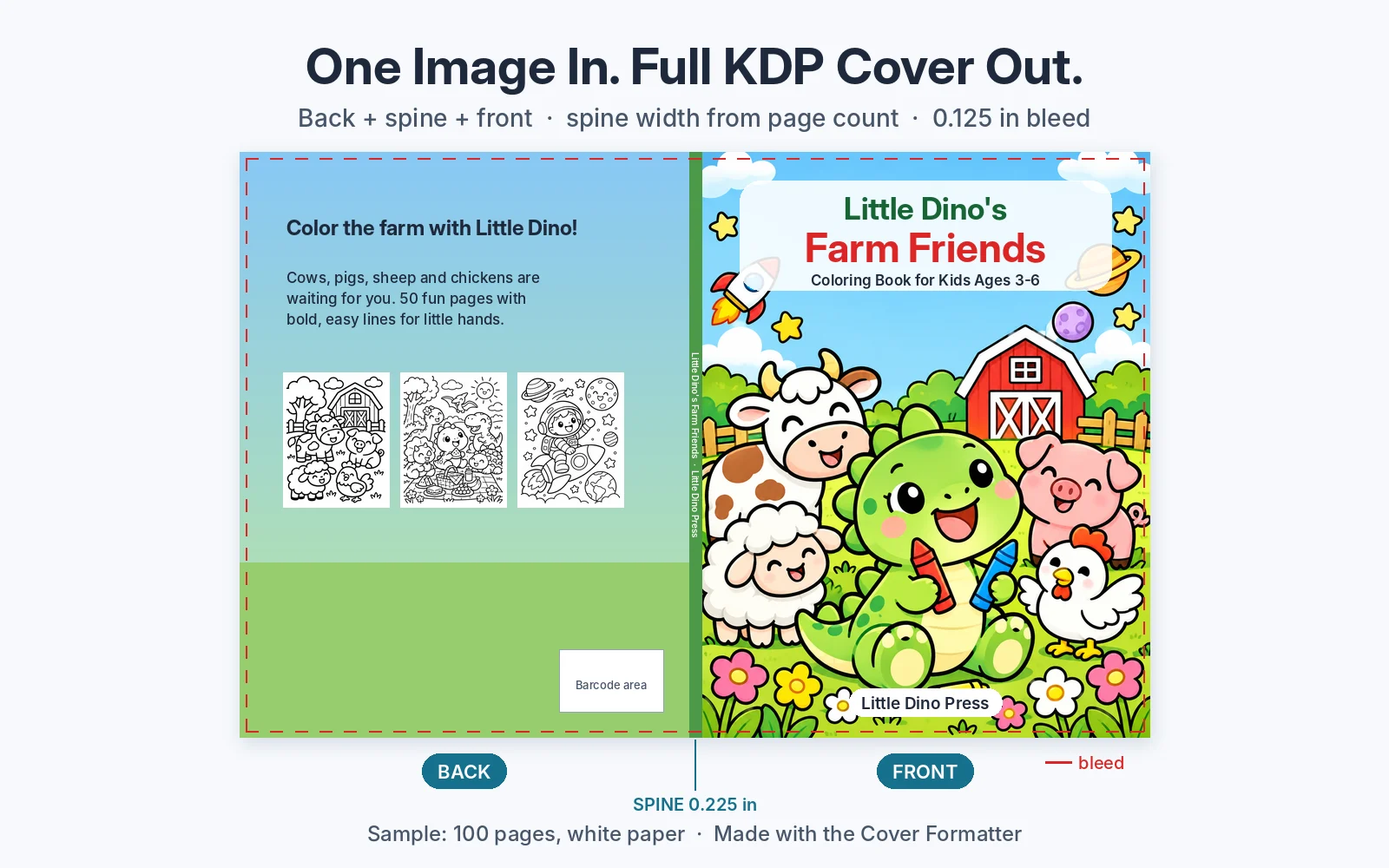
- Give it one image made with ChatGPT or Gemini and it builds the full KDP paperback cover (front + spine + back)
- Adds your title, subtitle, author name and a back-cover blurb
- Calculates the spine width from your page count and paper type
- Keeps the bleed and the barcode area clear
- Cover image too small? It can upscale it to 300 DPI automatically (it asks you first)
- Long subtitles are split evenly onto two lines, so the text never gets squeezed too small
- Reminds you of the author name order, so the cover matches what Amazon shows
- Comes with a cover check report
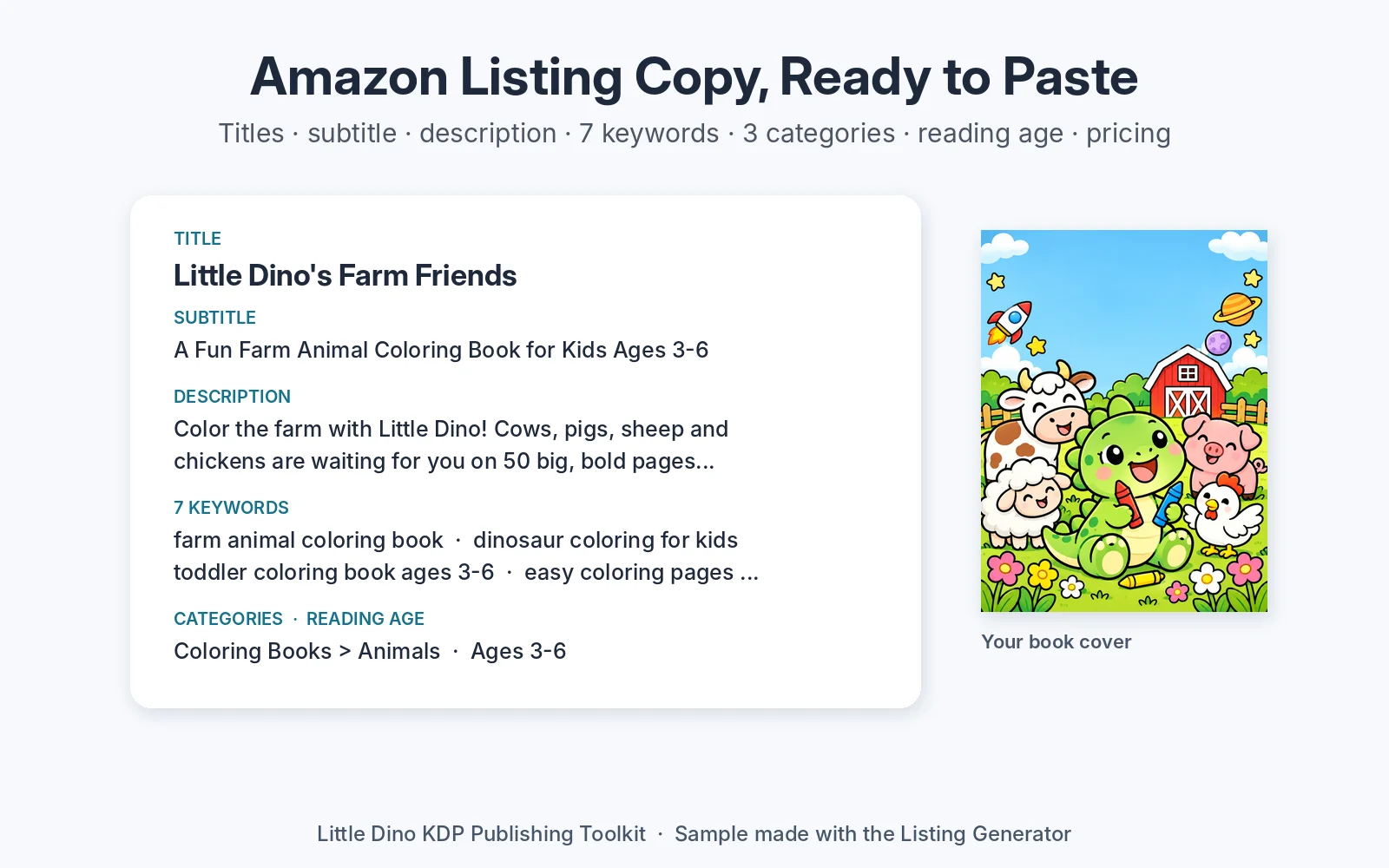
📝 4. Listing Generator
- 3 title options + subtitle (if your cover is already made, it suggests keeping that title and tells you what to redo if you change it)
- Book description: coloring books get paperback and Kindle eBook versions; puzzle books get paperback only (kids can't write on a Kindle)
- Back-cover blurb (2–3 sentences, ready to put on the cover)
- 7 backend keywords
- 3 categories with the full click path (KDP categories are nested drop-down menus — just click along)
- Reading age setting
- Pricing tips for the 60% royalty, including the UK, Europe and other markets
- How to fill in the KDP form: author name, whether to tick Low-content / Large-print, and suggested answers to the 3 AI-content questions
- Automatic checks: length limits, words KDP doesn't allow (including every form of "free"), and complete category paths
- Works for coloring books and activity books: mazes, dot-to-dot, tracing, spot the difference, word search and more
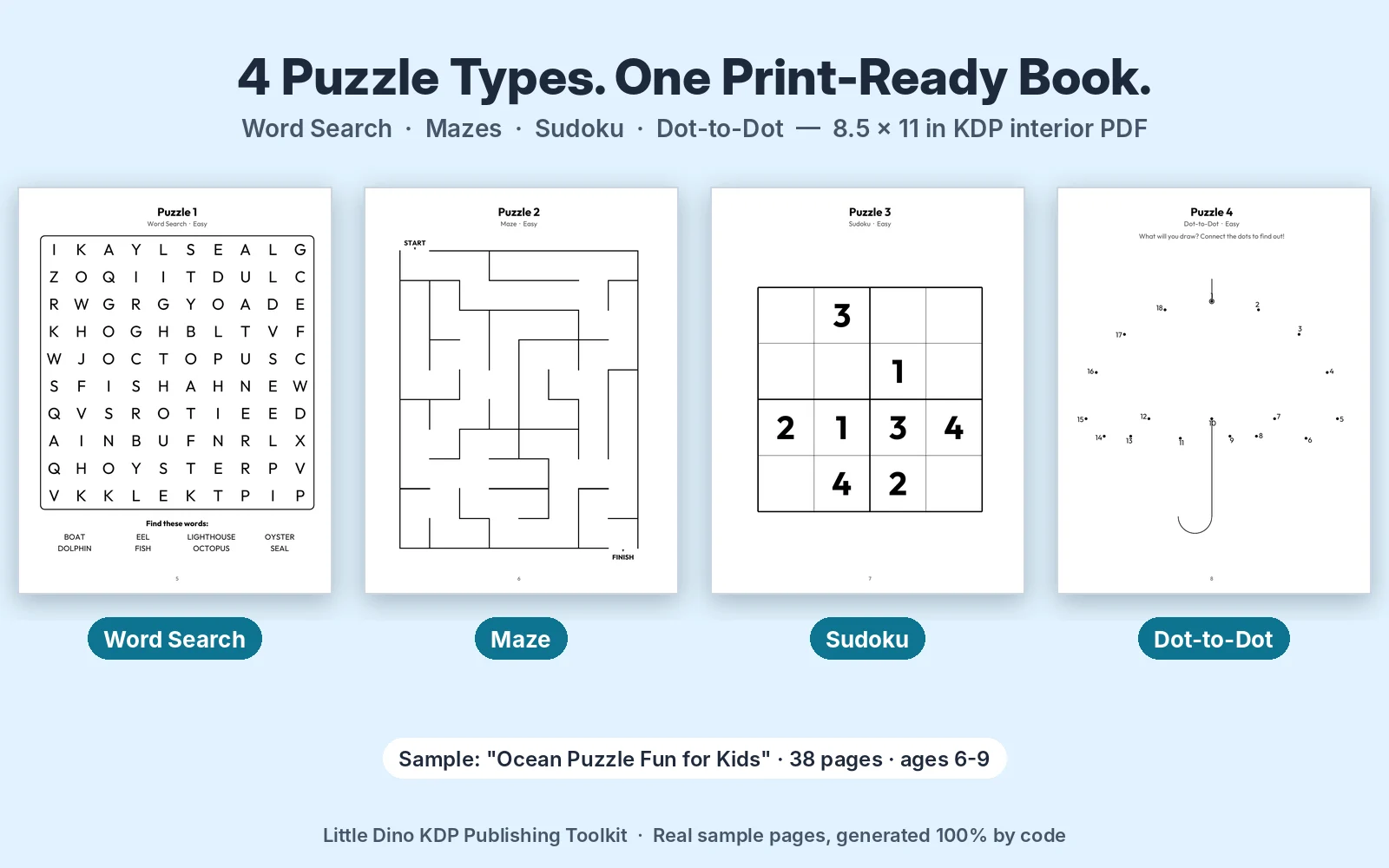
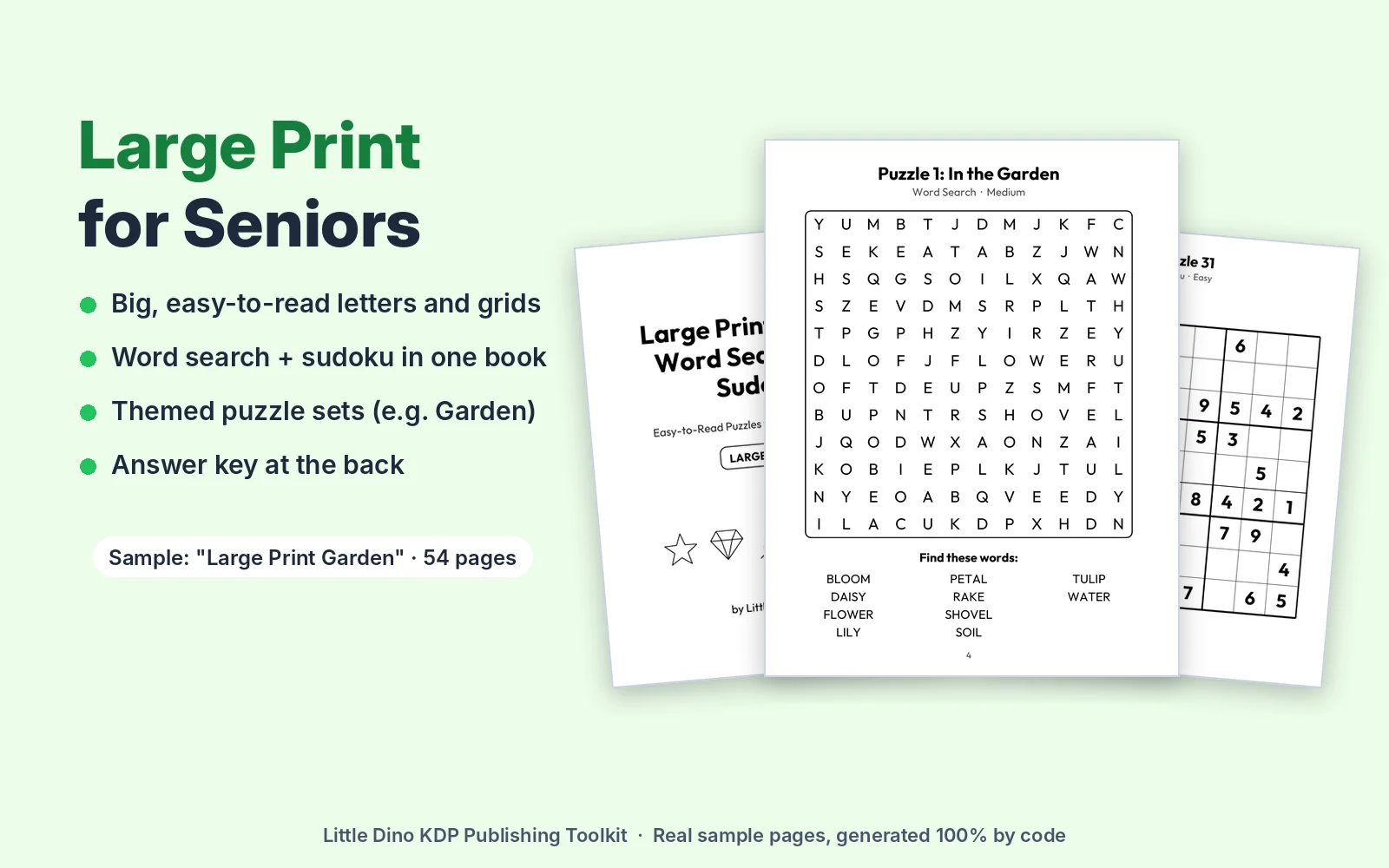
🧩 5. Puzzle Book Generator
- Makes a complete puzzle book 100% by code — no images needed
- Word search, sudoku (4x4, 6x6, 9x9), mazes and dot-to-dot
- Kids books or large-print books for seniors
- One game type or a mixed book
- Dot-to-dot from your own images (for example cute AI-made animals) for puzzles nobody else has — with a preview before the full book
- 29 built-in dot-to-dot pictures, including 4 cute dinosaurs
- Mazes can get harder page by page, with an optional little-dino-finds-the-egg icon and a hint line
- Title page, copyright page, How to Play page and an optional "This Book Belongs To" page
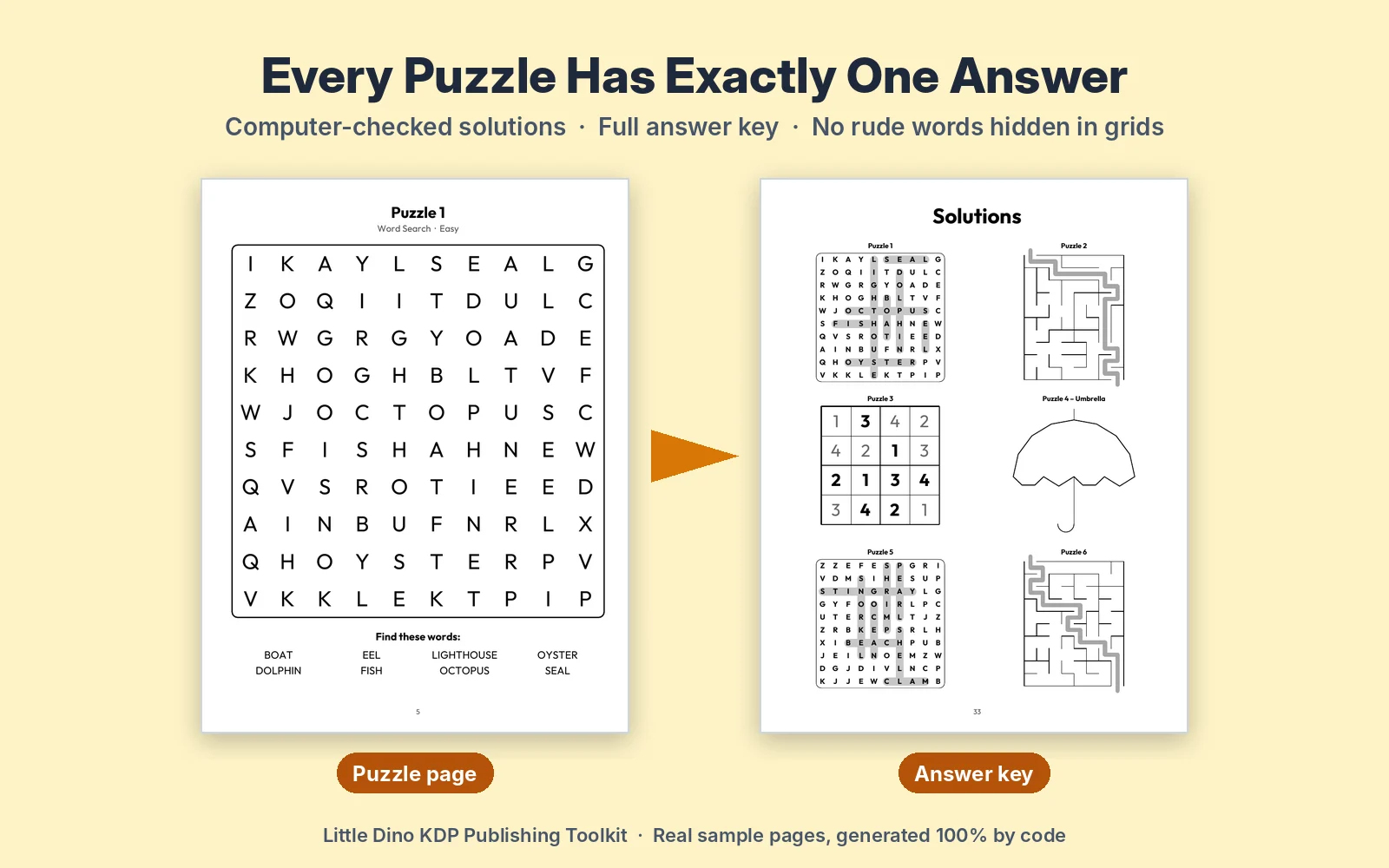
- Full answer key at the back
- Every puzzle is computer-checked to have exactly one correct answer
- Word search grids are scanned so no rude words are hidden inside
- Hands its page count, theme and book features to the cover and listing tools automatically
📦 What You Get
- Text in the chat: story, title ideas, listing copy and a summary of the checks, ready to copy
- Interior PDF: KDP specs, ready to upload
- Full cover PDF: front + spine + back
- Check reports: one for the interior and one for the cover
- Preview images: a few JPG / PNG files so you can see the layout first
- Story plan files: story_plan.md, manifest.json; plus prompts.md (image prompts for every page) when you start without images
- Puzzle books also get book_info.json (page count and book details for the cover and listing tools)
All files can be downloaded right in the chat.
🚀 How to Use
💡 Tip to save requests: every message you send counts as 1 request. Give everything in your first message and one book usually takes only 2–3 requests.
Example: upload your coloring pages + a cover image and write: "Title: ____, for ages __. Please make it a KDP coloring book and write the listing."
No title yet? Just write "please suggest a title".
For a puzzle book: "Make a 9x9 sudoku + word search book about gardens, large print for seniors, 40 puzzles."
- ① Send your pages and cover: upload coloring pages (images or PDF) and one cover image, and tell me the title and age range (want a story? say so; no images? a theme is enough)
- ② Check the content: if you asked for a title or story, confirm the title, character, page order and story first
- ③ Get the PDFs: KDP-ready interior PDF, full cover PDF and check reports
- ④ Get the listing: title, subtitle, description, keywords, categories, pricing tips and how to fill in the KDP form
- ⑤ Upload to KDP: sign in to your own KDP account, paste the listing, upload both PDFs and declare AI content
- ⑥ Check and submit: review in the KDP previewer, order a proof copy if you can, then submit
🆕 What's New (v1.0.3)
- Listing: 3 full category paths; new back-cover blurb, pricing tips and KDP form help; stricter blocking of "free" and other words KDP doesn't allow
- Puzzle books: dot-to-dot from your own images (with preview), 4 dinosaur pictures, mazes that get harder page by page, theme passed to the listing tool, more accurate image warnings
- Cover: automatic upscaling of small images, long subtitles split onto two lines, author name order reminder
⚠️ Please Note
- Who can use it: this tool is for publishers 18 and older, to make books for children and adults.
- You need your own KDP account: you upload and submit in KDP yourself; first-time KDP users must fill in tax and payment details.
- Built to KDP specs: interior and cover PDFs follow KDP's official specs (trim, bleed, margins, resolution). If KDP rejects a file because of a spec problem, email me and I will help fix it.
- Size and printing: 8.5 x 11 in only; interiors are black and white (no color interiors). Spine text needs 80+ pages (KDP rule).
- This tool does not draw coloring pages: it handles stories, layout and listings. You provide or generate the coloring images. (The Puzzle Book Generator needs no images; you can also use your own images for dot-to-dot.)
- Interior image resolution: at least 2550 x 3300 px per page is recommended; smaller images print blurry.
- Cover image: you can make one with ChatGPT or Gemini. AI images are often small, and the tool can upscale them for you automatically; for sharper detail, upscale 2–3x first with a free AI upscaler such as Upscayl.
- AI content disclosure: KDP asks whether you used AI-generated content (text, images and translations are asked separately). The listing tool suggests answers — declare honestly and check every page yourself before publishing.
- Pricing and royalties: pricing tips follow current KDP rules; the numbers on KDP's pricing page are what count.
- Request limits: every message counts as 1 request. KDP allows up to 2 new paperbacks per week, and the plans are designed around that limit.
- KDP rules can change: if KDP shows a rule that differs from this tool, follow KDP.
- Language: the chat replies in the language you write in. Books and listings are written in English.
🇹🇼 Chinese speakers are welcome too: ask in Chinese and I will reply in Chinese (books and listings are still written in English). The author is based in Taiwan.