n8n MCPLink Pro
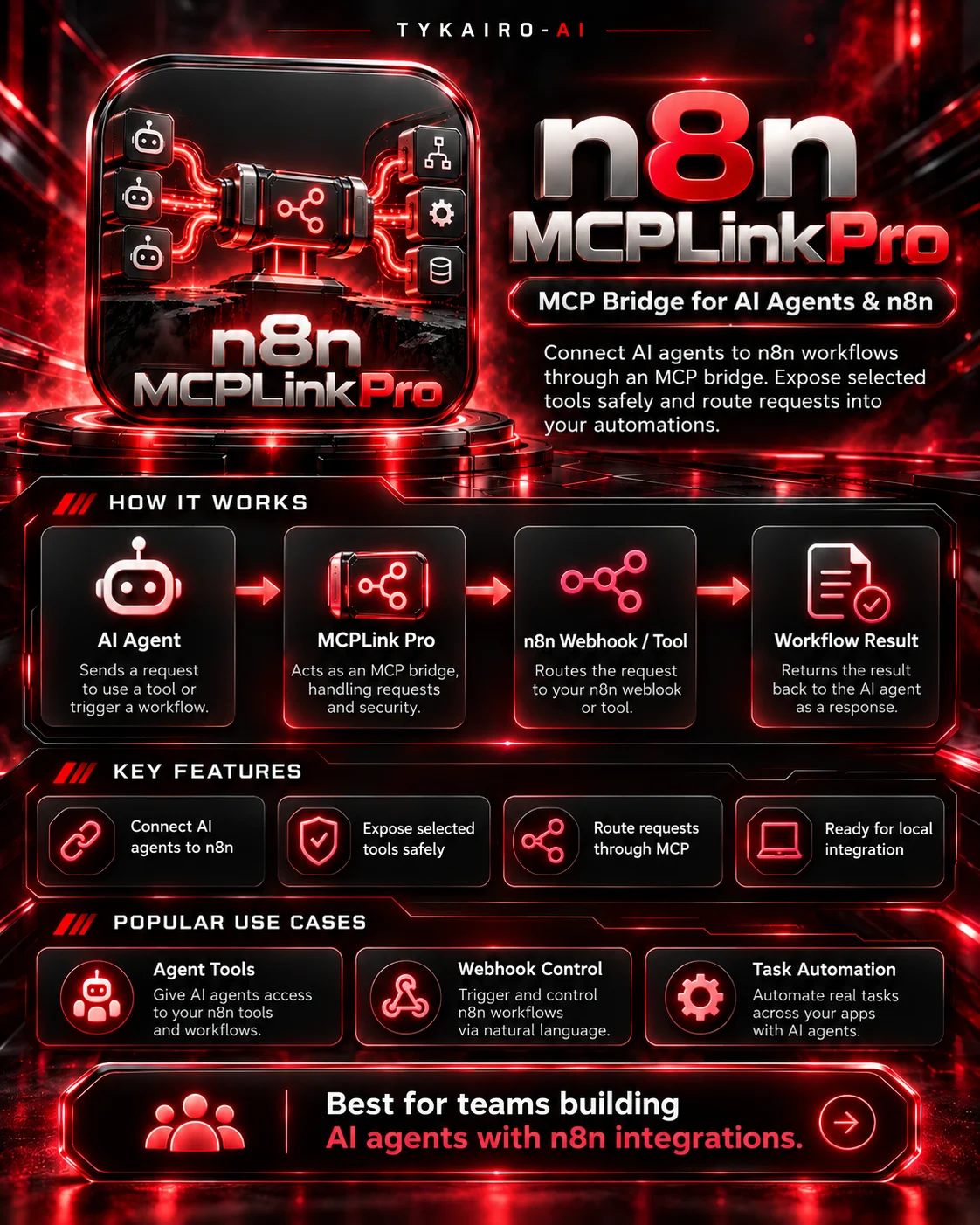
n8n MCPLink Pro — MCP Server Bridge for AI Agents & n8n
Developed by TYKAIRO-AI | Version 1.0.0
Connect Your AI Agents to Real Automation Workflows
Give your AI agents the ability to interact with your n8n automations through the Model Context Protocol (MCP).
n8n MCPLink Pro is a local Python-based MCP server developed by TYKAIRO-AI. It transforms selected, user-configured n8n webhooks into callable tools that compatible AI agents can discover and invoke.
Instead of building custom integrations for every automation, MCPLink Pro provides a practical bridge between your AI tools and existing n8n webhook workflows.
This is a functional software utility, not just a collection of prompts or theoretical integration instructions.
Key Features
1. AI Agent to n8n Integration
Connect compatible MCP clients to configured n8n webhook endpoints and make selected automations available as callable tools.
2. Functional Local MCP Server
Includes an executable Python MCP server with support for:
- MCP initialization and communication over stdio
- Tool discovery through
tools/list - Tool invocation through
tools/call - JSON-RPC messaging
- Ping requests and basic protocol handling
Designed for clients supporting the implemented 2025-era MCP stdio protocol.
3. Custom MCP Tool Configuration
Define your own tool names, descriptions, input fields, and trusted webhook destinations using a configuration file.
Choose which n8n automations your AI agent is allowed to access.
4. Controlled Webhook Execution
MCPLink Pro includes safeguards designed to reduce unintended execution:
- Tool calls disabled by default
- Explicit execution opt-in
- Fixed, predefined webhook destinations
- Basic input validation
- Request and response size limits
- HTTP request timeouts
- HTTPS requirements for remote destinations
- Optional authentication using environment variables
External actions must be reviewed and authorized by the user. Per-action approval must be managed by the connected MCP client.
5. Real HTTP Request Handling
Send actual HTTP POST requests to configured webhook endpoints and receive their responses.
The server returns meaningful results and errors rather than simulated success messages.
6. Example n8n Workflow
Includes a sample webhook workflow to help you understand and configure an MCP-to-n8n integration.
7. Local-First Architecture
Run MCPLink Pro locally without requiring a paid cloud MCP hosting service.
No additional Python packages are required for its core functionality.
How It Works
Step 1 — Configure Your n8n Webhook
Create or select an n8n workflow with a webhook endpoint.
Step 2 — Register Your MCP Tool
Add the webhook URL, tool description, and expected input fields to MCPLink Pro's configuration.
Step 3 — Connect Your AI Agent
Configure a compatible MCP client to launch the local MCPLink Pro server.
Step 4 — Enable Authorized Tool Calls
Review the configured actions and enable execution when appropriate.
Step 5 — Execute Your Automation
The AI agent invokes the registered tool. MCPLink Pro sends the request to the configured webhook and returns the HTTP result.
Practical Example
Imagine an AI assistant that needs to send order information to your automation system.
AI Agent Request:
"Send order DEMO-001 with quantity 1 to the configured workflow."
Execution Flow:
AI Agent → MCP Tool Call → MCPLink Pro → n8n Webhook → Workflow Response
The agent receives the webhook response and can use it in the conversation.
This request-and-response mechanism has been verified against a local HTTP test server. A real n8n deployment requires separate configuration and integration testing.
Who Is It For?
- AI Agent Developers
- n8n Automation Engineers
- MCP Integration Developers
- Automation Freelancers
- Technical Teams
- Local AI Enthusiasts
- Businesses developing AI-assisted workflows
What's Included?
- Functional Python MCP Server
- MCP Tool Configuration Example
- n8n Webhook Demo Workflow
- HTTP Request Handling
- Input Validation and Error Handling
- Optional Header-Based Authentication Support
- Windows PowerShell Launcher
- Setup Documentation
- Automated Local Tests
Technical Requirements
- Python 3.10 or newer
- Windows, Linux, or macOS
- An MCP client compatible with the supported stdio protocol
- An n8n instance and configured webhook for live integration
Important Compatibility Information
Version 1.0.0 is designed for local stdio MCP integrations.
It does not currently include Streamable HTTP hosting, OAuth, full modern MCP protocol support, or automatic cloud deployment.
The tool does not automatically discover all n8n workflows. Webhooks must be explicitly configured by the user.
MCP initialization, tool discovery, invocation, and HTTP communication have been tested locally. Real n8n deployment compatibility requires additional end-to-end testing.
About TYKAIRO-AI
TYKAIRO-AI develops practical AI software, automation solutions, developer utilities, and AI agent integration tools.
Our mission is to turn advanced technology into accessible and functional solutions that help developers and businesses build smarter systems.
Developer: Mahmoud Hisham
Company: TYKAIRO-AI
Product: n8n MCPLink Pro
Version: 1.0.0
Engineered by TYKAIRO-AI.
Independent third-party software. Not affiliated with or officially endorsed by n8n.