
Video Character Swap | Person to Anime or Animal
What it does
Send a short video that has one main person and say who or what they should become: an anime girl with pink hair, an orange fox mascot, a chibi robot, or a character image you already have. You get the same clip back with the person replaced. The body motion, timing, camera and background stay from your video.
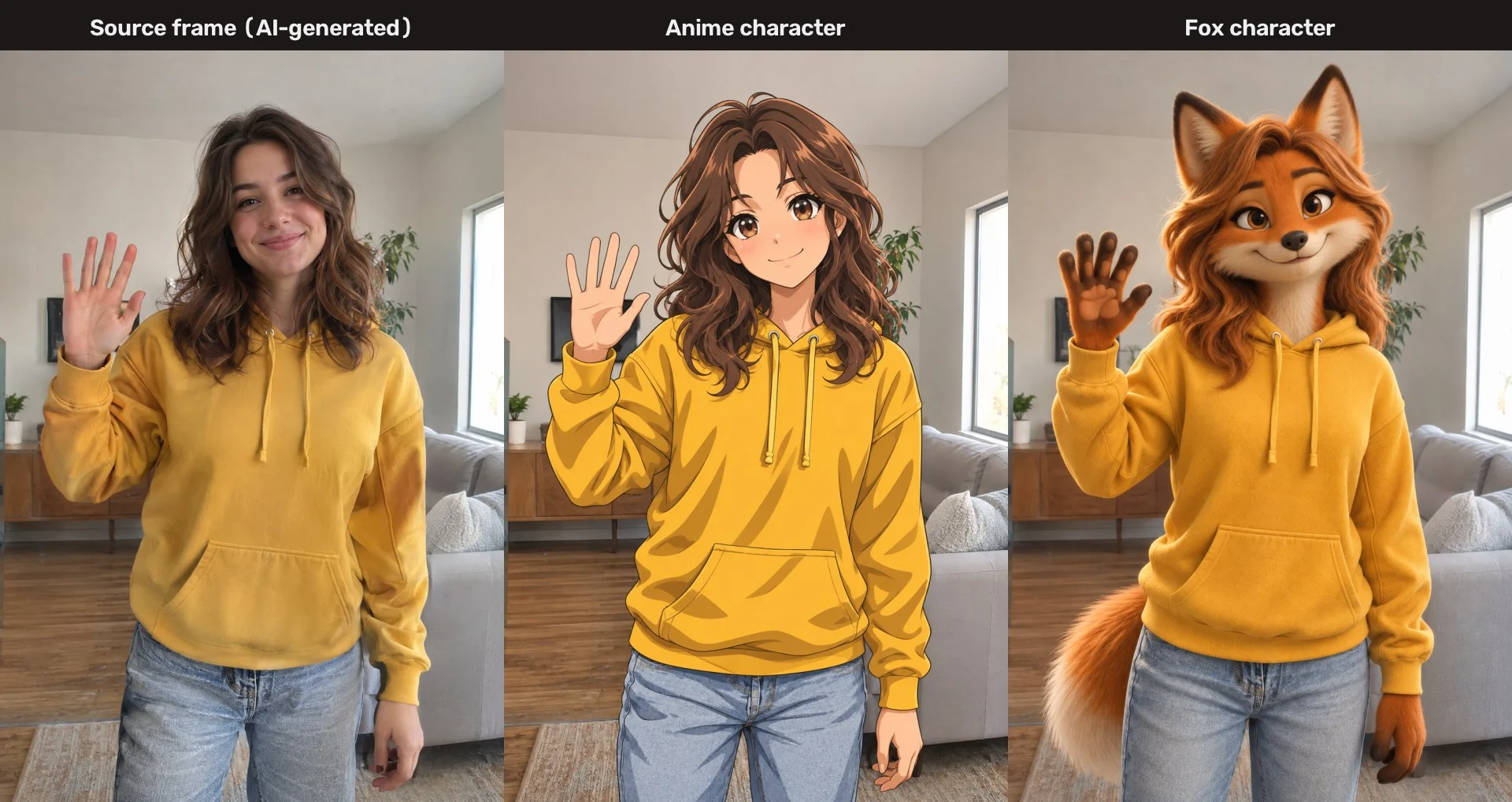
Example of the character step: an AI-generated stand-in source frame (top left, not a real person) redrawn as an anime character and as a fox. Pose, framing and background are kept.
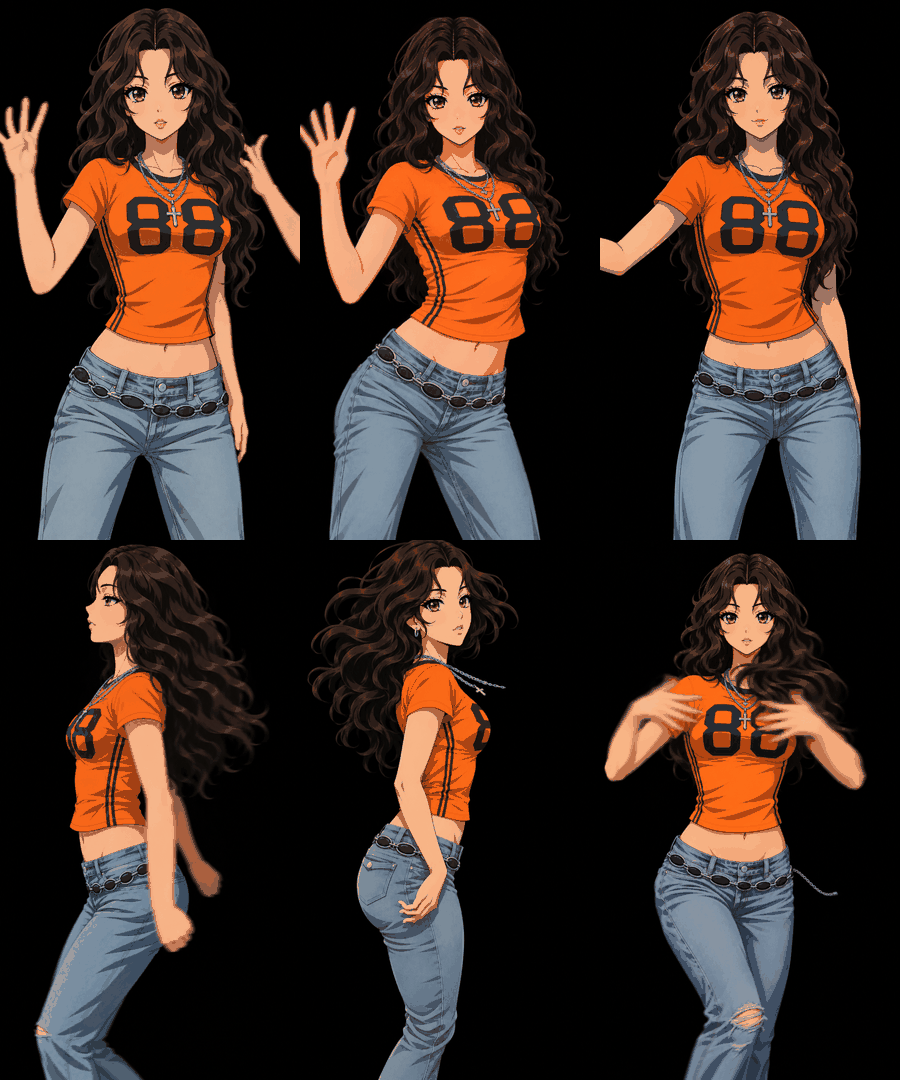
Animated example (2-second loop, 15 fps): frame redraw mode with the consistency pass, one character redrawn on every frame of a dance clip. This is the look to expect: recognisable and in motion, with slight shimmer in hands and hair.
What you send
- A video file (mp4, mov or webm), ideally 2 to 10 seconds, one clearly visible person, steady camera. Only the first 2 to 3 seconds are processed.
- The target character, as a description or an image.
- Confirmation that the video is yours or you have the rights to use it.
What you get
- A short MP4 of the swapped clip, plus the character image the video was built from.
- A plain summary of which mode was used, how long the clip is and what it cost in image calls.
Two modes, with the real limits
Smooth mode (Wan 2.2 Animate). The agent builds a character version of your first frame, then runs the open Wan 2.2 Animate model on a free public Hugging Face demo. It follows the original performance closely. It needs no paid key, but the free GPU quota is small: about one 2-second clip per day without a Hugging Face token, about two 4 to 5 second clips with a free token. The demo can also be busy or offline.
Frame redraw mode. When smooth mode is not available, the agent redraws every frame with the image API and assembles them into a clip. At 15 fps, 2 seconds is 30 image calls, and the optional consistency pass doubles that. With the default small image model that is an estimated 0.5 to 2 US dollars of image API usage per clip, which is covered by the plan. It is frame-by-frame redrawn animation: the character stays recognisable through turns and gestures, but hands, hair and clothing details shimmer slightly.
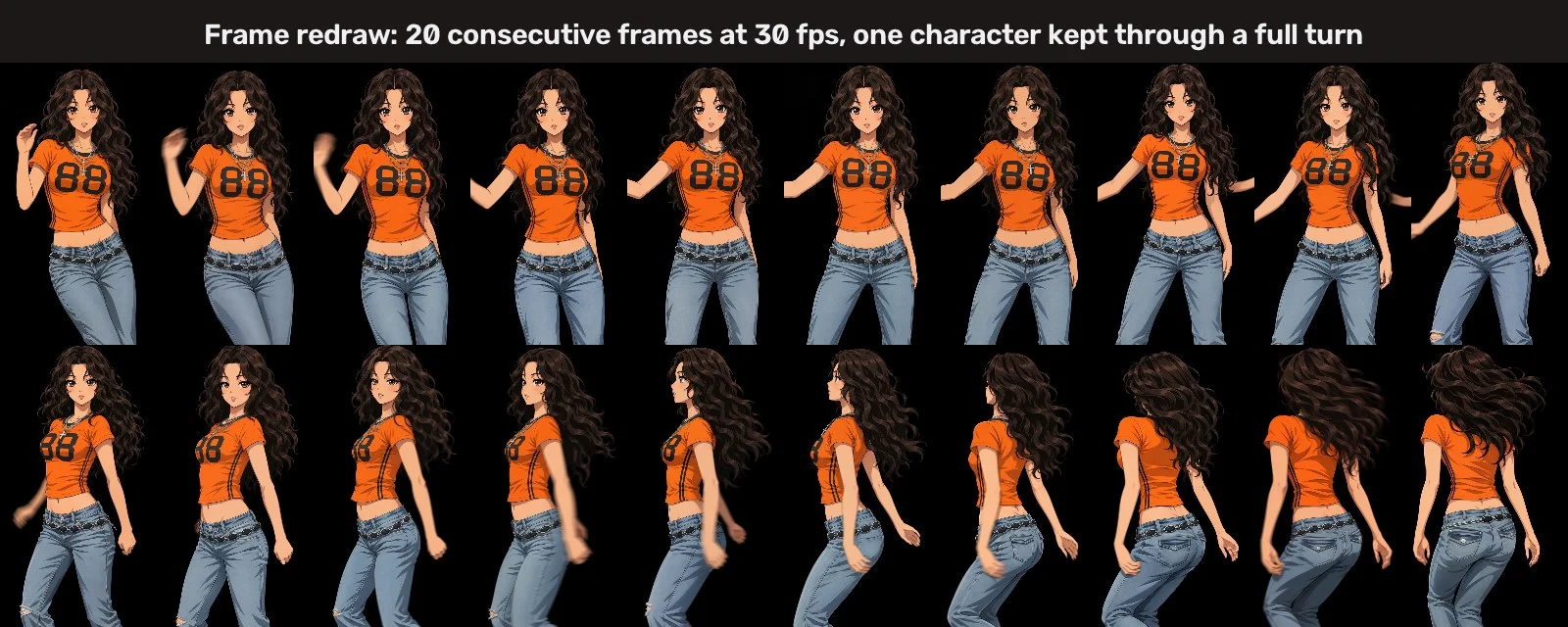
Frame redraw mode on a short dance clip: 20 consecutive frames at 30 fps. The character stays recognisable through a full turn. Shown frames are redrawn characters only.
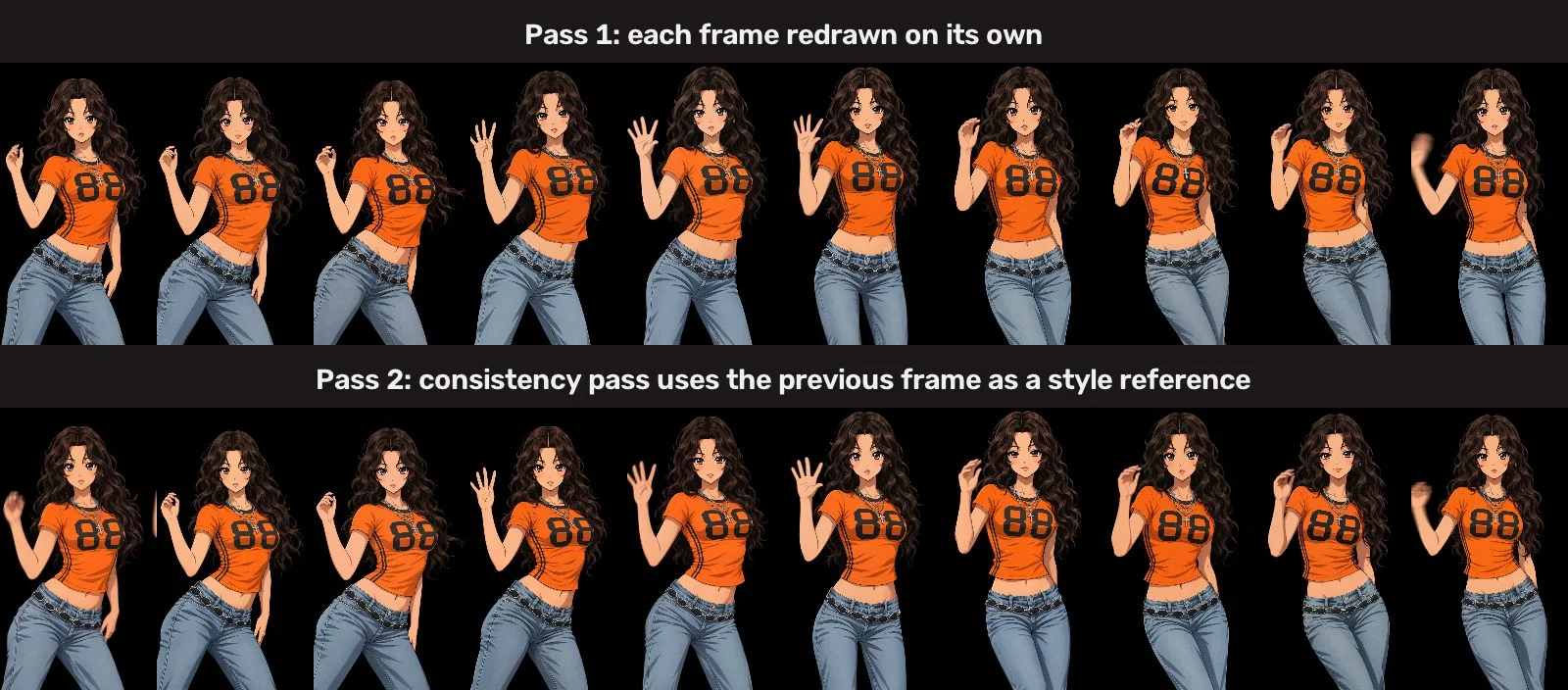
Optional consistency pass: top row is pass 1, bottom row is pass 2. Faces, eyes, hair and outfit details are steadier, but some shimmer remains.
Honest limits
- Short clips only, about 480p, 2 to 3 seconds per run.
- Several people, a tiny subject, heavy occlusion or a fast-moving camera give poor results.
- Fast hair and hand motion can flicker. No audio in frame redraw mode.
- Third-party services (Hugging Face demo, image API) can change, queue or refuse a request. If a frame is refused, the agent fills it from the previous frame and tells you which ones.
Rights and safety
Use your own video or one you have permission to use. Characters should be fictional, stylised, animal or supplied by you. Do not use it to impersonate real people. No sexual or harmful content.
Not affiliated with Alibaba, Wan, Hugging Face or OpenAI.
API externas
huggingface.co (Wan 2.2 Animate Space)


