

FactoryPilot Pro — Production Planning & Optimizer
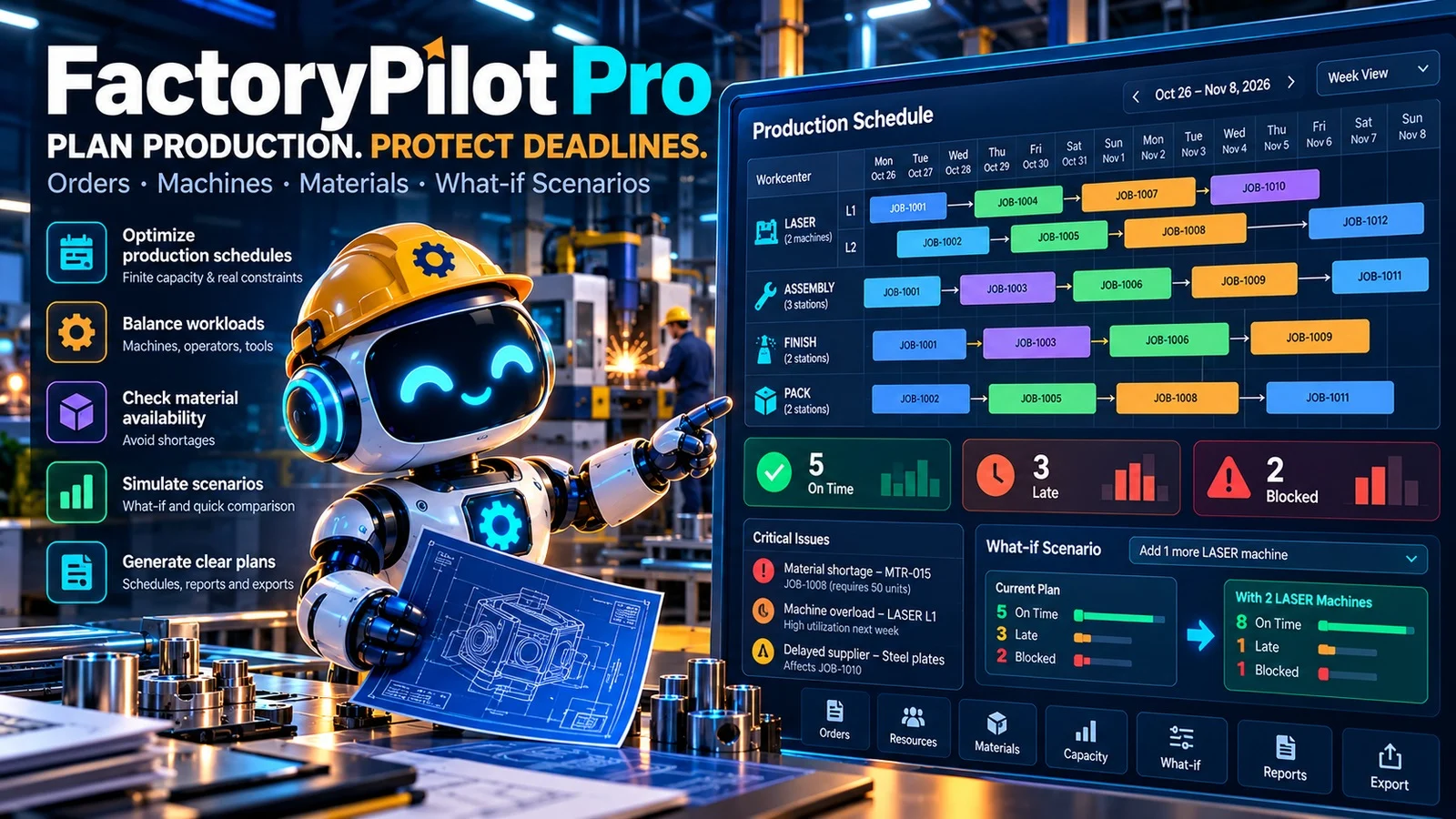
🏭 FactoryPilot Pro
Production Scheduling & Capacity What-if Simulator
Plan production. Protect deadlines. See the bottlenecks before they hurt delivery.
Factories do not run on unlimited machines, perfect material availability or wishful schedules. A workshop can have a full order book while a single cutter, assembly cell or missing part determines which orders will actually leave on time.
FactoryPilot Pro turns your production data into a reviewable, capacity-constrained draft schedule. It uses an actual Python planning engine with machine calendars, operation sequences, material reservations and due dates — not an AI-generated timetable filled with invented times.
Know what can be built, what is late, what is blocked, and what might change if you add capacity.
🎬 Watch the product demo
Illustrative animation based on the included synthetic factory dataset. It is not live ERP footage.
🧠 What this agent actually calculates
| Capability | What you receive |
|---|---|
| Finite-capacity scheduling | Real 15-minute machine slots; no double-booking on a machine. |
 | **Multi-step production routing** | Laser cutting, assembly, finishing and packing steps complete in order. |
| **Material availability** | Reserve raw materials against inventory and known incoming deliveries. |
| **Real machine calendars** | Respect workdays, plant holidays and specified machine downtime. |
| **Due-date exceptions** | Identify on-time, late, blocked-by-material and blocked-by-capacity orders. |
 | **What-if scenarios** | Recalculate the whole plan with an extra machine at a selected workcenter. |
| **Actionable exports** | Gantt-style HTML board, CSV schedules, inventory reservations, calendar ICS and structured reports. |
🔬 See a real calculation, not a made-up promise
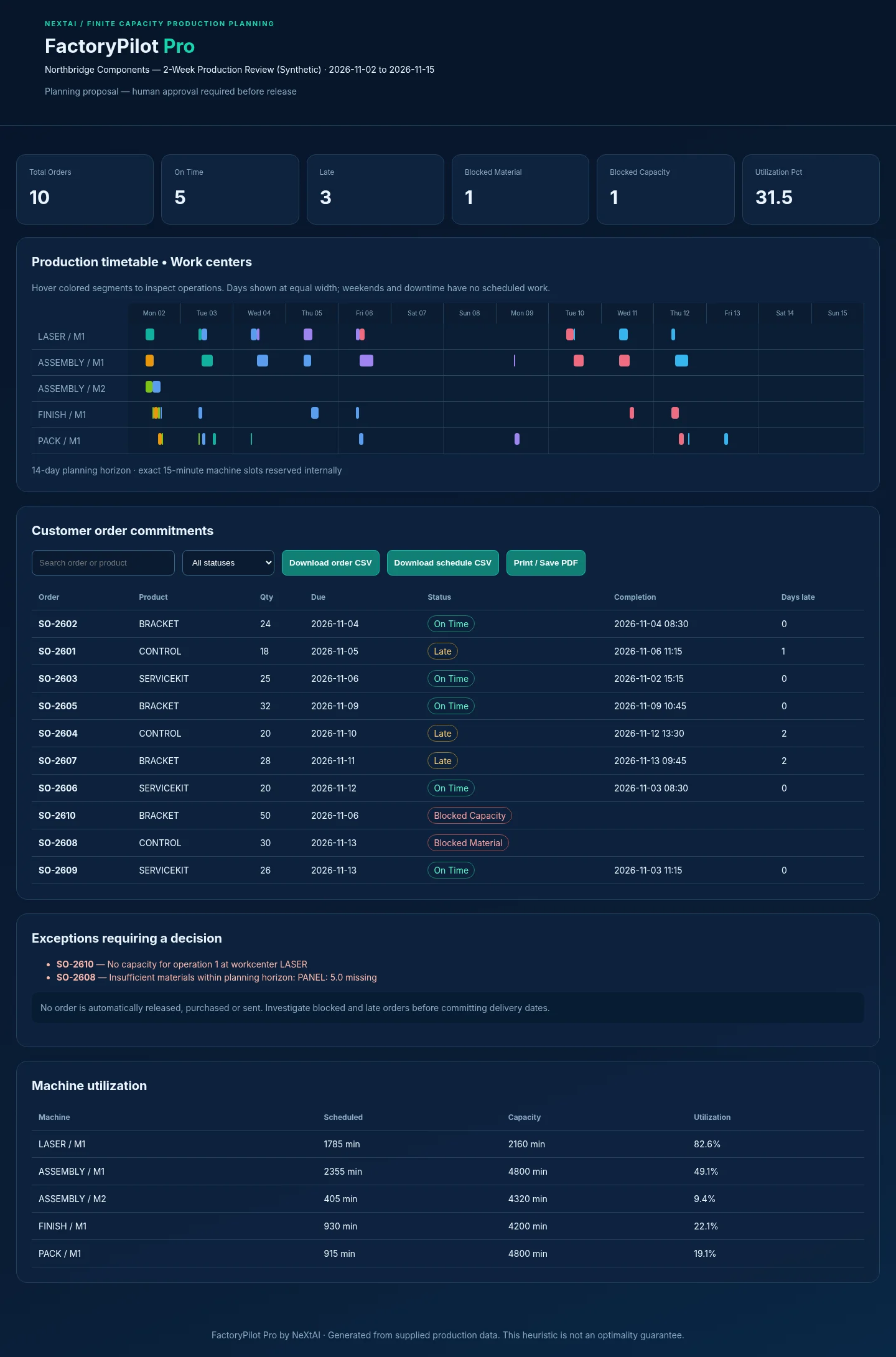
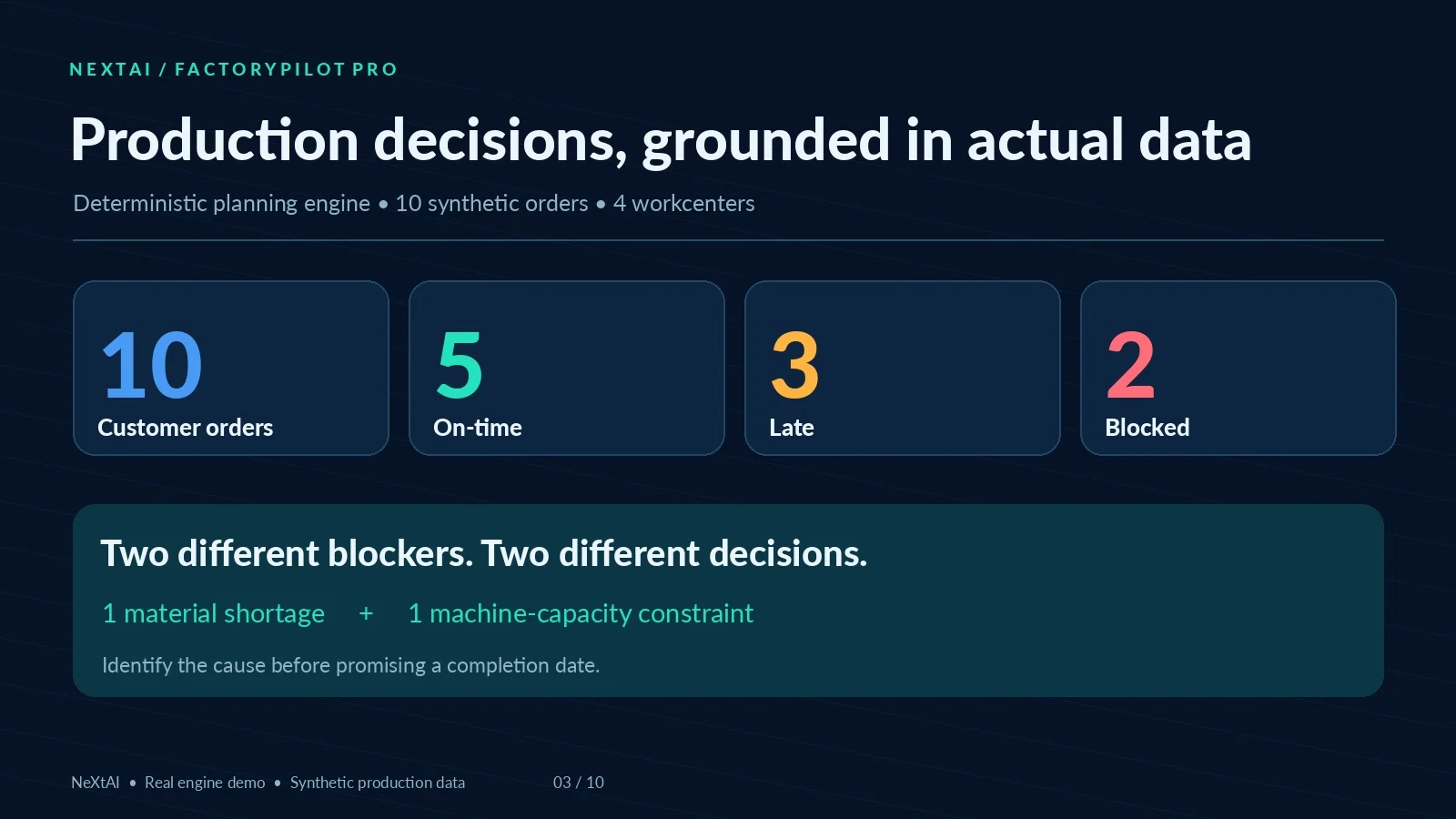
A synthetic demonstration representing a small components manufacturer includes 10 work orders, 4 workcenters, multiple manufacturing steps, material stocks and two planned receipts.
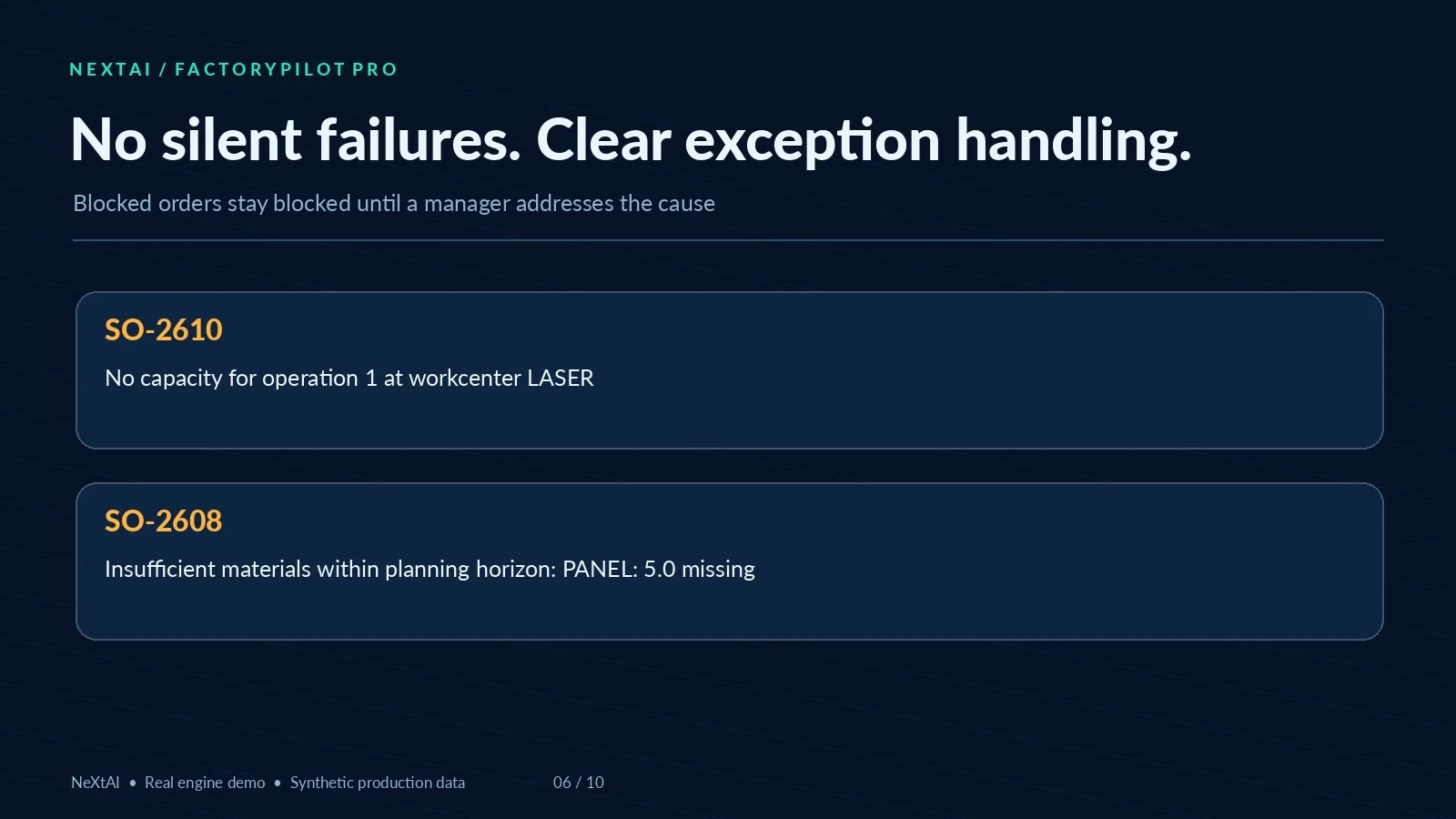
Baseline calculated plan: 5 orders on time, 3 late, 1 blocked by material and 1 blocked by capacity.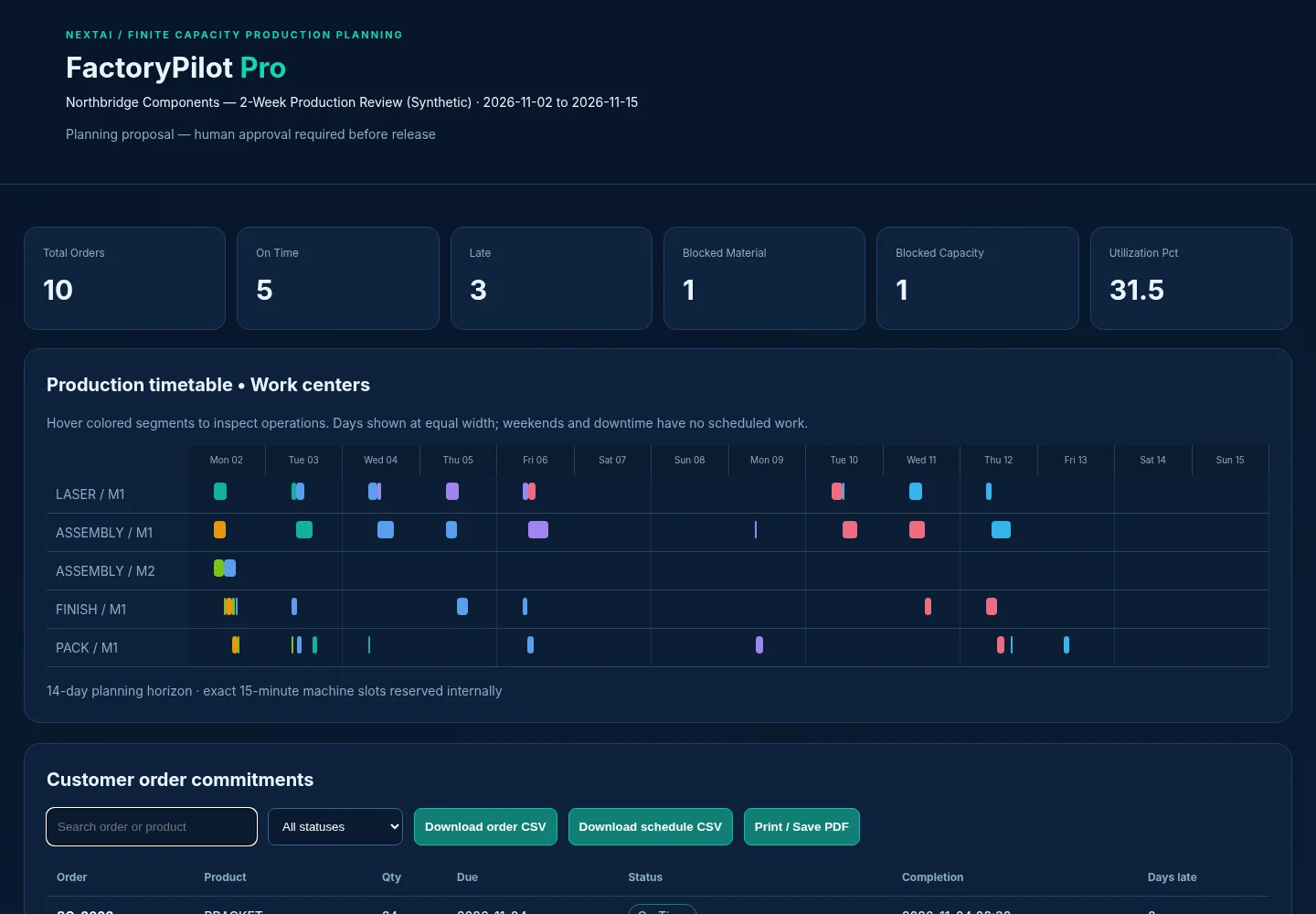
What-if: add one more laser machine: 8 orders on time, 1 late, 1 material-blocked, 0 capacity-blocked.
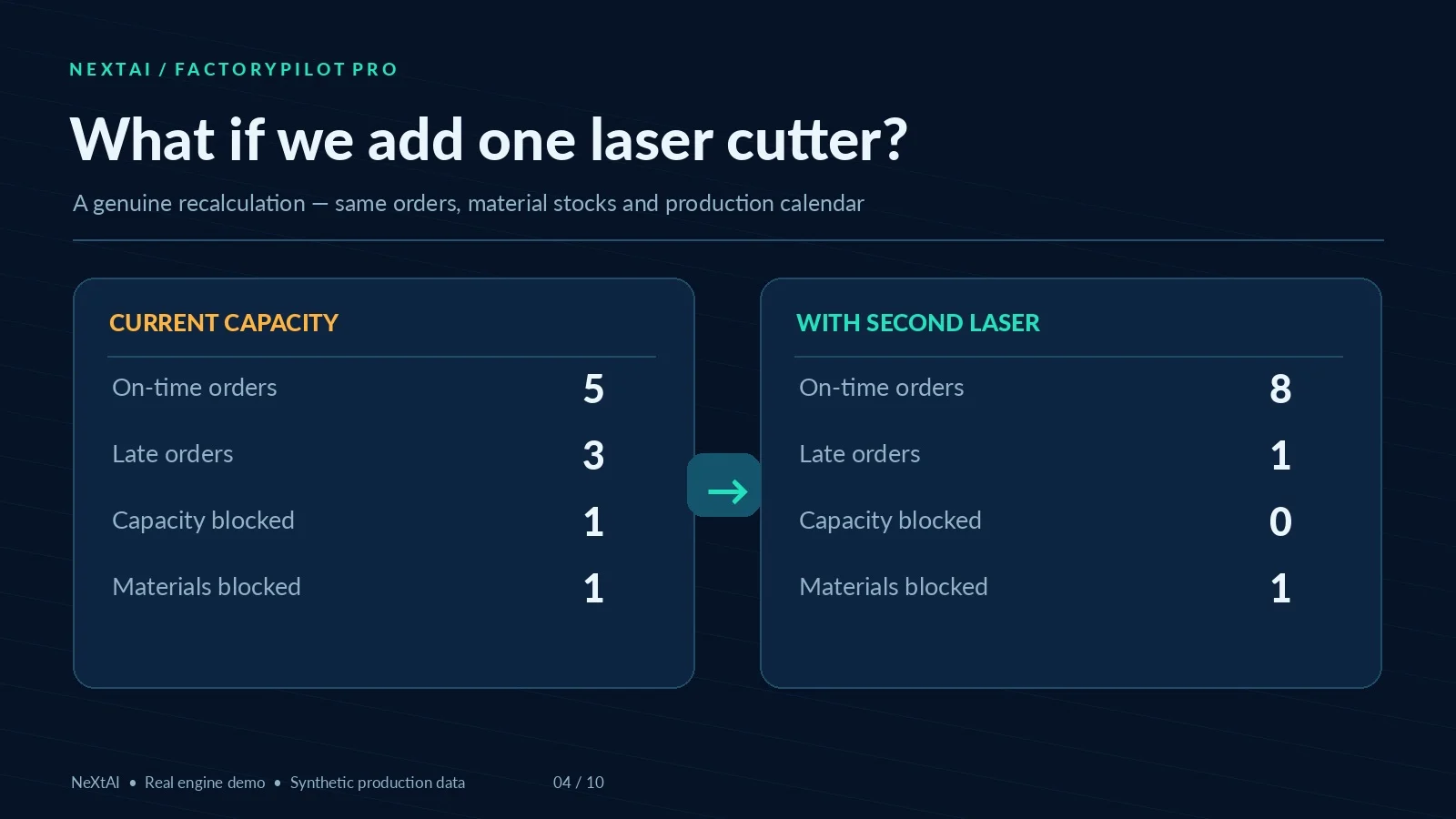 These figures are from the example provided with the product. They are **not guaranteed improvements** for a real customer, and buying another machine is **not** automatically a financially sensible decision.
⚙️ Four clear steps
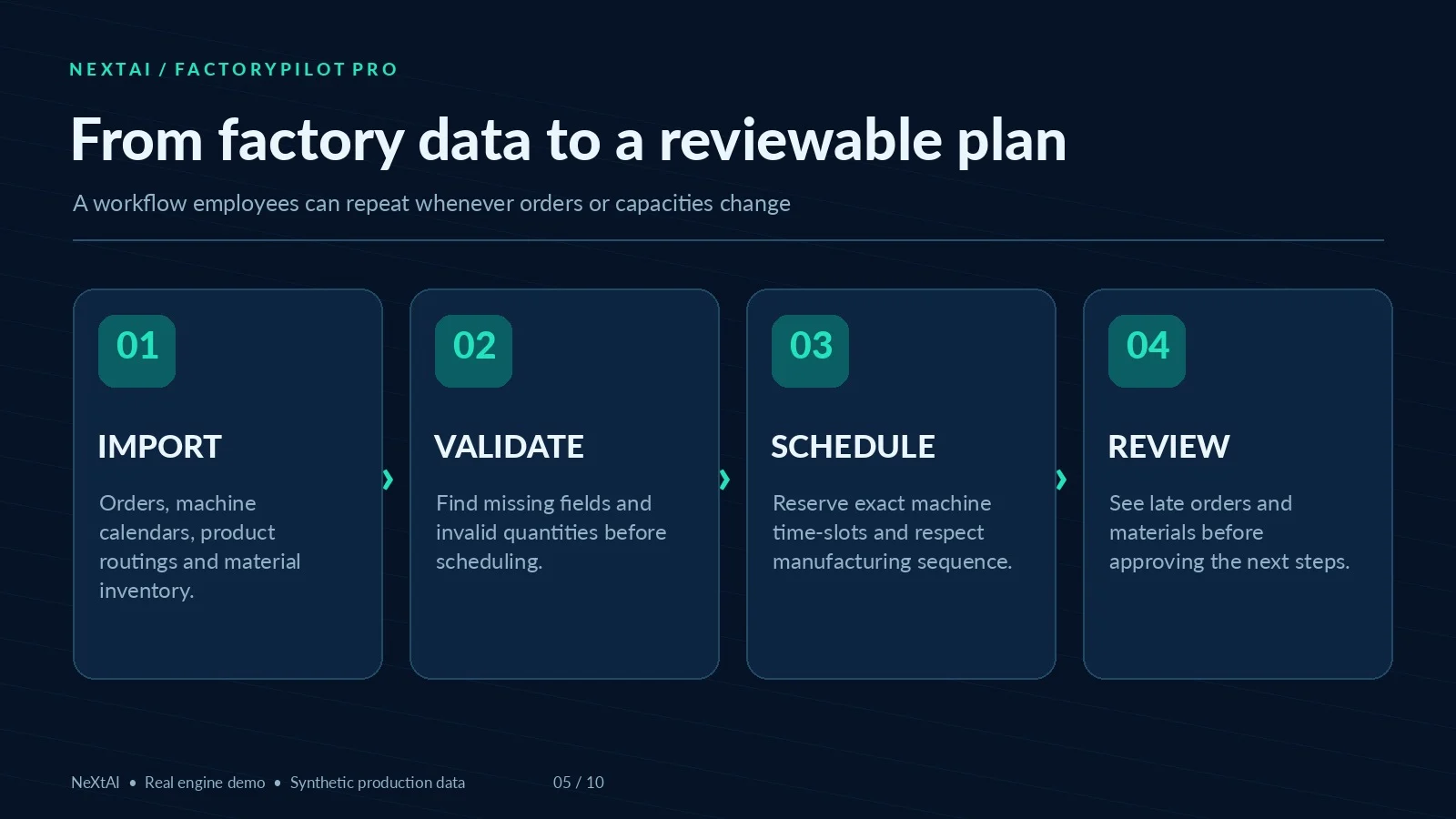
1 — IMPORT. Upload your order, product, routing, workcenter, inventory, BOM and optional inbound receipt files. Start with the example templates if needed.
2 — VALIDATE. The agent checks required data. Missing products, undefined workcenters, invalid stocks and orders are surfaced rather than guessed.
3 — PLAN. The Python engine computes machine time slots and routing sequences. A job with no available inventory or machine capacity is explicitly blocked.
4 — REVIEW. Open the standalone planning board, search for orders, filter late jobs, print a meeting copy, and download reports to share with your production team.
🧩 Typical decisions FactoryPilot helps with
 - **Workshop manager:** Which orders can be finished on time with the present machines?
- **Production planner:** What is the next operation and which workcenter is assigned?
- **Materials controller:** Which jobs are impossible because a required part is missing?
- **Operations director:** Would a second laser machine change our ability to meet due dates?
- **Small manufacturer:** How should we explain lead-time exceptions to commercial teams without promising impossible deadlines?
📦 Files you can actually use
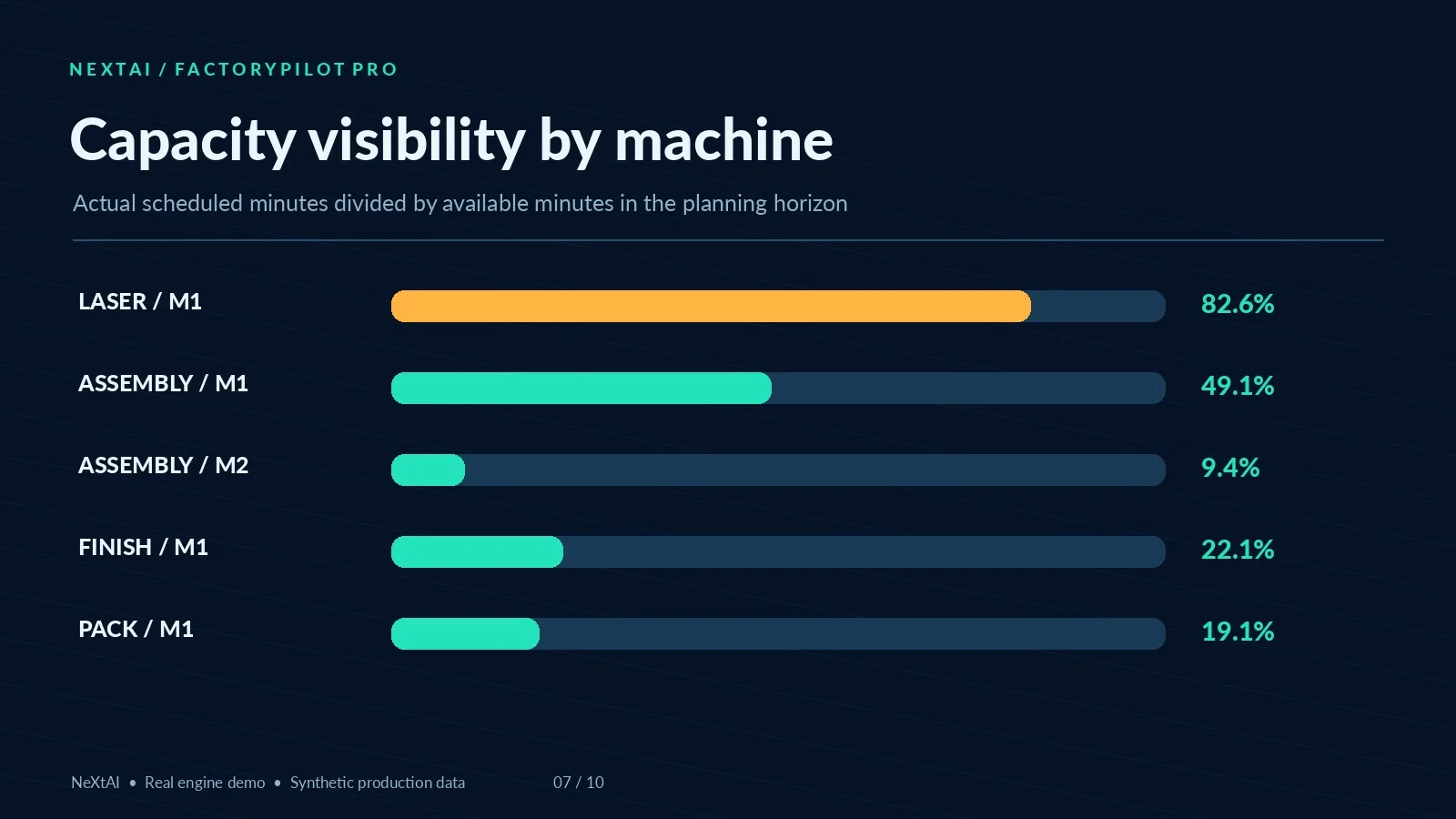
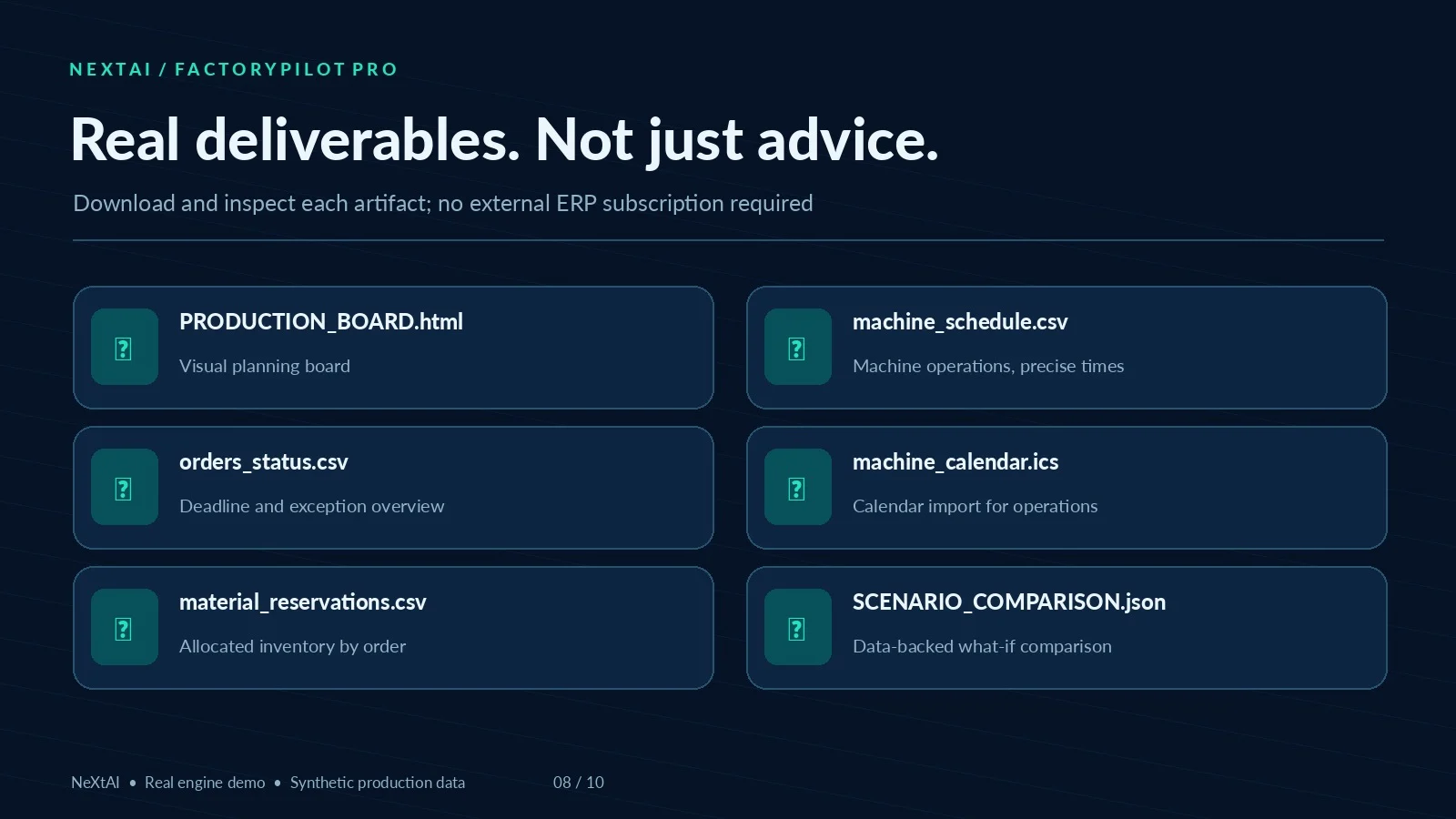 `PRODUCTION_BOARD.html` — Standalone, interactive visual schedule with order search, status filtering, print view and CSV download buttons.
orders_status.csv — Order-by-order commitments and exception details.
machine_schedule.csv — Start/end times and machines for planned operations.
machine_utilization.csv — Resource occupancy compared with available time.
material_reservations.csv — Planned allocations of known raw materials.
machine_calendar.ics — Calendar events for the planned operations.
SCENARIO_COMPARISON.json — Baseline and extra-capacity comparison.
SUMMARY.md and EXCEPTIONS.md — Decision-ready narrative summaries drawn from calculated outputs.
🛡️ Transparent limitations
FactoryPilot Pro uses a deterministic greedy scheduling heuristic, not a global mathematical optimization solver. Some operations can pause between work slots and setup time is applied once per operation. It does not model employee availability, process yield, maintenance safety, changeover matrices, quality tests, financing, freight, ERP connectivity, or legal labor requirements.
The agent does not auto-release production orders, buy raw materials, change ERP records, or send emails. All scenarios must be checked and approved by a qualified production manager. The downloadable HTML board is a standalone artifact, not a continuously hosted web application.
Whether Capafy supports script execution and artifact downloads must be verified for this Skill before commercial launch.
🚀 Try this first
"Plan the attached factory dataset. Show the orders on time, late and blocked, highlight capacity bottlenecks, and export the visual schedule. Then compare the result with one extra LASER machine. Do not invent missing numbers."
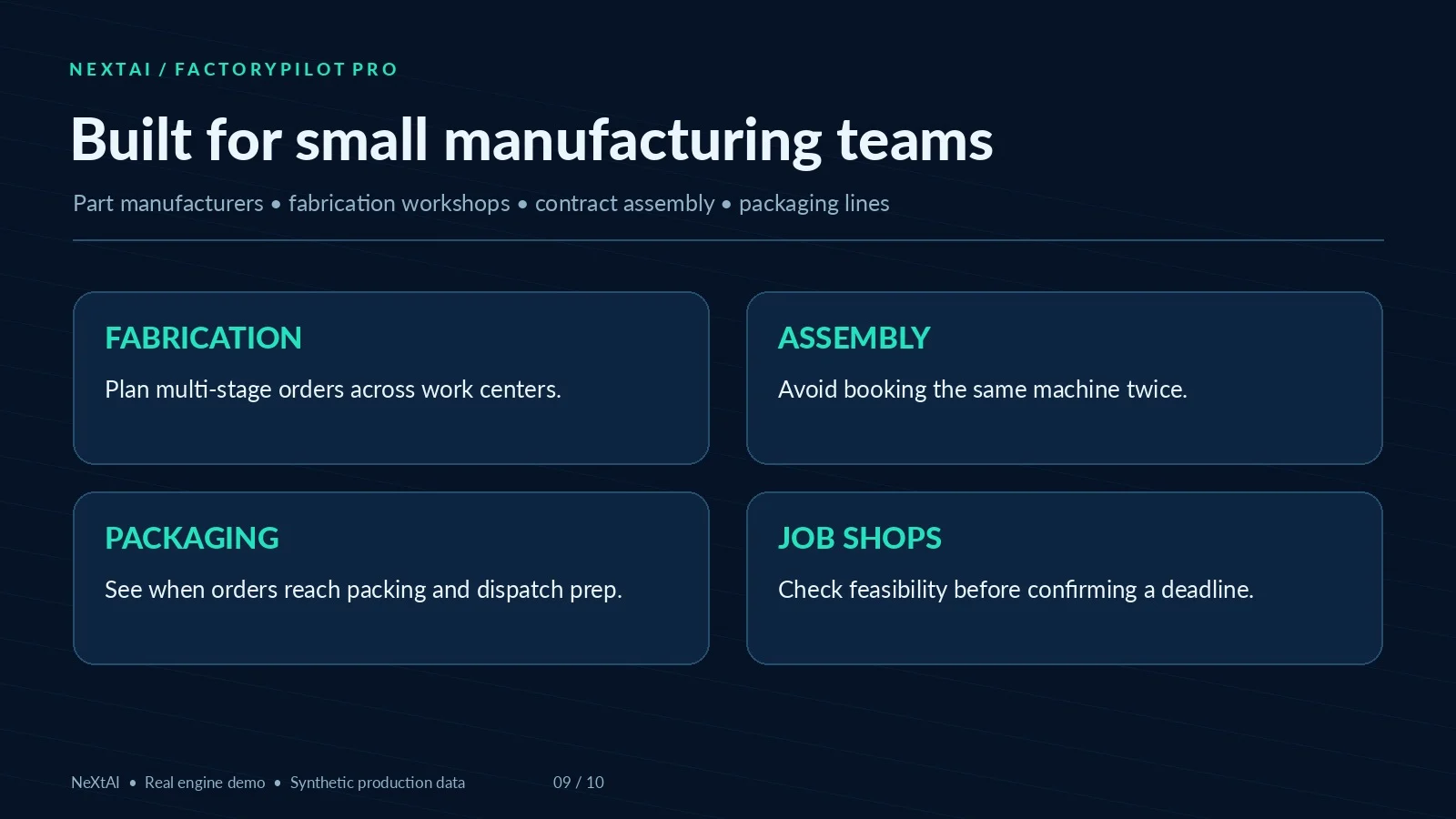 **FactoryPilot Pro — Industrial planning that produces a working draft, not just another report.**
By NeXtAI. All demonstration names, orders and performance figures are synthetic.


