
ShortLoom | Long Video to 9:16 Shorts, No Install
ShortLoom: Long Video to 9:16 Shorts, No Install
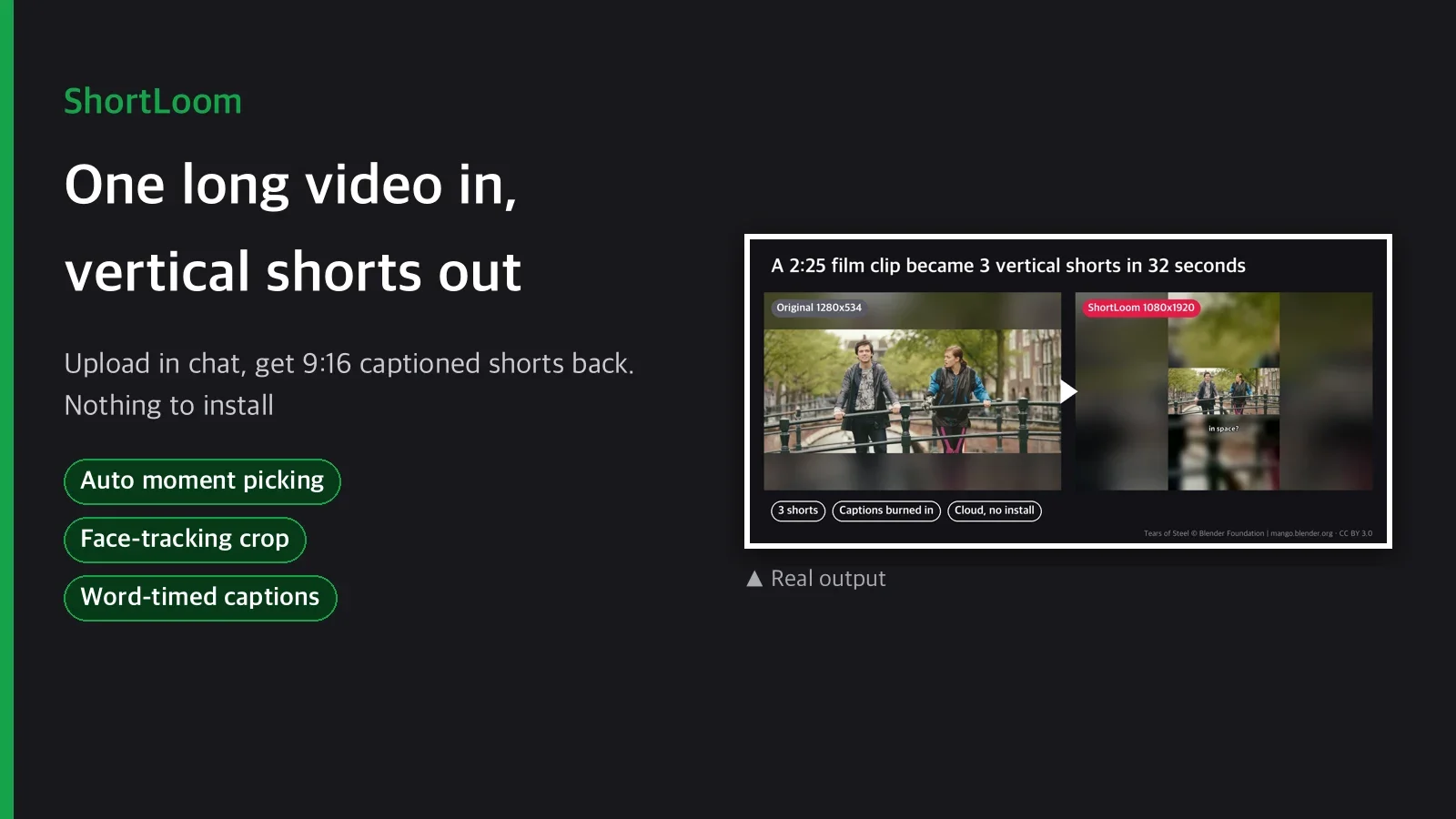
You recorded a 20 minute podcast, a lecture or a gameplay session. Now someone has to scrub through it, find three moments worth posting, cut out the pauses, crop each one to vertical, and type captions. That is an evening of editing for three 30 second clips.

ShortLoom does that pass for you. Upload the video in the chat, ask for shorts, and the finished MP4 files come back in the same conversation. It runs on Capafy's cloud machine, so there is no Python, no ffmpeg and no command line on your side.
Pipeline
upload ─► analyze ─► pick segments ─► trim pauses ─► reframe 9:16 ─► captions ─► MP4 + summary
          loudness    top N windows    quiet runs      face/motion     faster-whisper
          speech      snapped to       below the       crop, or        word timing,
          motion      natural pauses   noise floor     blur-fill       burned in
- Analyze. Every second of the video gets a score from audio loudness, how much of it is speech rather than silence, and how much the picture moves.
- Pick segments. The highest scoring windows are chosen without overlap (default 30 s each, one short per 45 s of input, up to 5). Start and end points are moved to the nearest pause so no clip starts mid word.
- Trim pauses. Quiet stretches longer than 0.4 s are cut, measured against the file's own noise floor, with short audio crossfades so cuts do not click.
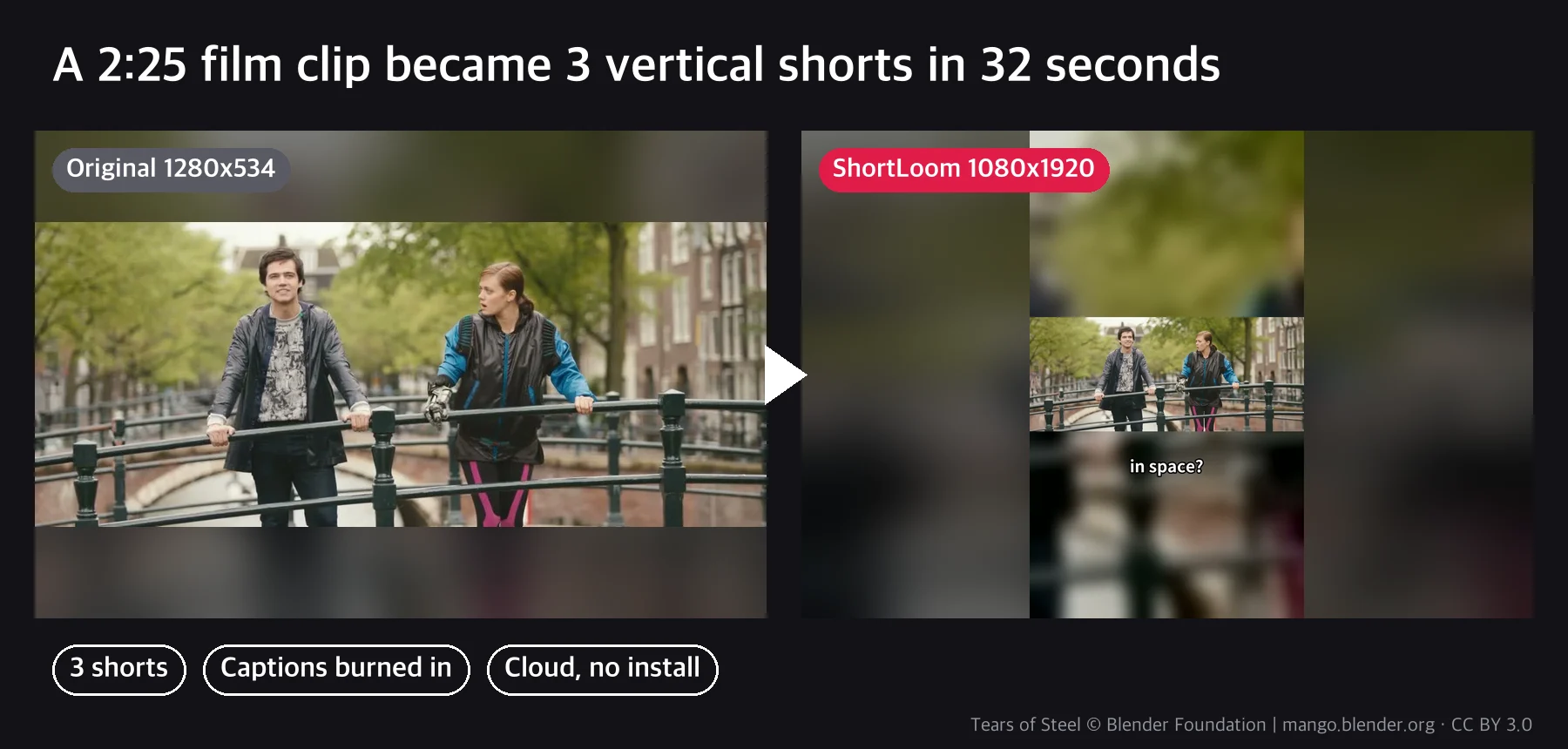
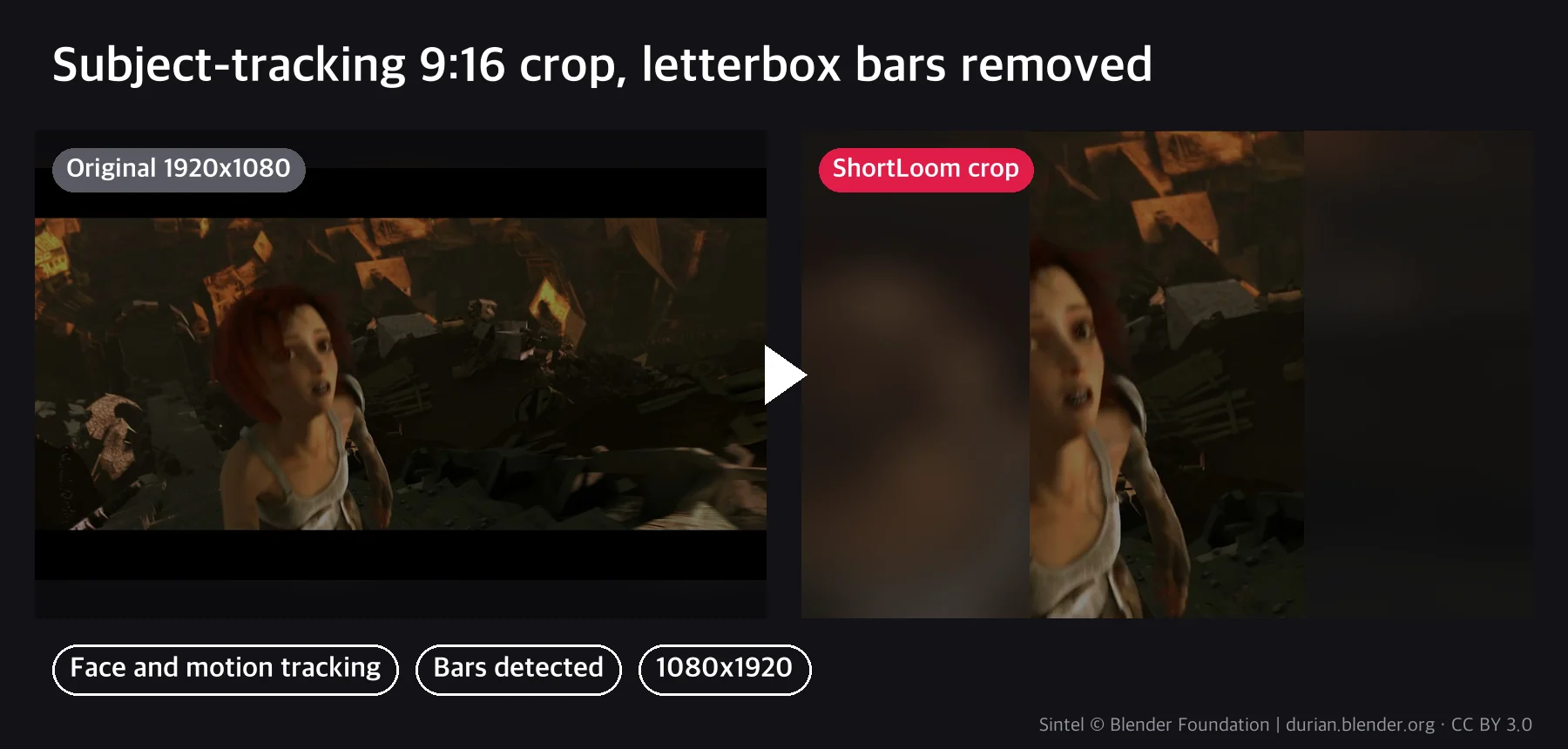
- Reframe. Black letterbox bars are detected and removed. If a 9:16 crop keeps enough of the picture, the crop follows faces first and motion second. Very wide footage (2.39:1 film) gets blur-fill so nothing important is cut off.
- Captions. Speech is transcribed with word timestamps and burned in as short 2 to 4 word lines. Language is detected automatically, or you can ask for a specific one.
Output format
short_01.mp4toshort_05.mp4: 1080x1920, H.264 video, AAC audio, about 8 to 15 MB each- A text summary in the chat: source range of each short, length, seconds of pauses removed, caption count
summary.mdandreport.jsonwith the same data
Measured results
| Input | Machine | Result | Time | Peak memory |
|---|---|---|---|---|

| Tears of Steel, 2:25, 1280x534 | 2 CPU, 4 GB | 3 shorts, captions, blur-fill | 32 s | 0.74 GB |
| Same | 1 CPU, 2 GB | 3 shorts, captions | 63 s | 0.69 GB |
| Same, 4 times (9:40) | 2 CPU, 4 GB | 5 shorts, captions | 62 s | 0.78 GB |
| JFK Rice University speech, 2:30 | 2 CPU, 4 GB | 3 shorts, 1.8 to 5.1 s of pauses cut each | 36 s | 0.78 GB |
| Sintel trailer, 0:52, 1920x1080 letterboxed | 2 CPU, 4 GB | 20 s tracking crop, bars removed | 18 s | 0.69 GB |
How to use it
- "Make 3 shorts from this video." Uses the defaults.
- "Two 45 second shorts, captions in Korean." Sets count, length and caption language.
- "Use 3:10 to 3:50 and 12:00 to 12:30, no captions." You choose the moments.
What you need
- A video file: MP4, MOV, MKV or WEBM, up to 30 minutes and 2 GB.
- Nothing else. No API key, no software.
Good fit / Not a fit
Good fit: podcasts, interviews, lectures, talking head videos, webinars, vlogs, gameplay with commentary.
Not a fit: picking the funniest joke or the best story beat (the picker reads signals, not meaning; name the timestamps instead), music videos where every second is loud, inputs longer than 30 minutes, footage you do not have the rights to post.
FAQ
Do I need to install anything? No. It runs on Capafy's cloud machine. You upload and chat.
How does it choose the moments? By loudness, share of speech and on screen motion per second. It does not understand the content. If you know the moments you want, give timestamps.
Are captions accurate? They use the faster-whisper base model. Clear English speech comes out well; accents, crosstalk and music under speech produce occasional wrong words. You can turn captions off.
Will it crop people out? For normal 16:9 video the crop follows faces and motion. For very wide film it switches to blur-fill so the whole frame stays visible. You can force either mode.
Is my video sent anywhere? It is processed inside the agent's cloud workspace. The only outside downloads are a font and the caption model, fetched once.
Pricing
Weekly US$3.99 for 5 requests, monthly US$9.99 for 15 requests, yearly US$79.99 for 12 requests per month. One request is one video turned into shorts. Cancel any time.
Sample media: Tears of Steel © Blender Foundation | mango.blender.org, CC BY 3.0. Sintel © Blender Foundation | durian.blender.org, CC BY 3.0. JFK 1962-09-12 Rice University address (US government work, public domain, archive.org).