
SubSleuth | Find subscriptions and price hikes
Information only, not financial advice. SubSleuth reads your statements and lists what repeats. It never logs in to a bank, never cancels anything and never moves money.
What it does
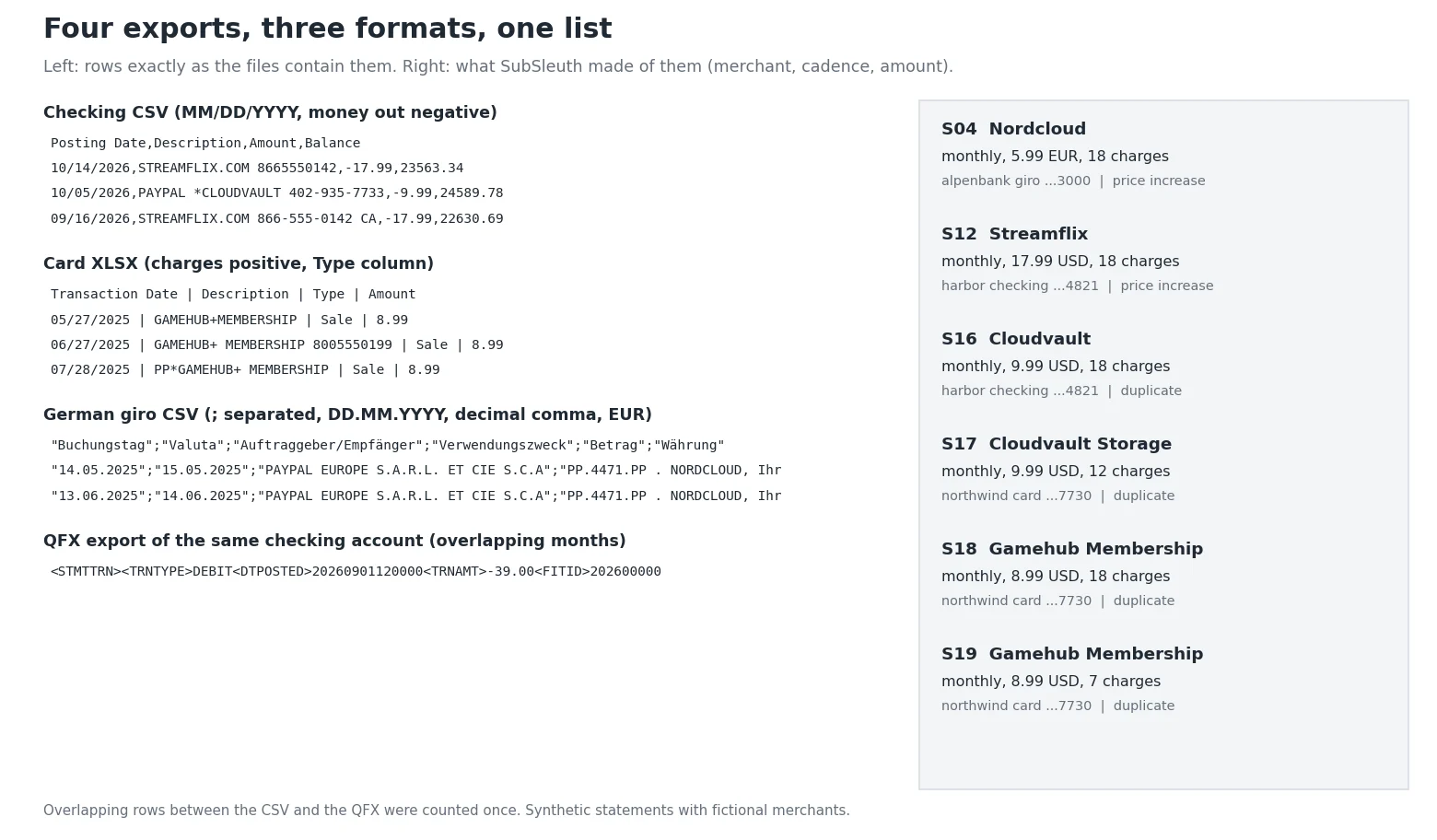
Upload the statement exports from your online banking: CSV, XLSX, OFX/QFX or a text PDF, from as many accounts and cards as you like, or all of them in one zip. Column names, date formats (MM/DD, DD/MM, DD.MM.YYYY, spreadsheet dates), decimal commas, sign rules (charges negative, charges positive, separate debit and credit columns) and currencies can differ from file to file. SubSleuth works out each file, cleans the merchant names and finds every charge that repeats.
What you get
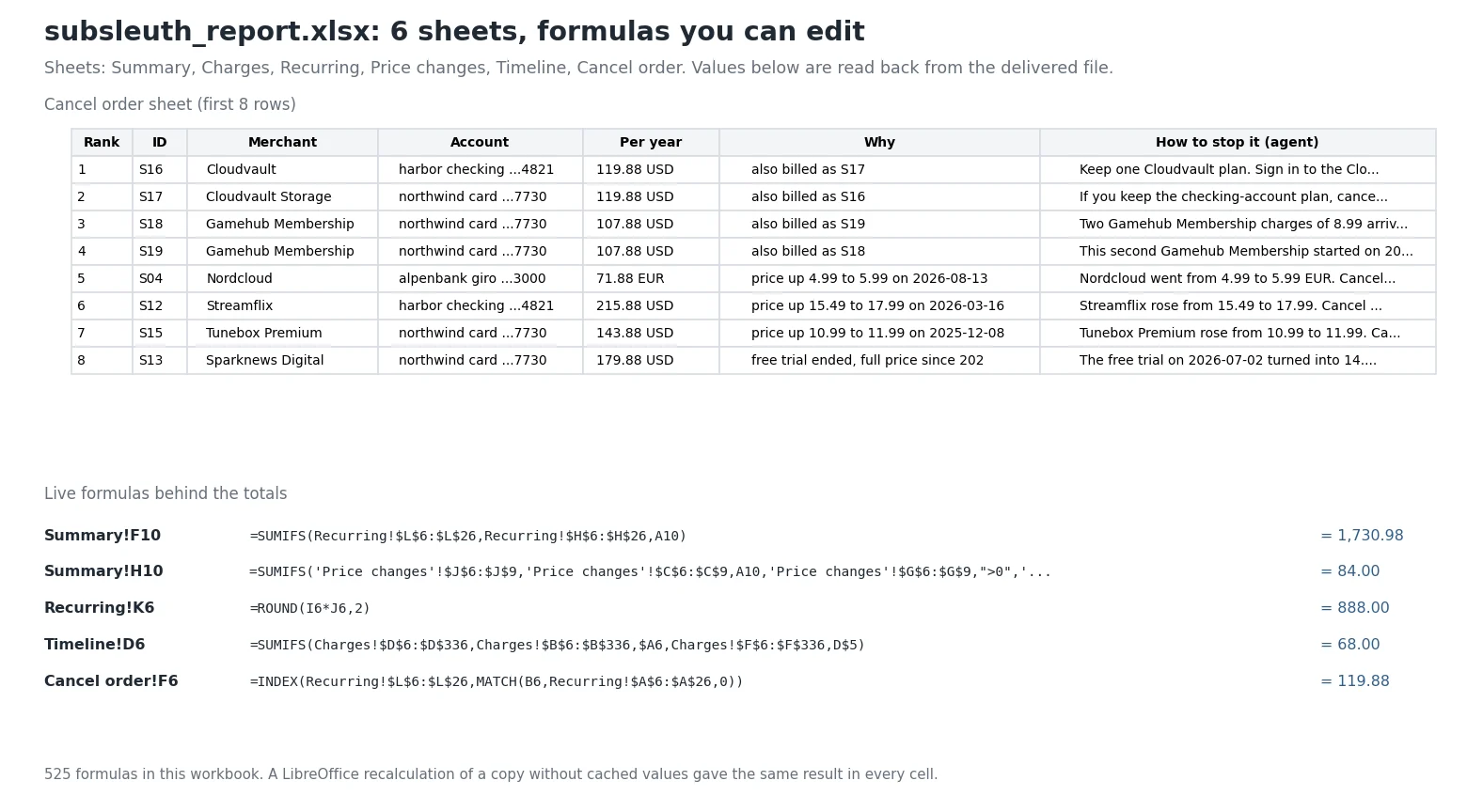
- subsleuth_report.xlsx with live formulas: Summary (totals per currency), Recurring (one row per series with amount, charges per year, cost per year, last and next charge, flags), Price changes, Timeline (each month, built with SUMIFS), Cancel order and Charges (only the charges that belong to a recurring series).
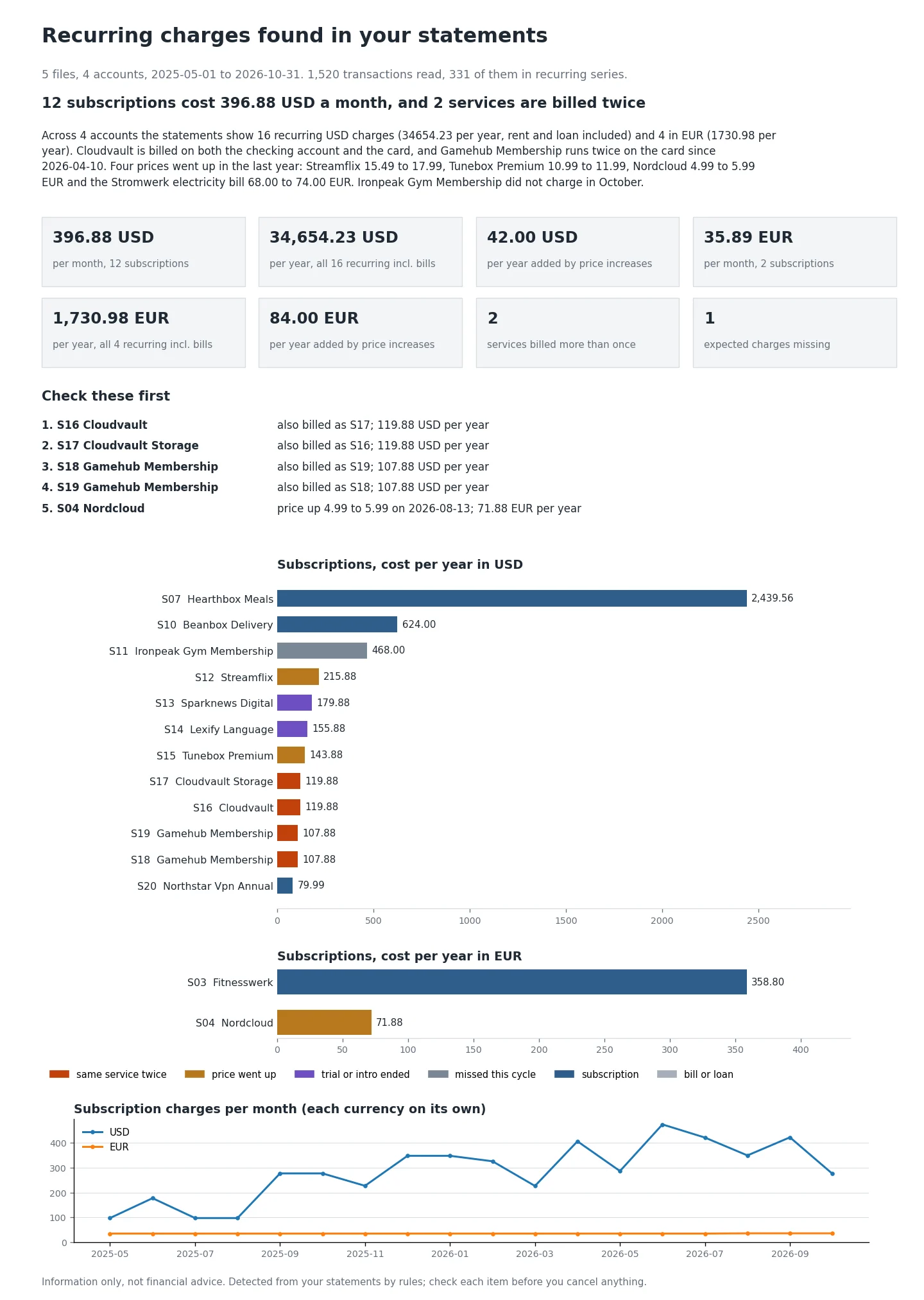
- summary.png and summary.html: one page with what you pay per month and per year, what to check first and a chart per currency. The HTML is a single file with no external links.
- cancel_priority.csv: the subscriptions to look at first, why, and where to stop each one (account settings, app store, PayPal automatic payments, card issuer). The agent writes these steps from the facts; it does not give links or phone numbers from memory.
What it finds
- Weekly, every-two-weeks, monthly, quarterly and yearly charges, with date shifts for weekends and late postings. Meal kits and other plans that skip weeks are still one plan.
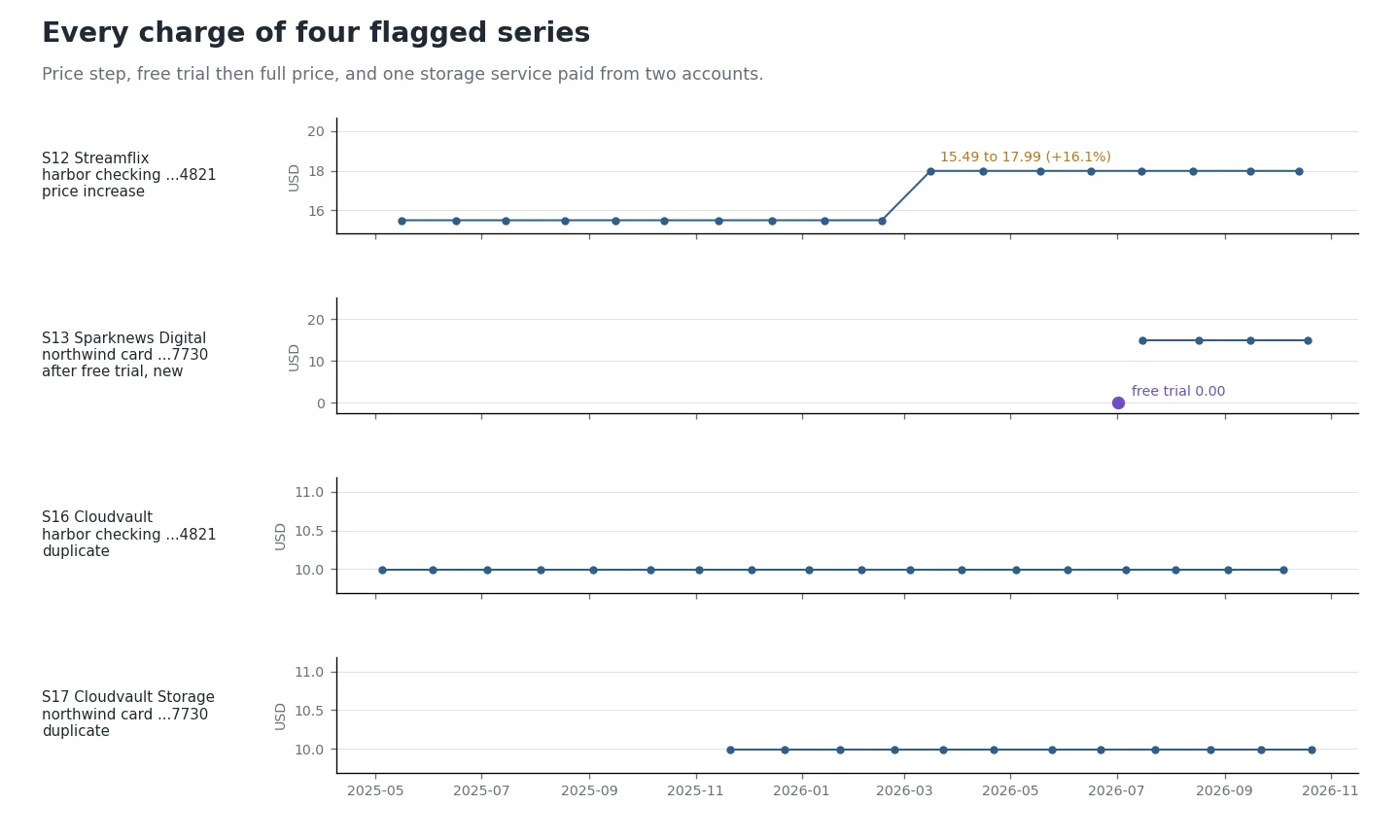
- Price increases: the old and new price, the date and what it adds per year.
- Free trials and intro prices that turned into full price.
- The same service billed twice, in two accounts or twice on one card.
- Charges that did not arrive this cycle, and plans that stopped.
- Merchant names cleaned of payment-processor prefixes (SQ*, TST*, PAYPAL , PP), phone numbers, store numbers and reference codes, so "PAYPAL *CLOUDVAULT 402-935-7733" and "CLOUDVAULT STORAGE" are recognised as the same service.
- Rent, loans, insurance and utilities are listed in the totals but not ranked for cancelling.
How well it works
Tested on synthetic statements with fictional merchants: 4 accounts, 18 months, 3 bank formats plus an overlapping QFX, a text PDF and a scanned PDF, with daily noise such as coffee at the same price every day, rides, groceries, cash withdrawals and refunds. Against the answer key, over 21 random variants (441 recurring series): every series found with no false ones, and every price change, trial, duplicate and missed charge found. Your statements will have cases the test set does not, so check each item before you cancel anything.
How long it takes
Measured in a 2 CPU, 4 GB Linux sandbox like the one the agent runs in:
| Step | Time |
|---|---|
| 6 files, 4 accounts, 18 months, 1,520 transactions: reading and detection | under 1 s |
| Workbook, summary page and CSV | about 1 s |
| One file with 44,000 transactions | about 18 s |
The agent's writing and checking add a little time on top.
Plans and requests
| Plan | Price | Requests |
|---|---|---|
| Daily | $3.99 | 5 per day |
| Weekly | $7.99 | 10 per week |
| Monthly | $19.99 | 30 per month |
Every message you send uses 1 request from your plan. A full review of all your uploads is one message.
Privacy
Statements are personal financial data. The workbook, the summaries and the working files contain only the charges that belong to recurring series plus counts. Your other transactions, balances and salary are read in memory and not written anywhere, and account numbers appear as the last 4 digits only. Nothing is sent to any outside service. Never upload passwords, card numbers or login codes; SubSleuth does not need them.
What it does not do
- It does not cancel, log in, call or e-mail anyone for you.
- It cannot read scanned or photographed statements (no OCR). Use the CSV, XLSX or OFX export from online banking.
- It does not know whether you still use a service.
- A yearly subscription needs two renewals inside your files; one yearly-looking charge is listed as "possible yearly".
- Several apps billed under one app store name appear as one merchant.
- No currency conversion: each currency has its own totals.
- No budgeting, investing or savings advice.
FAQ
Do I need to connect my bank? No. You upload exports you download yourself. Nothing connects to your bank.
How many months should I upload? 6 to 18. Monthly subscriptions need 3 charges (2 if both are recent and identical), weekly 4, yearly 2.
My card file shows charges as positive numbers. Is that a problem? No. The sign rule is detected per file and shown in the reply. If a guess is wrong, say so and the agent reruns that file with the right setting.
Can I edit the workbook? Yes. Totals, cost per year and the monthly timeline are formulas; change an amount and the totals follow.
Can I get it in another language? The agent replies in your language. The files are in English.
Information only, not financial advice. SubSleuth lists charges found by rules in your own files. Check each item with your bank or the service before you act.
API externes
PyPI (pypi.org, files.pythonhosted.org)