Open Loops
The ADHD-friendly project companion.
Keeps track of every project you have open, parks new ideas before they derail you, and keeps you on one thing at a time, on a friendly board in your browser!
#Produttività#Prodotto
Valutazione
Servono altre valutazioni
Venduti
0
Come si usa
Scarica
Open Loops
The ADHD-friendly project companion. For people who start many projects and leave others behind. Your agent keeps track of everything you have open, parks new ideas before they derail you, keeps you on one thing at a time, and remembers where you stopped, on a friendly board in your browser.
 Open Loops is a productivity tool, not a medical product. It does not diagnose or treat anything.
What it does
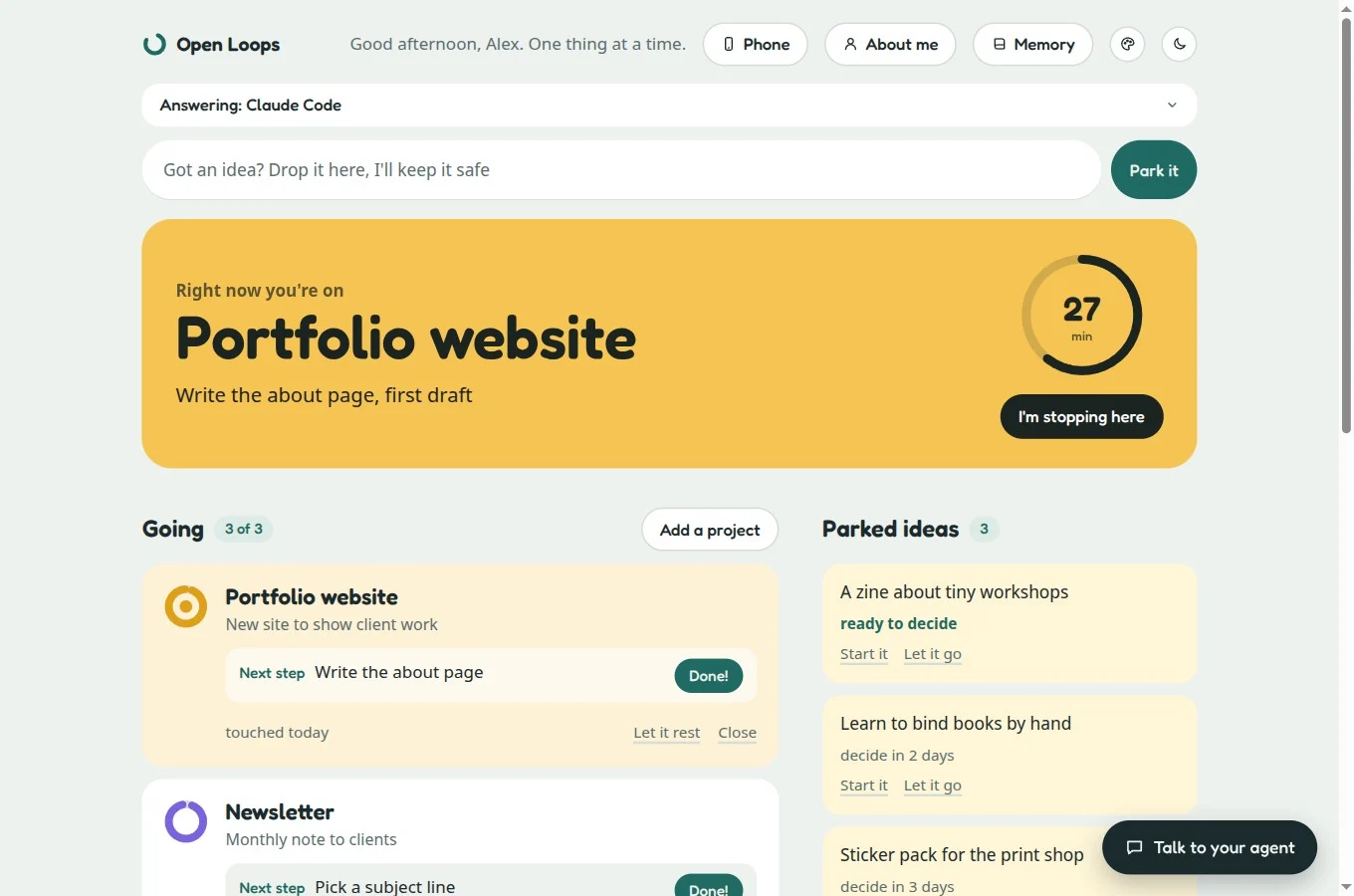
- One place for every open project. Each one has a next small step and shows how long it has been sitting.
- Ideas get parked, not lost. A new idea goes in a box and waits a few days, so it does not hijack today.
- One thing at a time. Start a session with one goal. If you drift, the agent saves the tangent and asks if you are sure, then respects your answer.
- Pick up where you left off. Every session ends with a bookmark: what you did and the first step for next time.
- Small wins, celebrated. Hit "Done!" and the board throws confetti. Your wall of finished steps only grows: no streaks, no guilt.
- A soft limit. Three projects going at once by default. Go over and you are asked which one rests, never blocked.
Talk to your agent on the board
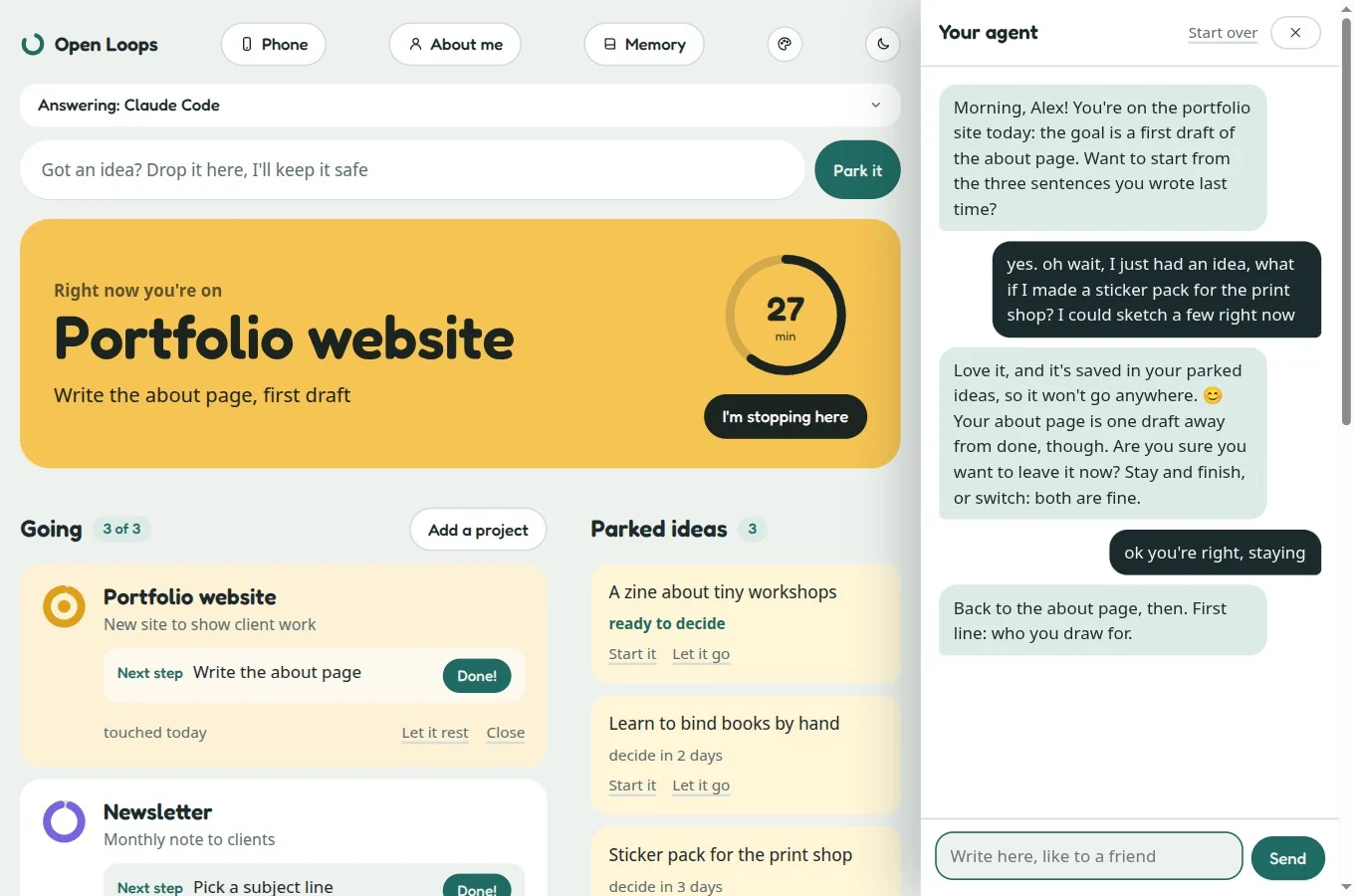 The board has a chat. Add a project, start a session or stop for the day by talking, in your own language, to an agent that is warm and never judges.
It remembers you, and shows you what it knows
The agent keeps plain-text notes about your projects and about how you work best. "About me" shows everything it knows; correct or remove anything.
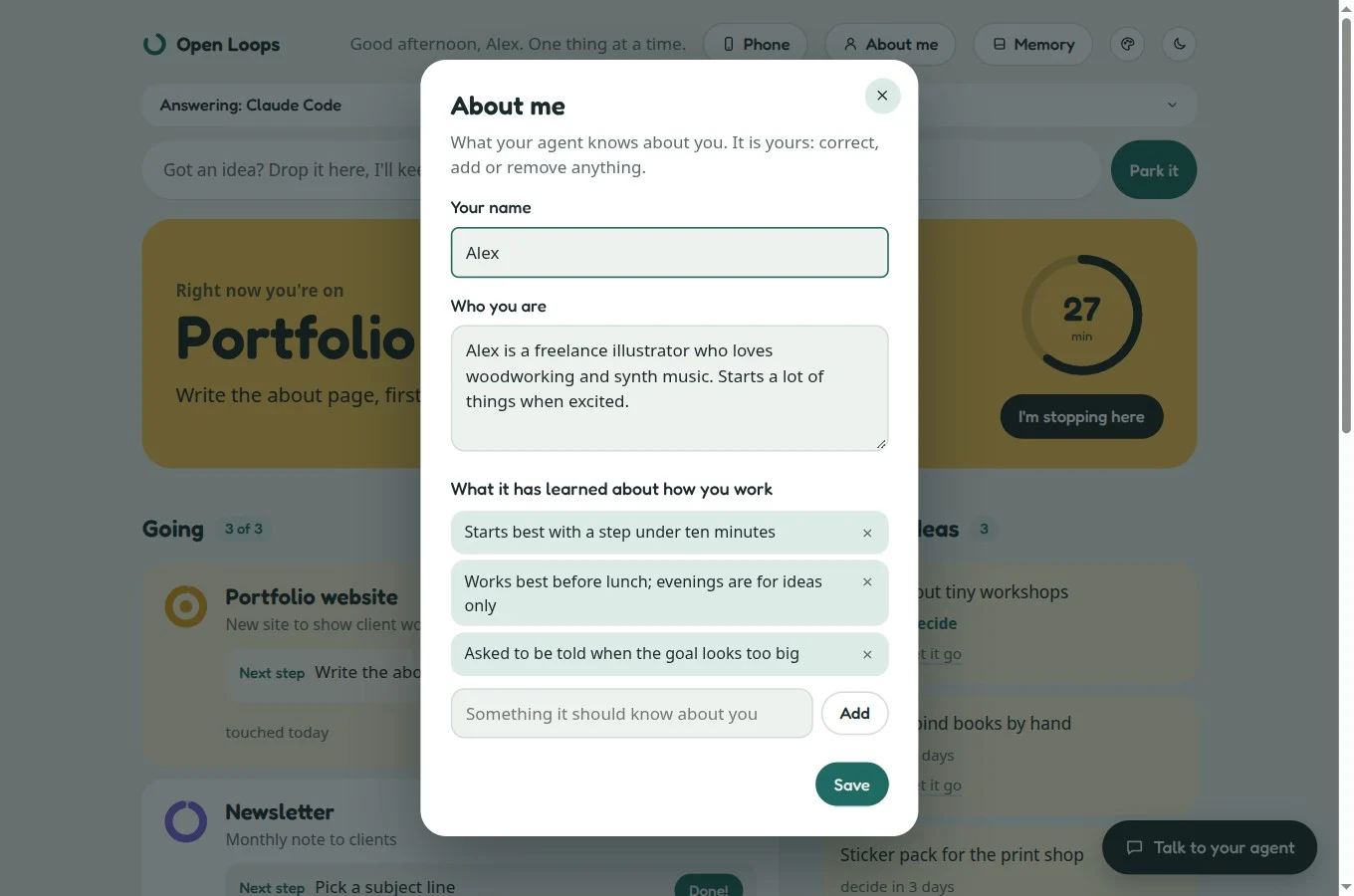
Notes are ordinary Markdown files on your computer. If you use Obsidian, point the board at your vault.
Yours to look at
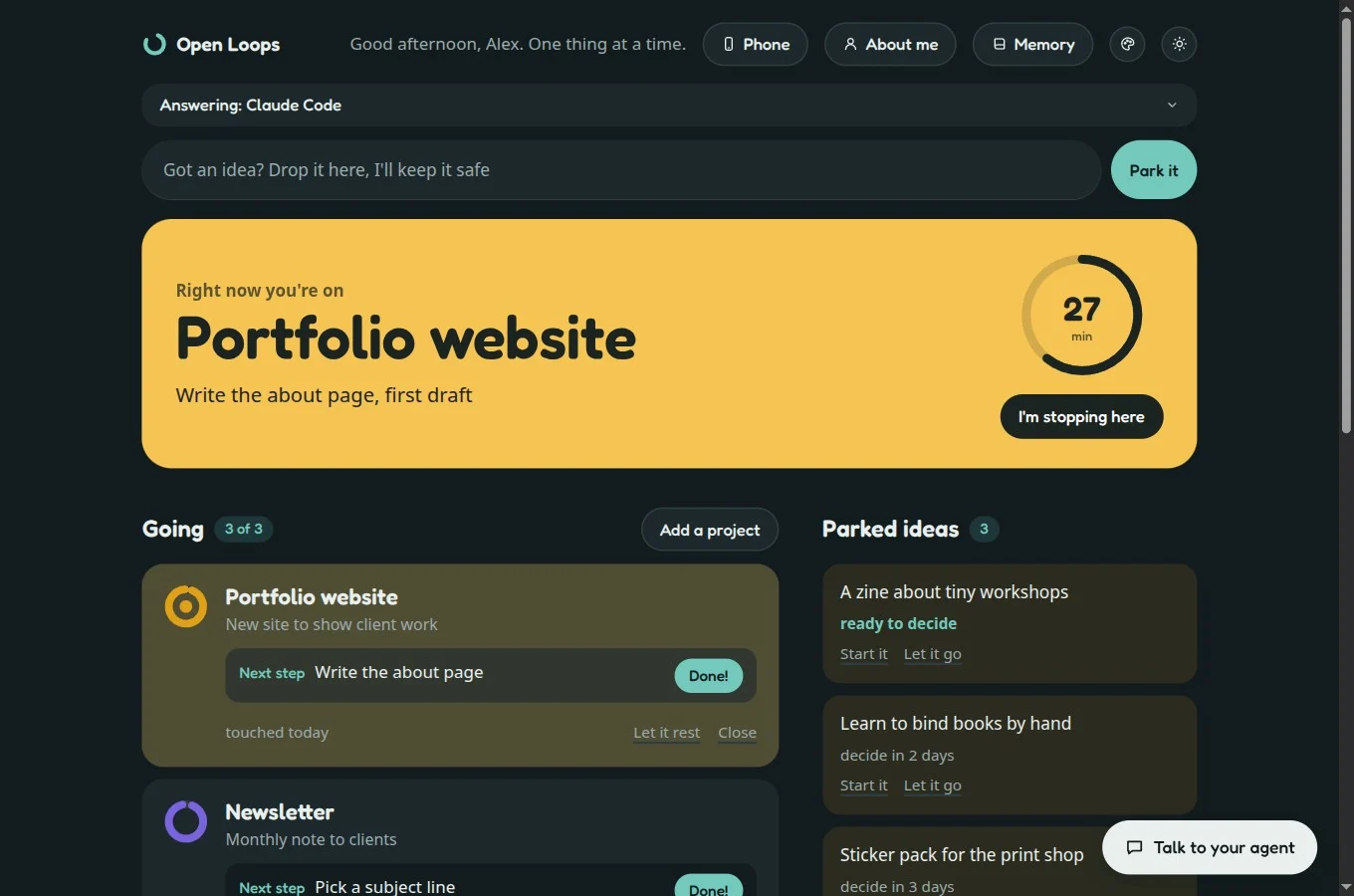
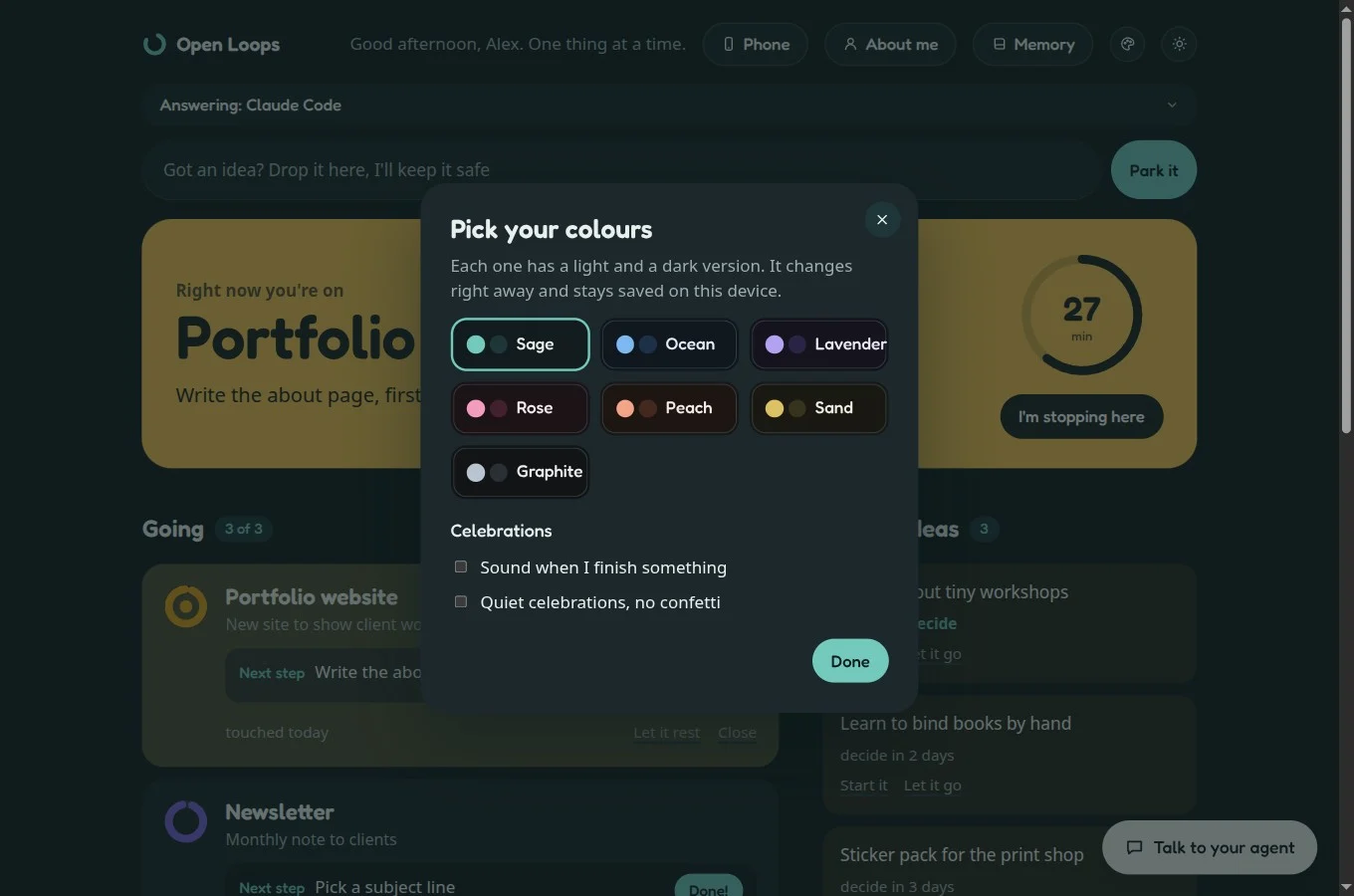
Light and dark, seven colour palettes, English and Italian.
On your phone too
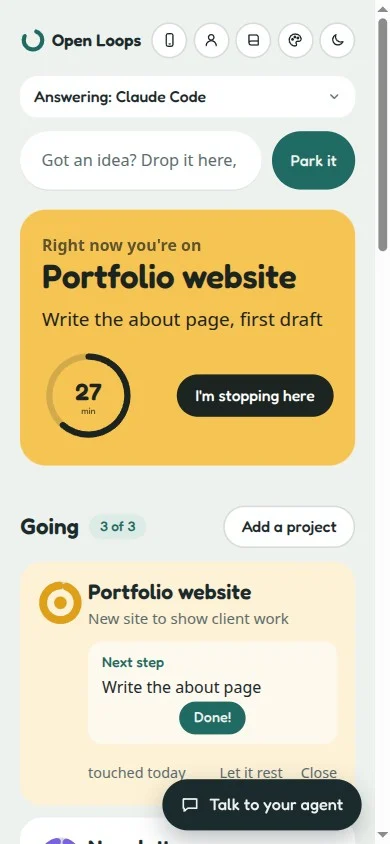
Open the board from your phone with a QR code and a private link: on your home Wi-Fi, or anywhere with Tailscale.
How to start
- Install the skill and tell your agent: "open Open Loops".
- The board opens in your browser. The chat says hello and asks who you are.
- Say yes when asked to keep it always on: the board starts with your computer and an Open Loops icon appears on your desktop.
What you need
- Claude Code (terminal, or the Code tab of the Claude desktop app with a local session) or Codex, installed and signed in on your computer. The chat tabs of the Claude app are not enough: the skill needs an agent that works on your own machine.
- Python 3.9 or newer. Nothing else to install: no packages, no account, no API key.
- macOS or Linux. Windows has not been tested.
Good to know
- Everything stays on your computer. Projects, ideas, notes and the conversation are local files. Nothing is sent to us.
- The chat uses your own agent. Each message is answered by the Claude Code or Codex already on your computer, with your own plan, and counts towards its usage limits. The board shows how much is left. The skill never sees your password or keys.
- Best with Claude Code. With Codex the chat works on the computer itself, not from the phone.
- Phone access is optional and off by default. On home Wi-Fi the connection is not encrypted, so use it on networks you trust; away from home use Tailscale, which encrypts it. Anyone with your private link can use your board, so keep it to yourself.
- Factory reset archives, never deletes.