
ThumbPick | YouTube Thumbnail Maker from Video
The best frames of your video, turned into thumbnails
Making a thumbnail from your own footage usually means scrubbing the timeline for a frame where the face is sharp, the eyes are open and the light is right, exporting it, then fitting a title around the face and checking whether it can still be read when YouTube shows it small.
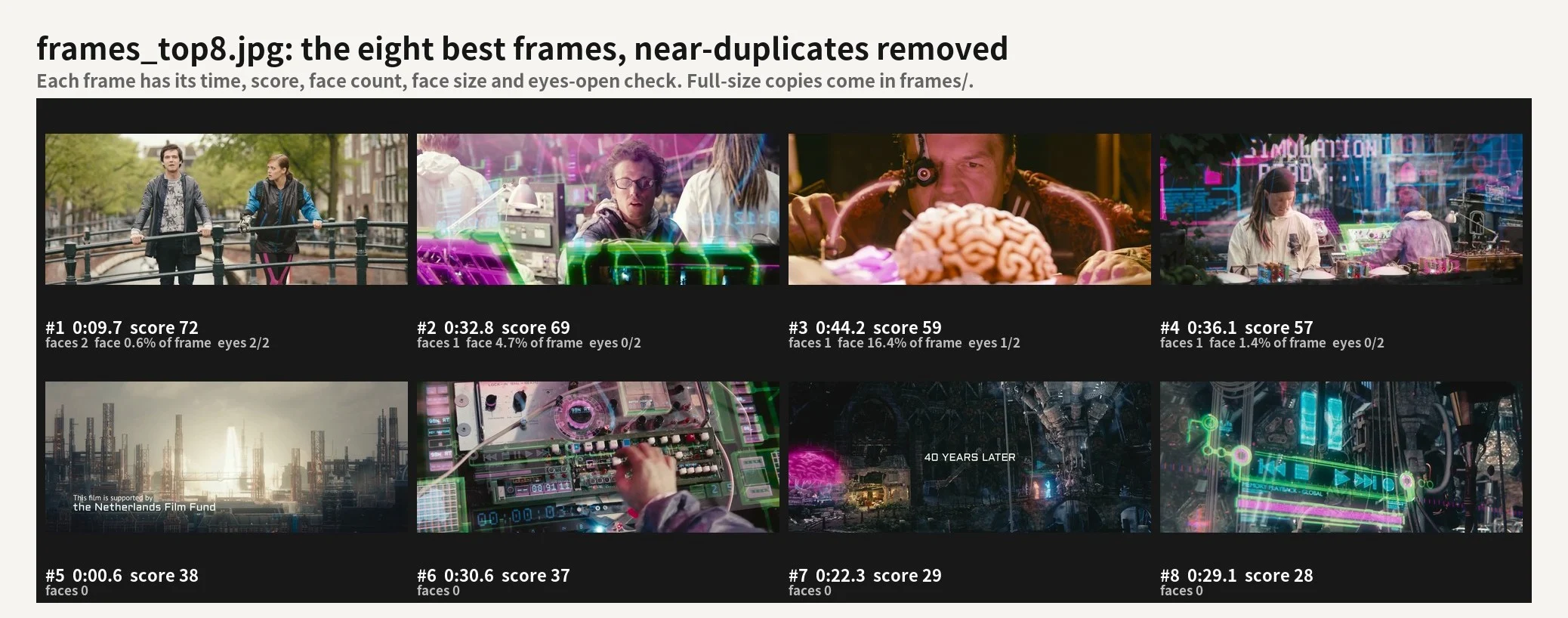
ThumbPick does that part. Upload a video and it scores every sampled frame, removes near-duplicates and returns the 8 best frames with their time codes. It then makes three 1280x720 thumbnails with your title in large outlined type, placed where it covers no face, and measures how readable each one is at 168x94 and 320x180.
It works only with frames from your video. It does not generate images, cut people out or edit the video.
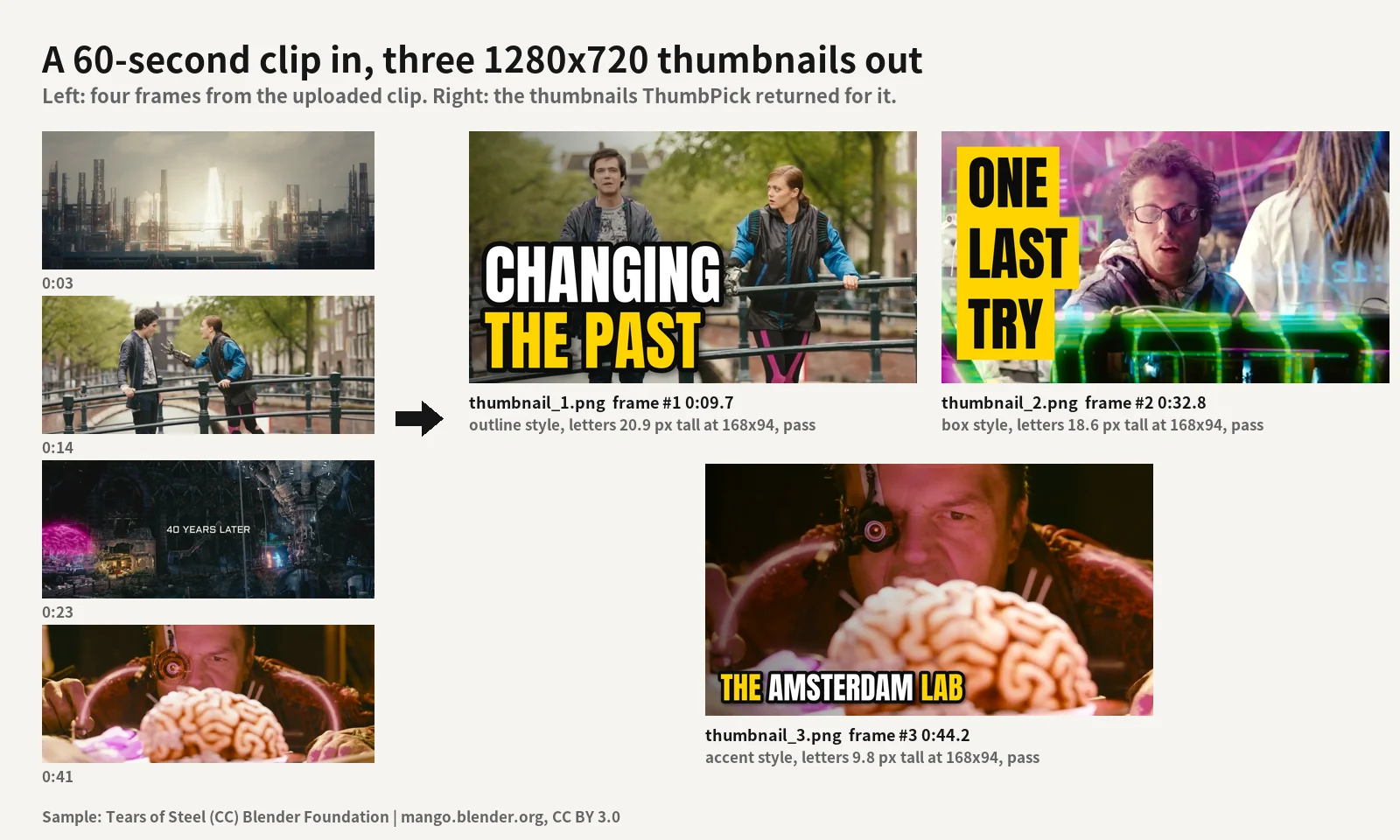
Real output from the 60-second sample clip below. The titles were written by the agent from a one-line description of the video.
How you use it
Make three YouTube thumbnails from this vlog. Title: "I rebuilt my desk". Use red.
Or leave the title out and say what the video is about; the agent writes three short title options and uses them. No install, no settings. It runs in the Capafy cloud.
What you get back
| File | What it is |
|---|---|
thumbnail_1.png to thumbnail_3.png |
1280x720 thumbnails in three styles: white text with a black outline, text on a colour bar, colour text with an outline. Ready to upload as a YouTube custom thumbnail |
small_preview.png |
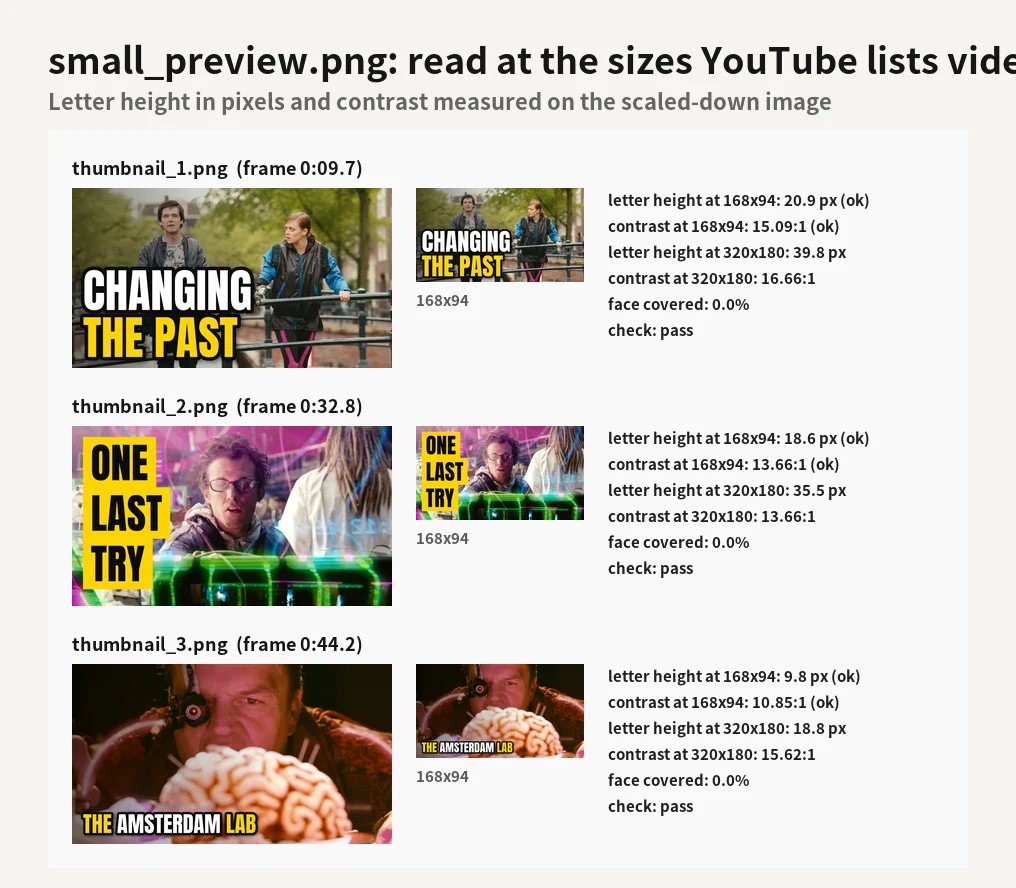
Each thumbnail at 320x180 and 168x94, with letter height and contrast measured at that size |
frames_top8.jpg |
The eight best frames with time, score, face count, face size and the eyes-open check |
frames/ |
The same eight frames at full size (up to 1920 wide), for editing in your own tool |
picks.csv |
Time code, frame number and every score part for the eight frames |
report.md |
All measurements, plus a short written summary in the reply |
What it measures
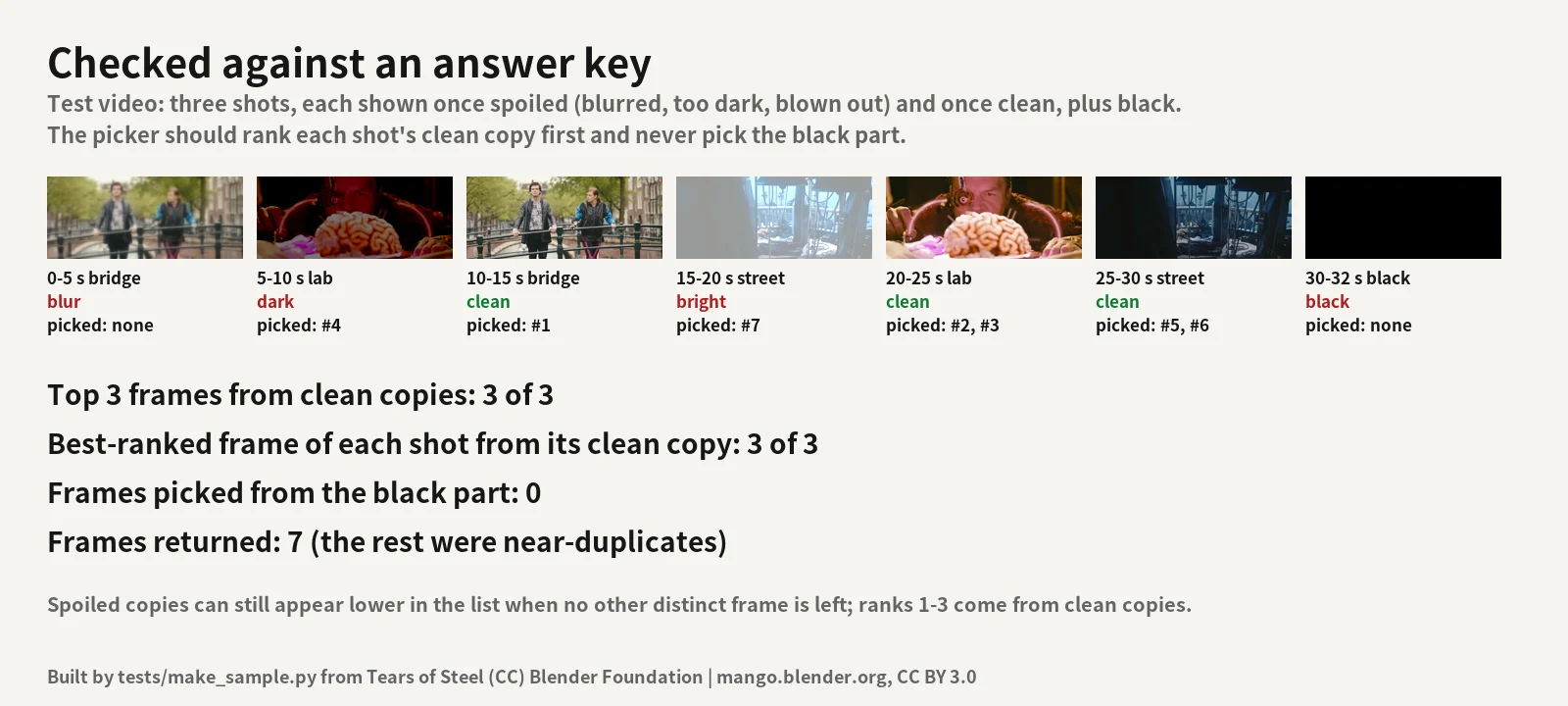
- Sharpness of the whole frame and of the face (variance of the Laplacian), ranked against the other frames of the same video
- Exposure: mean brightness and the share of blown-out or crushed pixels. Contrast and colour
- Faces (YuNet face model): size in the frame, whether it is cut by the edge, facing the camera, face sharpness
- Eyes open and smile: approximations from OpenCV cascades on the face
- Near-duplicates: frames of the same picture, or the same setting close in time, count once
- Legibility of each thumbnail at 168x94 and 320x180: letter height in pixels and the contrast between letters and the pixels around them, measured on the scaled-down image. The check passes at 9 px letters and 4.5:1 contrast at 168x94
- Face covered: share of any detected face under the text (the layout aims for 0%), and the bottom-right corner where YouTube shows the video length is kept clear
The written summary uses only these numbers. A checker script rejects any number that is not in the report.
Time
Measured on a 2 CPU / 4 GB stand-in for the sandbox:
| Video | Frames picked + 3 thumbnails |
|---|---|
| 60 s, 1280x534 | 10 s |
| 10 min, 1920x1080 | 46 s |
| 30 min, 1920x1080 | 89 s |
The long test files were 2.1 Mbit/s; most of the time goes to decoding, so high-bitrate camera or phone footage takes longer.
Changing the title, colour, style or frame afterwards reuses the picked frames and takes a few seconds. The hosted sandbox can be slower than this test.
Plans and requests
Every message you send uses 1 request from your plan.
| Plan | Price | Requests |
|---|---|---|
| Daily | $3.99 | 5 |
| Weekly | $7.99 | 10 |
| Monthly | $19.99 | 30 |
What it does not do
- Download from YouTube or other links. Upload the file.
- Generate or redraw images, remove backgrounds, add arrows, stickers or emoji.
- Predict clicks, views or which thumbnail will perform best. Scores describe picture quality and faces.
- Edit or re-render your video.
- Draw titles in scripts other than Latin, Cyrillic, Greek, Korean and Japanese. Titles longer than 12 words are refused.
Good to know
- Files: MP4 and MOV (MKV and WEBM also work), up to 30 minutes.
- Frames are cropped to 16:9 around the faces. From a vertical 9:16 video the thumbnail uses a 16:9 band of the frame, scaled up (a 1080x1920 source is scaled 1.19 times).
- You can choose the frame by rank or by time ("use the frame at 1:42"), the style, the side for the text and the accent colour. Mark words with stars for the accent colour:
I *rebuilt* my desk. - Faces turned far away, very small faces, masks and cartoon faces can be missed. Eyes open and smile are approximations and can be wrong with glasses or side light. The face checks were tested on live-action film footage, not measured on a labelled face set.
- Each PNG is checked against 2 MB; if one is larger, a JPG under 2 MB is added next to it.
- Fonts: Anton and Noto Sans KR/JP Bold (SIL Open Font License), bundled. Face model: YuNet (MIT), bundled.
- Use it on videos you made or have the right to use.
Sample media: Tears of Steel (CC) Blender Foundation | mango.blender.org, CC BY 3.0.
FAQ
Q. What counts as one request? Every message you send uses 1 request. Uploading a video with a title in one message is one request; asking for a different title afterwards is another.
Q. Do you write the title? If you give none, the agent writes three short options from what you say about the video and what the frames show. It does not invent numbers or claims.
Q. Does my video leave the workspace? No. Scoring and drawing run inside the agent's cloud workspace. The only network use is installing Python packages from PyPI when the workspace is built.
Q. Which thumbnail will get more clicks? That is not measured. The report tells you which frames are sharpest and best exposed, where the faces are, and whether the title can be read at small sizes.
Q. Questions? [email protected]
API esterne
PyPI (pypi.org, files.pythonhosted.org)