Let’s Bead: Fuse Bead Patterns & Chibi Art
Let’s make something you love 🧩
Have a favorite photo you’d love to turn into bead art? Maybe a little charm of your pet, or a special gift that captures someone’s smile?
Send it over. A photo, a cartoon, or an illustration you drew yourself—we’ll figure out together how to turn it into something you’ll enjoy making.
Made by someone who loves beading, too
Let’s Bead began with a bead-craft enthusiast making patterns for their own projects. It grew from there, one small improvement at a time.
When you make a pattern and then actually build it, the little things matter: a recognizable outline, colors that work together, and an expression that still comes through at a smaller size.
We’ve brought those hands-on lessons into the workflow and color-matching algorithm, refining them to make patterns that look good and are enjoyable to build. Spend more time placing beads, and let me help with the fiddly pattern-making parts.
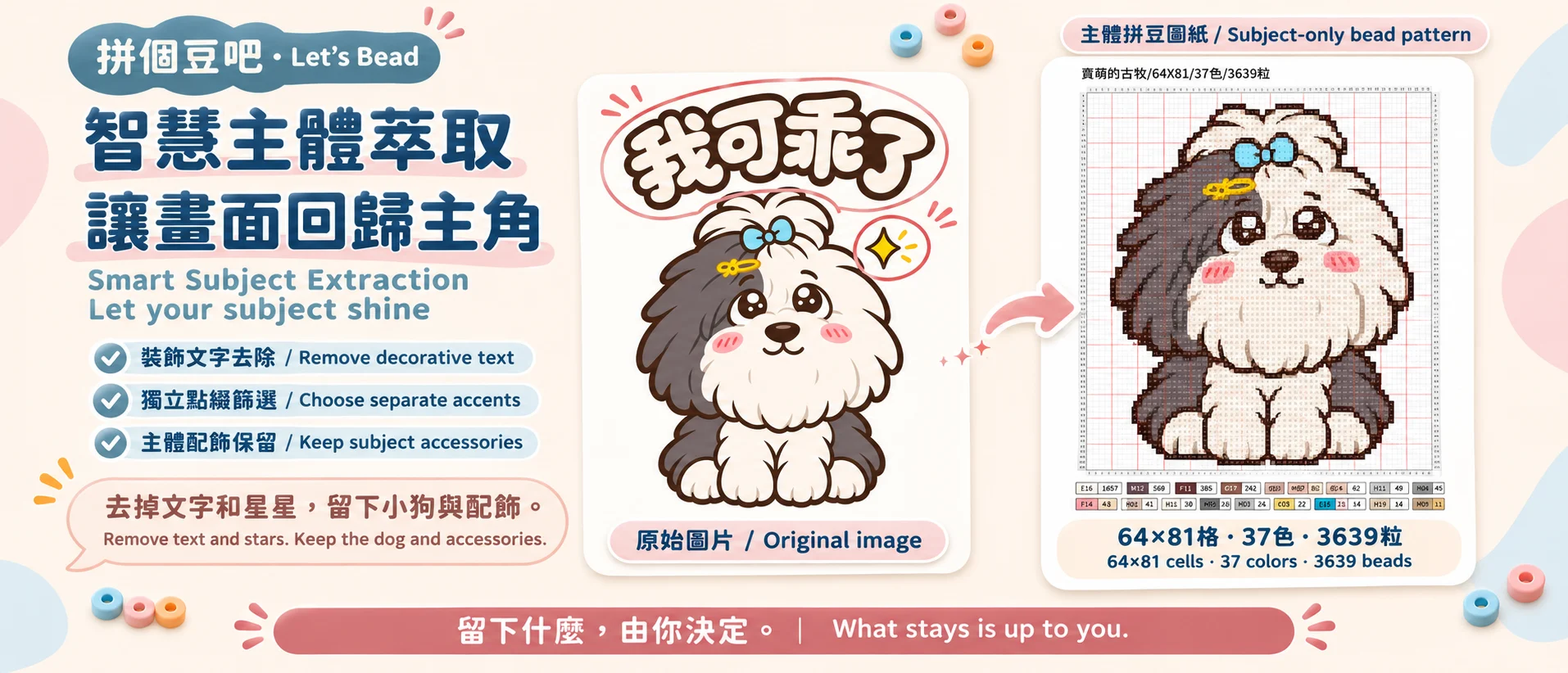
Smart Subject Extraction — Let your subject shine
Keep the part of the picture you’d love to bring to life, one bead at a time.
Let’s Bead uses visual understanding to distinguish the main subject from decorative text and separate accents, such as stars, hearts, and flourish lines. Choose what to remove, and we’ll bring the focus back to your subject before turning it into a bead-friendly pattern.
Expressions, clothing, and meaningful accessories are considered part of the subject. Remove the text, keep the stars, or focus on the character alone—what stays is up to you.
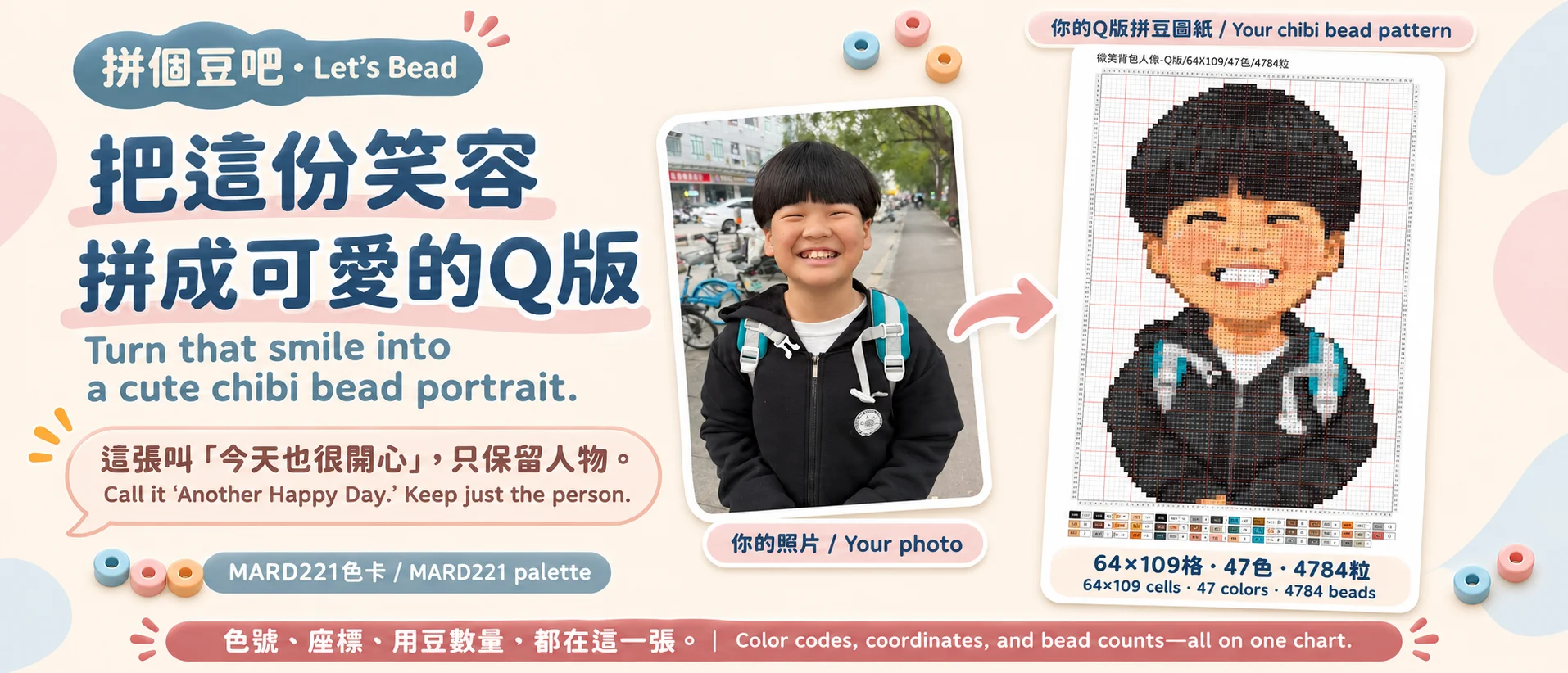
Let’s choose how you want to make it
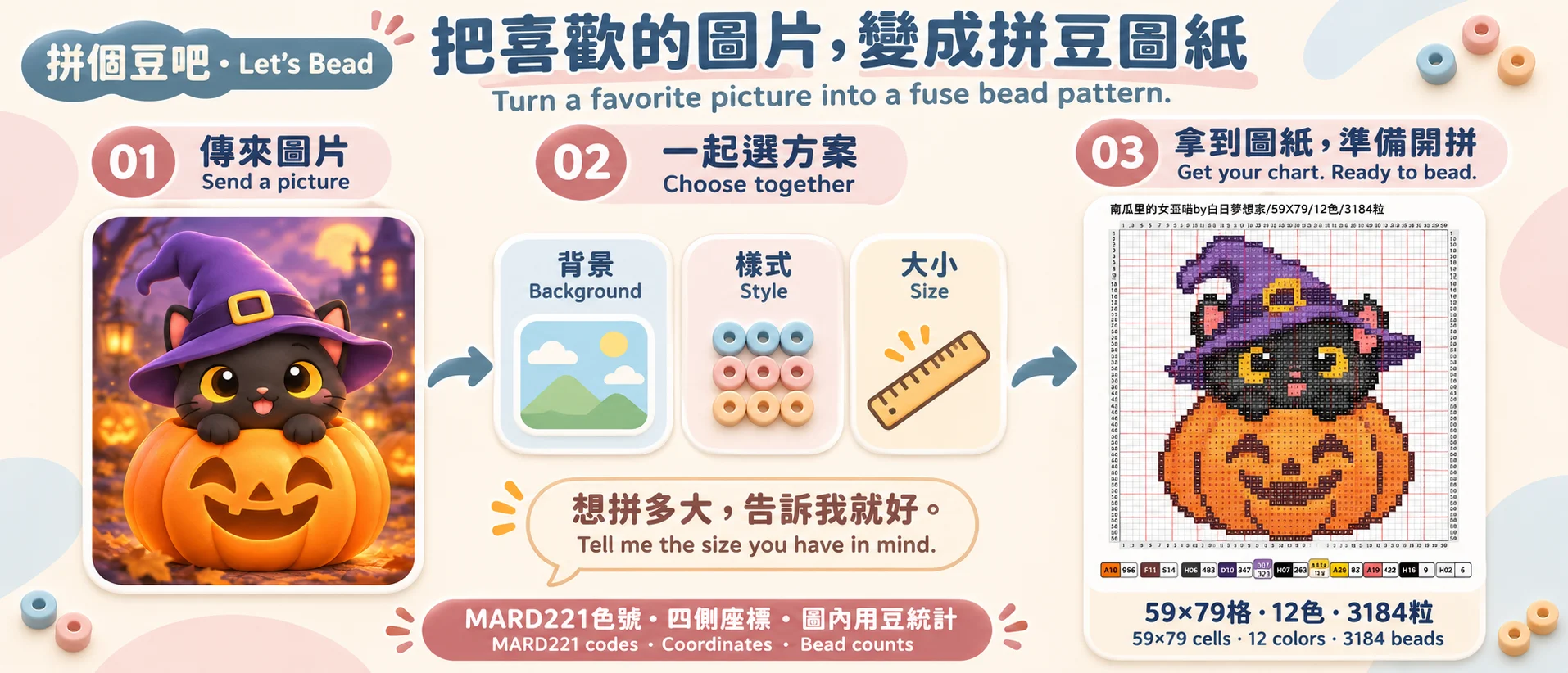
First, let’s give your pattern a name. It could be “Another Happy Day,” or a nickname that means something to you. It’ll appear at the top of the chart—a little personal touch.
Would you like a photo-inspired look or a cute chibi version? Just the main subject, or the background too? We’ll take it one step at a time. For cartoons, we’ll work with the character and art style already in your image.
Not sure about the size? I’ll suggest a few options based on your image. If you already have a width, height, or size in centimeters in mind, just tell me. If the proportions don’t quite fit, we’ll work that out before making the pattern.
If a part of the image might suit clear beads, I’ll ask about that specific area: use H01 clear beads, leave it empty, or keep the original color? It’s your choice.
Once we’ve settled on the name, style, and size, we’ll start making your pattern.
One chart, ready for you to follow
Each creation gives you one complete PNG chart matched to the MARD221 palette.
Your chosen name, grid size, number of colors, and total bead count are all on the chart. Each bead cell has a color code, with coordinates on all four sides and a clear guide line every five cells to help you follow along row by row.
The bottom of the chart lists how many beads you need in each color. Color codes, coordinates, and bead counts—all together on the same chart.
You could start with…
“Call this one ‘Another Happy Day.’ Make a chibi version and keep just the person.”
“I’d love to make a little charm from this cat illustration. Could you help me choose a size?”
“Keep a photo-inspired look, remove the background, and make it about 20 cm wide.”
A quick look before you start
We’ll make one pattern at a time; your other images can come next. We use MARD221 throughout. I’ll ask before using clear beads in any area—removing a background won’t automatically fill that space with clear beads.
The photo-inspired option keeps natural proportions and key features while simplifying photo details into bead-friendly color areas. Smaller patterns take less work but need simpler details. We’ll find a size that feels right for you.
Some details may change during processing, and screen colors can differ a little from the beads in your hand. Zoom in, check the chart and color codes, then enjoy bringing it to life one bead at a time.
Pick a picture you’ve been wanting to make, and send it over!