
SlowMo | Phone clips become cinematic 4x slo-mo
Turn normal-speed footage into smooth 2x, 4x, or 8x slow motion with motion-compensated frame interpolation. Just slowing playback stutters; this skill calculates the motion between frames and fills in new ones, so it stays smooth. It also does speed ramps that slow only the section you pick, plus a 60fps mode that smooths video without slowing it down. A 2.2s Big Buck Bunny trailer clip (55 frames) ran out to 213 frames and 8.5s at 4x in about 40 seconds. Needs only ffmpeg, no API key. #動画 #ソーシャルメディア #生産性
SlowMo | Phone clips become cinematic 4x slo-mo
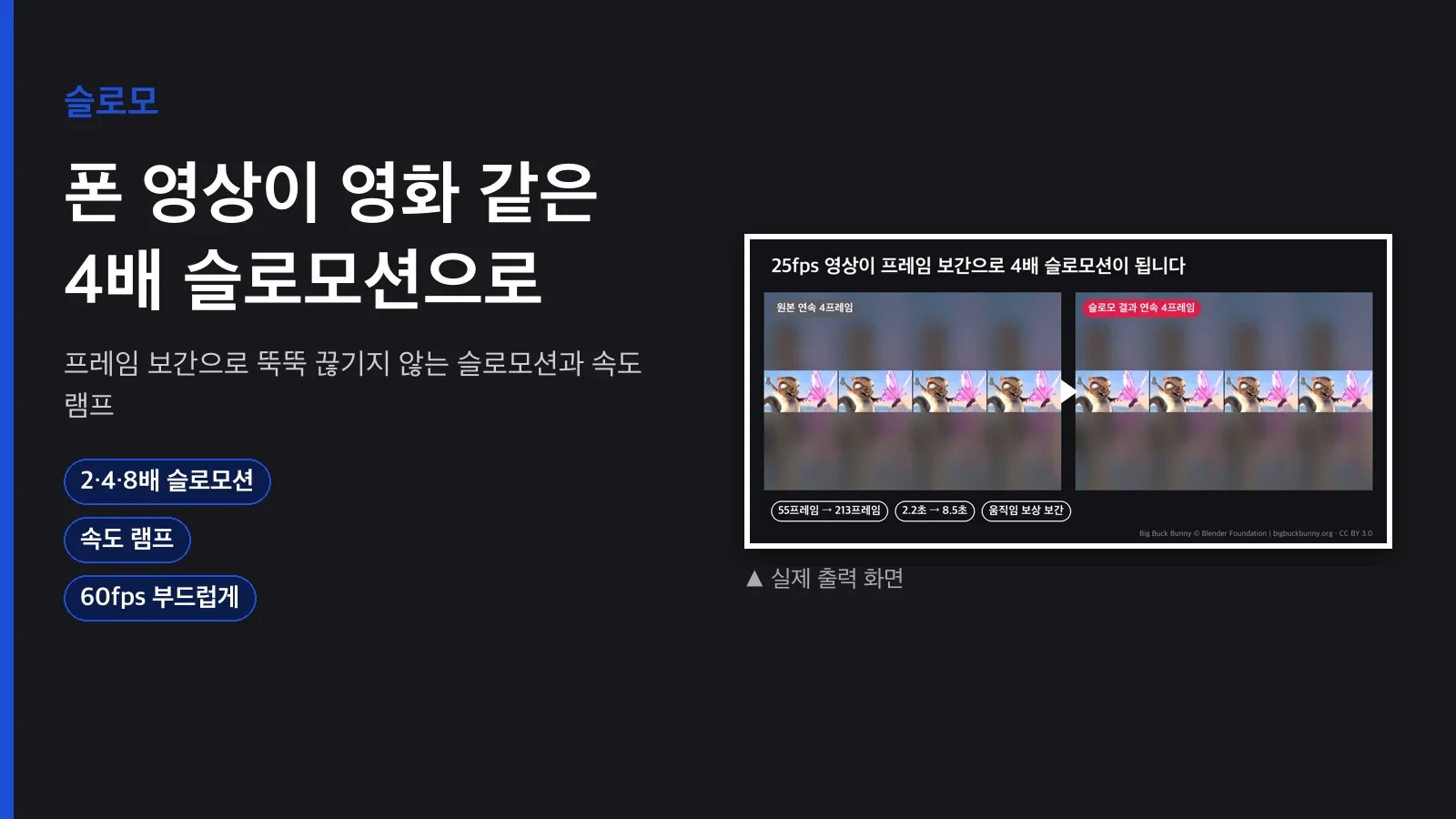
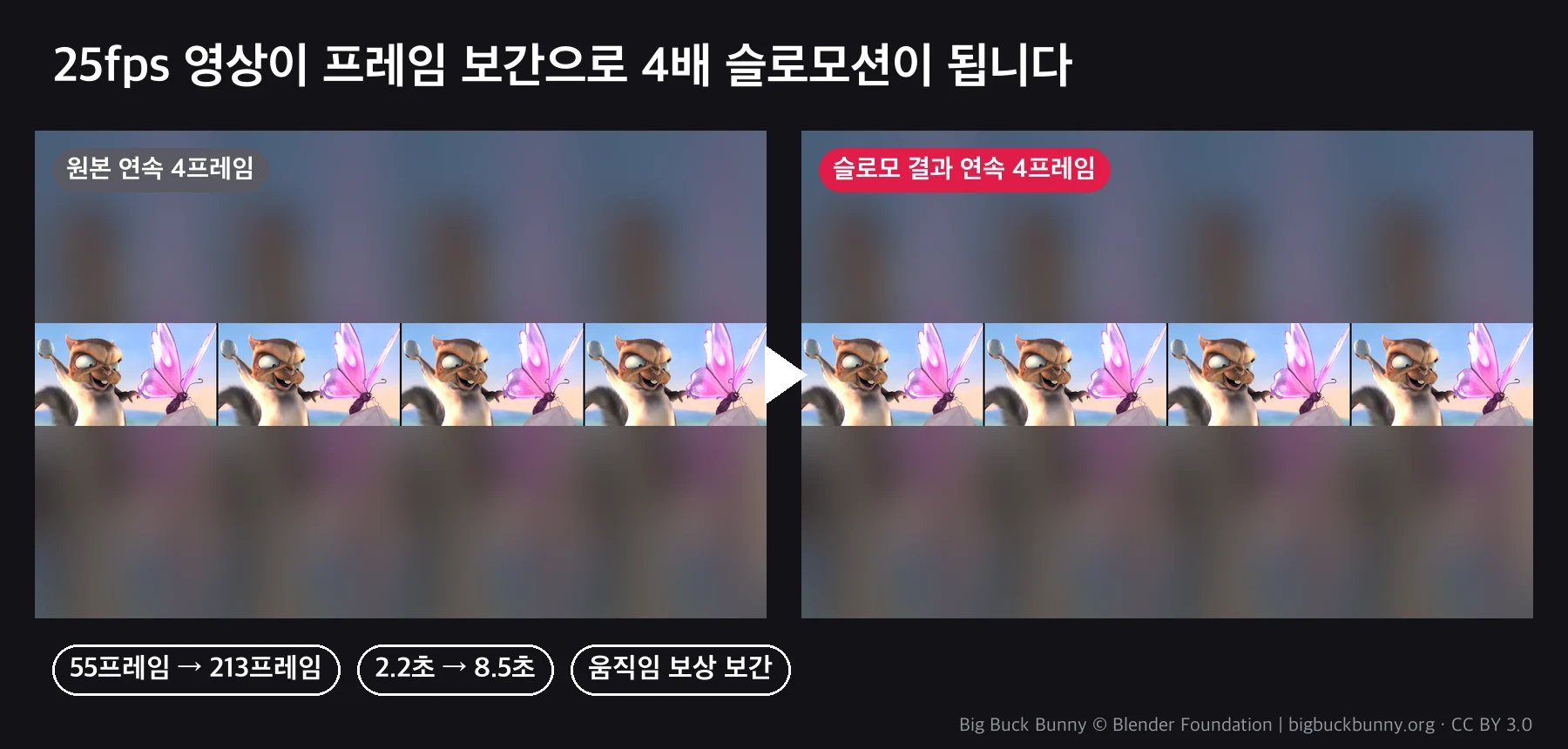


You want to see the moment your kid scores a goal or your dog jumps in slow motion, but dropping the speed to 0.25x in an editing app makes the picture stutter. That is because the app just stretches the original 30 frames per second out to four times the length. SlowMo calculates where objects moved between one frame and the next, then builds brand-new frames to fill the gaps. That is why footage you did not shoot at 240fps still comes out as smooth slow motion.
Pipeline
Source 25fps → minterpolate motion-compensated interpolation (~100fps) → stretch 4x, output at 25fps
uv run scripts/slowmo.py --input clip.mp4 --factor 4 --out out/slow4x.mp4
uv run scripts/slowmo.py --input clip.mp4 --ramp 2.0,3.2 --factor 4 --out out/ramp.mp4
uv run scripts/slowmo.py --input clip.mp4 --smooth 60 --out out/60fps.mp4
- Full slow motion: 2x, 3x, 4x, 6x, or 8x. Fills in frames to match the multiplier and keeps the original fps.
- Speed ramp: Only the section you specify slows down; everything before and after stays at normal speed. Use it for the key moment in sports or cooking clips.
- Smooth 60fps: Keeps the length the same and just fills frames up to 60. Use it for gaming and drone footage.
- Audio: Silent by default; turn on
--audioto stretch the background sound along with the video.
What's included
| File | What it does |
|---|---|
scripts/slowmo.py |
Multiplier, section, ramp, and 60fps interpolation; quality (crf) settings; checks output length and fps |
SKILL.md |
Option reference, measured processing times, and what to do when interpolation gets shaky |
No Python dependencies. All you need is ffmpeg and uv.
How to use it
1. Your kid's soccer goal: Trim the 2 seconds right before the goal with --start/--end and run it at 4x. Two seconds becomes an 8-second slow-motion clip.
2. Cooking Shorts speed ramp: Slow down just the 1 second where the sauce pours with --ramp. The rest stays at normal speed, so your Short does not get much longer.
3. Drone and gaming footage at 60fps: Use --smooth 60 to smooth the video without changing its length. It uploads to YouTube at 60fps.
What you need
ffmpeg(standard builds such as Homebrew include the minterpolate filter) anduv. No API key.- About 40 seconds on CPU to run 2 seconds of 1080p at 4x. 8x takes roughly twice that.
Good fits / Poor fits
Good fits: Sports, pet, cooking, and drone clips shot at normal speed on a phone or action cam. The key moment you want to drop into a Short.
Poor fits: Footage already shot at 240fps slow motion (you don't need this). Scenes with objects that whip across the frame or lots of flashing lights (interpolation artifacts can show up). Anyone who wants to hear speech slowed down (slowed audio sounds off).
FAQ
Q1. How is this different from just setting 0.25x in an editing app?
An editing app repeats the same frame four times, which is what makes it stutter. SlowMo calculates new in-between frames instead. Look at the frame comparison on this card: there are scenes between the four source frames that were not there before.
Q2. Does it lose quality?
The resolution stays the same. It encodes at a default crf of 18, which stays close to the original.
Q3. How long does it take?
At 1080p, about 20 seconds of processing per second of source footage (at 4x). For long videos, trim to just the section you need before running it.
Q4. I can see interpolation artifacts.
They show up with fast motion, clipping, or flashing. Try lowering the multiplier to 2 or switching to --quality blend. SKILL.md lists which kinds of scenes cause them.
Q5. Does it work with vertical video?
Yes. It keeps the original resolution and aspect ratio.
Purchase details
Price: $5 (one-time download). Not a monthly subscription.
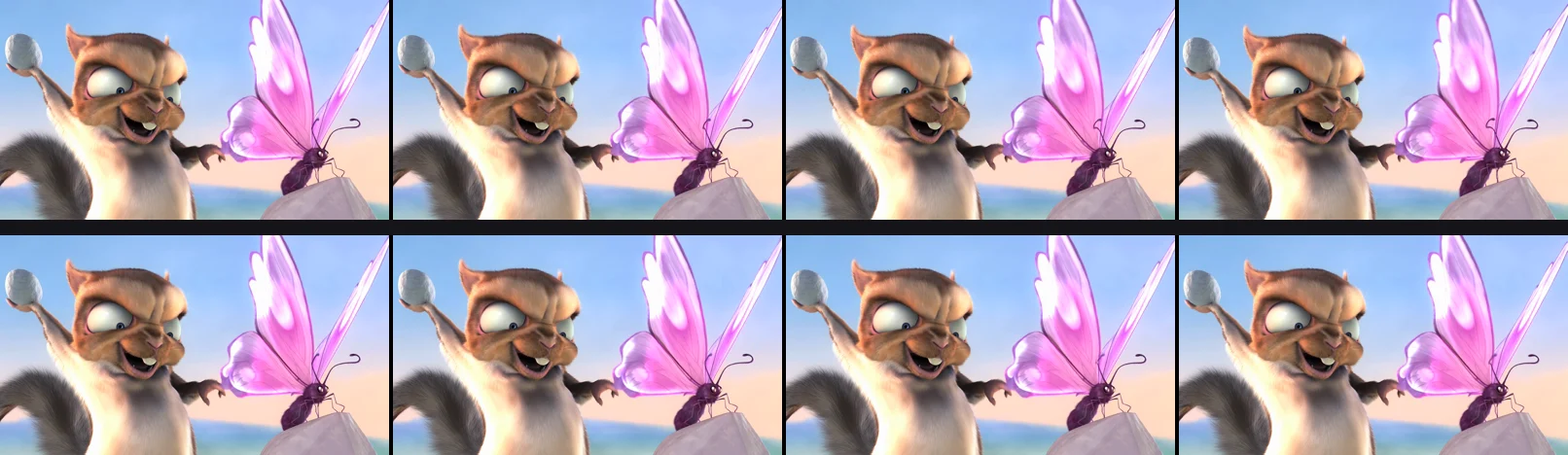
The example clips are actual output from running the trailer for Big Buck Bunny, the open movie by the Blender Foundation (CC BY 3.0, bigbuckbunny.org).