

DeckNotes | Speaker notes from slides into PPTX
DeckNotes: speaker notes from your slides, inside your PPTX
Upload your slide deck and say how long the talk is. DeckNotes writes what to say on every slide, times each slide at your speaking pace so the whole talk fits, and puts the notes into the notes pane of a copy of your own PowerPoint file. Open Presenter View and the notes are there. Your slides are not touched.
What you send
- Your deck as a
.pptx. A.pdfexport also works, but a PDF cannot hold notes, so you then get the script files only. - How long the talk is, in minutes (up to 30).
- Optional: who the audience is, what the talk should achieve ("approve the pilot"), your pace (slow, normal, fast or your own words per minute), the tone, words you must say, and whether to keep the notes already in your deck.
If you leave something out, DeckNotes uses normal pace (140 words per minute), a plain and direct tone, and replaces old notes, and says so.
What you get back
| File | What it is |
|---|---|
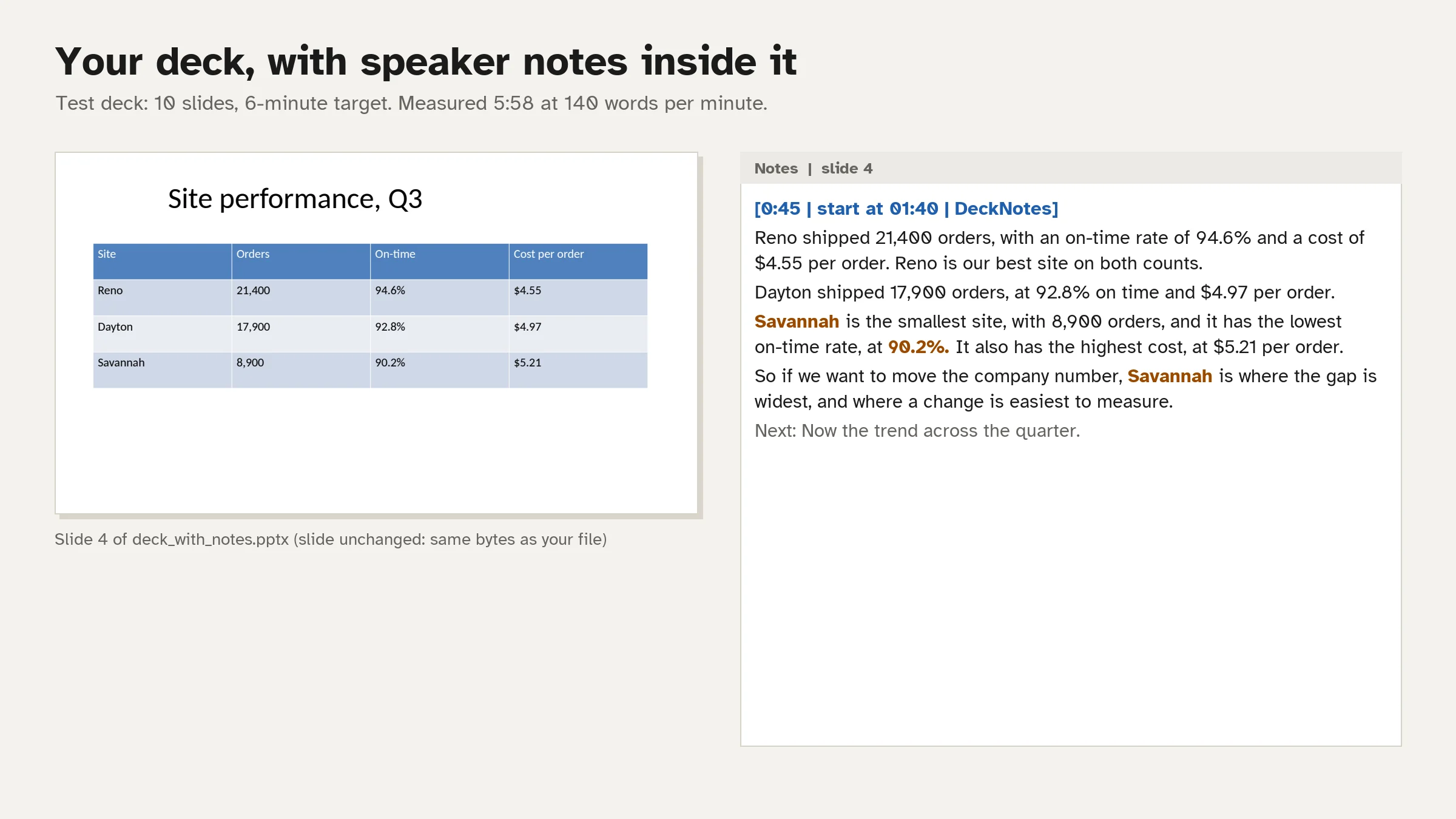
deck_with_notes.pptx |
A copy of your deck with notes on every shown slide. Each note starts with the slide's time and start clock and ends with a "Next:" line into the following slide. Stressed words are bold |
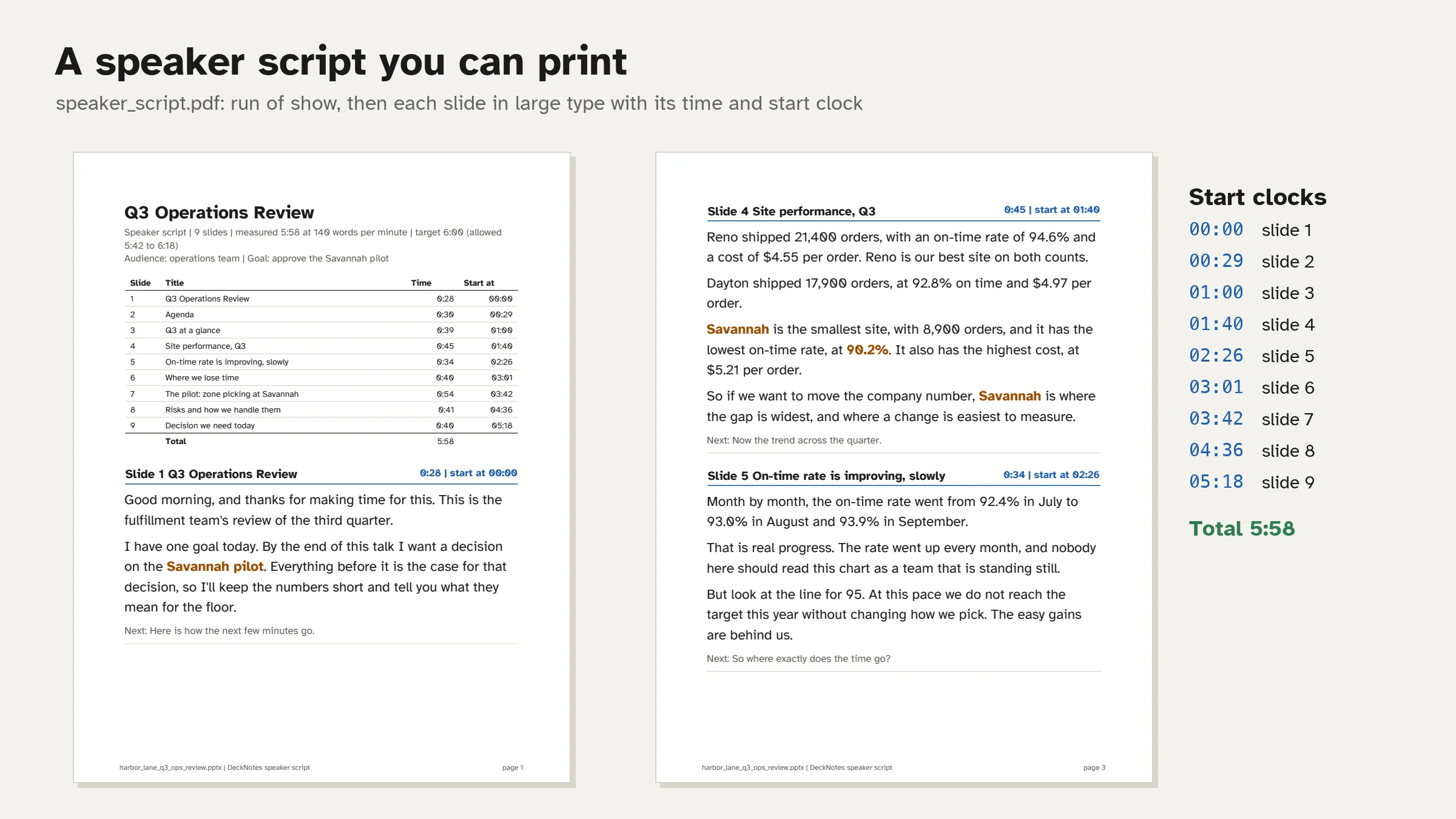
speaker_script.pdf |
A printable script: run of show with a start clock per slide, then each slide's notes in large type |
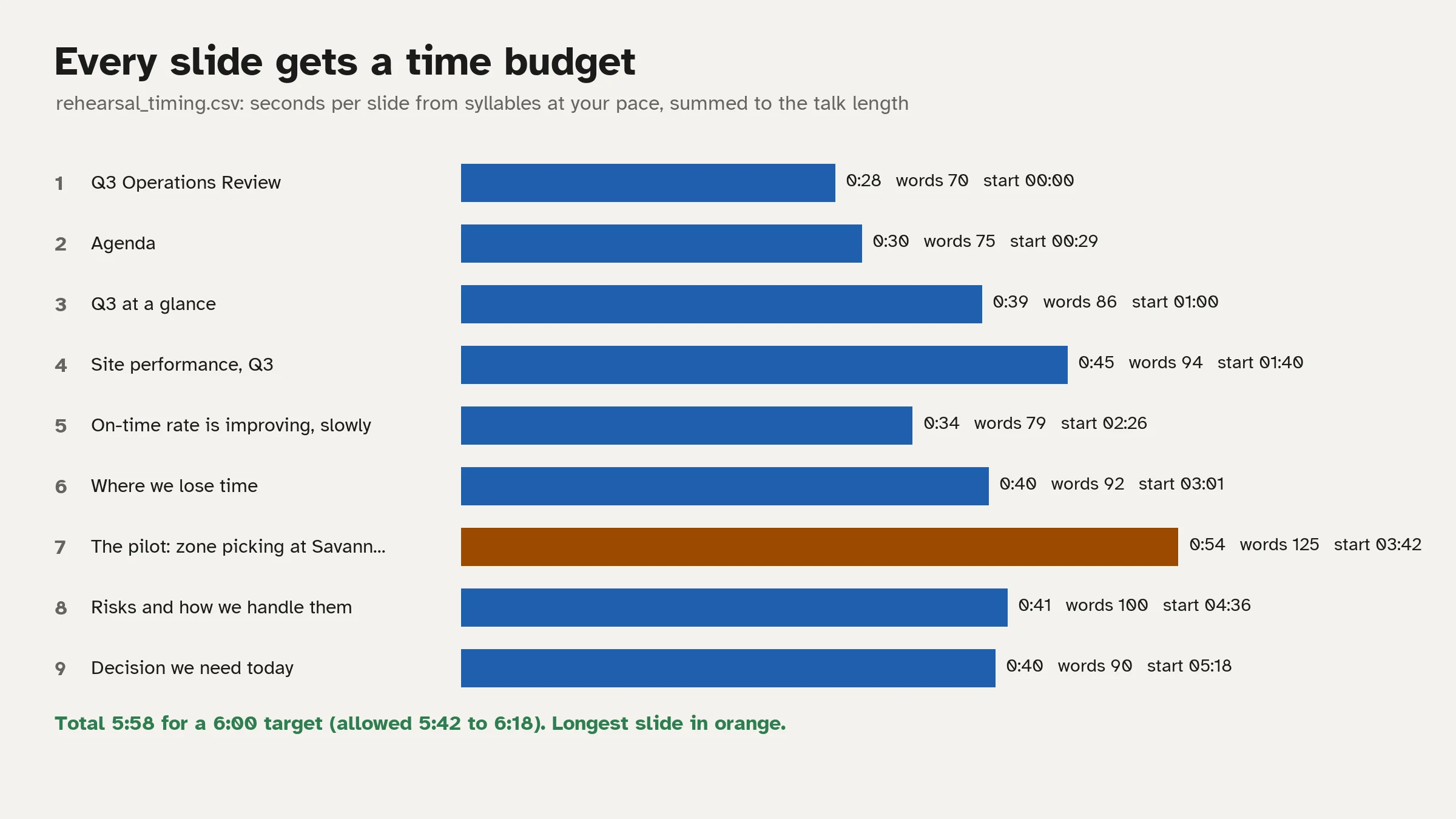
rehearsal_timing.csv |
Slide, title, words, seconds, start and end clock, running total |
qa_prep.md |
4 to 8 questions the audience is likely to ask, with short answers taken from the deck and the slide they come from |
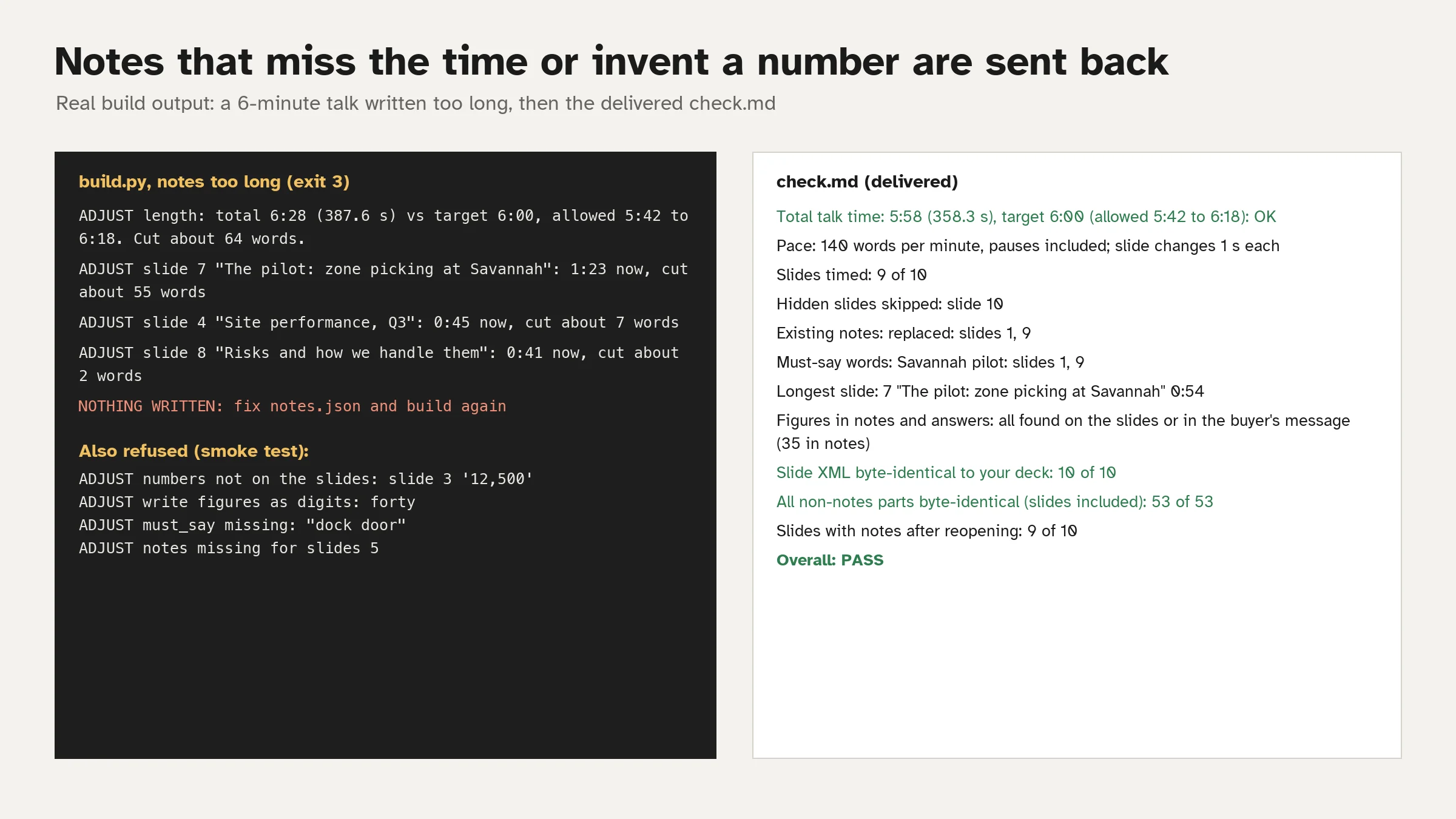
check.md |
Total time against your target, slides timed, hidden slides skipped, must-say words and where they appear, the longest slide, and proof that your slides were not changed |
How it works
- DeckNotes reads every slide: titles, text in reading order, tables, chart titles and values, picture descriptions (alt text), existing notes, hidden slides and layouts.
- The agent writes notes for each slide and a transition line into the next, using only what is on your slides and what you wrote in your message.
- A script times every word from its syllables at your pace (pauses included) and adds 1 second per slide change. If the total is more than 5% off your target (15 seconds for talks under 5 minutes), the notes are sent back with the slides to cut or extend, and rewritten.
- The same script refuses notes that use a figure not shown on your slides, spell out figures so they cannot be checked, skip a slide, or leave out a word you asked for.
- The notes are written into a copy of your deck. Only the notes pages change: every slide, layout, picture and chart is copied byte for byte, and the build hashes each one against your file before anything is delivered.
Measured on the test deck
A fictional 10-slide quarterly operations review with a table, a column chart, a picture, a hidden appendix slide and old notes on 2 slides, for a 6-minute talk to an operations team:
- Total 5:58 at 140 words per minute, inside the allowed 5:42 to 6:18. 811 words over 9 slides; longest slide 0:54.
- Notes on all 9 shown slides; the hidden slide skipped; old notes replaced (or kept above the new ones when asked).
- Slide XML byte-identical 10 of 10; all 53 non-notes parts (slides included) byte-identical.
- Speaker script 7 pages, 6 questions in the Q&A prep.
- In a 2-CPU Linux sandbox: reading the deck 0.07 s, building and checking all files 0.17 s.
What it does not do
- It does not change, redesign or add slides. Only the notes pages change.
- It does not add facts, causes or numbers that are not on your slides or in your message. If a figure you want to say is not on a slide, write it in your message.
- Times are estimates from your pace before you rehearse, not a recording of you. After one run-through, send your real time and the notes are re-timed.
- One deck per request, up to 60 slides and a 30-minute talk. Notes in Latin alphabets (English, Spanish, French, German and similar). Scanned PDF decks without text cannot be read. Old
.pptand Keynote files need to be saved as.pptxfirst. - Your deck stays in the workspace. Nothing is uploaded anywhere.
Pricing
| Plan | Price | Requests |
|---|---|---|
| Daily | $3.99 | 5 per day |
| Weekly | $7.99 | 12 per week |
| Monthly | $19.99 | 30 per month |
No plan includes a free trial. Each message you send is one request; rewrites the agent makes inside one reply do not cost extra.
外部API
PyPI (pypi.org, files.pythonhosted.org)


