Campaign Clipper — Clips That Pass the Rules
Pick a paid clipping campaign, get clips that pass its rules, and track views and pay per post.
#비디오#소셜 미디어
평점
더 많은 평가가 필요합니다
판매
0
사용 방법
Capafy에서 실행
외부 앱에서도 사용 가능
퍼블리셔 제공
Claude Sonnet 5.5
Stop getting clips rejected
Clipping campaigns reject clips for small things: a missing tag, a banned word, a clip one second too short. And most posts never reach the minimum views that pay. Campaign Clipper handles the boring part.
1. Pick a campaign that can pay you
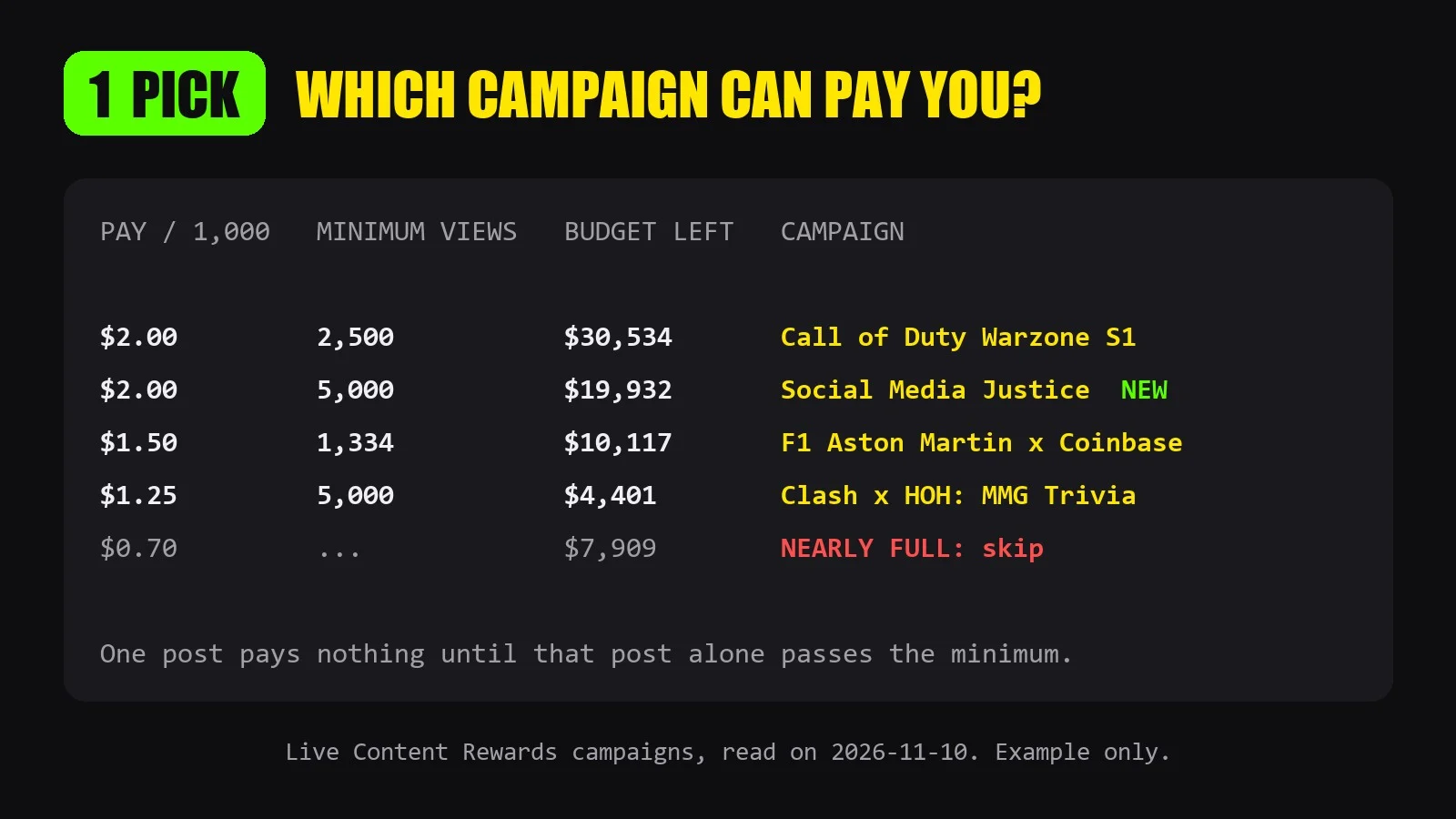
- Compares open Content Rewards campaigns: pay per 1,000 views, budget left, and the views one post needs before it earns anything
- Recommends 2 or 3 campaigns that fit your platforms and your usual views
- Flags campaigns that are nearly out of budget
2. Clips that pass the rules
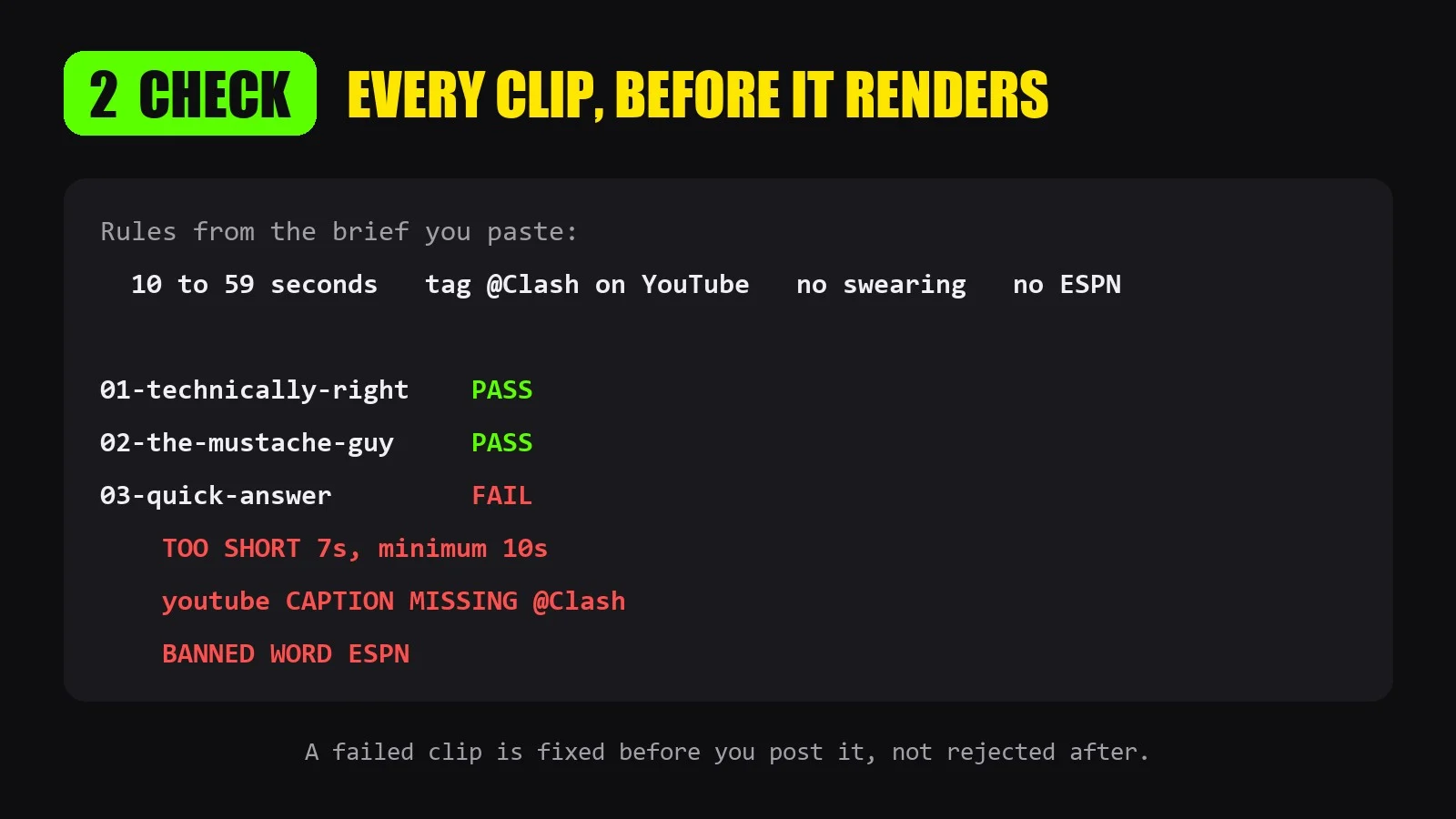
- Paste the campaign brief. It becomes a rule checklist, read back to you before any cutting
- Cuts vertical 9:16 clips with a hook title and word-by-word captions from the campaign footage
- Checks every clip before rendering: length, allowed footage range, required tags per platform, banned words, logo
- Writes the caption for each platform with the right tags
- Original audio only, for campaigns that ban music or AI voice
3. Track every post
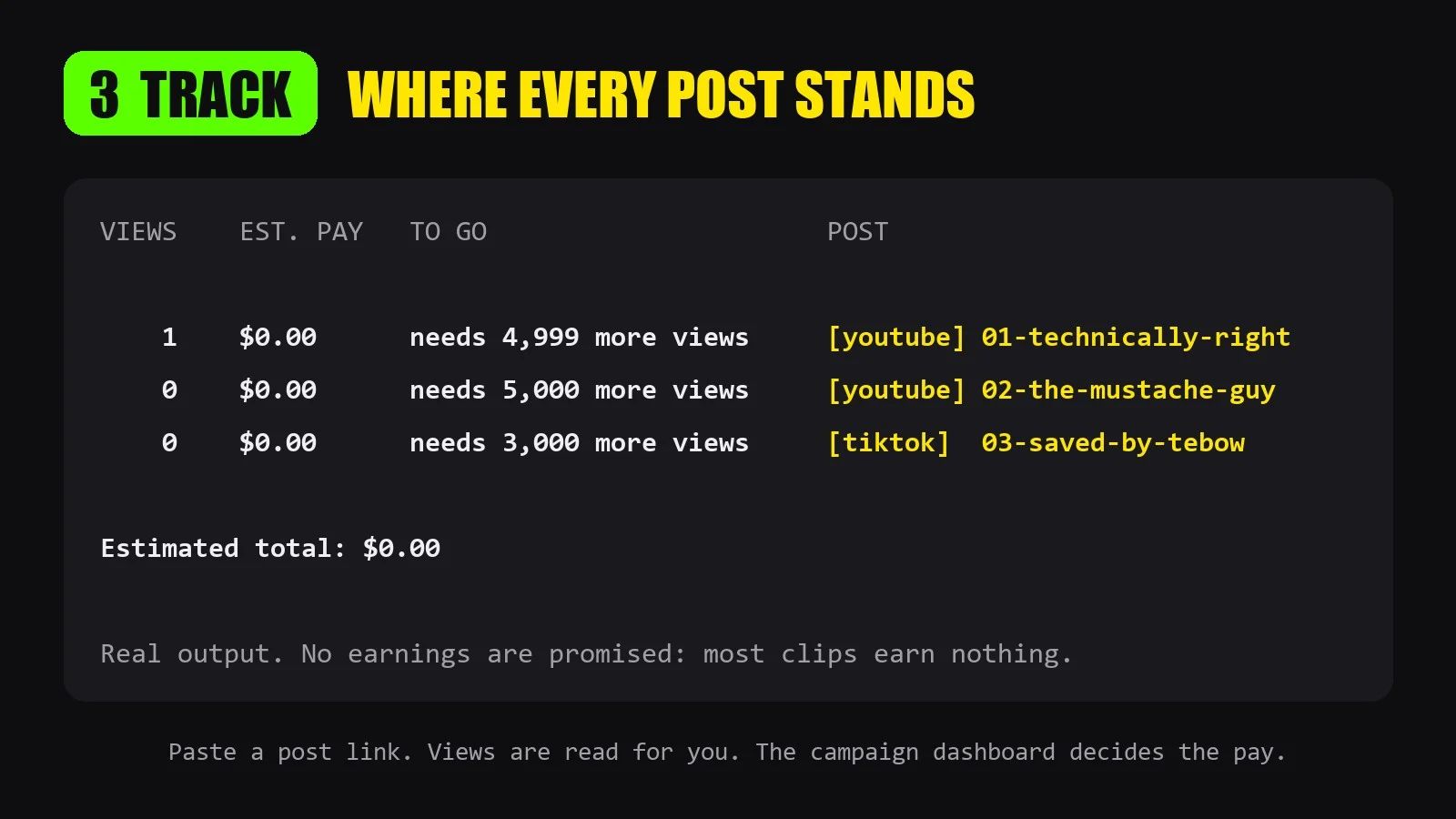
- Paste each post link. Views are read for you on YouTube and TikTok; on other platforms you type the number
- Shows estimated pay per post and how many more views it needs
- Tells you when to stop posting on a platform that is not showing your clips
What you do
You create the accounts, join the campaign, post and submit. This agent never posts or signs in for you.
How to start
Say: "Which clipping campaign should I join? I post on YouTube and TikTok."
Or paste a campaign brief and the footage link.
Good to know
- No earnings are promised. Most clips earn nothing: a post is paid only when that one post passes the campaign's minimum views. Pay shown is an estimate; the campaign dashboard decides.
- Campaign numbers come from public Content Rewards pages. For campaigns on Whop, Vyro or Discord, paste the campaign text.
- Footage: a YouTube, Google Drive or Dropbox link, or upload the file. Videos up to 3 hours, up to 20 clips per run.
- Only clip footage the campaign allows you to clip.
외부 API
Content Rewards (contentrewards.com) · YouTube (youtube.com) · TikTok (tiktok.com) · Twitch (twitch.tv) · Google Drive / Google Docs (drive.google.com, docs.google.com) · Dropbox (dropbox.com)