

Certificate Batch Maker — Local Kit (Download)
Certificate Batch Maker
What you're buying: a one-time purchase (US$7) download package (skill instructions + a Python script) that runs on your own computer inside your own AI agent — it is not a cloud service.
You need: an AI agent that supports skills (e.g. Claude Code or Codex) — its subscription or API costs are yours; Python 3.9+ withreportlab,qrcode,pillowandpypdfium2.
Third-party services: none. Works offline, no API keys. Your name list never leaves your computer (apart from what your own AI agent reads to help you).
One name list in, everyone's certificate out. Completion certificates, awards, attendance certificates and thank-you certificates — dozens or hundreds in one go.
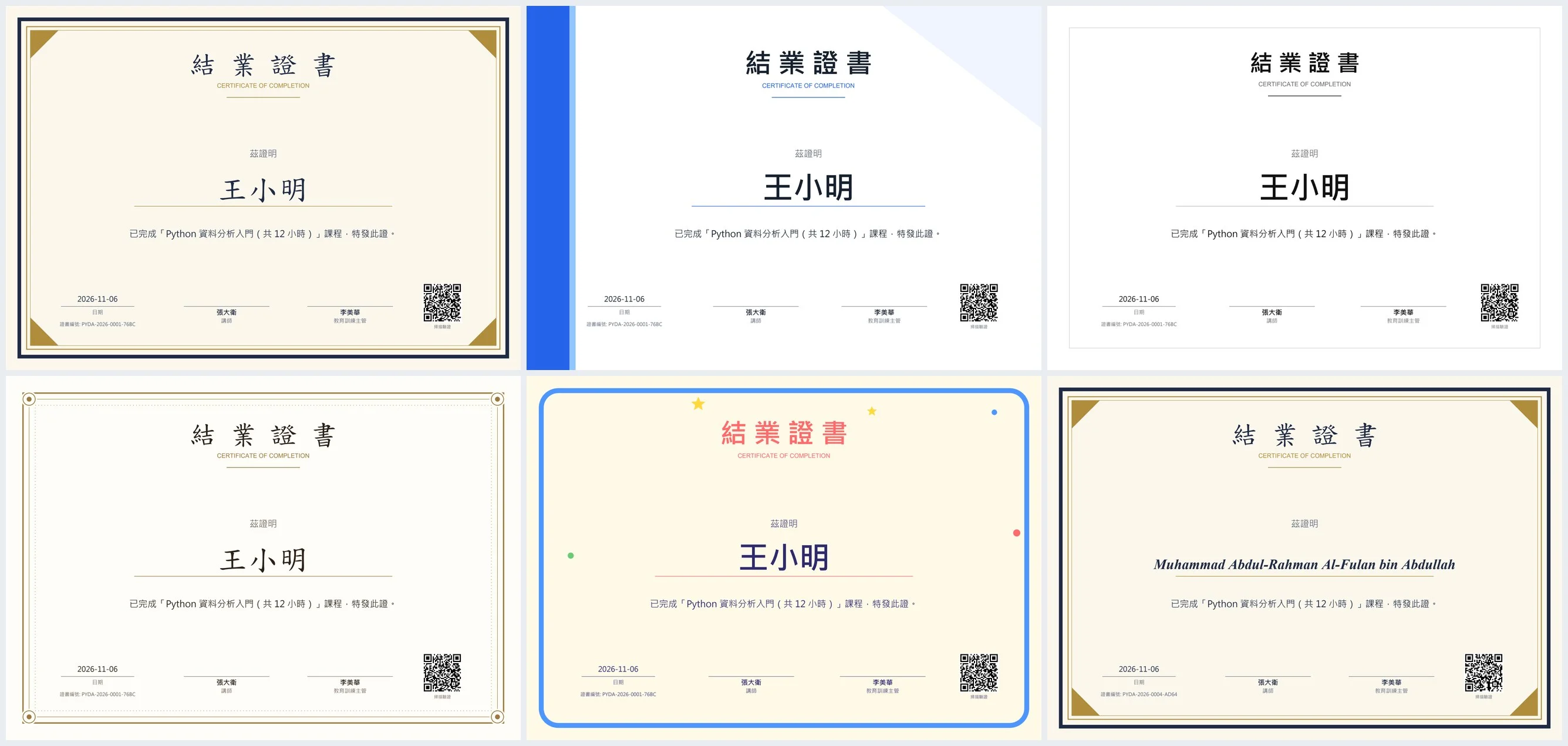
What you get
- 📄 One PDF per person: vector, prints sharp, file named "CertificateID_Name"
- 🖨️ Merged PDF: every certificate in one file, ready to print in one go
- 🖼️ PNG images: for chat apps and social posts (300 dpi available for print shops)
- 🔢 Unique certificate IDs + registry.csv: a record of everything issued, usable as a lookup table for verification
- 🔳 QR code (optional): links to your own verification page (a Google Sheet, Notion page or your website)
- ✉️ mail_merge.csv: name, email, attachment path — for your own mail-merge tool (this skill never sends email)
Example
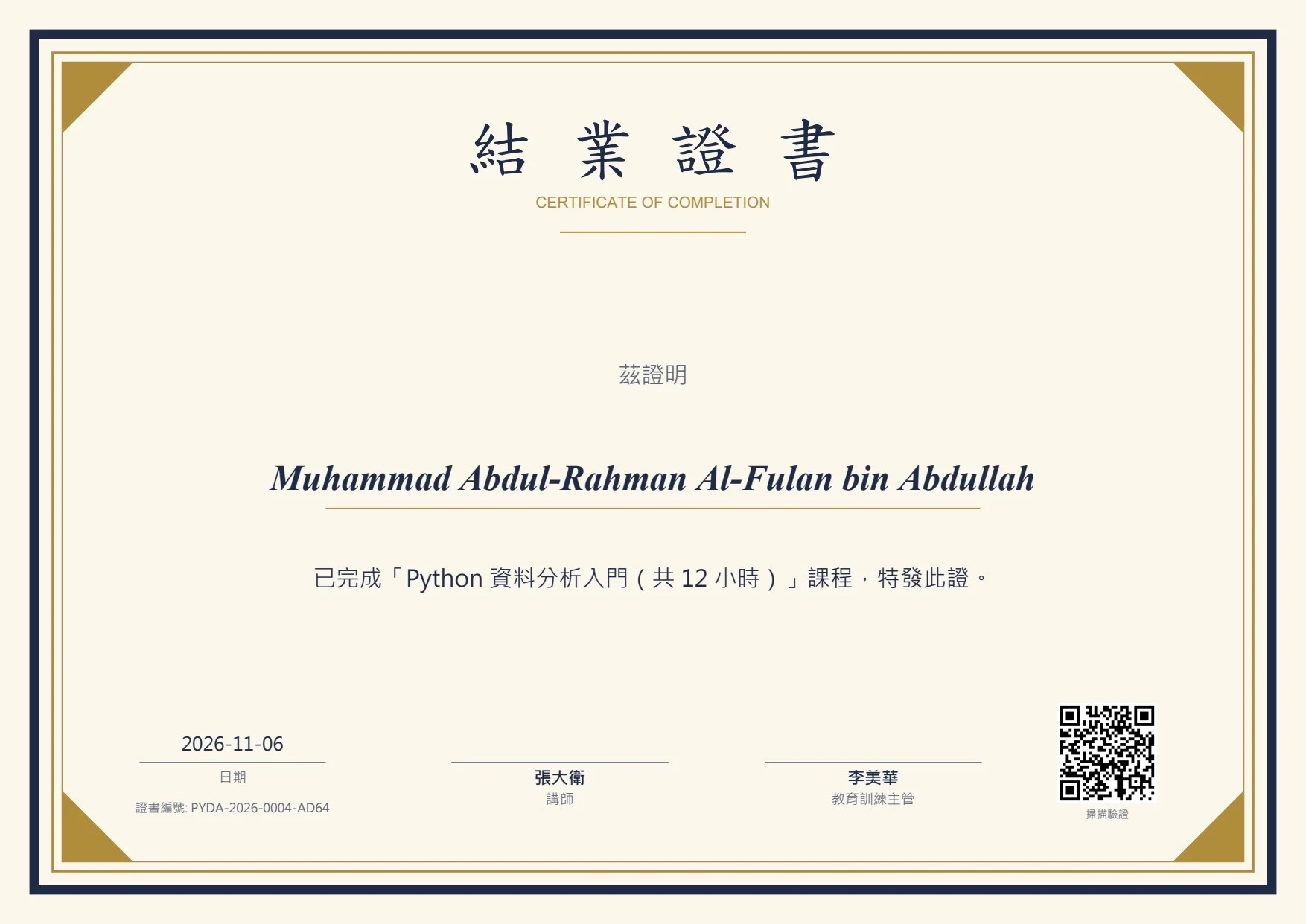
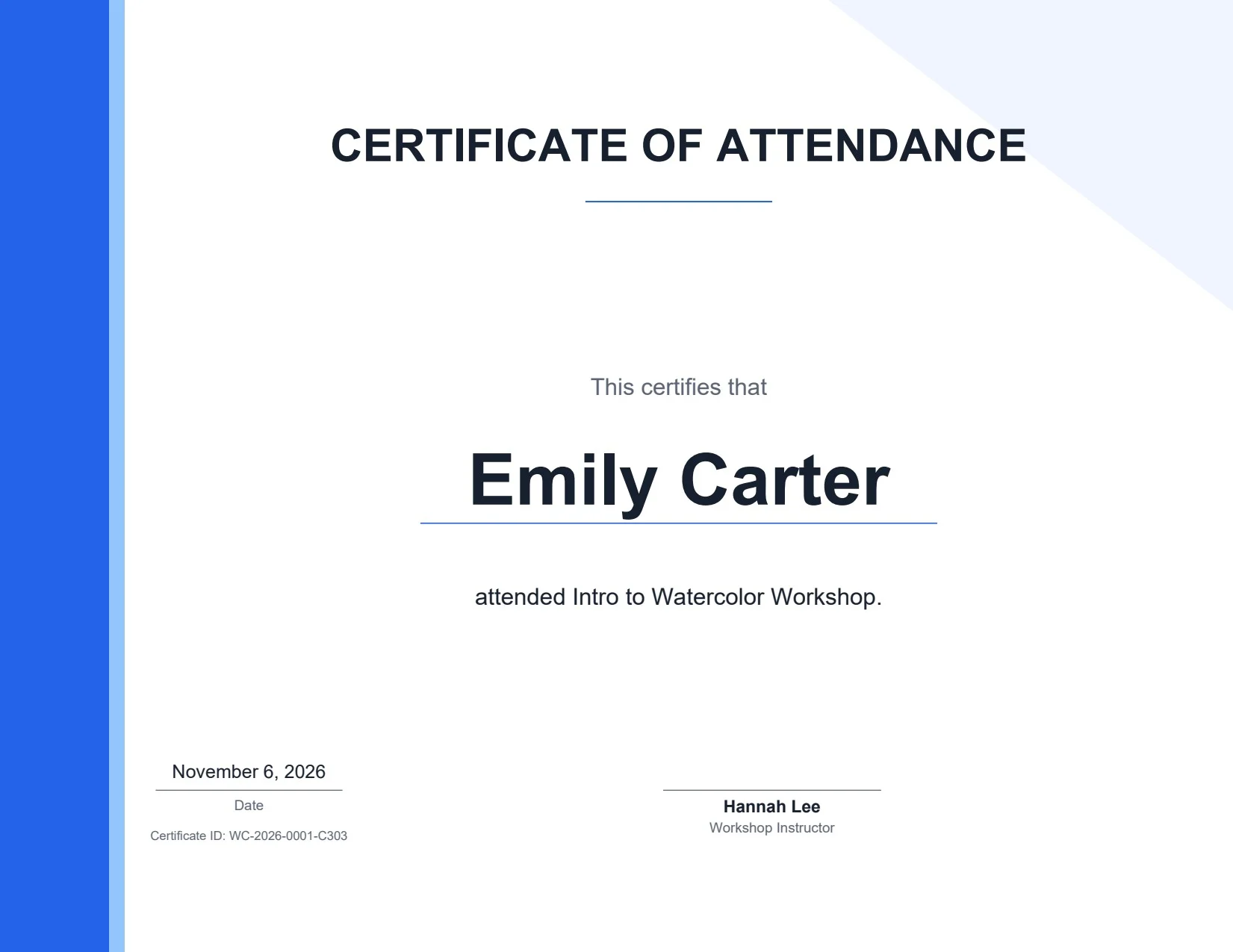
A 5-person list for "Intro to Python Data Analysis (12 hours)" — including a 44-character English name, mixed Chinese/English names and one malformed email — produced 5 individual PDFs, a 5-page merged PDF, 5 PNGs, registry.csv and mail_merge.csv. The long name "Muhammad Abdul-Rahman Al-Fulan bin Abdullah" shrank automatically from 46 pt to 23 pt and stayed on one line; "jimmy@example" was flagged as a suspicious email. An English attendance certificate (Letter, modern template) and a gold-seal award (elegant template, no signers) also came out cleanly. A bad list — blank name, duplicate ID, missing course name — was stopped before any file was written.
Try it — copy a prompt
- "Make completion certificates for everyone in
attendees.xlsxfor the 'Excel Basics' workshop on 15 March, modern template, signed by our trainer and HR manager." - "Create award certificates for the top 10 in
results.csv, elegant template, A4, with a QR code to our verification page."
5 templates
Classic (navy and gold frame), Modern (blue side bar, bold sans-serif), Minimal (thin frame, lots of white space), Elegant (gold ornamental frame — great for awards) and Kids (colourful stars — for schools, tutoring centres and camps).
Change the main colour, add a logo, add 1–3 signers (with signature images); with no signers, a gold seal is added automatically (its text is editable).
Layout details
- Long names shrink automatically — never overflow or get cut off
- Chinese, Japanese, English and mixed names all render correctly
- Line breaks avoid punctuation at the start of a line
- A4 or US Letter landscape
- Body text is customisable; any column in your list can be used, e.g. "completed {hours} hours of training"
How it works
- Give your agent the name list, certificate type, course or event name, date and signers.
- The agent makes 2 sample certificates for you to check.
- Once you approve, it produces the whole batch.
Lists with blank names, duplicate IDs or a missing course name are stopped first, so no wrong certificates get printed.
Why buy it
One payment of US$7, unlimited certificates for every class, event and award — no per-certificate fees and no monthly design-tool subscription.
Who it's for
Teachers, tutoring centres, trainers, HR and L&D teams, event and workshop organisers, clubs and camps.
Requirements
- Python 3.9+
pip install reportlab qrcode pillow pypdfium2- No internet connection or API keys needed
Limitations (please read)
- It does not send email and does not host a verification site. The QR code only links to a URL you provide.
- Output is an ordinary certificate document, not an official or legally binding qualification. Don't use the names, logos or seals of schools, government bodies or accreditation bodies without permission.
- Names are printed exactly as in your list — typos are not corrected, so check before printing.
- If a rare character is missing from the font, you'll be told to pick another font (
--font). On Linux, install a CJK font first (e.g. fonts-wqy-zenhei). - Landscape layouts only — no portrait or vertical-text traditional award formats yet.
Files
SKILL.md— agent workflowscripts/make_certificates.py— certificate generator (PDF / PNG / registry / mail-merge list)references/config-schema.md— config field referencereferences/templates.md— template guidereferences/example_*.csv,example_cert_*.json— Chinese and English examples