
Clean Cut: Jump Cut + Subtitles for Talking Videos
Not just a silence cutter. Clean Cut also drops your retakes and false starts, fixes misheard words, and adds Chinese + English subtitles. Upload a talking video, get a ready-to-post vertical MP4 + SRT. No editing app, no timeline.
#Video#Sociale media#Productiviteit
Beoordeling
Meer beoordelingen nodig
Verkocht
0
Gebruikswijze
Uitvoeren op Capafy
Ook in externe apps
Publisher levert
Claude Sonnet 5.5
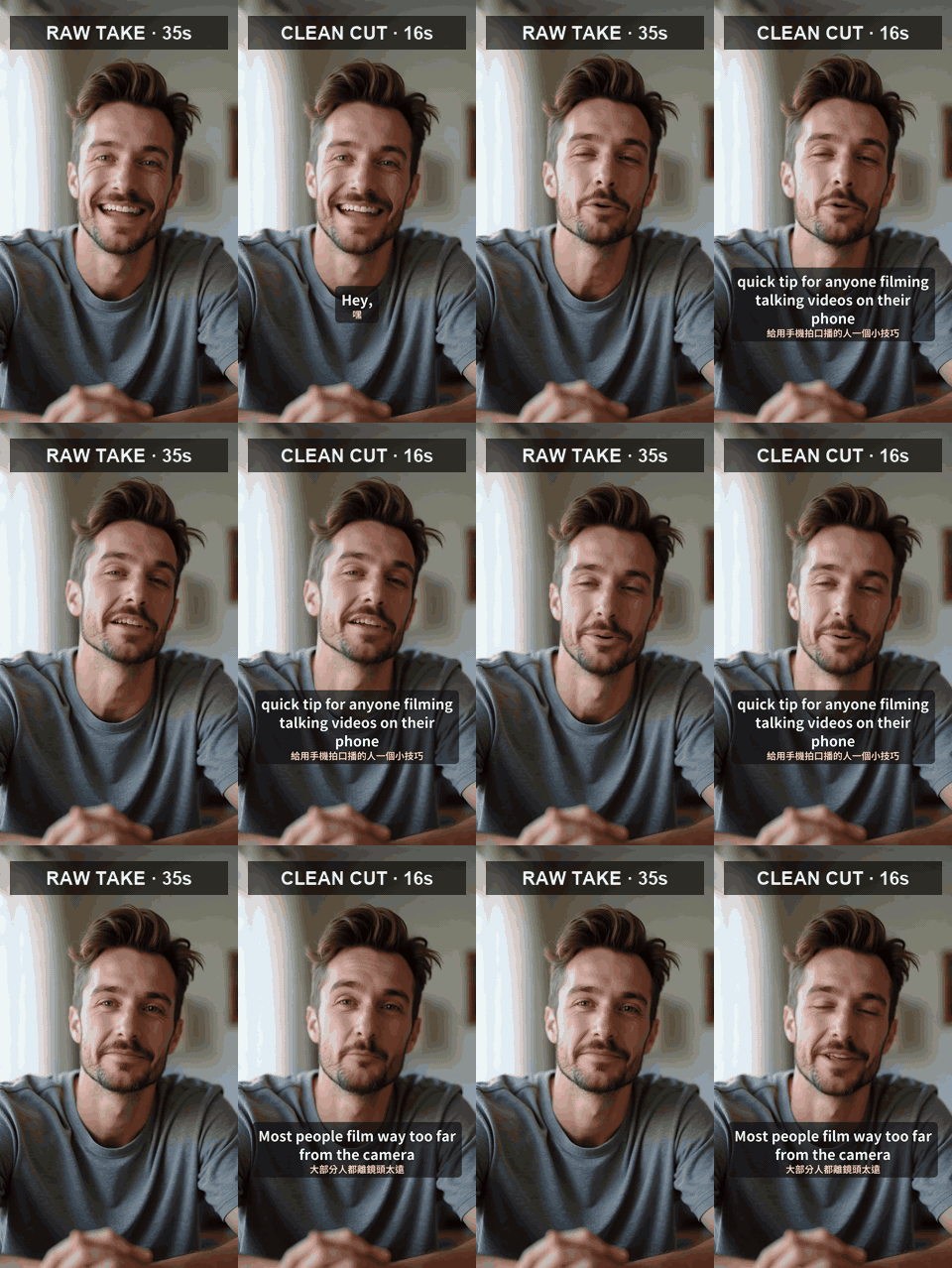
AI-generated test take: raw (left) vs Clean Cut (right), muted preview.
Stop spending an hour cutting a 1-minute talking video
Record yourself talking, upload the file, and Clean Cut hands back a tight, subtitled vertical video.
What it does for you
- Cuts out the pauses between sentences (classic jump-cut pacing)
- Removes retakes and false starts: when you restart a sentence, only your last complete take is kept
- Drops filler-only moments ("um", "uh", "呃", "那個")
- Fixes speech-recognition mistakes from context before writing subtitles
- Burns in clean subtitles: Chinese + English together, or just one language
- Landscape footage becomes vertical 1080x1920 with a soft blurred background
What you get each time
- One MP4, ready for Reels, TikTok and Shorts
- One SRT subtitle file, so you can edit the subtitles or upload them separately
- A short summary: length before and after, and what was removed
Best for: creators, coaches, teachers, salespeople and small-business owners who talk to camera, especially anyone posting to both Chinese and English audiences.
Example: a 35-second AI test take with long pauses and one flubbed, redone line came back as a clean 16-second clip with bilingual subtitles.
Good to know
- Videos up to 15 minutes. Works best with Chinese (Mandarin) or English speech.
- Chinese subtitles are written in Traditional Chinese unless you ask for Simplified.
- Want a change ("keep the joke at the start", "English only")? Just ask. It re-renders without starting over.
- Not included: background music, B-roll, face zoom or effects.
- Your audio is sent to fal.ai only to transcribe it.
Externe API’s
fal.ai