
Retake Cutter: Cut Retakes & Silence, No Install
A rough cut of your talking video, with nothing to install
Recording yourself means saying a sentence two or three times, stopping halfway, waiting while you think, and starting with "is it recording?". Retake Cutter finds those spots, cuts them cleanly and hands back the edit with files to keep working in your own editor.
What it does beyond removing silence:
- Nothing to install. It runs here. No AI model or ffmpeg on your computer.
- It reads what was said. Not only silence: earlier tries of a sentence (retakes), sentences dropped halfway, and the camera checks before the real start and after the end.
- Every cut has a number and a reason. Reply with a number to put a cut back, or to cut a spot that was left in.
- Keep editing in your own video editor. Timelines for Premiere Pro and DaVinci Resolve (.xml), Final Cut Pro (.fcpxml), and an EDL.
- Names spelled your way. Give names or product words and the subtitles write them as you do.
- Whole takes recorded again. If you recorded the same talk twice, the later take stays and the earlier one is cut, and the reply starts by telling you which minutes came out and the number that puts them back. If the two takes say different things, neither is cut and you are told.
- Big cuts only with a reason. A cut of more than 20 seconds of speech is made only for talk before the start or after the end, a take you said again later, or a part you asked to cut. Anything else stays in and is listed with a number.
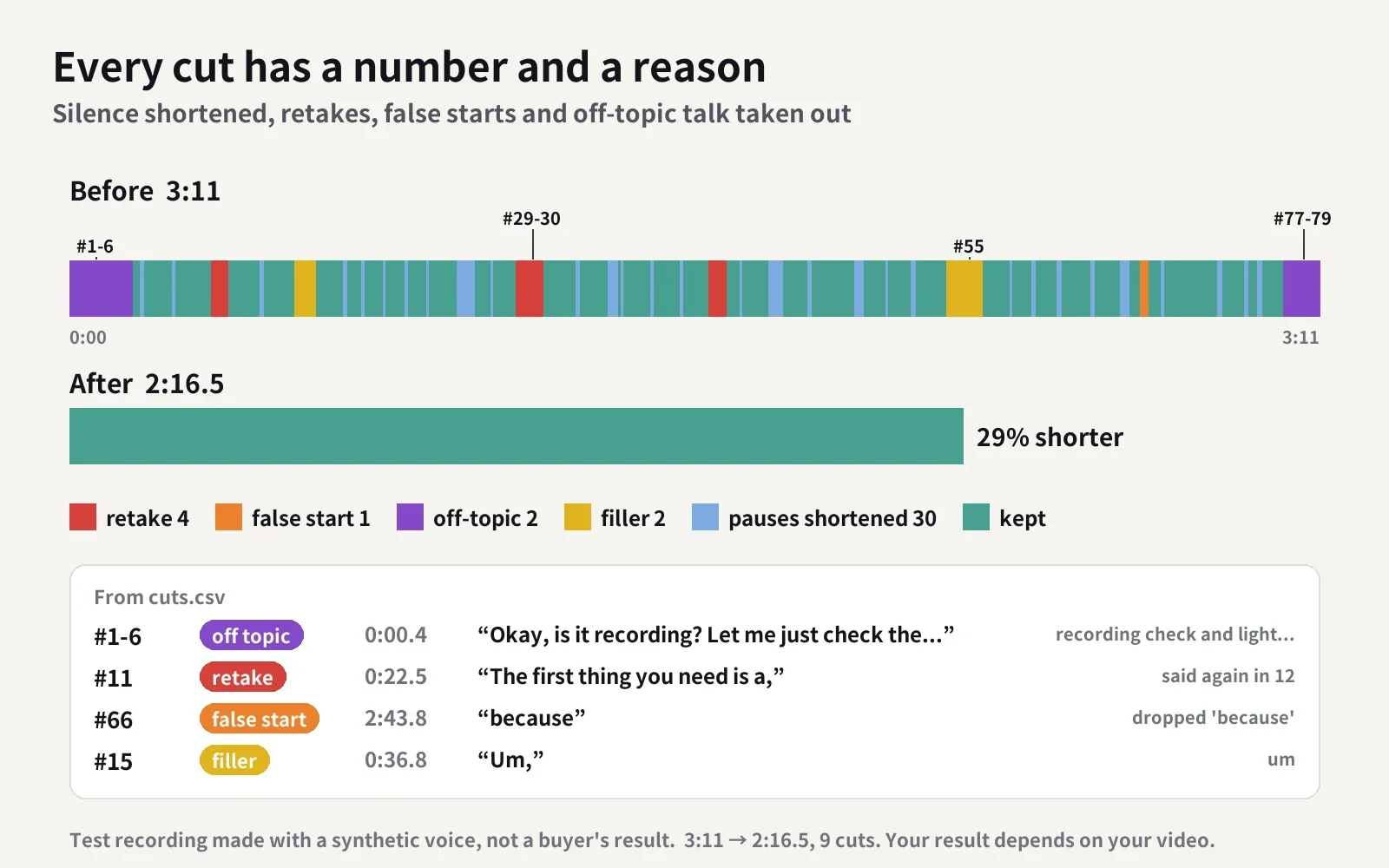
A test recording made with a synthetic voice: 3:11 became 2:16.5, with 9 numbered cuts and 30 pauses shortened. Your result depends on your video.
What you get
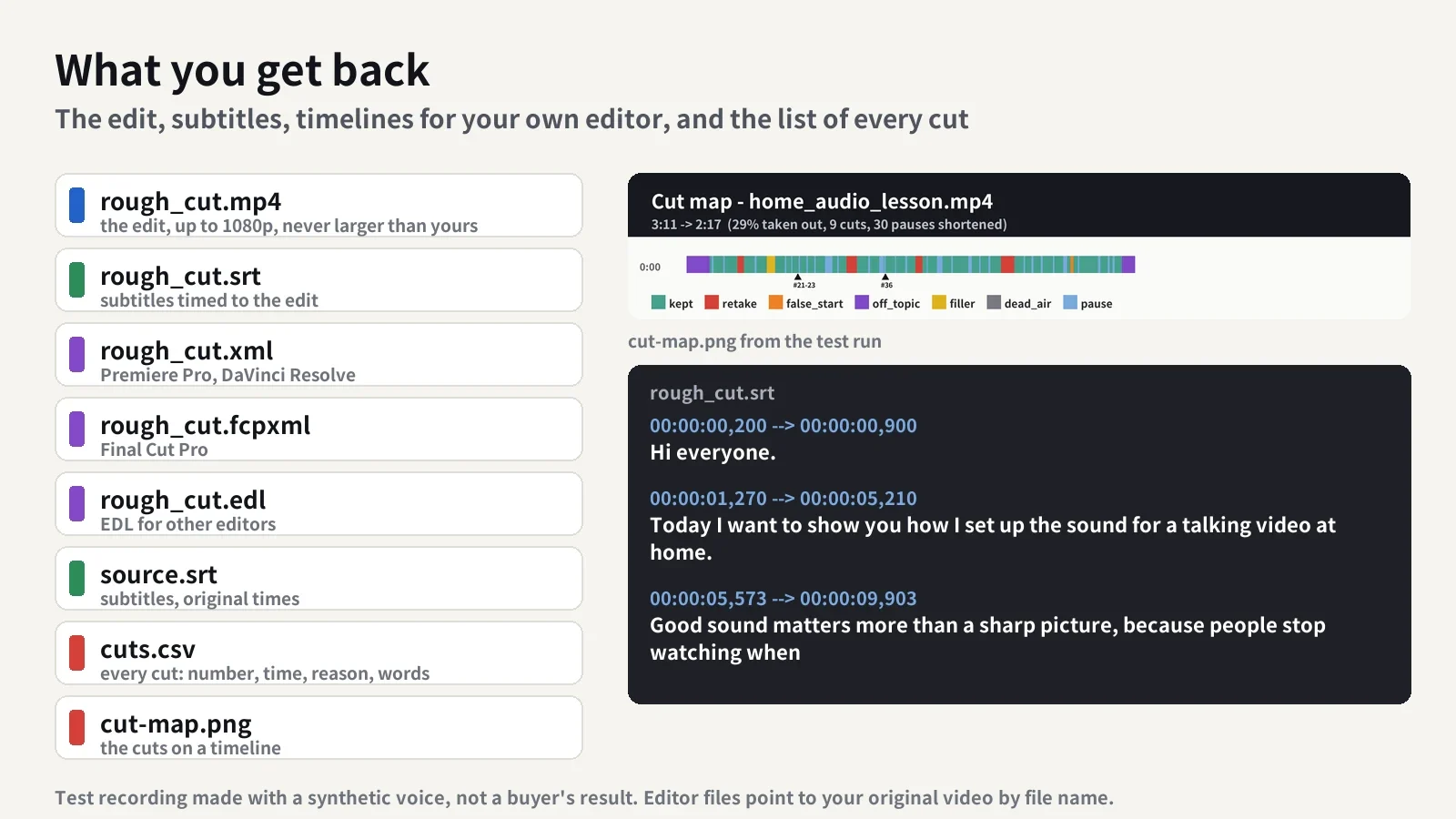
- rough_cut.mp4: the edit, 1080p (720p over 15 minutes unless you ask), never larger than your original. Every cut lands inside a pause, so no word is sliced and sound and picture stay together
- rough_cut.srt: subtitles timed to the edit (burned into the picture only if you ask), plus source.srt with the original times
- rough_cut.xml (Premiere Pro, DaVinci Resolve), rough_cut.fcpxml (Final Cut Pro) and rough_cut.edl
- cuts.csv and cut-map.png: every cut with its number, time, reason and words
- Pauses: standard, light (more breathing room) or tight (for fast-paced shorts)
Change it with one reply
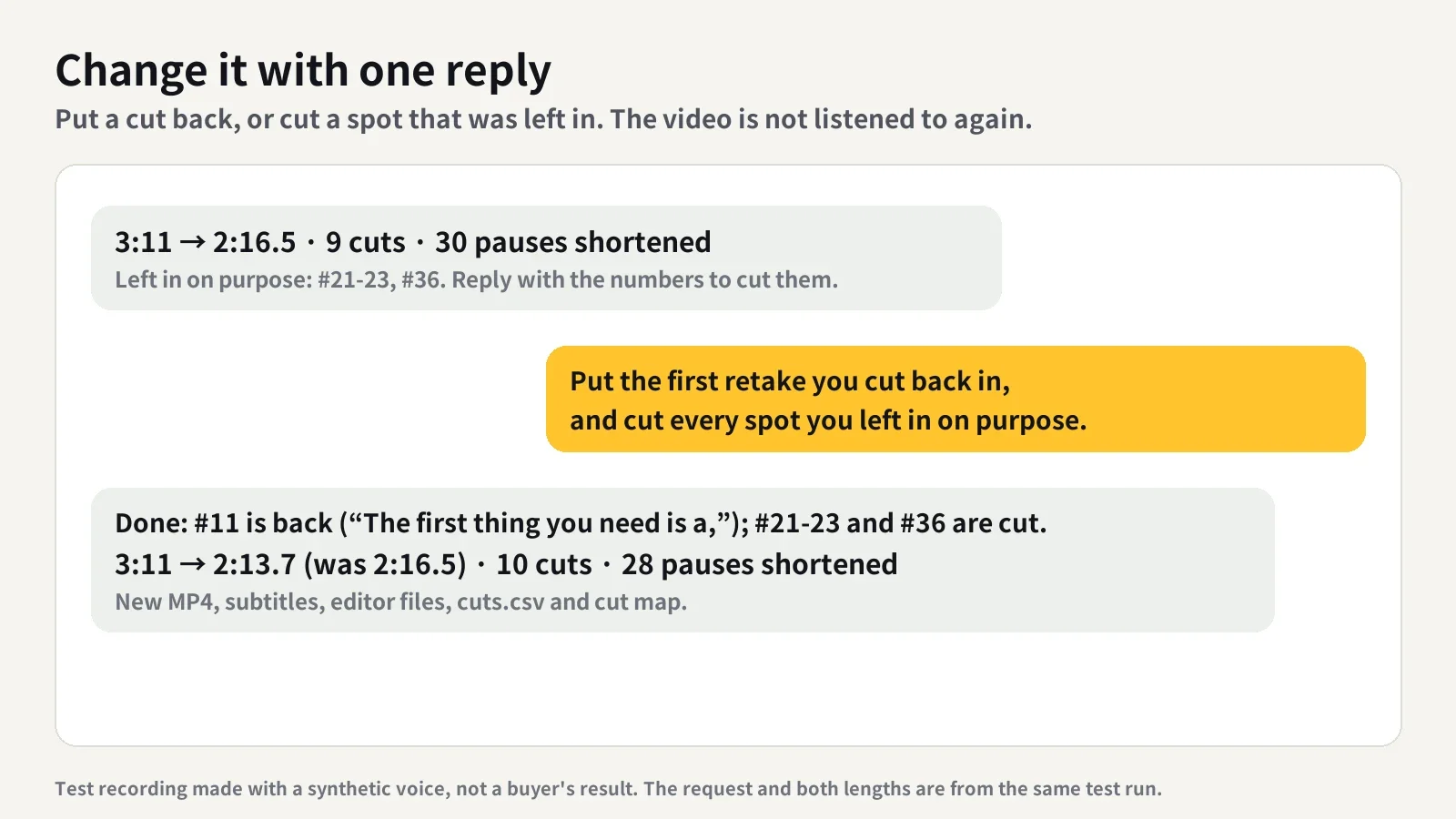
Put a cut back, cut a spot that was left in on purpose, or ask for lighter or tighter pauses. The video is not listened to again, so the new version comes back faster.
What to send
- The video or sound file (mp4, mov, mkv, webm, mp3, wav, m4a and more): upload it under about 50 MB, or paste a link to the file in Google Drive ("anyone with the link"), Dropbox or any direct download link, up to 4 GB.
- Length: up to 30 minutes per video with the MP4, or up to 60 minutes for the editor files only. For longer videos the first part is edited, and the rest is a new request.
- Optional: names and words to spell right, the language (found automatically), parts that must stay.
- Links to YouTube, TikTok, Instagram or other video pages do not work. Send the file.
Works with English, Portuguese, Spanish, Chinese, Japanese, Korean and many more languages.
How long it takes
Listening takes up to about the length of the video, plus 2-3 minutes the first time. Making the MP4 takes a few more minutes, up to about 1.5 times the edited length at 1080p. Editor files only: a minute or two after listening.
What it does not do, and good to know
- Cuts only in pauses. A retake said with no pause ("set the gain to, set the gain to") stays, and an "um" inside a sentence stays.
- Filler words are cut only when the speech recognition writes them down, and it often leaves out "um" or "uh". The result is not free of fillers.
- It never cuts to make the content shorter and never changes what is said. When unsure, it keeps the line and lists it so you decide.
- Subtitles come from speech recognition. Read them once, especially names and numbers. Burned-in subtitles work for Latin, Cyrillic, Greek, Japanese, Chinese and Korean scripts; for Arabic, Hindi, Thai and others you get the .srt.
- Phone videos often have a varying frame rate. The MP4 stays in sync, but in the editor files a cut can land a frame or two off.
- The editor files follow the published formats and were tested with an independent reader, not opened in every version of every editor. They point to your original video by file name, so your editor asks you to locate it once.
- Talking videos only. Music, silent footage or speech over loud music give few cuts.
- Your own videos, or ones you have the right to edit. No promises about views or retention.
- Your plan renews until you cancel it in your Capafy account.
What goes online
The first run downloads software from PyPI and the open speech recognition model from Hugging Face. Burning Chinese or Korean subtitles fetches a free font from GitHub. Your video and sound are processed here and are not sent to any of them. The transcript is read by the AI model running this agent. A link you paste is used only to fetch that one file.
Externe API’s
PyPI · Hugging Face · GitHub · User-provided file link