SponsorCheck — Brand Deal Script Checker
You said the promo code wrong on camera. Now it's a reshoot.
SponsorCheck is for creators doing brand deals on TikTok, Instagram and YouTube. Paste the brand brief, the brand's feedback, and your script and caption. You get a checklist of what's done, what needs fixing, and what to ask the brand, each with a quote from the brief and the exact line in your script.
What it catches
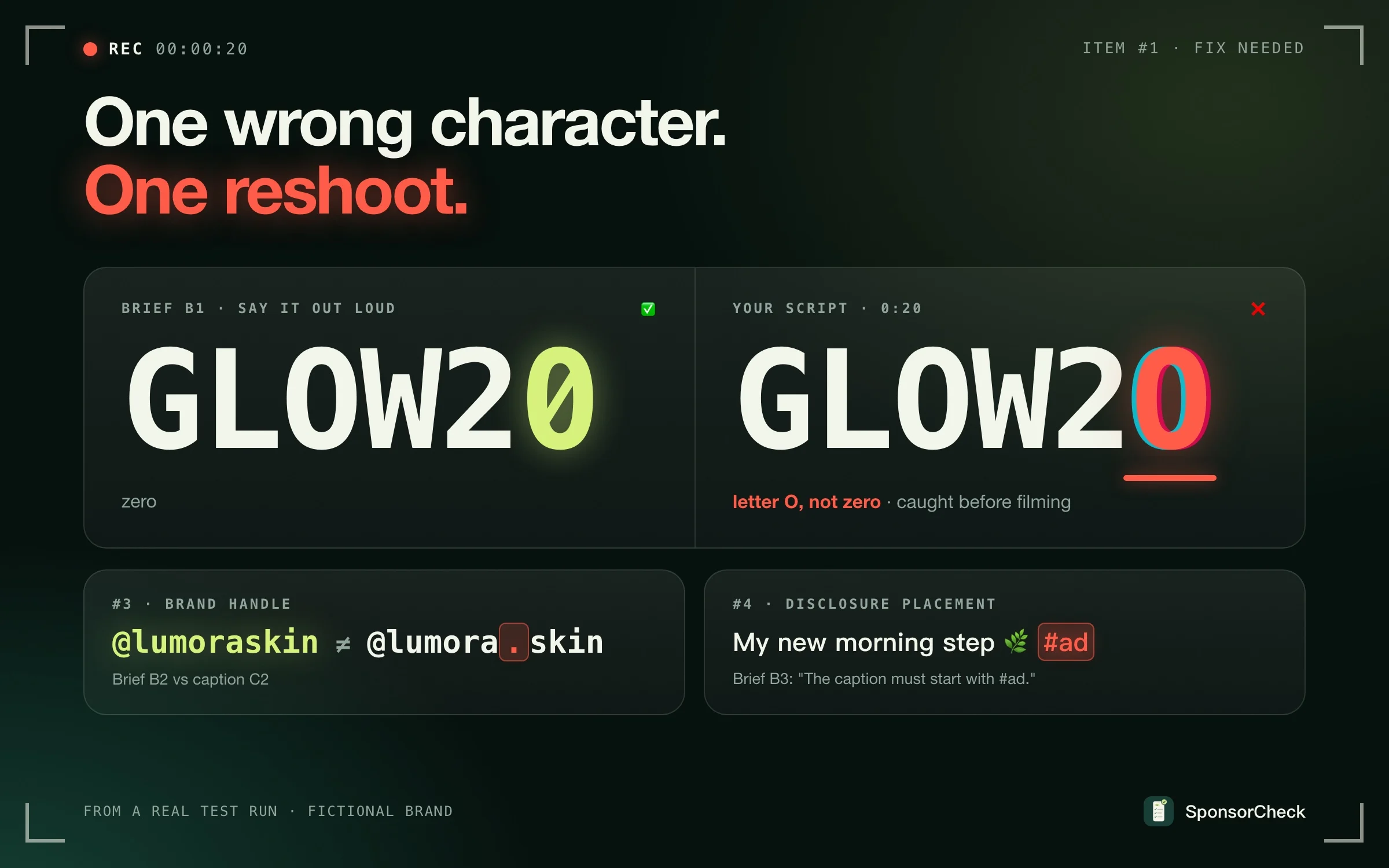
- Promo codes, links, @handles and hashtags that are off by one character (GLOW2O vs GLOW20)
- Must-say talking points that are missing or reworded
- Banned words, banned claims and competitor names
- A disclosure in the wrong place, for example #ad at the end instead of the start
- Brand and agency feedback that contradicts each other
- Which script version the brand actually approved
What you get
- A clear go or no-go at the top, so you know in seconds whether you can film
- Fix first: the problems that could cost you a reshoot or a rejected draft
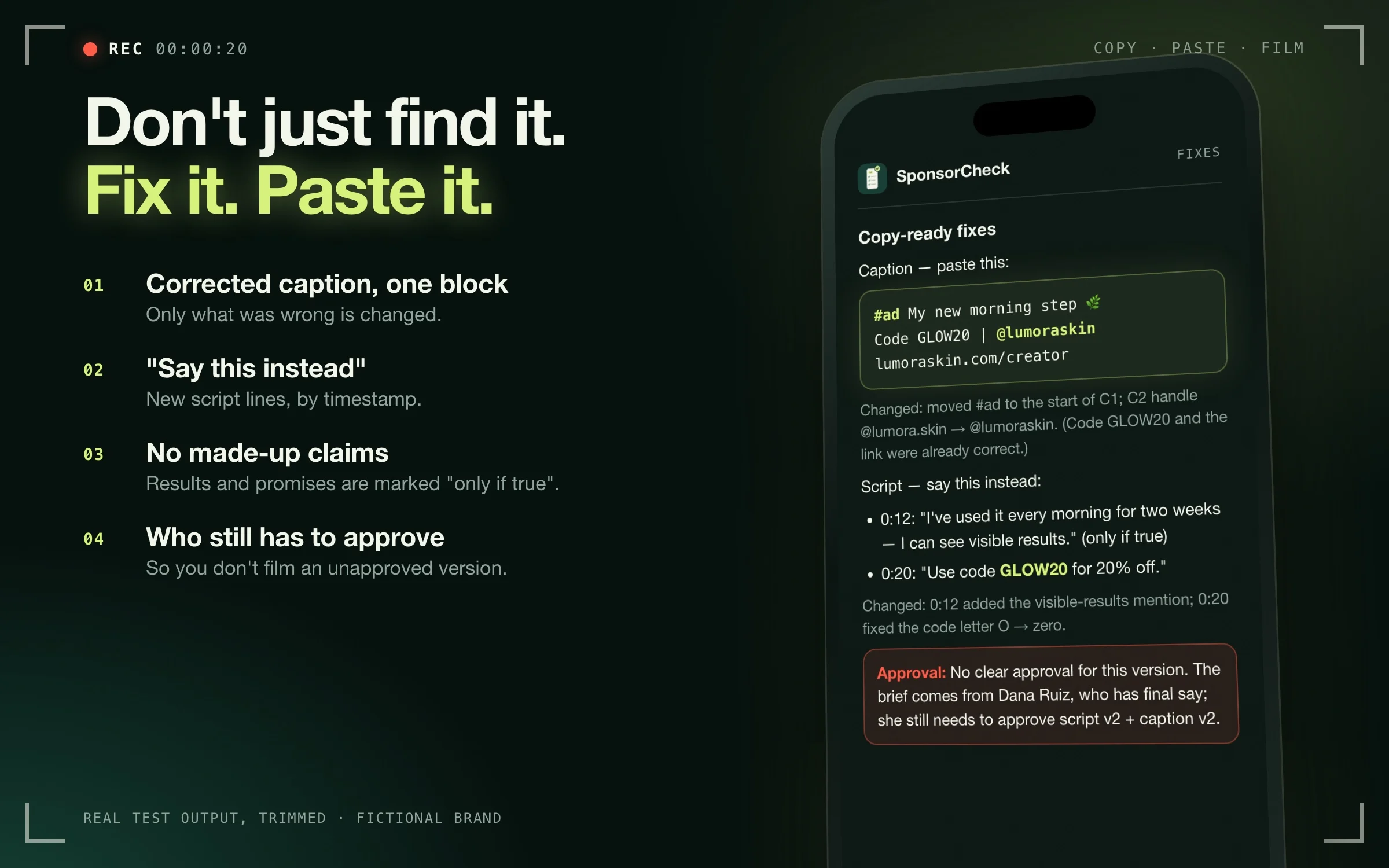
- Copy-ready fixes: a corrected caption you can paste, and "say this instead" for the script lines that need changing
- A message for the brand: short, polite and ready to paste, only when something is unclear
- Before you record: a reminder list for what only the camera can show
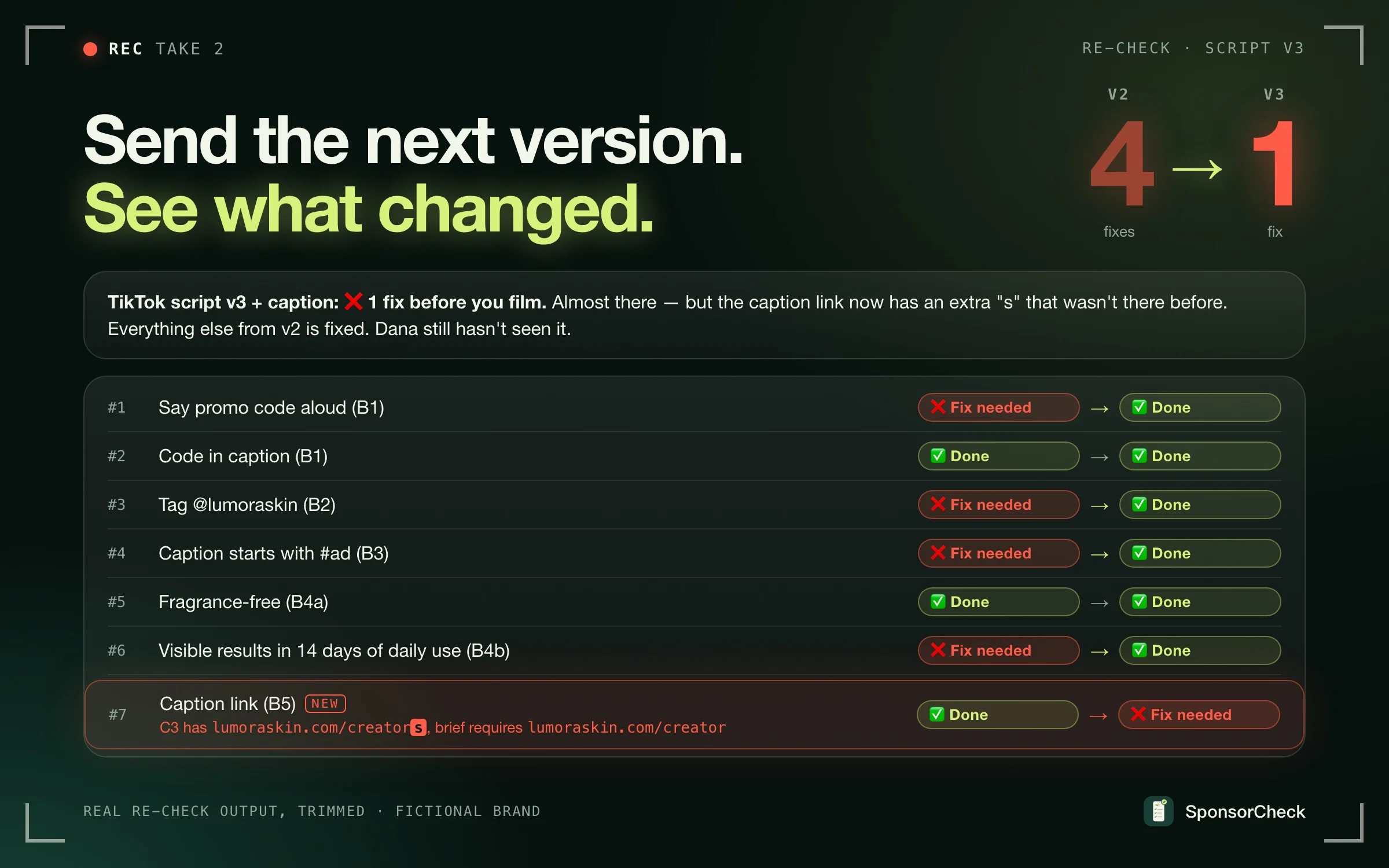
- Easy re-checks: send the next version and see what changed, with the same item numbers
- Phone-friendly: short lines, no giant tables
What the report looks like
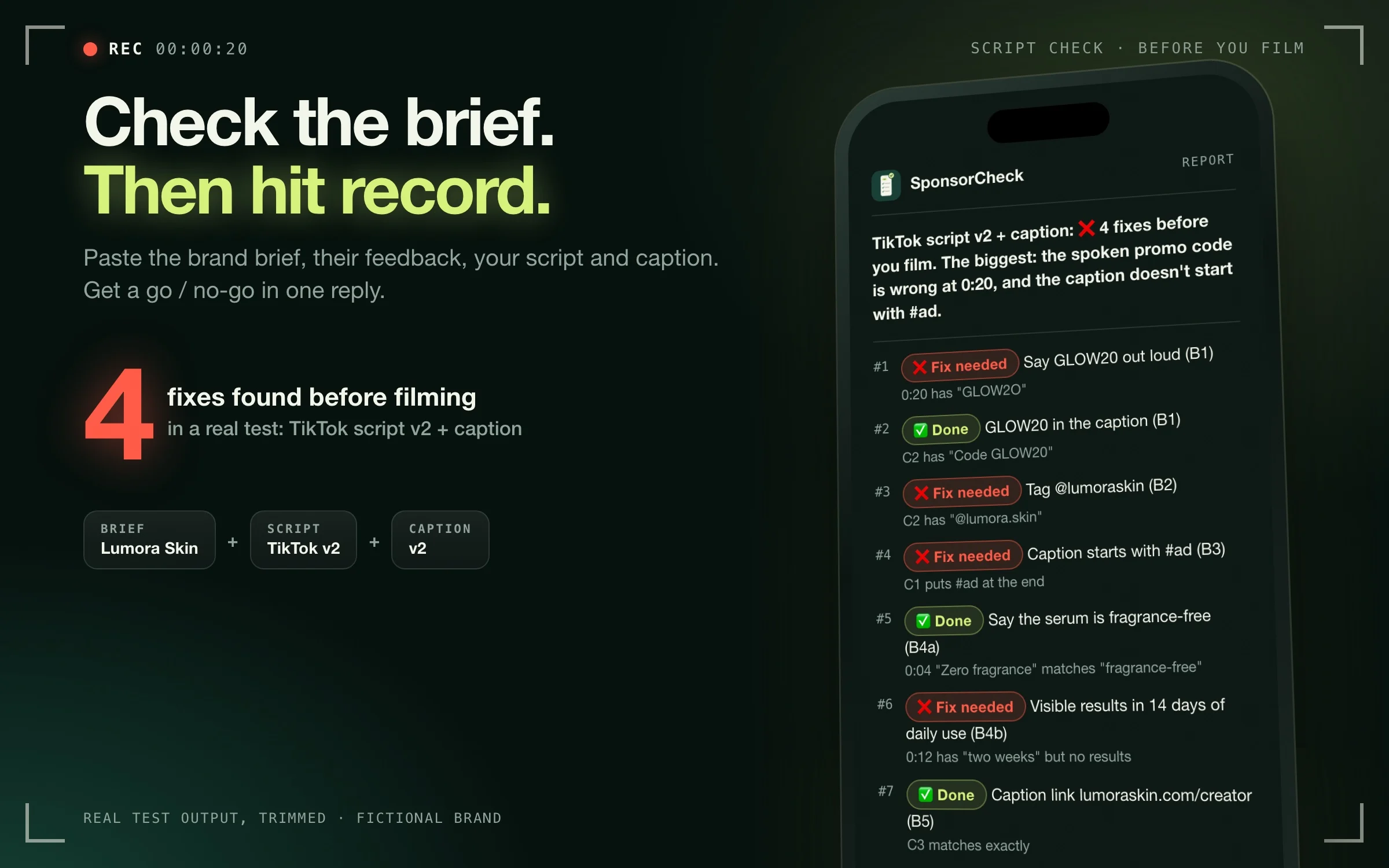
A short Markdown report right in the chat, no files to download. A trimmed excerpt from a real test run (fictional brand):
TikTok script v2 + caption: ❌ 4 fixes before you film. The biggest: the spoken promo code is wrong at 0:20, and the caption doesn't start with #ad.

#1 ❌ Fix needed — Say GLOW20 out loud (B1) · 0:20 has "GLOW2O"
#2 ✅ Done — GLOW20 in the caption (B1) · C2 has "Code GLOW20"
#3 ❌ Fix needed — Tag @lumoraskin (B2) · C2 has "@lumora.skin"
#4 ❌ Fix needed — Caption starts with #ad (B3) · C1 puts #ad at the end
The full report adds a corrected caption to paste, "say this instead" lines, a message for the brand when something is unclear, and who still needs to approve.
Start
Paste the brief, any feedback, and your script and caption. Messy is fine: DMs, emails and notes in any order. Name the version if you know it, for example "TikTok script v3". Timestamps or shot notes help with timing checks. Replies in your language; tested in English, Spanish and Portuguese.
Example: "Here's the Lumora brief, Dana's feedback and my TikTok script v2 plus caption. Tell me what to fix before I film."
Scope
Checks text only: briefs, scripts, captions, feedback and transcripts. It does not watch videos, see visuals or hear audio. Timing and on-screen items are checked only against what your script plans.
This is an AI-assisted check, not legal advice. It checks your brief's requirements, not whether a post complies with advertising law or platform rules. A script that matches the brief is not brand approval. It never messages brands or posts for you.