
ToonCut | Turn a video scene into a 4-panel comic
ToonCut | Turn a video scene into a 4-panel comic
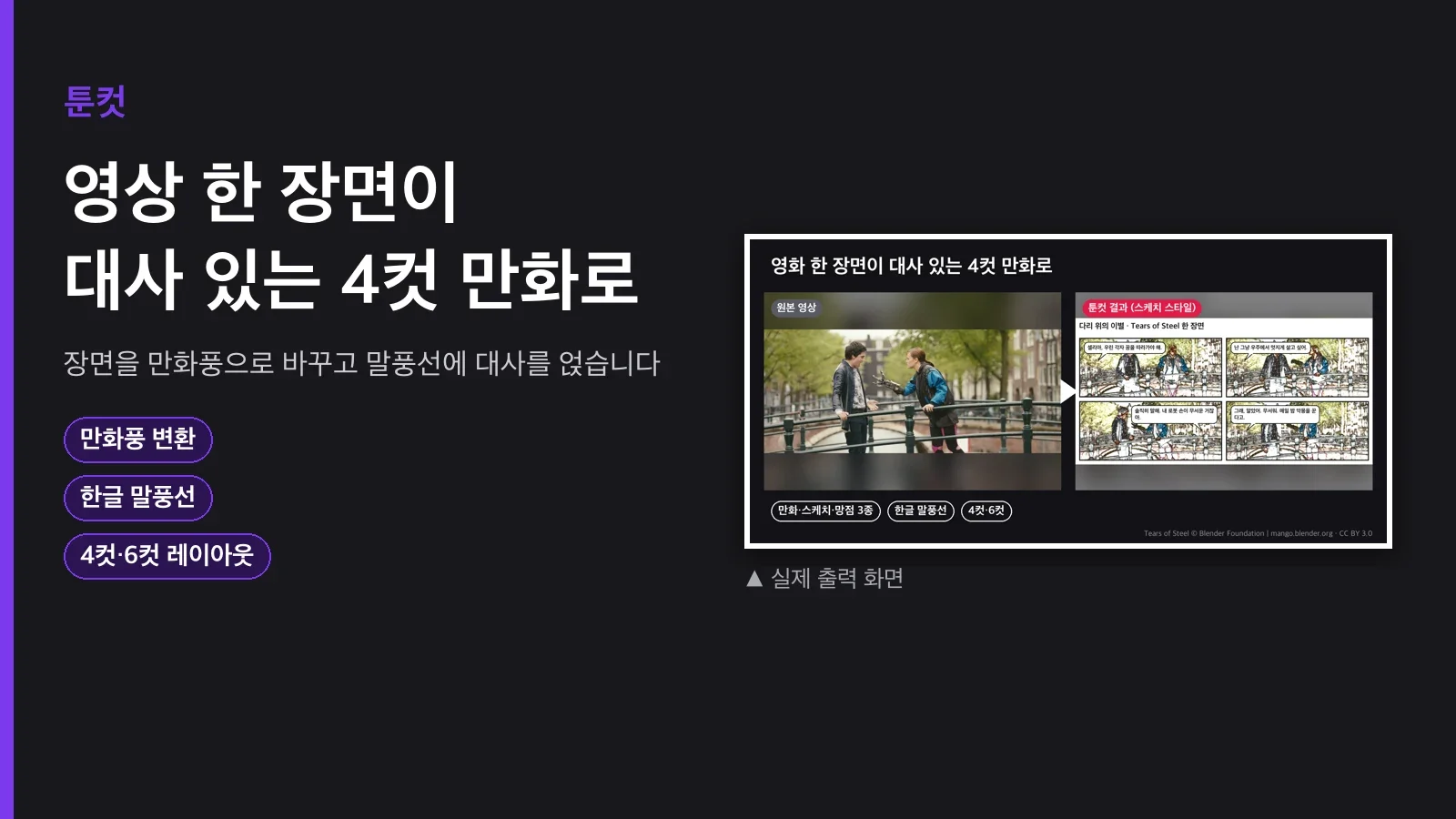
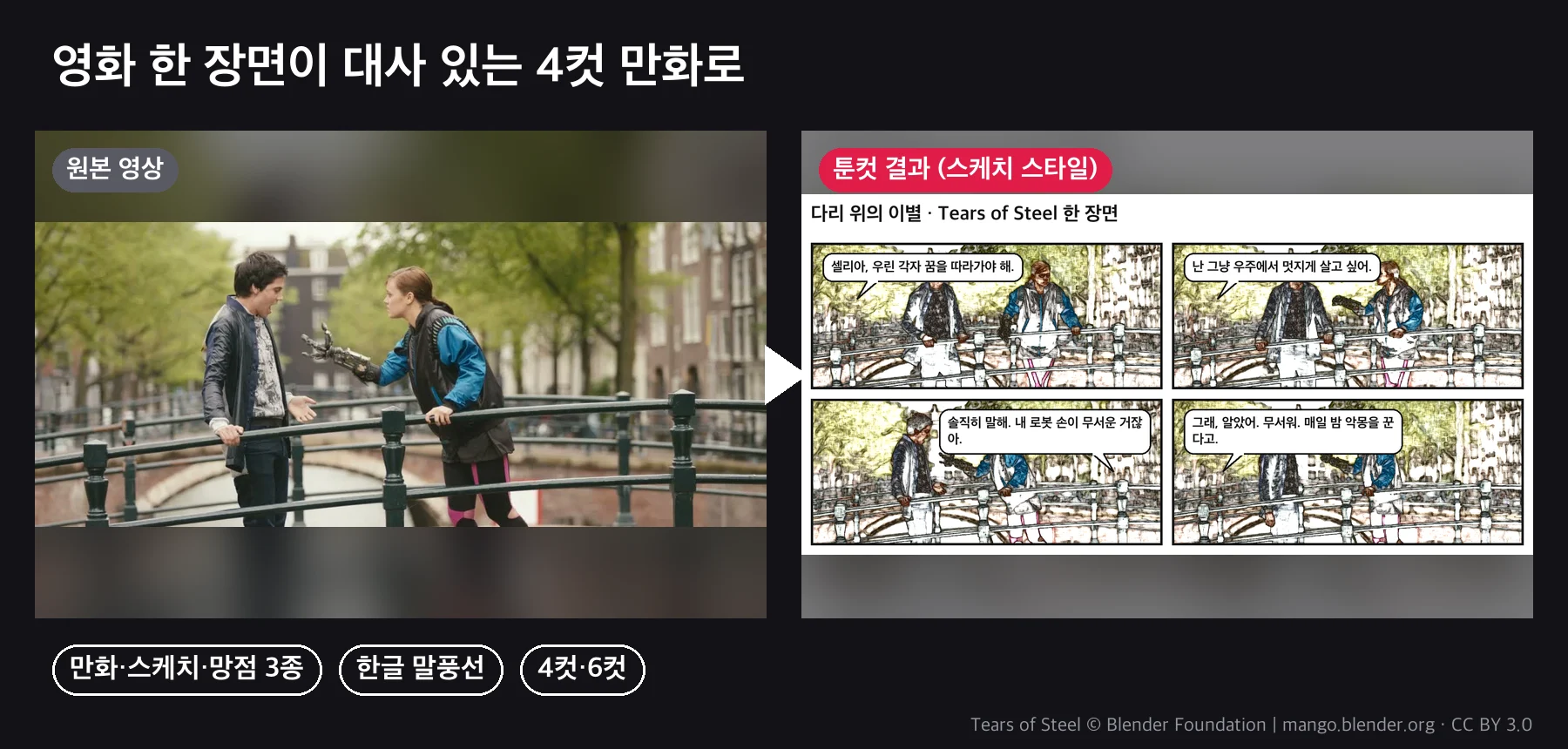
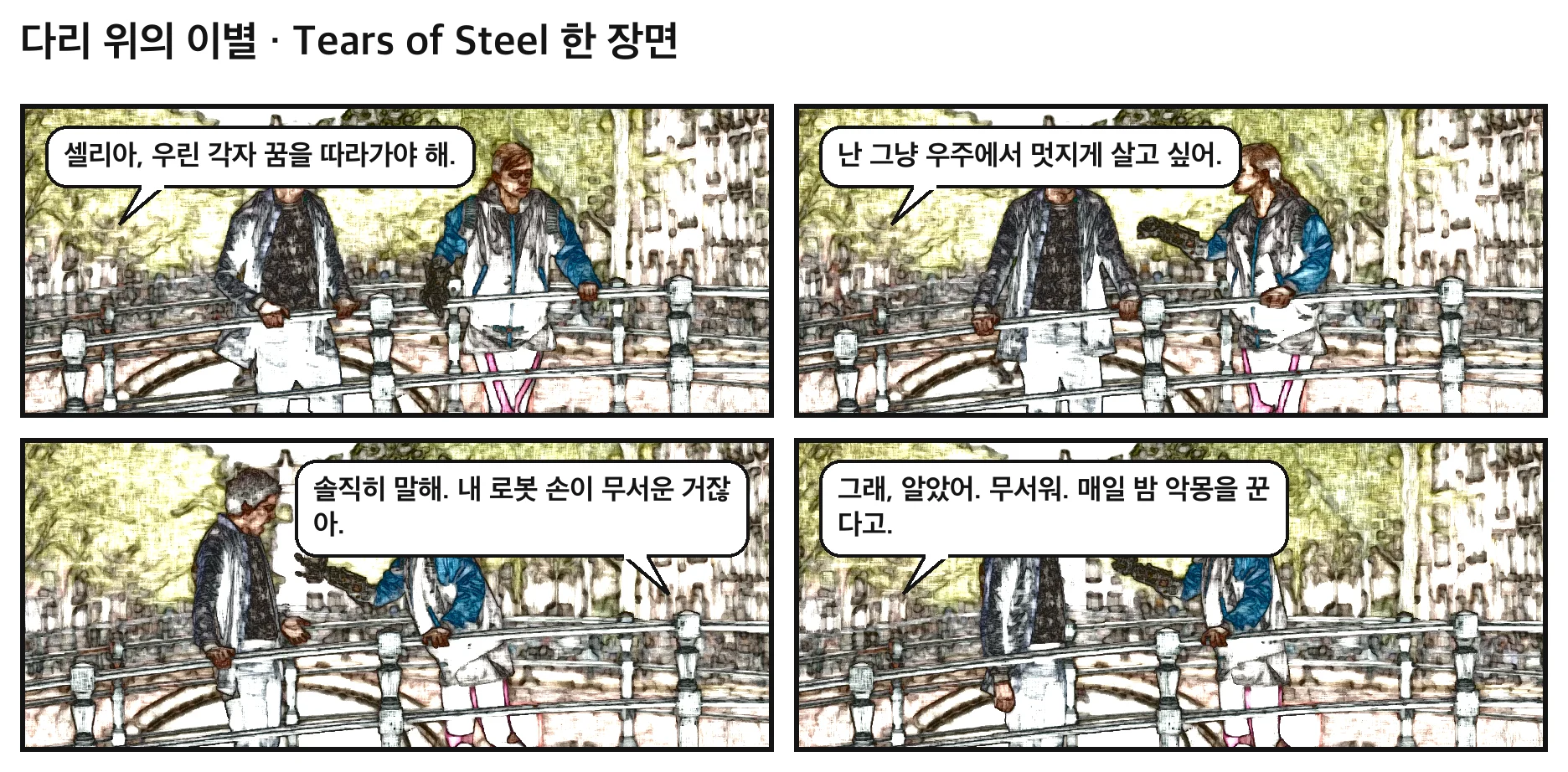
You shot the video, but you don't have a single image to post on Instagram. A screenshot looks flat, and a webtoon app takes a lot of work. With ToonCut, you just pick four timestamps and four lines of dialogue, and it turns those scenes into comic art, adds speech bubbles, and lays them out as one 4-panel image.
Pipeline
panels.json (timestamps & dialogue) → extract frames → style transform (sketch·comic·halftone) → speech bubbles & title → comic.png
uv run scripts/toon.py --panels panels.json --out out/comic.png
uv run scripts/toon.py --panels panels.json --style halftone --out out/comic_bw.png
panels.json looks like this. The agent fills it in by watching the video (or reading the subtitles).
{"title": "Goodbye on the Bridge", "style": "sketch", "columns": 2,
 "panels": [
   {"video": "in.mp4", "t": 25.0, "text": "We each have to chase our own dreams.", "who": "left"},
   {"video": "in.mp4", "t": 34.5, "text": "You're scared of my robot hand, aren't you?", "who": "right"}
 ]}
Three Styles
| Style | Look | Best for |
|---|---|---|
| sketch | Pencil sketch + soft color | Live-action people, vlogs |
| comic | Bold outlines + simplified color | Animation, scenes with simple colors |
| halftone | Halftone black-and-white | Newspaper comics, black-and-white printing |
What's Included
| File | Contents |
|---|---|
scripts/toon.py |
Frame extraction, three styles, speech bubbles (tail direction, narration boxes), 2- and 3-column layouts, titles |
SKILL.md |
How to write panels.json, how to choose a style, tips on dialogue length |
How to Use It
1. Vlog highlight card: Write down the timestamps and dialogue for four funny moments and run them in sketch. To fit Instagram's square, set columns to 2.
2. Lecture summary comic: Put six key sentences into narration boxes (leave who empty) for a 6-panel. Send it to students as a review card.
3. Kid's picture diary: Take four scenes from a play video, write the child's own words, output them in halftone black-and-white, and let them color it in.
What You Need
uvandffmpeg. The Python packages (OpenCV, Pillow) install automatically. No API key.- It automatically finds your OS's default bold gothic font for Korean (macOS, Windows, Linux). One 4-panel image takes about 6 seconds.
Who It's For / Who It's Not For
For: anyone who wants to turn vlogs, lectures, or pet videos into social images. Anyone who wants a quick draft without a webtoon app.
Not for: anyone expecting hand-drawn webtoon quality (this is a filter conversion, it does not redraw the art). Putting words a real person never said into their video (not allowed).
FAQ
Q1. Who decides the dialogue?
The agent drafts it from the subtitles or script, and you edit it. About 25 characters per panel reads well.
Q2. The speech bubble covers the face.
Switch who to the opposite side, or change it to a narration box (at the bottom).
Q3. Does it work with photos?
Yes. Specify a file with image and it builds from photos alone, no video needed.
Q4. Can it do print sizes?
Raise --panel-width to 1400 or more and it's enough for A4 printing.
Q5. How do the colors come out?
It simplifies the original colors. sketch comes out soft, comic reduces the tones like a poster, and halftone comes out as black-and-white halftone dots.
Purchase
Price: $5 (one-time download). Not a monthly subscription.
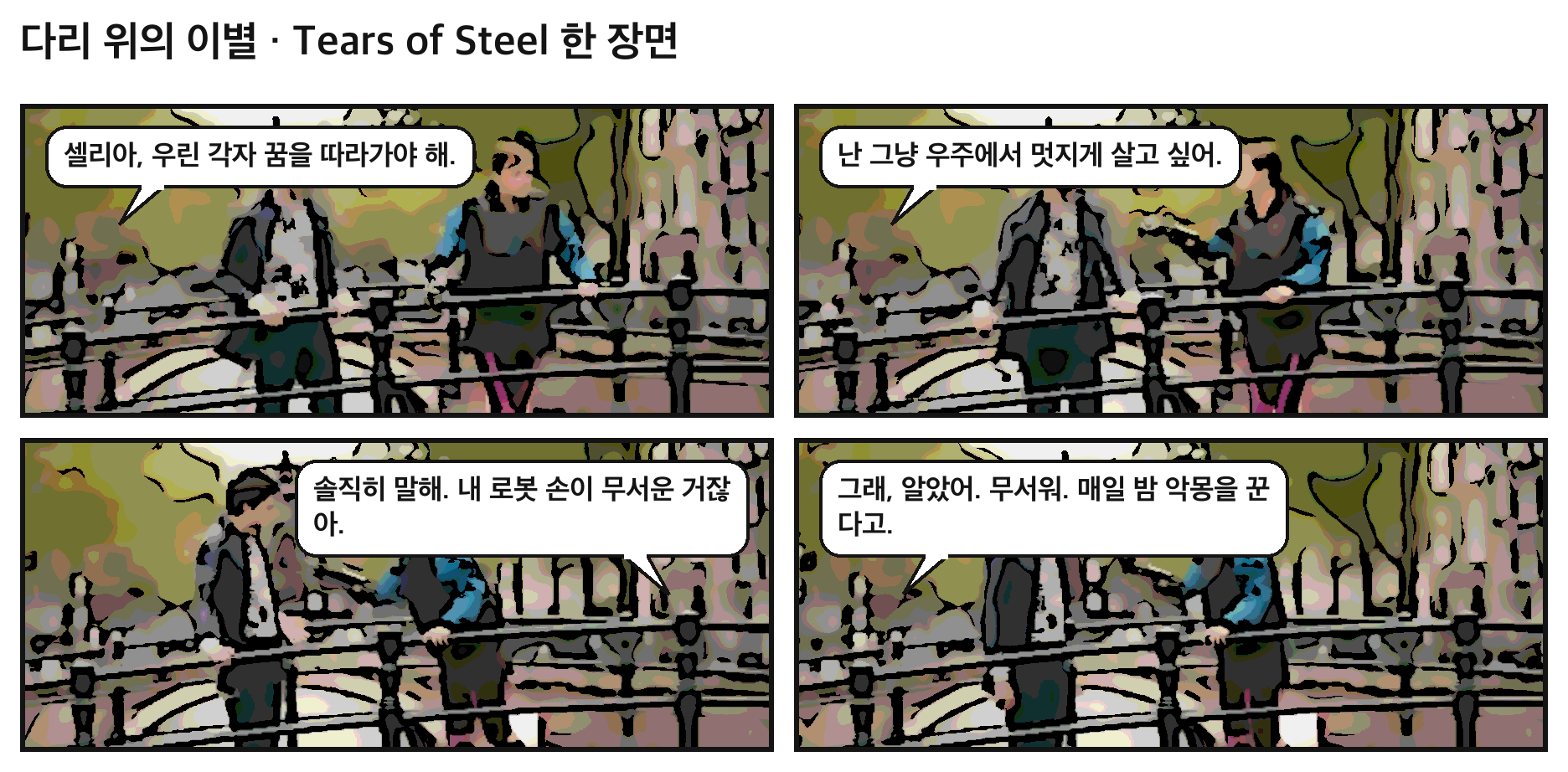
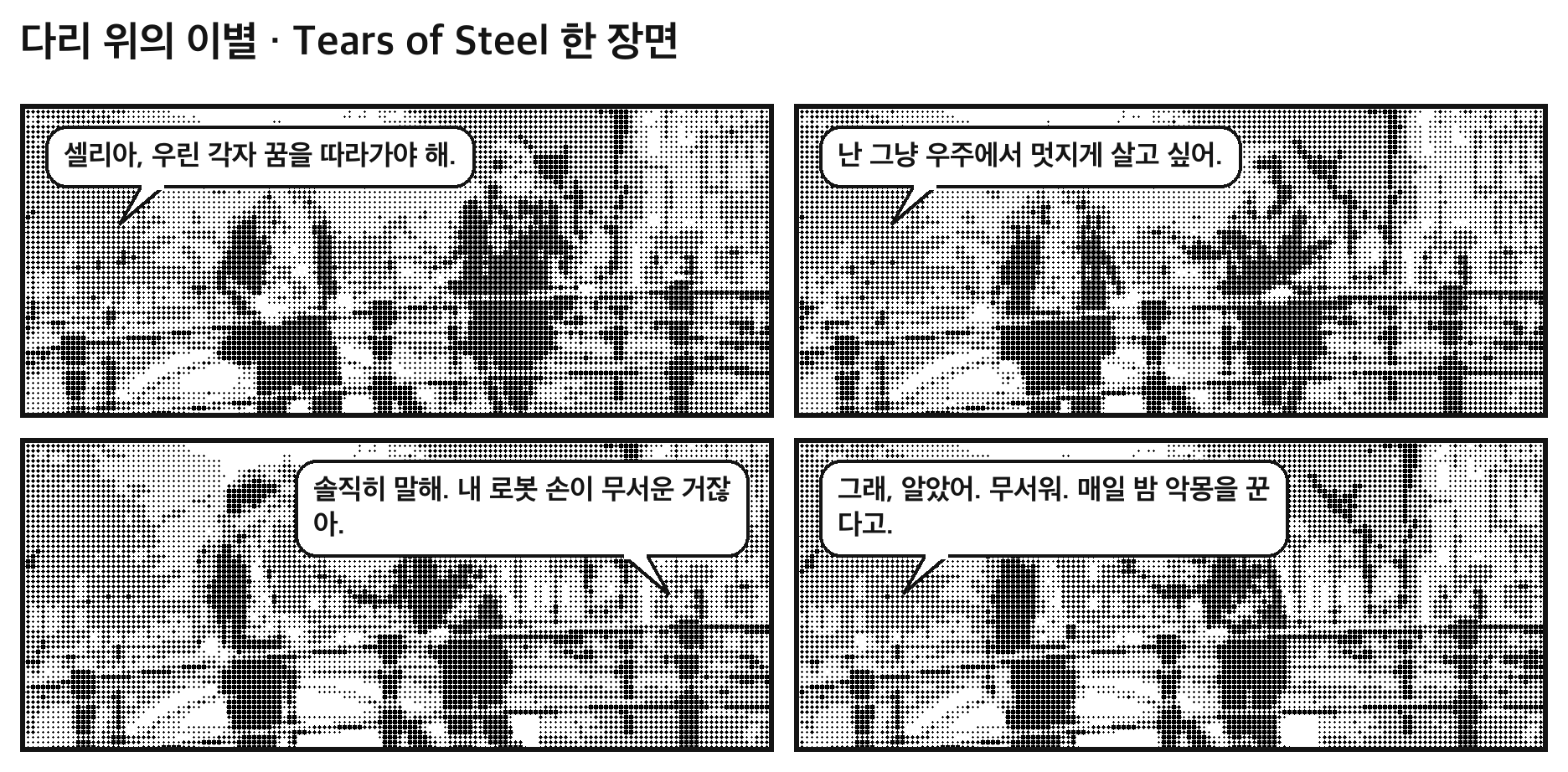

The example is a real result made from four timestamps in the bridge scene of the Blender Foundation's open movie Tears of Steel (CC BY 3.0, mango.blender.org), with Korean dialogue added.