SubCue — Auto Subtitles & Translated SRT for Video
SubCue — Auto Subtitles & Translated SRT for Video
Anyone who has made subtitles with whisper knows this scene. A whole sentence is crammed onto one
line and stays up for 6 or 7 seconds, there are no line breaks, and short replies ("Yes.",
"Thank you.") flash for less than a second and vanish. Add translation and there is one more
problem. If you accidentally drop one cue or shift a timecode, the whole subtitle file goes out
of sync, and it is hard to notice until you compare line by line by eye. SubCue handles each of
these problems with a script. Re-segmentation rules make cues that are easy to read, and the
translation import step automatically compares cue count and timecodes against the source; if
anything differs, it writes no file and fails.
Pipeline
transcribe.py → segment.py → translation.py export → [agent translates] →
translation.py import → burn.py           (at every step) qc.py
  word timestamps   re-segmentation                              burn-in
Actual commands
Below is the result of running these exact commands on a real 41.78-second sample (an
explanation of hand-drip coffee, Korean TTS voice).
uv run scripts/transcribe.py samples/coffee_handdrip_ko.mp4 --language ko --model small
uv run scripts/segment.py --words out/words.json --out-dir out
uv run scripts/qc.py --cues out/cues.json --lang ko

uv run scripts/translation.py export --cues out/cues.json --langs en,ja --out-dir out/translate
# (the agent fills the [translation] lines in worksheet.en.md / worksheet.ja.md)
uv run scripts/translation.py import --cues out/cues.json --worksheet out/translate/worksheet.en.md --lang en --out-dir out
uv run scripts/translation.py import --cues out/cues.json --worksheet out/translate/worksheet.ja.md --lang ja --out-dir out

uv run scripts/burn.py --video samples/coffee_handdrip_ko.mp4 --srt out/ko.srt --lang ko \
    --out out/coffee_ko_burned.mp4 --style outline --position bottom
Result: 7 raw whisper segments (single lines of up to 51 characters) became 12 re-segmented cues
(max 2 lines, 18 characters or fewer per line). Both the English and Japanese subtitles passed the
12-cue check, and QC found 0 issues (PASS) in all three languages. The detailed numbers and the
problems found and fixed are kept as is in E2E.md.
What's included
| File | Role |
|---|---|
scripts/transcribe.py |
Word-level timestamp STT with faster-whisper |
scripts/segment.py |
Re-segmentation by line length, CPS and duration rules, merges short cues, cleans gaps |
scripts/translation.py |
Exports/imports translation worksheets, checks cue count and timecodes |
scripts/burn.py |
Burn-in with Pillow + ffmpeg overlay in outline/box styles (16:9 / 9:16 presets) |
scripts/qc.py |
Report on line overlap, CPS, line length, duration and gaps |
guides/style-and-cps-guide.md |
Default CPS and line length per language with rationale, aspect ratio preset table |
guides/translation-workflow.md |
Worksheet format, causes of each check failure |
guides/troubleshooting.md |
Font lookup failures, CPS warnings, performance on long videos, etc. |
Usage examples
1. Polishing source-language subtitles for a YouTube lecture: after transcribe.py, running
just segment.py gives an SRT much easier to read than whisper's automatic subtitles. If you do
not need translation, stop here and just check with qc.py.
2. Releasing an interview in English and Japanese at once: export worksheets withtranslation.py export, the agent fills both languages in one go, import checks each, and you
export SRTs in three languages side by side.
3. Burning subtitles into a vertical short: burn.py --aspect 9:16 --position top --style box
burns box-style subtitles at the top, avoiding the bottom UI (like and share buttons) of a
vertical screen.
What you need
ffmpeg/ffprobe(Homebrew etc., tested on 9.x): check withffmpeg -filtersthat theoverlayandconcatfilters exist. Thedrawtext/subtitlesfilters are not used (the
default Homebrew build has no freetype/libass, so it was designed not to depend on them).uv: dependencies are inline (PEP 723), so it runs withuv runwithoutpip install.- The first run of
transcribe.pyneeds internet to download the faster-whisper model (the local
cache is reused after that; no API key). - The scripts cannot translate on their own: an agent (Claude, etc.) must fill the worksheet
files. It is not a product that completes translation as a fully unattended batch. - Burn-in needs a font with Korean support on the system (found automatically on macOS/Windows;
on Linux, installing Noto Sans CJK is recommended).
Recommended for
- Creators and agencies who want to release lectures, interviews or vlogs in several languages
and need translated subtitles to match exactly, with no timing slips - Editors who have had to hand-polish whisper subtitles with no line breaks and bad CPS
Not recommended for
- When you just want to "pull text from a video quickly" without subtitles: whisper's default
output is enough (this skill is about the polishing step after that). - Special-timing subtitles that must match syllable by syllable, like song lyrics. It was designed
for normal speech (lectures, interviews, vlogs).
FAQ
Q. Do I need a translation API key?
No. Translation is done by an agent (Claude, etc.) filling the worksheet text files directly. The
scripts only check the result and turn it into subtitles; they do not call an API.
Q. Can I customize the subtitle style?--style outline/box, --position bottom/top, text color, outline color, box color, font and
font size can be set with CLI options. The aspect ratio (16:9 / 9:16) is detected from the video
size, and you can also set it yourself.
Q. What if the translation is longer than the source and overflows the screen?translation.py import re-wraps automatically with the target language's line break rules, and
warns if CPS is still over. In the real E2E test, one English translation hit this warning and
was fixed by redistributing the text; that case is kept as is in E2E.md.
Q. Does it work on long videos (a 1-hour lecture)?
STT, re-segmentation and QC are not much affected by length. However, burn.py adds one ffmpeg
filter per cue, so for videos with more than several hundred cues we recommend splitting into
sections and running it several times (see guides/troubleshooting.md).
Q. Are Japanese and Chinese line breaks really natural?
It does not use a morphological analyzer. Instead, it prefers line breaks where the script
changes, such as between katakana loanwords, kanji and hiragana, which avoids obvious mistakes
like cutting a loanword in half. We state plainly that it is not at the level of full
morphological analysis.
Purchase notes
Unzip the download, read SKILL.md first, and run the uv run scripts/... commands in the order
given. There is no separate install script or account linking.
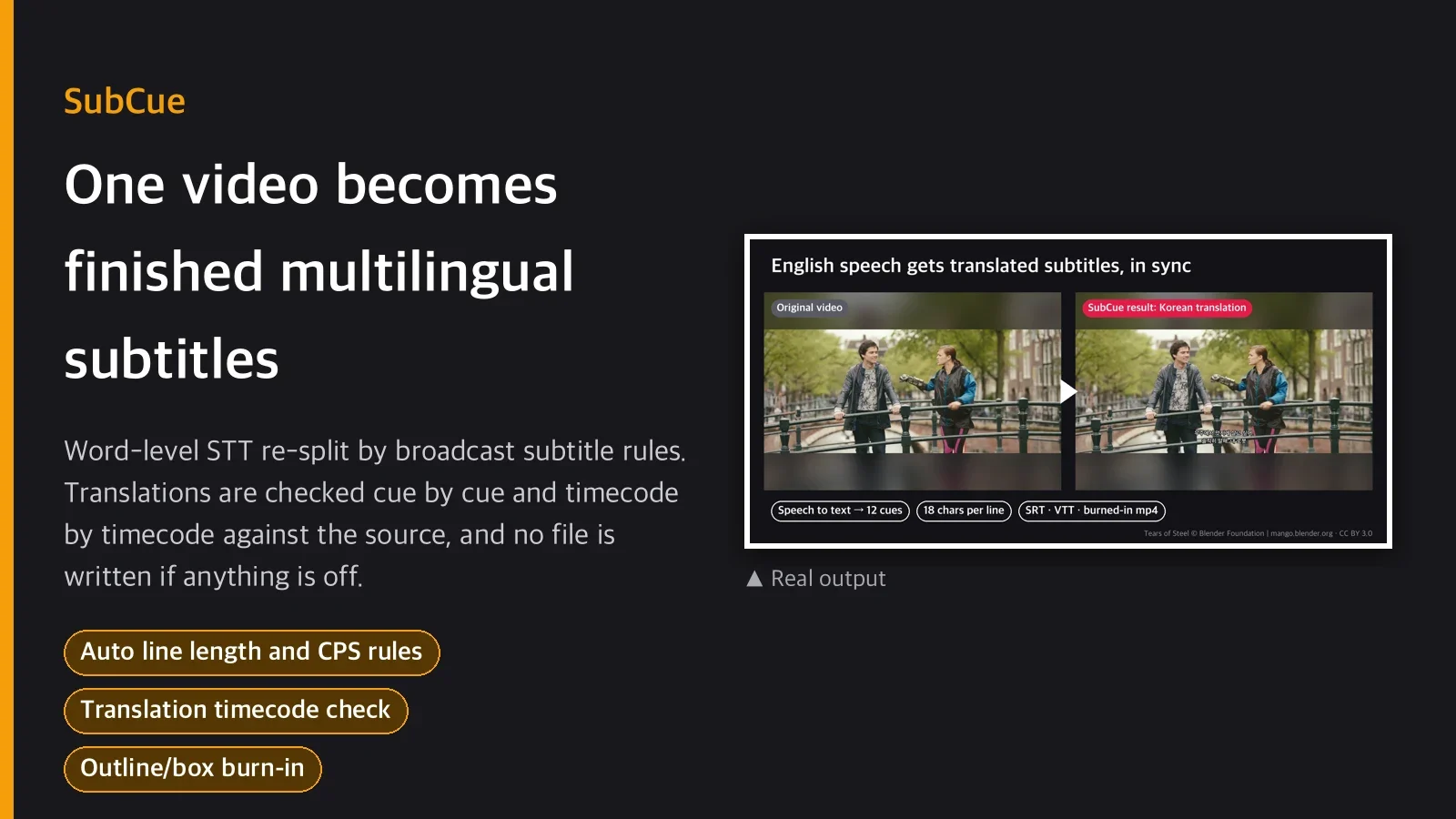
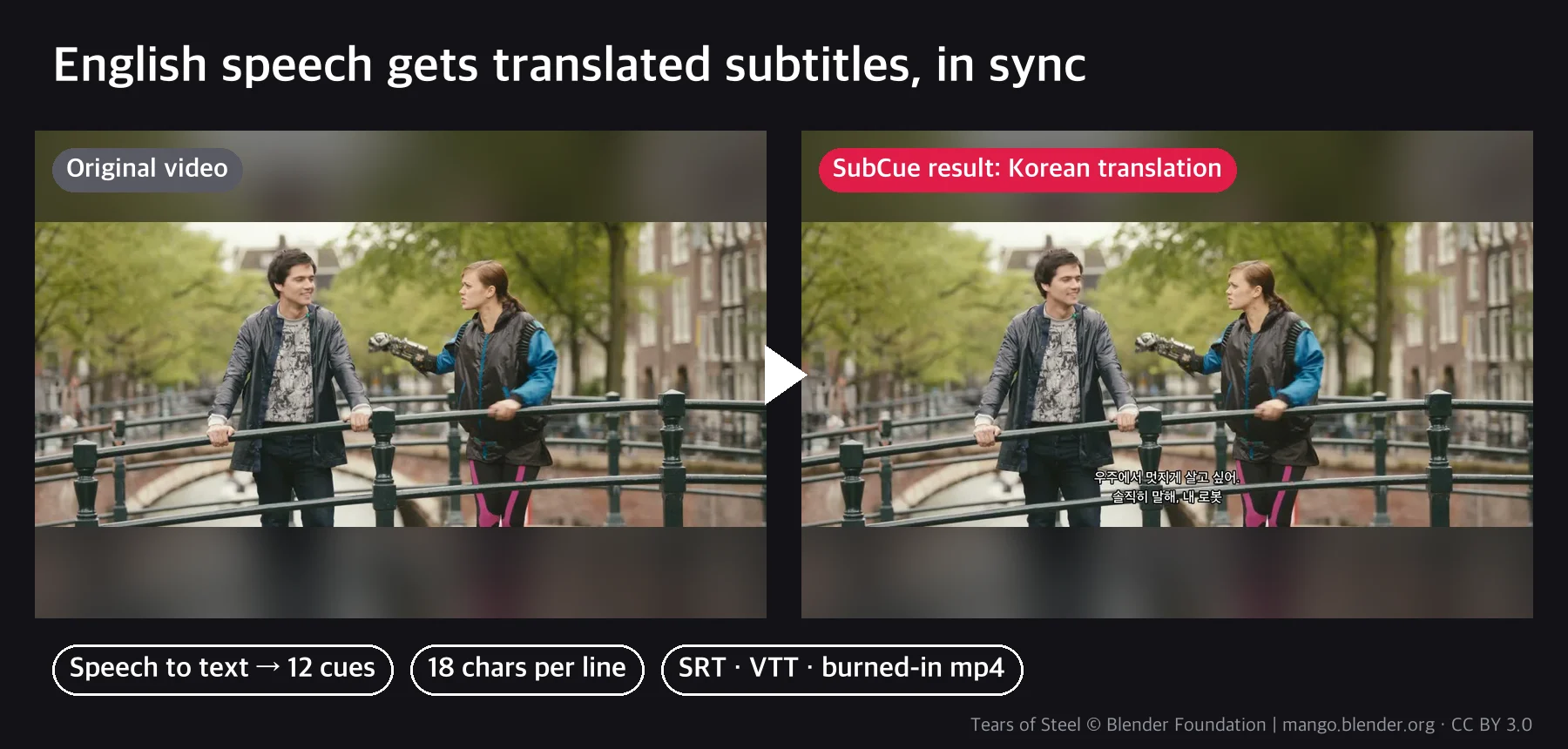
The example images are real runs on the first 70 seconds of the Blender Foundation open movie Tears of Steel (CC BY 3.0, mango.blender.org). The agent filled the Korean translation with the worksheet method, and where speech recognition misheard "Jerk, Thom" as "Dirk, Tom," it was corrected at the translation step.