BestTake — Multi-Take AutoCut
Stop rewatching every take.
BestTake helps talking-head creators turn multiple recordings of the same script into one edited video.
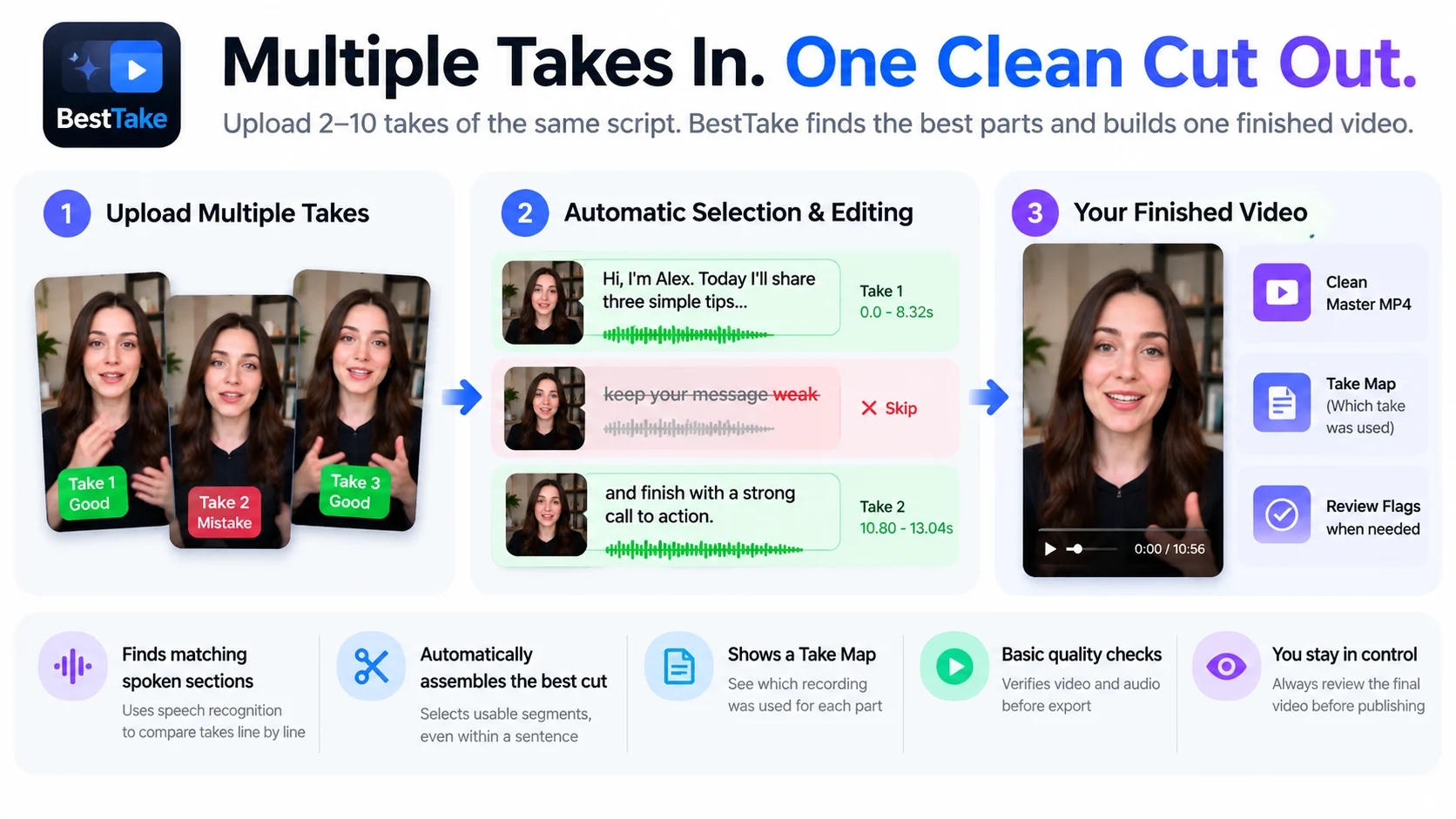
Upload 2–10 MP4/MOV takes of the same speaker, along with the reference script. BestTake uses speech recognition to identify matching spoken sections, select usable segments from different takes, and assemble them into a Master MP4.
What you get:
- A Master MP4 assembled from selected takes
- A Take Map showing which recording was used for each segment
- Automatic selection of matching spoken sections, including portions within a sentence
- Basic video decoding and output checks
- Clear review flags when an edit requires human attention
Best for: Creators, educators, coaches, reviewers, marketers, and anyone who records the same talking-head script more than once.
Requirements: 2–10 recordings of the same speaker and script, a reference script of up to 220 words, and videos up to 50 MiB each.
Important: Speech recognition and automatic editing are not perfect. Some recordings may not contain enough usable material. Always watch and listen to the final video before publishing.
Multiple takes in. One edited cut out.