

Catch What Clients Reject: MEP BIM Review Pack
Check your model against the 11 most common client rejections, review drawings like a senior lead, and verify shaft capacity before asking for a bigger shaft. 3 skills worth US$117, pack US$79. #Engenharia #Design #Produtividade
Avaliação
São necessárias mais avaliações
Vendas
0
Como usar
Baixar
In action


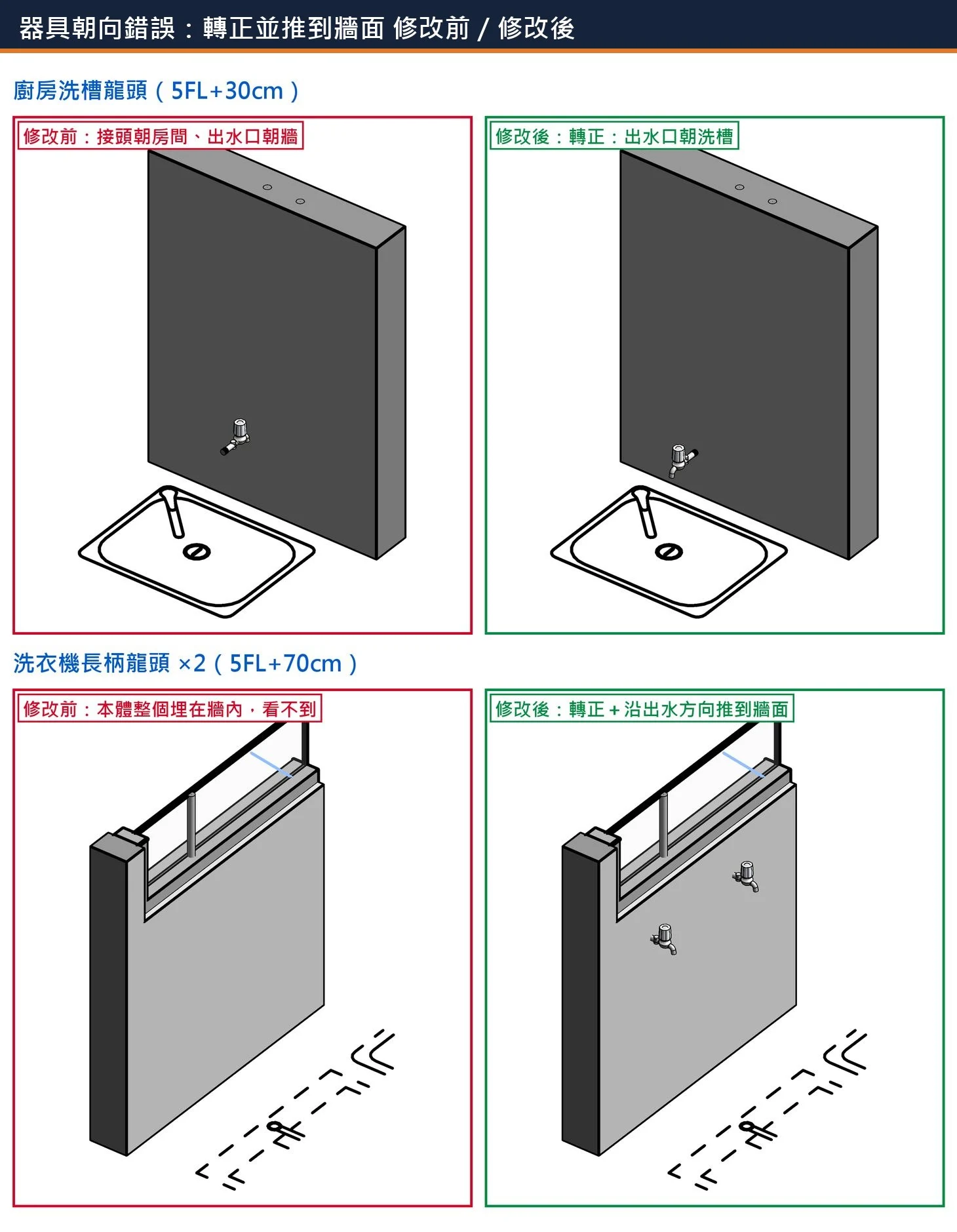
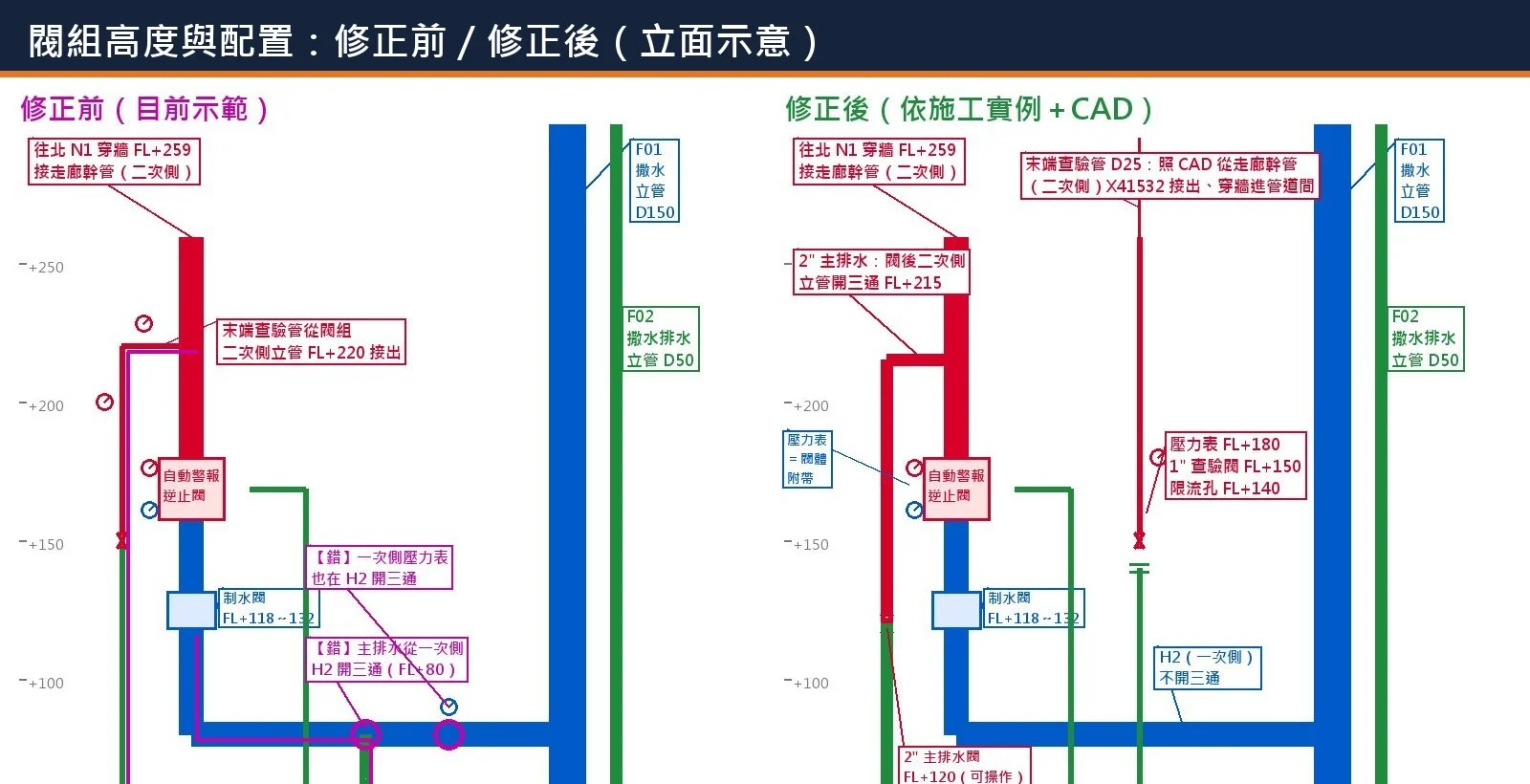
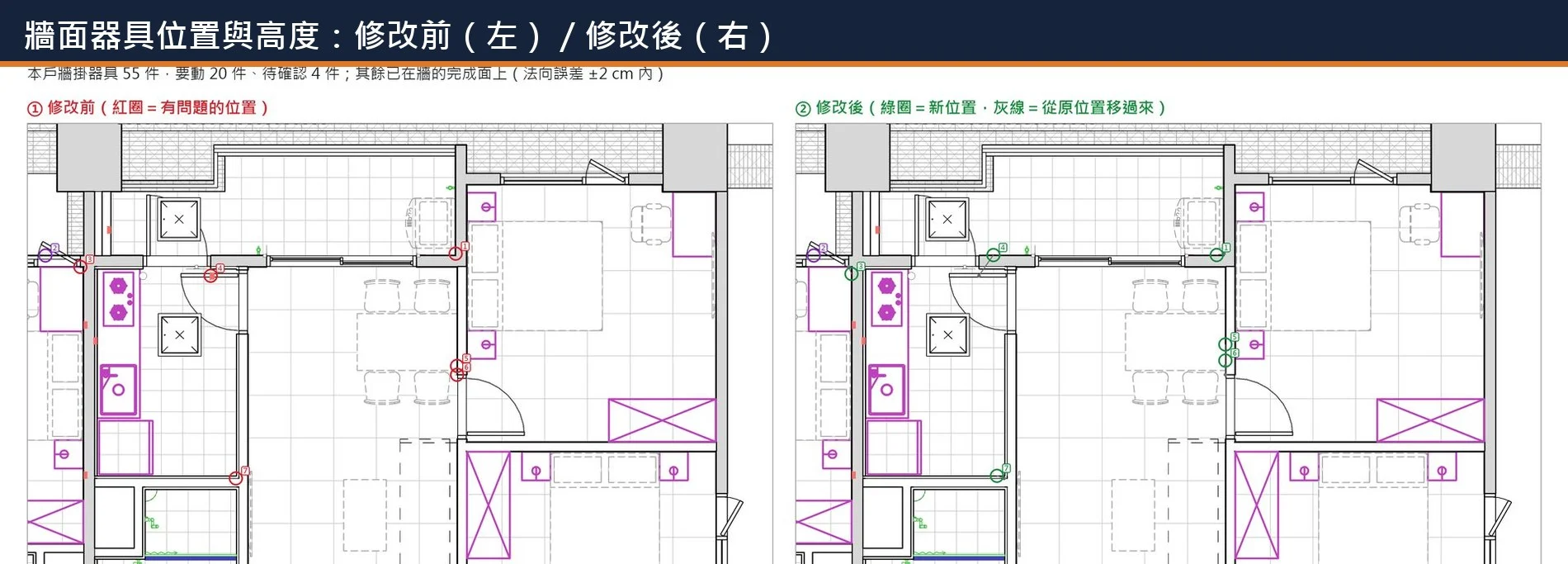
Before and after
What it does
The model is built and clash-checked, and the client still rejects it: cable trays rise and fall like waves, fire pipes bend down for no reason, panels float in mid-air, shafts turn out too small, and RFIs run long without saying what to answer. This pack covers what to check before you hand the model over.
| Included skill | What it does | Sold separately |
|---|---|---|
| The 11 most common client rejections | What each mistake looks like, what the client says, and the right fix; a pre-delivery checklist plus a program that detects wave-shaped routing | US$39 |
| Senior-lead review of your drawings | Checks drawings, coordination and RFIs item by item with the basis stated; gives a fix list and turns decisions into multiple-choice questions | US$29 |
| Does it fit in the shaft? Calculate before asking for a bigger one | Re-lay all systems together, compute occupancy floor by floor, check access doors, hydrant boxes and meters, then verify by zone | US$49 |
Sold separately US$117, pack US$79.
How to use them together
- Before delivery: check the model against the 11 common rejections; when one is found, search for every similar case.
- When a shaft looks tight: run the capacity method first, and ask the designer to enlarge it only if it truly does not fit.
- Finally, have the senior-lead review read the drawings, services and RFIs as a whole and list the fixes.
Requirements
- Claude (or another assistant) that can load skills
- Python 3 and a Revit MCP connector are needed only for the shaft-capacity and wave-routing checks.


