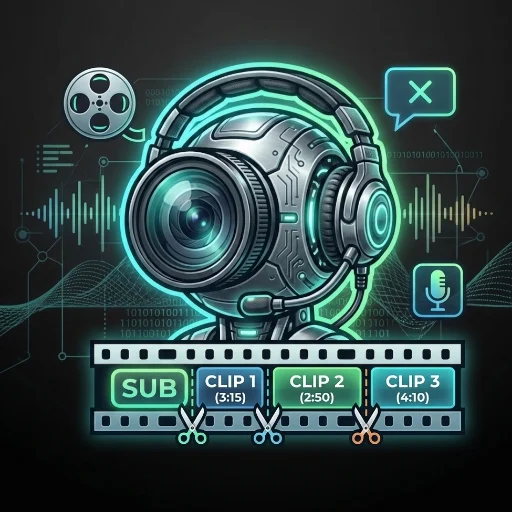
ClipCaster: Viral Clips No AI Voice
What it does
Give it a long-form video — a podcast, stream, interview, lecture, or any talking-head footage — and it hands back a folder of vertical (1080x1920), ready-to-post clips for TikTok, Instagram Reels, or YouTube Shorts.
Instead of an AI-written script read by a synthetic voice (which tends to sound robotic and hurts viewer trust), every clip is captioned with the real transcript, timed word by word — it reads naturally because it is natural. No AI voice is generated or used anywhere in the pipeline.
How it works
Transcribe — the source video is transcribed with word-level timestamps.
Decide what becomes a clip — two modes:
Auto-split: the whole video is divided into clips sized to fit its length (a short source gets ~3 minute clips, a long stream gets up to ~10 minute clips), trimming long silences between words for pacing — never deleting spoken words, so meaning is never altered.
Hand-picked: point it at the strongest few moments instead of the whole video. It can even stitch several non-contiguous moments from the source into one edited clip that skips the slow/rambling parts in between, like a real edit.
Render — burns in word-synced captions, an optional on-screen hook at the start and call-to-action at the end, and an optional "punch-in" zoom on the closing line for emphasis.
Example
Input: a single ~33 minute recording. Output: 6 vertical clips (~4.5-5 minutes each), captions synced word-by-word to what's actually said, each ready to upload as-is.
FAQ
Does it use an AI voice? No — captions are the real transcript, not a script read by a synthetic voice.
Does it post to TikTok/Instagram/YouTube for me? No — it hands back finished .mp4 files; uploading stays a manual step on your own accounts.
What languages does it support? Transcribes in whatever language is spoken in the source (Spanish by default, configurable). Captions render cleanly for Latin- and Cyrillic-script languages (Spanish, English, Portuguese, French, German, Russian, etc.). It does not translate — captions come out in the same language spoken in the video.
Does it check whether I have rights to the video? No — that's on you. Only use video you own or are licensed to use.
What do I need installed to run it? ffmpeg, Python 3.9+, and the faster-whisper / numpy packages. Internet access is needed the first time a given transcription model size is used (cached after that).
Is rendering instant? No — a clip built from many short cuts (auto-split on a talkative source can stitch 15-30 cuts into one clip) takes real time to render, since every cut is a separate seek+decode. Let a full-video batch run in the background rather than expecting it to finish immediately.
APIs externas
huggingface.co