Clipping Autopilot — Find, Cut, Post on Schedule
Run one clipping channel or several. Set it up once. After that, every run finds new source videos, cuts vertical clips with hook titles and word-by-word captions, makes one long compilation video a day, and posts everything at a pace that keeps new accounts safe.
How it works
- Setup, once: how many channels you run, and for each one: what it clips (your own videos, creators who allow clipping, or paid clipping campaigns like Content Rewards), its type (Shorts only, long videos only, or both), its platforms and accounts (YouTube, TikTok, Instagram, Facebook, X), and how posts go out.
- One folder per channel: each channel keeps its own settings, queue and pace, so a gaming channel and a podcast channel never mix.
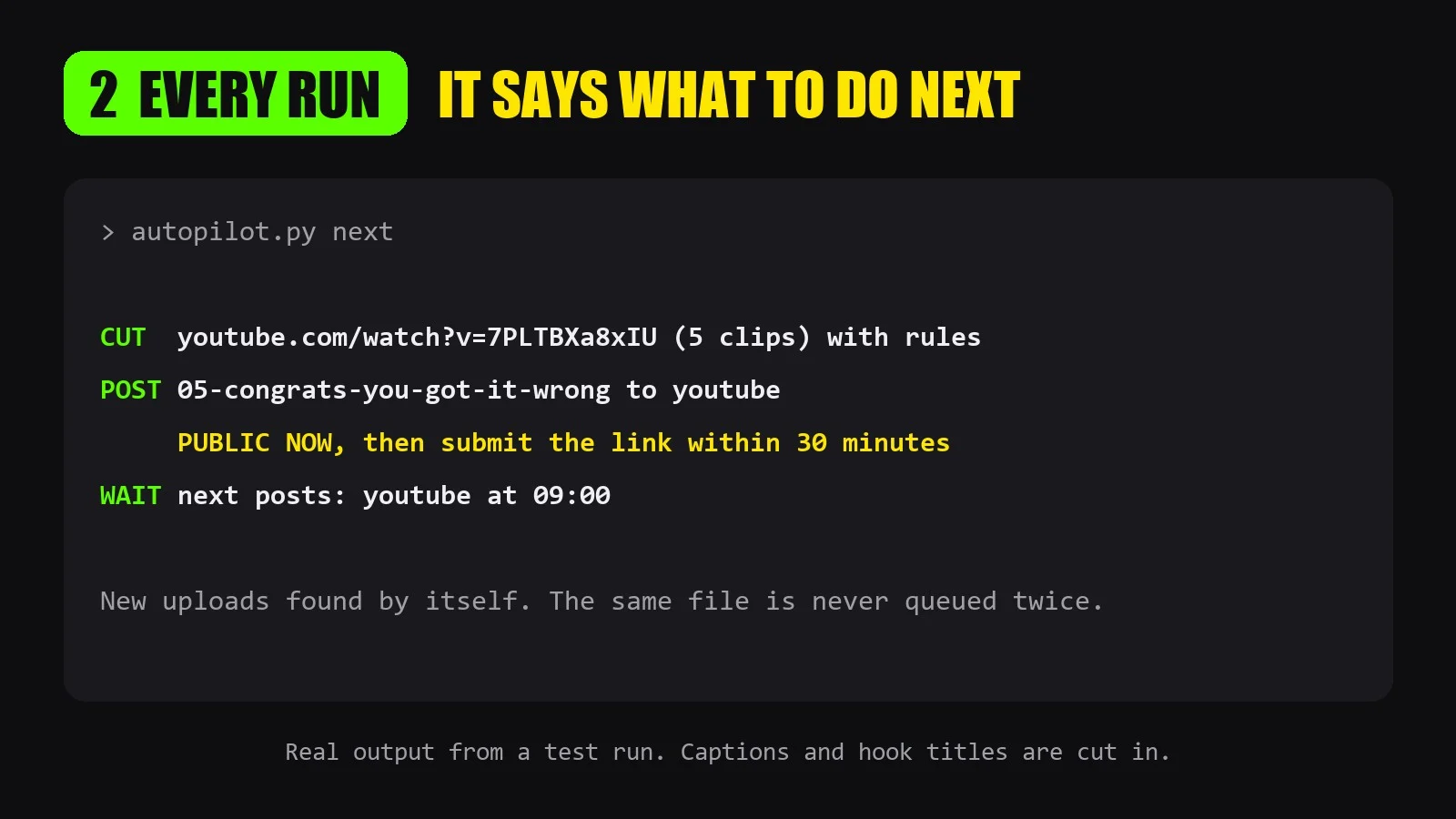
- Every run: a script decides the next step for each channel: CUT a new video, POST one clip to one platform, make the LONG video, or WAIT. The AI does exactly that, nothing more.
- New uploads found by itself from the channels or playlists you give it.
- Clips that hold up: hook in the first 2 seconds, captions, punch-in zoom, misheard names fixed. Weak moments are dropped, never padded.
Daily long video
For channels set to long or both: once a day it joins the best clips into one 16:9 YouTube video (each vertical clip on a blurred background), with chapters at 0:00 and the source credited in the description. On Shorts + long channels it only uses clips already posted as Shorts, so the Short always comes out first. Default: 3 Shorts a day and 1 long video a day.
Niche and campaigns
- Niche check: it reads a source channel's recent uploads and tells you its niche. One niche per channel, and it shows you how to run several YouTube channels under one Google account with Brand Accounts.
- Campaign picks: in campaign mode it lists the open campaigns each day, ranked by pay rate and budget left, and shows you the top 3. You choose and join.
- Campaign rules: every clip is checked against the campaign rules before it renders, posted public right away and submitted within 30 minutes. Posts are logged for pay tracking.
Safe pace
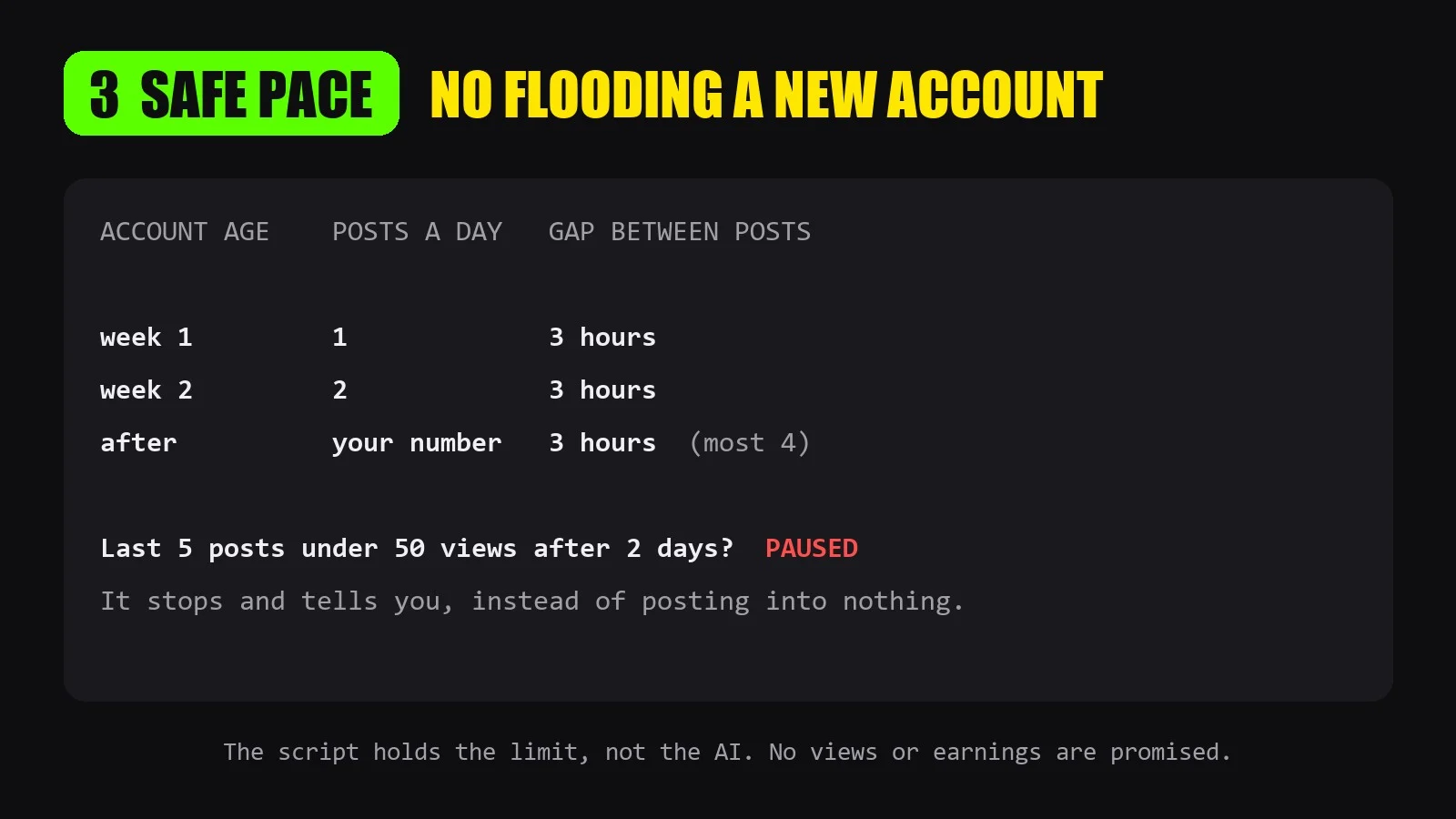
Flooding a new account gets it shown to nobody. The script holds the limit, not the AI:
- Week 1: 1 Short a day. Week 2: 2 a day. Then your number (most 4).
- 3 hours between posts, only inside your hours.
- The same file is never posted twice.
- If the last 5 posts each have under 50 views after 2 days, that platform is paused and you are told why.
What you need
- Runs on your own computer with your agent (Claude Code or similar). Python 3 and ffmpeg.
- Auto-posting needs a browser tool in your agent (for example Claude in Chrome), signed in to your accounts. Without one, it prepares each post and tells you what to post and when.
- For runs every hour, your agent must be able to schedule tasks. Otherwise say "clipping autopilot: run next" whenever you sit down.
- It never signs in, makes accounts, solves captchas, joins campaigns or pays for anything. Those stay yours. It never makes extra accounts to get around a ban.
Only clip videos you own or have permission to clip. No views or earnings are promised.
APIs externas
Python 3 + ffmpeg · Browser tool (e.g. Claude in Chrome)