Glowrock: 10-Second Craft Glowing Rock Aquarium
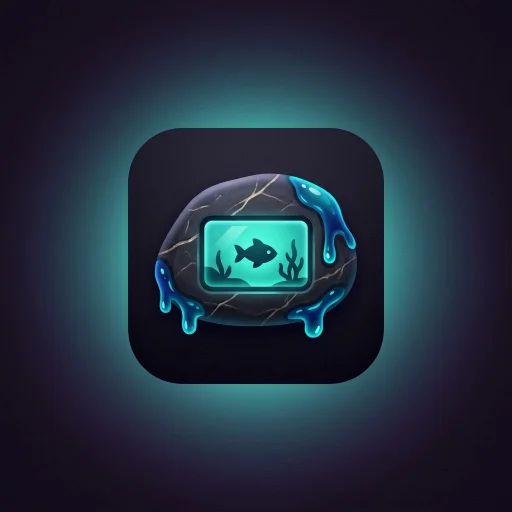
Get a ready-to-use kit for a satisfying 10-second hands-only craft video, made in ONE generation: a glowing rock aquarium finished with paint, LED and blue-teal resin. Includes 4 image prompts, a Google Flow prompt, a Veo version under 900 characters, caption + hashtags and a QA checklist. Made for short, loop-friendly Reels, Shorts and TikTok. Download once, reuse for every episode.
#Redes sociais#Vídeo#Design
Avaliação
São necessárias mais avaliações
Vendas
0
Como usar
Baixar
Glowrock: 10-Second Craft Glowing Rock Aquarium
A ready-to-use kit for a satisfying 10-second, hands-only craft video: a rock shell with a glass window, finished with paint, sealant, LED and glowing blue-teal resin, ending on a lush aquarium lit from within.
What you get
- 4 image prompts (3-5 stages, plain single images)
- Google Flow video prompt (6 cuts, 10 seconds, 9:16)
- Veo version under 900 characters (character-counted)
- Caption + hashtags in a ready format
- QA checklist and a troubleshooting table
- Variables table to change the rock, resin and LED colors, and the aquarium scene
The 10-second structure
| Shot | Time | Action |
|---|---|---|
| 1 | 0-1.5s | Spray paint the bare shell |
| 2 | 1.5-3s | Fit the glass aquarium, seal the edge |
| 3 | 3-4.8s | LED glows, tinted resin is poured |
| 4 | 4.8-6.3s | Brush smooths the flowing-water zone |
| 5 | 6.3-7.8s | Rotary tool carves the drip zone |
| 6 | 7.8-10s | Wide reveal, fish swim, bubbles rise |
How to use
- Open the skill file and pick your variables.
- Generate the 3-4 image prompts.
- Paste the video prompt into Google Flow, or the short one into Veo.
- Run the QA checklist on the result.
- Add the caption and hashtags.
Good to know
- Hands only, no face, no music, no voice.
- No API key or subscription needed: it is a prompt kit you run in your own video tool.
- Results vary between generations. The checklist helps you spot and fix what drifted.
- Add your platform's "AI-generated" label where it is required.
FAQ
Does it work for other colors and rocks? Yes. Change the variables table, keep the rules.
Which tools? Built for Google Flow and Veo; the idea works in similar image-to-video tools.
Is it one video per kit? One kit, unlimited episodes: swap the variables each time.