
Landing Page Builder — Local Kit (Download)
Landing Page Builder
What you're buying: a download package (skill instructions + Python scripts) that runs on your own computer inside your own AI agent — it is not a cloud service.
You need: an AI agent that supports skills (e.g. Claude Code or Codex) — its subscription or API costs are yours; Python 3.8+ (standard library only). Optional: Chrome or Edge for screenshots.
Third-party services: none required. Optional, only if you choose them: Google Fonts (loaded by visitors' browsers), a free form service such as Formspree for the contact form, and a free host such as Netlify, GitHub Pages or Cloudflare Pages.
Describe your business — get a one-page website that's ready to go live. No site-builder fees, no coding, nothing to install.
What you get
- 🌐 A single index.html — looks good on phone and desktop, no external JavaScript, runs on any free host
- ✍️ Conversion copy: hero → pain points → benefits → steps → pricing → FAQ → call to action
- 🎨 5 layouts: classic (product/SaaS), split (apps with screenshots), minimal (consultants/studios), bold (events/courses), warm (cafés/local shops)
- 🌗 Light, dark or follow-system — give one brand colour and buttons and text are tuned to WCAG AA contrast automatically
- 🔎 Full SEO: title, description, Open Graph share card, canonical and Google structured data (local business, software pricing, FAQ)
- 📮 Contact form wired to your own free Formspree-style service, or a mail button instead
- ✅ Pre-launch check: broken anchors, missing alt text, heading order, colour contrast, leftover example URLs or YOUR_FORM_ID
- 📸 Desktop + mobile screenshots your agent inspects for layout problems
- 🚀 Free hosting guide: Netlify Drop (drag and drop, live in 30 seconds), GitHub Pages, Cloudflare Pages
Example
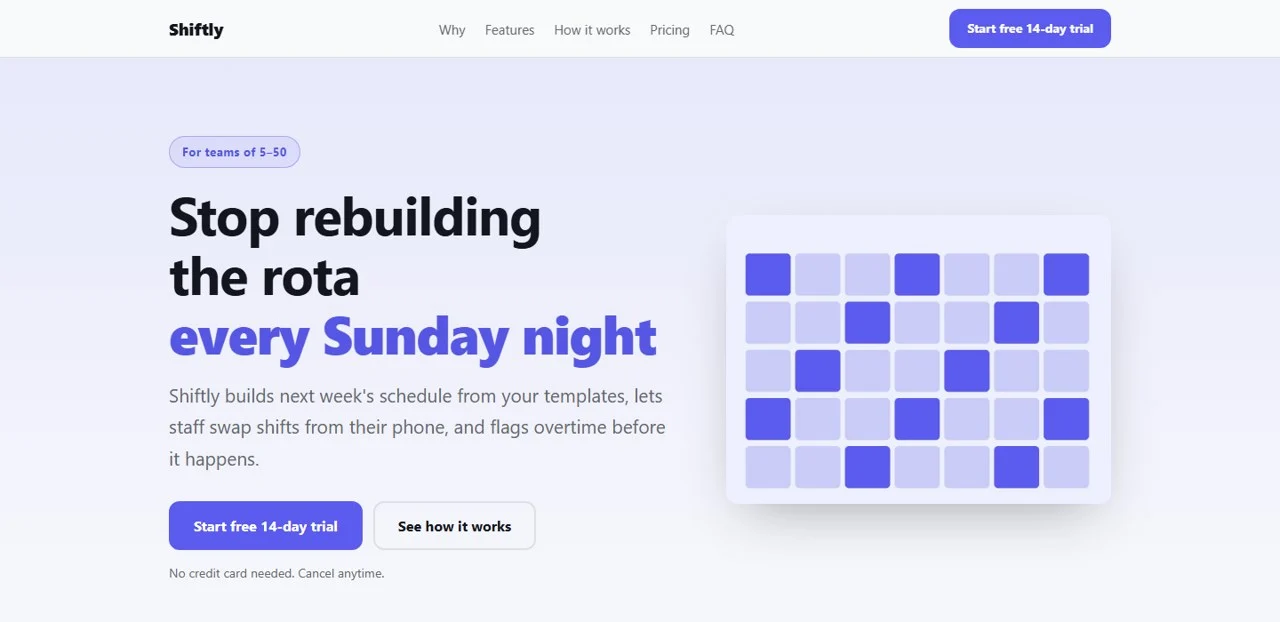
SaaS (English, classic layout): a scheduling app for teams of 5–50 — hero, pain points, features, how it works, pricing and FAQ, with software-pricing and FAQ structured data.
Café (Chinese, warm layout): a single 13 KB file — nav, highlighted headline, menu, first-visit tips, directions and FAQ, with café and FAQ structured data (address, phone, hours, 4 Q&As). At 390 px phone width: full-width buttons, no horizontal scroll, no orphaned words.

Same page on a phone:

Pre-launch check: 0 errors, 0 warnings. All 5 layouts × light/dark × 3 brand colours (including a hard bright yellow) — 30 combinations — passed with zero errors and warnings.
Try it — copy a prompt
- "Build a landing page for my yoga studio in Austin: 3 class packs, schedule link, and a contact form. Warm layout, colour #2F855A."
- "Make a page for my SaaS beta with a waitlist button, pricing for 3 plans and an FAQ. Dark mode, classic layout."
Why buy it
One payment, as many pages as you need — no weekly or monthly website-builder subscription, and you own every file.
Who it's for
Small businesses, cafés and shops, freelancers and consultants, indie makers launching a product, and course or event organisers.
Honesty rules (enforced)
Testimonials, stats and client-logo sections are built only from real content you provide and confirm — otherwise the build refuses. No "10,000+ users" or fake five-star reviews; fake reviews are illegal under the US FTC rules, EU law and Taiwan's Fair Trade Act.
How it works
- Answer up to 3 questions: what you sell, to whom, and what visitors should do; your real prices, hours and contact details; any real customer reviews.
- Your agent writes the copy and the config file.
- Build → automatic check → screenshot review → fix.
- Follow the guide to go live, then put your real URL back in and rebuild once.
Requirements
- Python 3.8+ (standard library only)
- Optional: Chrome or Edge (screenshot check) and Pillow
Limitations (please read)
- Copy is written by AI from what you provide — check prices, hours and every claim before going live.
- One-page marketing sites only: no shopping cart, member login or blog backend.
- It doesn't buy domains or set up hosting or form accounts for you — it gives the steps.
- No guarantee of conversions or search rankings.
- Embedded photos make the file bigger; keep each under about 300 KB.
Files
SKILL.md— agent workflowscripts/build_page.py— page generatorscripts/lint_page.py— pre-launch checkscripts/screenshot.py— desktop/mobile screenshotsreferences/copy-framework.md— copy framework and rulesreferences/spec-schema.md— config formatreferences/deploy-guide.md— three free hosting optionsreferences/example_cafe_zh.json,example_saas_en.json— Chinese and English examples