

ListingCanvas AI — 7-Image Listing Planner
ListingCanvas AI — Plan a Gallery That Sells the Product Story
Turn product facts, photos, and positioning into a conversion-focused 7-image marketplace gallery plan—before spending time or budget on production.
ListingCanvas AI gives every image a clear job. Instead of producing seven disconnected visuals, it builds a persuasive sequence that helps shoppers understand the product, see its value, and resolve key objections.

From Raw Product Assets to a Production-Ready Gallery
Share your product details, target marketplace, audience, and available photos. ListingCanvas AI turns them into:
- A clear gallery strategy and visual direction
- An audit of usable and missing assets
- A recommended order for all seven images
- Headlines and supporting copy for each slot
- Detailed layout and composition guidance
- Production-ready AI image prompts
- Required source assets for every image
- Claim checks that flag unsupported statements
- A prioritized production checklist and A/B test
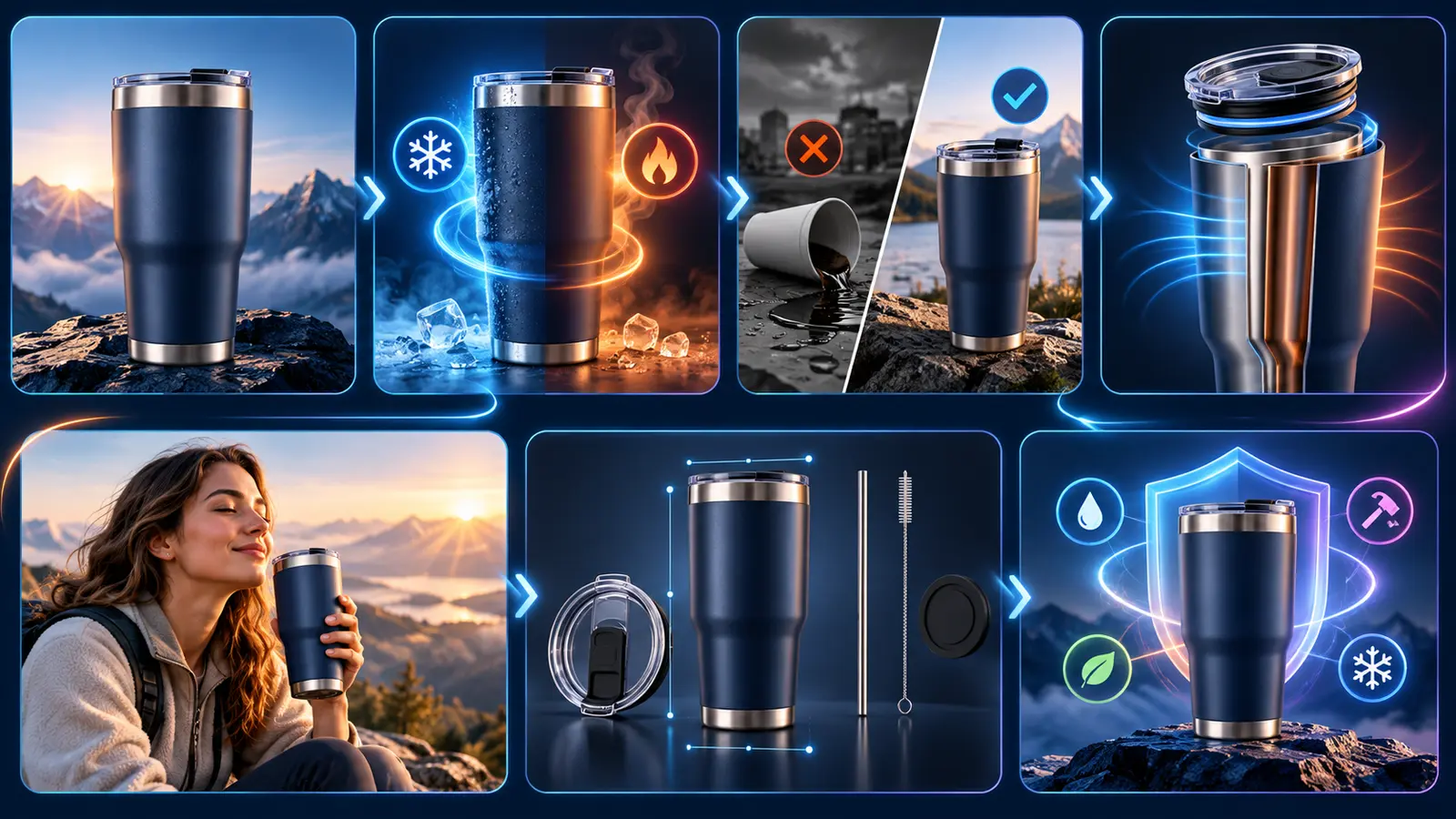
The 7-Slot Conversion Story
Each gallery is adapted to the product and marketplace, while following a clear buyer journey:
- Hero — identify the product instantly and earn the click.
- Core Benefit — communicate the strongest supported buyer outcome.
- Problem to Solution — connect a real use context to the product.
- Feature Proof — reveal a verified detail, mechanism, or inclusion.
- Use Scene — show the product in a plausible lifestyle or operational context.
- Scale, Setup, or Contents — clarify size, steps, fit, or what is included.
- Reassurance — answer an objection through care, compatibility, comparison, or FAQ content.
Every Slot Becomes a Complete Creative Brief
For every image, you receive:
- Role and conversion objective
- Mobile-friendly headline and supporting copy
- Visual hierarchy and composition
- Background, lighting, crop, and graphic treatment
- Production-ready AI image prompt
- Required source assets
- Fact Lock note showing what can and cannot be claimed
This gives designers, marketers, photographers, and AI production tools the same clear direction.
Fact Lock: Persuasive Without Inventing Claims
ListingCanvas AI separates verified facts, visible observations, creative choices, and unsupported claims.
It will not quietly invent materials, dimensions, certifications, ratings, performance durations, guarantees, or comparative claims.
When evidence is missing, the agent recommends neutral language or identifies the proof you need. This helps keep every creative brief persuasive, consistent, and grounded in the information you actually have.

Two Ways to Work
Quick Canvas
Provide basic product information and let ListingCanvas AI choose the gallery structure, visual direction, and priorities.
Best for fast first drafts, new sellers, and early product planning.
Art Director Mode
Control the marketplace, target buyer, positioning, visual style, campaign goal, and creative constraints.
Best for established brands, client projects, and professional production handoffs.
Built for Major Ecommerce Channels
ListingCanvas AI adapts its recommendations for:
- Amazon
- Etsy
- Shopify
- TikTok Shop
- Walmart
- eBay
- General ecommerce marketplaces
Platform-sensitive recommendations are clearly flagged for seller verification instead of being presented as guaranteed platform rules.
Audit an Existing Gallery
Already have listing images?
Upload them for a structured audit. Each image is scored for:
- Clarity
- Persuasion
- Evidence
- Mobile readability
- Narrative role
You will receive the three highest-impact improvements first, followed by a revised seven-image gallery map.
Best For
- Ecommerce sellers planning a new listing
- Product marketers improving conversion assets
- Designers who need a clear creative brief
- Agencies producing marketplace galleries at scale
- Founders preparing product launches
- AI creators who need consistent, product-faithful prompts
What ListingCanvas AI Produces
ListingCanvas AI creates the:
- Gallery strategy
- Image sequence
- Headlines and supporting copy
- Layout and composition direction
- AI image prompts
- Source-asset plan
- Claim review
- Production checklist
- A/B test recommendation
It does not replace final marketplace-policy review, product photography, legal review, or final design production.
Start Your First Canvas
Upload your product photos or describe the product.
Include verified facts and your target marketplace, then choose Quick Canvas or Art Director Mode.
One product. Seven purposeful images. One coherent sales story.


