
Softclay Anime Shorts: Prompt Kit - Download
Softclay Anime Shorts: Prompt Kit
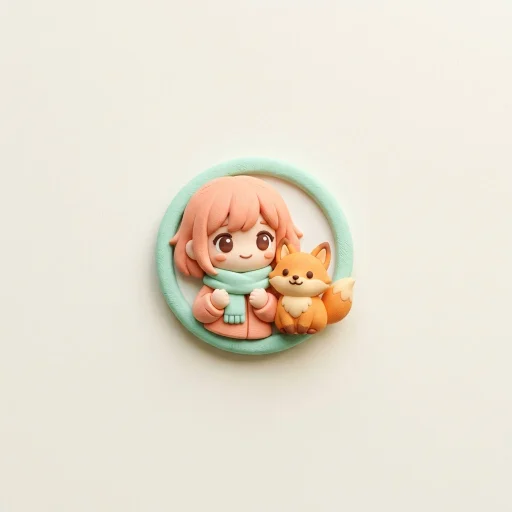
This is a downloadable instruction package (SKILL.md), not a cloud service. Give it an idea and it guides you, step by step, from idea to a complete set of assets for a short video with original anime-style characters that have a soft, clay-like 3D feel: smooth sculpted surfaces, painted shading, big expressive eyes and a warm pastel world.
What you give it
A story idea or a theme, such as "a girl bakes a tiny cake", "a rainy cozy day" or "a lantern festival night", plus a few simple choices: video format, number of scenes, seconds per scene, aspect ratio and a color palette. Anything you skip gets a sensible default.
What you get
- Storyboard with a revise-or-approve step, before any full assets are made
- Reusable character sheet that you paste unchanged into every scene, so your character looks the same from the first scene to the last
- Scene image prompts in one consistent clay-anime look
- Six color palettes and six lighting presets, a shot-size ladder and a camera-movement bank
- Expression bank with fixed wording for happy, surprised, shy, determined, sad and comforted faces
- Image-to-video motion prompts for each kind of scene
- Voiceover or dialogue script with word counts matched to each scene, or a sound plan for silent videos
- Hook, caption, timed subtitles and a hashtag set
- A worked example (Mimi bakes a tiny cake), a QA checklist and a troubleshooting table
How it works
- Choose a content format (mini story, slice of life, mascot explainer, kids learning, comfort message, ranking or custom).
- Choose a theme (cozy home, cafe and food, fantasy village, school and friends, nature, seasons, travel, feelings and growth, or your own).
- Set the technical options and the palette.
- Review the storyboard and revise it, or approve it.
- Receive all production assets.
What you need (not included)
| Needed | Details |
|---|---|
| An AI image generator | Your own account; separate costs may apply |
| An AI video generator | Your own account; separate costs may apply |
| A text-to-speech tool (optional) | For narrator or character voices |
| A video editor (optional) | For subtitles and final assembly |
This kit does not generate images, videos or voices. It produces the prompts and scripts you paste into the tools above. Results depend on the tools you use.
Content rules
The kit asks for original characters only, avoids realistic images of real people, keeps stories gentle and child-safe, keeps logos and watermarks out of the images, and asks for verified facts only when a fact is used. Please also add your platform's "AI-generated" label where it is required.
Format and updates
A single plain-text SKILL.md file. It is licensed for the purchaser's own use; please do not resell or redistribute it. Updates are published as new versions on Capafy.
FAQ
Can I keep one character across many videos? Yes. Save the character sheet and reuse it. That is what it is designed for.
Is this stop-motion? No. The look is a soft clay-like 3D anime style, with smooth fluid motion rather than stop-motion jitter.
Do I need narration? No. The kit offers a dialogue script, a narration script or a sound plan for silent videos.
Which language? The kit is written in English. The video script and caption can be made in other languages if you ask.
Do I need a specific video tool? No. It produces plain text prompts that you can use in most image and video generators.
