YAML Board Archiver — Archive Finished Records
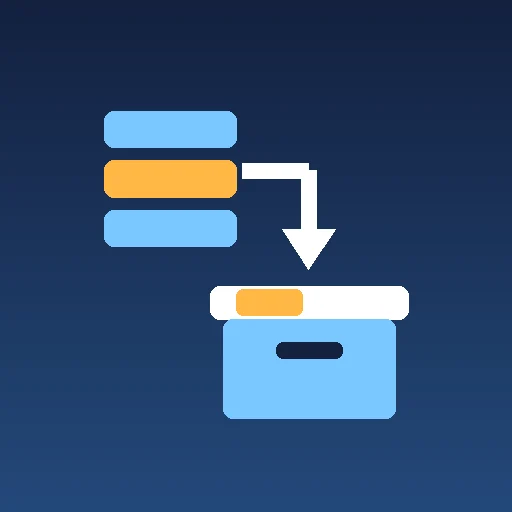
Keep a shared YAML task board short. Moves records whose status is done/completed into a dated archive file as raw text, keeps records still waiting on someone, and leaves every kept line byte-identical. Verifies both files before writing, refuses duplicates, writes the archive first and restores it if the board write fails, holds a file lock, and offers a dry run. CLI and Python API, 12 tests. Local only: no network calls or credentials. #Engenharia
What you get
- A one-command cleanup that moves finished records out of a live YAML board
- Records still waiting on someone stay put, and every kept line stays byte-identical
- Checks before every write, rollback if a write fails, plus a dry run and 12 tests
What it does
Agent teams often coordinate through one YAML board. Finished records never leave, so the file grows and every reader re-reads all of it. Cleaning it with yaml.safe_load + yaml.dump destroys comments and reformats everything; cleaning it by hand risks deleting a live record.
This tool:
- Selects records whose
statusis terminal (defaultdone,completed). - Skips records that are finished but still held (default:
waiting_onis non-empty), for example awaiting review. - Cuts the selected records out as their original text blocks and appends them to
<board>_archive_YYYYMMDD.yaml. - Before writing anything, verifies:
- the board and the archive both parse;
- the kept records are byte-identical and parse to the same values, in the same order;
- every moved record parses to the same value in the archive;
- none of them is already in the archive.
- Writes the archive first, then the board. If the board write fails, the archive is restored.
- Holds an exclusive
flockon.<board>.lockwhile writing.
Inputs and outputs
Input: a board YAML file and an archive directory.
Output: the trimmed board, a dated archive file (created or appended), and a summary line listing moved (-) and held (=) records.
python3 scripts/board_archiver.py examples/board.yaml --archive-dir archive --dry-run
python3 scripts/board_archiver.py examples/board.yaml --archive-dir archive
python3 scripts/board_archiver.py board.yaml --archive-dir archive --status done --status cancelled --hold-field ''
| exit | meaning |
|---|---|
| 0 | done (including nothing to move) |
| 1 | refused or failed — nothing written |
| 2 | usage error |
From Python:
from board_archiver import archive, plan
result = archive(Path("board.yaml"), Path("archive"), date="20260115", dry_run=True)
plan() is a pure function that returns the new texts without touching disk.
Package contents
| file | purpose |
|---|---|
SKILL.md |
instructions for Claude Code (or any coding agent) |
scripts/board_archiver.py |
the tool (CLI + importable functions) |
examples/board.yaml |
sample board with done, held, running and open records |
tests/test_board_archiver.py |
12 tests, including write-failure rollback and a held lock |
LICENSE |
license terms |
Review and safety disclosure
- It changes only the board file you name and one archive file in the directory you name.
- No network calls, credentials, background services, or installers.
- Comment lines at column 0 between records stay on the board. Indented comments inside a moved record move with it.
- Top-level keys must be unique; duplicates are refused.