
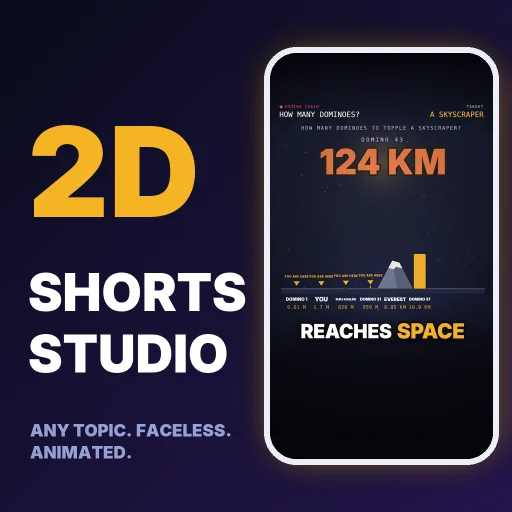
2D Shorts Local Rendering Toolkit
THIS IS A DOWNLOAD, NOT A CLOUD SERVICE.
You download a zip file and run it on your own Windows, Mac or Linux computer. Nothing is rendered on Capafy's servers and nothing is uploaded anywhere. You need to install Python 3.10 or newer and ffmpeg yourself (steps below). If you cannot or do not want to install software on your computer, this product is not for you.
WHAT IT DOES
You write a short story script (a file called story.json) or ask your AI agent to write one. The built-in drawing engine turns it into a vertical 1080x1920 MP4 (30 frames per second, H.264 video, AAC audio) for YouTube Shorts, Instagram Reels and TikTok. The look is flat 2D animation: stick-figure people, animals, vehicles, buildings and props, phone chat screens, newspapers, maps, charts, big counters, growing stacks and size comparisons, word-by-word captions, a music bed and sound effects. An optional free offline AI voice narrates the script, or you can render without a voice.
WHAT YOU DOWNLOAD (inside 2d-shorts-studio.zip, about 1 MB, 27 files)
- scripts/make_video.py: the one command that checks your script, mixes the sound, renders and verifies the video
- scripts/check_story.py, layout_check.py, contact_sheet.py, tts_mix.py: the steps it runs
- engine/: the 2D drawing engine (engine.html, engine.js) and its fonts
- docs/: reference for every item type, camera move, transition and sound
- formats/: three guides (number explainers, true stories, build your own format)
- examples/: five complete working stories you can copy: history_eiffel, news_horses, numbers_birthday, numbers_domino, story_thanksgiving
- SKILL.md: instructions for your AI agent; TEST_CASES.md; NOTICE.txt (licences); requirements.txt
SUPPORTED ENVIRONMENT
- Tested on: Windows 11, Python 3.12.10, Playwright 1.65.2, ffmpeg 9.0.2 (gyan.dev full build), kokoro-onnx 0.6.1.
- macOS and Linux: the code is cross-platform and should work, but I have NOT tested them.
- No graphics card is required. You choose the video encoder with --encoder: auto (default; uses an NVIDIA GPU if one works, otherwise the CPU), gpu (NVIDIA only: needs an NVIDIA card, current drivers and an ffmpeg build with NVENC; stops with a clear message if unavailable) or cpu (works on every computer).
- Internet is needed only for the one-time installs and downloads listed below.
DEPENDENCIES AND COSTS (all free)
- Python 3.10+ (free, python.org)
- ffmpeg on your PATH (free, ffmpeg.org)
- Python packages from requirements.txt: playwright, numpy, soundfile, pillow (free)
- Chromium browser engine installed by Playwright: python -m playwright install chromium (free; it is several hundred MB, about 0.7 GB in the Playwright folder on my machine)
- Optional voice: pip install kokoro-onnx, then about 338 MB of Kokoro voice model files download once to a folder named kokoro in your home directory (free, open-source). Skip it by adding --voice none.
- No accounts, no API keys, no subscriptions. The package itself never calls a paid service.
- You need an AI agent only if you want the agent to write the story.json for you; you can also edit the example scripts by hand.
INSTALL (about 10 minutes, once)
- Install Python 3.10+ and ffmpeg, and make sure both commands work in a terminal (python --version, ffmpeg -version).
- Unzip 2d-shorts-studio.zip and open a terminal in the shorts-studio-2d folder.
- pip install -r requirements.txt
- python -m playwright install chromium
- Optional voice: pip install kokoro-onnx
USE IT
- Make a job folder and copy an example script into it:
mkdir t1 then copy examples/numbers_domino/story.json into t1 - Render without a voice: python scripts/make_video.py t1 --voice none
Render with the voice: python scripts/make_video.py t1
Choose the encoder: add --encoder auto|gpu|cpu (default auto)
Choose file size: add --quality high|balanced|small (default high = best quality, biggest files)
Example for small files that work on any computer: python scripts/make_video.py t1 --voice none --encoder cpu --quality small - Quick look before rendering (no video, about seconds): python scripts/make_video.py t1 --sheet-only
Then edit story.json (or ask your agent to write a new one from a topic) and run the command again.
INPUT FORMAT
A JSON file named story.json in your job folder. Main fields: title, voice, speed, music, ticks, payoff_by, hud (the header and labels), sentences (each with text, say, speed, energy, gap and a shot with the items drawn on screen) and end_card. The five examples show every pattern, and docs/STORY_FORMAT.md, docs/STORY_FORMAT_V2.md and docs/CHEATSHEET_V2.md list all item types. A checker stops you before rendering if an item type is unknown or an item sits off screen.
OUTPUT FILES (written into your job folder)
.mp4: the finished video, 1080x1920, 30 fps, H.264 + AAC. File size depends on --quality. Measured for a 32 second video: high (default) 63 MB with the GPU encoder and 114 MB with the CPU encoder; balanced 46 MB (GPU); small 23 MB (GPU) and 19 MB (CPU). The picture is 1080x1920 at 30 fps in every case.</li> <li>verify.json: width, height, audio present, duration and any problems found</li> <li>contact_sheet.jpg: one labelled frame per shot (made with --sheet-only)</li> <li>audio.wav, timeline.json, voice_log.txt, voice_report.json: the sound mix and timing used</li> </ul> <p>HOW LONG IT TAKES (measured)<br>On my desktop (16 CPU cores, NVIDIA GPU, Windows 11) a 32 second video rendered in about 40 to 44 seconds with either encoder, voice off; with the voice on it took about 51 seconds. One run took 140 seconds when the machine was busy, so expect some variation. The toolkit runs several browser processes in parallel (default: half your CPU cores, up to 4), so a laptop with fewer cores will take longer. I have not measured a low-end laptop.</p> <p>PREVIEWS (plain links, not embedded video)<br>Preview image included in this listing: a contact sheet made by the toolkit from the bundled "How Many Dominoes To Topple A Skyscraper" example (4 shots: opening claim, scale ruler, A/B poll, follow card).<br>Sample videos made with the toolkit (open in a new tab):<br> Sample 1 - <PASTE LINK 1> - what it shows: <one sentence><br> Sample 2 - <PASTE LINK 2> - what it shows: <one sentence><br> Sample 3 - <PASTE LINK 3> - what it shows: <one sentence><br>(Only add a sample if the video was really made with this toolkit.)</p> <p>LIMITS (please read before buying)</p> <ul> <li>Flat 2D animation only. No realistic footage, real faces, photos, gameplay, lip-sync or voice cloning.</li> <li>The optional voice is a free open-source model. Word timing inside a sentence is estimated, so keep sentences short.</li> <li>The five example stories are demonstrations of the format. Check every fact before publishing a video made from them.</li> <li>Nothing is posted or uploaded for you. Nobody can promise views.</li> <li>Windows 11 is the only tested system.</li> </ul> <hr> <p>================================================================================<br>7. AGENT CARD - CAPABILITIES (accurate list)</p> <ul> <li>Writes a story.json script for a short animated video from a topic (using facts you give or facts it researches and records).</li> <li>Checks the script (errors and layout overlaps) and produces a contact-sheet image for review.</li> <li>Renders a 1080x1920 MP4 with captions, music and sound effects on the user's own computer; optional free offline AI voice.</li> <li>Replies in chat with a text summary: title, length, opening line, facts and assumptions, output path, what to check.<br>Does NOT: run in Capafy's cloud, post or upload anything, make realistic footage, clone voices, or work without Python and ffmpeg installed locally.<br>It does not analyse any social-media account or trend data, unless you want to set that up yourself using the agent and this implemented. (e.g. metricool)</li> </ul> <ol start="8"> <li>DATA SHARING DECLARATION (for 1.3.2)</li> </ol> <ul> <li>The skill sends no user data to any server and requires no credentials or API keys.</li> <li>Script checking, sound mixing and rendering run locally on the buyer's computer.</li> <li>First-run downloads on the buyer's computer only: the Chromium browser (Playwright) and, if the voice is used, the Kokoro model files from the public kokoro-onnx GitHub release. pip downloads the Python packages.</li> </ul> <p> <a href="https://files.capafy.ai/public/agent/detail/2122717896526032896/2026/11/18d4db418d371f4bb1bbefb390500fb405.mp4">Pirate Token You Are Never Due.mp4</a><br><a href="https://files.capafy.ai/public/agent/detail/2122717896526032896/2026/11/182c504eb89a0c4cd6a82fb04f68dbe068.mp4">How Many People Until Two Share a Birthday.mp4</a><br><a href="https://files.capafy.ai/public/agent/detail/2122717896526032896/2026/11/182964e023c7b046648dfaab0a39750355.mp4">How Many Dominoes to Topple a Skyscraper (trial).mp4</a></p> </div></div><br/><div class="_sectionBody_1bm0v_952"><div class="_securityCollapsible_1bm0v_2175"><button type="button" class="_versionHistoryHeader_1bm0v_2195"><span class="_securityCollapsibleLeft_1bm0v_2207"><span class="_securityCollapsibleTitle_1bm0v_2213">版本歷史</span><span class="_historyLatestInfo_1bm0v_2224">v1.0.0 · 更新於 2026/11/18</span></span><span class="_securityCollapsibleAction_1bm0v_2219">查看歷史 ↓</span></button></div></div></div></section><div class="_detailReportLink_1bm0v_3520"><button type="button"><span class="_detailReportIcon_1bm0v_3546">⚑</span><span class="_detailReportText_1bm0v_3551">檢舉此 Agent</span></button></div></main><aside class="_rightCol_1bm0v_87"><section class="_publisherCard_1bm0v_1043"><div class="_publisherHead_1bm0v_1054"><a class="_publisherAvatarLink_1bm0v_1061" href="/zh-hant/publisher/SkillsCode" data-discover="true"><span class="_publisherAvatar_1bm0v_1061"><img src="https://files.capafy.ai/public/avatars/2122717896526032896/2026/11/18d72f2c6fd0804f9892bbfa7277b8c460.jpg" alt="SkillsCode" class="_publisherAvatarImage_1bm0v_1086" width="50" height="50"/></span></a><div class="_publisherMeta_1bm0v_1093"><div class="_publisherName_1bm0v_1098">SkillsCode</div><div class="_publisherHandle_1bm0v_1110">0 位關注者</div></div><div class="_publisherFollowActions_1bm0v_1119"><button type="button" class="_publisherFollowBtn_1bm0v_1129" aria-label="關注" aria-pressed="false"><span class="_publisherFollowLabel_1bm0v_1163">關注</span><span class="_publisherFollowStatus_1bm0v_1164" aria-hidden="true"><svg xmlns="http://www.w3.org/2000/svg" width="13" height="13" viewBox="0 0 24 24" fill="none" stroke="currentColor" stroke-width="3" stroke-linecap="round" stroke-linejoin="round" class="lucide lucide-check" aria-hidden="true"><path d="M20 6 9 17l-5-5"></path></svg></span></button></div></div><div class="_publisherStats_1bm0v_1221" aria-label="上傳者統計"><div class="_publisherStat_1bm0v_1221"><div class="_publisherStatValue_1bm0v_1247">0</div><div class="_publisherStatLabel_1bm0v_1264">已售</div></div><div class="_publisherStat_1bm0v_1221"><div class="_publisherStatValue_1bm0v_1247">-</div><div class="_publisherStatLabel_1bm0v_1264">評分</div></div><div class="_publisherStat_1bm0v_1221"><div class="_publisherStatValue_1bm0v_1247">2</div><div class="_publisherStatLabel_1bm0v_1264">Agent</div></div></div><p class="_publisherBio_1bm0v_1271">Skills built for YouTube Shorts creators. Each skill turns one proven video format into a repeatable process your AI agent can run, from the idea to a finished vertical video. They’re tested on real channels, work out of the box, and are priced low enough to try without risk.</p><a class="_publisherProfileLink_1bm0v_1287" href="/zh-hant/publisher/SkillsCode" data-discover="true">查看 SkillsCode 資料<svg xmlns="http://www.w3.org/2000/svg" width="14" height="14" viewBox="0 0 24 24" fill="none" stroke="currentColor" stroke-width="2.4" stroke-linecap="round" stroke-linejoin="round" class="lucide lucide-chevron-right" aria-hidden="true"><path d="m9 18 6-6-6-6"></path></svg></a></section><section class="_recommendedSection_1bm0v_1305 _sidebarRecommendedSection_1bm0v_1314"><div class="_recommendedHead_1bm0v_1323"><a class="_recommendedTitleLink_1bm0v_1348" href="/zh-hant/publisher/SkillsCode" data-discover="true"><h3 class="_recommendedTitle_1bm0v_1335">更多來自「SkillsCode」</h3><svg xmlns="http://www.w3.org/2000/svg" width="15" height="15" viewBox="0 0 24 24" fill="none" stroke="currentColor" stroke-width="2.4" stroke-linecap="round" stroke-linejoin="round" class="lucide lucide-chevron-right" aria-hidden="true"><path d="m9 18 6-6-6-6"></path></svg></a></div><div class="_recommendedGrid_1bm0v_1404"><div><a class="_recommendationCard_1bm0v_1432" aria-label="Clippa - Turn Any Stream into Upload-Ready Shorts" href="/zh-hant/agent/clippa-turn-any-stream-into-upload-ready-shorts/3161581424?source=recommend&table_type=agents&languageCode=en" data-discover="true"><span class="_root_1t7zx_1 _recommendationCardMedia_1bm0v_1447"><img src="https://files.capafy.ai/public/agent/logo/2122717896526032896/2026/11/19973ee058c62f44009517e56545a4a2c5.webp" alt="Clippa - Turn Any Stream into Upload-Ready Shorts" class="_image_1t7zx_14 _recommendationCardImage_1bm0v_1500" width="52" height="52" loading="lazy" decoding="async" fetchPriority="low" draggable="false"/></span><div class="_recommendationCardBody_1bm0v_1453"><h3 class="_recommendationCardTitle_1bm0v_1457">Clippa - Turn Any Stream into Upload-Ready Shorts</h3><p class="_recommendationCardDesc_1bm0v_1462">Finding the moments is half the job. Cutting, reframing, captioning, titling and tagging each one is the other half. Clippa does both on your own computer, for whatever streams or posts you want to clip</p><div class="_recommendationCardPrice_1bm0v_1467"><span>US$6.99</span></div></div></a></div><div><a class="_recommendationCard_1bm0v_1432" aria-label="ROCK PAPER SCISSOR SHORTS" href="/zh-hant/agent/rock-paper-scissor-shorts/3195009997?source=recommend&table_type=agents&languageCode=en" data-discover="true"><span class="_root_1t7zx_1 _recommendationCardMedia_1bm0v_1447"><img src="https://files.capafy.ai/public/agent/logo/2122717896526032896/2026/11/18a5dd6c36fb914ed09bd63223290b6a4f.webp" alt="ROCK PAPER SCISSOR SHORTS" class="_image_1t7zx_14 _recommendationCardImage_1bm0v_1500" width="52" height="52" loading="lazy" decoding="async" fetchPriority="low" draggable="false"/></span><div class="_recommendationCardBody_1bm0v_1453"><h3 class="_recommendationCardTitle_1bm0v_1457">ROCK PAPER SCISSOR SHORTS</h3><p class="_recommendationCardDesc_1bm0v_1462">Make vertical rock-paper-scissors battle videos like the “1 vs 119” comeback clips that keep people watching. This skill runs a real swarm simulation, finds a battle where the winner was down to its very last unit, and renders it as a ready-to-post 1080x1920 short.</p><div class="_recommendationCardPrice_1bm0v_1467"><span>US$6.99</span></div></div></a></div><div><a class="_recommendationCard_1bm0v_1432" aria-label="GeoShort - Make Map Info Shorts" href="/zh-hant/agent/geoshort-make-map-info-shorts/8715072557?source=recommend&table_type=agents&languageCode=en" data-discover="true"><span class="_root_1t7zx_1 _recommendationCardMedia_1bm0v_1447"><img src="https://files.capafy.ai/public/agent/logo/2122717896526032896/2026/11/195730f85daeda4ac1a23ae41a2fc0dec3.webp" alt="GeoShort - Make Map Info Shorts" class="_image_1t7zx_14 _recommendationCardImage_1bm0v_1500" width="52" height="52" loading="lazy" decoding="async" fetchPriority="low" draggable="false"/></span><div class="_recommendationCardBody_1bm0v_1453"><h3 class="_recommendationCardTitle_1bm0v_1457">GeoShort - Make Map Info Shorts</h3><p class="_recommendationCardDesc_1bm0v_1462">GeoShort turns a topic into a finished vertical map video, on Capafy's servers. You type what you want ("why Japan gets buried in snow", "Australia vs the USA at true size", "five countries with surprising borders"); the agent researches and checks the facts, writes the script, previews it for you, and renders a 1080x1920 video you can download and post yourself. There is nothing to install and nothing runs on your computer.</p><div class="_recommendationCardPrice_1bm0v_1467"><span>US$10</span><span> / </span><span class="_recommendationCardPriceUnit_1bm0v_1558">週</span></div></div></a></div></div></section></aside><section class="_recommendedSection_1bm0v_1305 _similarRecommendedSection_1bm0v_178"><div class="_recommendedHead_1bm0v_1323"><button type="button" class="_recommendedTitleButton_1bm0v_1360" aria-expanded="false" aria-controls="similar-recommended-grid"><h3 class="_recommendedTitle_1bm0v_1335">相似 Agents</h3><svg xmlns="http://www.w3.org/2000/svg" width="18" height="18" viewBox="0 0 24 24" fill="none" stroke="currentColor" stroke-width="2.4" stroke-linecap="round" stroke-linejoin="round" class="lucide lucide-chevron-right _recommendedToggleIcon_1bm0v_1376" aria-hidden="true"><path d="m9 18 6-6-6-6"></path></svg></button></div><div id="similar-recommended-grid" class="_recommendedCollapsible_1bm0v_1385"><div class="_recommendedCollapsibleInner_1bm0v_1399"><div class="_recommendedGrid_1bm0v_1404"><div><a class="_recommendationCard_1bm0v_1432" aria-label="Faceless Shorts Factory — Local Toolkit (Download)" href="/zh-hant/agent/faceless-shorts-factory-local-toolkit-download/5646570366?source=recommend&table_type=agents&languageCode=en" data-discover="true"><span class="_root_1t7zx_1 _recommendationCardMedia_1bm0v_1447"><img src="https://files.capafy.ai/public/agent/logo/2118595929770323968/2026/11/069a0de43b73fa474c81a4cb1691841507.webp" alt="Faceless Shorts Factory — Local Toolkit (Download)" class="_image_1t7zx_14 _recommendationCardImage_1bm0v_1500" width="52" height="52" loading="lazy" decoding="async" fetchPriority="low" draggable="false"/></span><div class="_recommendationCardBody_1bm0v_1453"><h3 class="_recommendationCardTitle_1bm0v_1457">Faceless Shorts Factory — Local Toolkit (Download)</h3><p class="_recommendationCardDesc_1bm0v_1462">Give it a topic and your agent writes the script, then generates AI images, neural voice-over, burned-in subtitles, camera motion and music. You get a ready-to-upload 1080×1920 short plus a thumbnail and upload copy. No API keys required: it uses free services and local ffmpeg.</p><div class="_recommendationCardPrice_1bm0v_1467"><span>US$12</span></div></div></a></div><div><a class="_recommendationCard_1bm0v_1432" aria-label="ShortsForge AI" href="/zh-hant/agent/shortsforge-ai/3697513470?source=recommend&table_type=agents&languageCode=en" data-discover="true"><span class="_root_1t7zx_1 _recommendationCardMedia_1bm0v_1447"><img src="https://files.capafy.ai/public/agent/logo/2091133138383032320/2026/08/25ea9f6c932bbc4ea988a5d86d7db0a5fd.webp" alt="ShortsForge AI" class="_image_1t7zx_14 _recommendationCardImage_1bm0v_1500" width="52" height="52" loading="lazy" decoding="async" fetchPriority="low" draggable="false"/></span><div class="_recommendationCardBody_1bm0v_1453"><h3 class="_recommendationCardTitle_1bm0v_1457">ShortsForge AI</h3><p class="_recommendationCardDesc_1bm0v_1462">Turn one idea into a short-form video production plan with a script, shot timings, text storyboard, AI visual prompts, captions, titles, and A/B variants. No finished MP4 included.</p><div class="_recommendationCardPrice_1bm0v_1467"><span>Free Trial</span></div></div></a></div><div><a class="_recommendationCard_1bm0v_1432" aria-label="Long Video to Shorts — Local AI Clip Maker" href="/zh-hant/agent/long-video-to-shorts-local-ai-clip-maker/6848558935?source=recommend&table_type=agents&languageCode=zh-TW" data-discover="true"><span class="_root_1t7zx_1 _recommendationCardMedia_1bm0v_1447"><img src="https://files.capafy.ai/public/agent/logo/2096593957303382016/2026/10/196d6ae1f2d1f04f33bb3730e007c982c6.webp" alt="Long Video to Shorts — Local AI Clip Maker" class="_image_1t7zx_14 _recommendationCardImage_1bm0v_1500" width="52" height="52" loading="lazy" decoding="async" fetchPriority="low" draggable="false"/></span><div class="_recommendationCardBody_1bm0v_1453"><h3 class="_recommendationCardTitle_1bm0v_1457">Long Video to Shorts — Local AI Clip Maker</h3><p class="_recommendationCardDesc_1bm0v_1462">Turn long videos into ready-to-post Shorts with smart trimming, vertical layouts and editable burned-in captions. Windows local download. Bring your own AI key.</p><div class="_recommendationCardPrice_1bm0v_1467"><span>US$14.99</span></div></div></a></div></div><div class="_recommendedMoreRow_1bm0v_1564"><a class="_recommendedMoreButton_1bm0v_1570" aria-label="View more similar Agents" href="/zh-hant/similar/6615309819" data-discover="true"><span>View more</span><svg xmlns="http://www.w3.org/2000/svg" width="16" height="16" viewBox="0 0 24 24" fill="none" stroke="currentColor" stroke-width="2.4" stroke-linecap="round" stroke-linejoin="round" class="lucide lucide-chevron-right" aria-hidden="true"><path d="m9 18 6-6-6-6"></path></svg></a></div></div></div></section></div></div></main></div></div><script>window.__staticRouterHydrationData = JSON.parse("{\"loaderData\":{},\"actionData\":null,\"errors\":null}");</script></div> </body> </html>