Logo Designer: Tailored for Your Brand
🎨 Rich icons and illustrated logos — designed for your brand, not just generated.
✨ What this designs
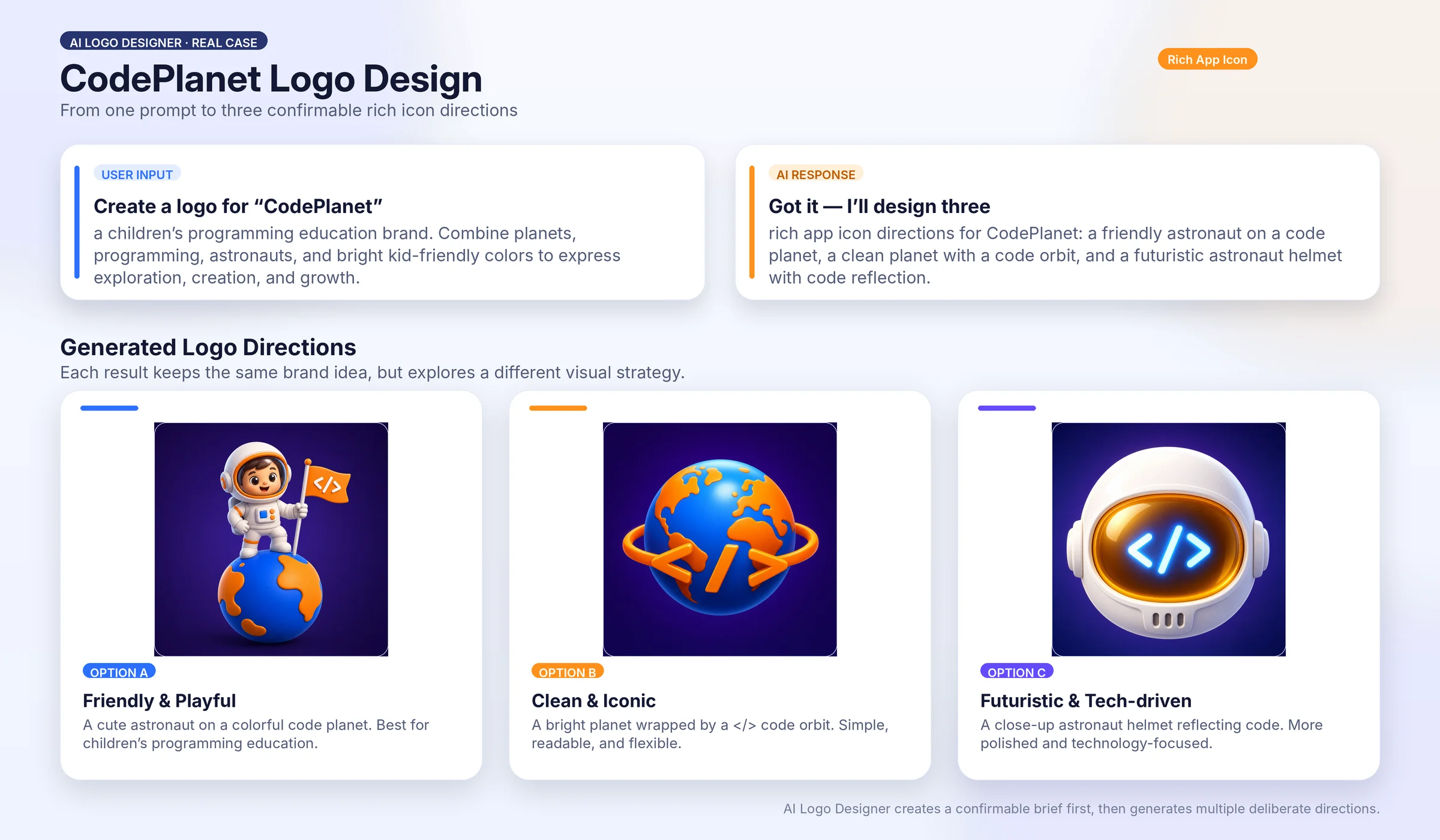
Tell it your brand name and what you do, and it designs the icon or logo your product actually needs — an app icon, a SKILL or marketplace icon, a cover icon, an illustrated mark, a mascot, a material-style emblem — with genuine depth, texture, and character. Built on GPT Image 2.
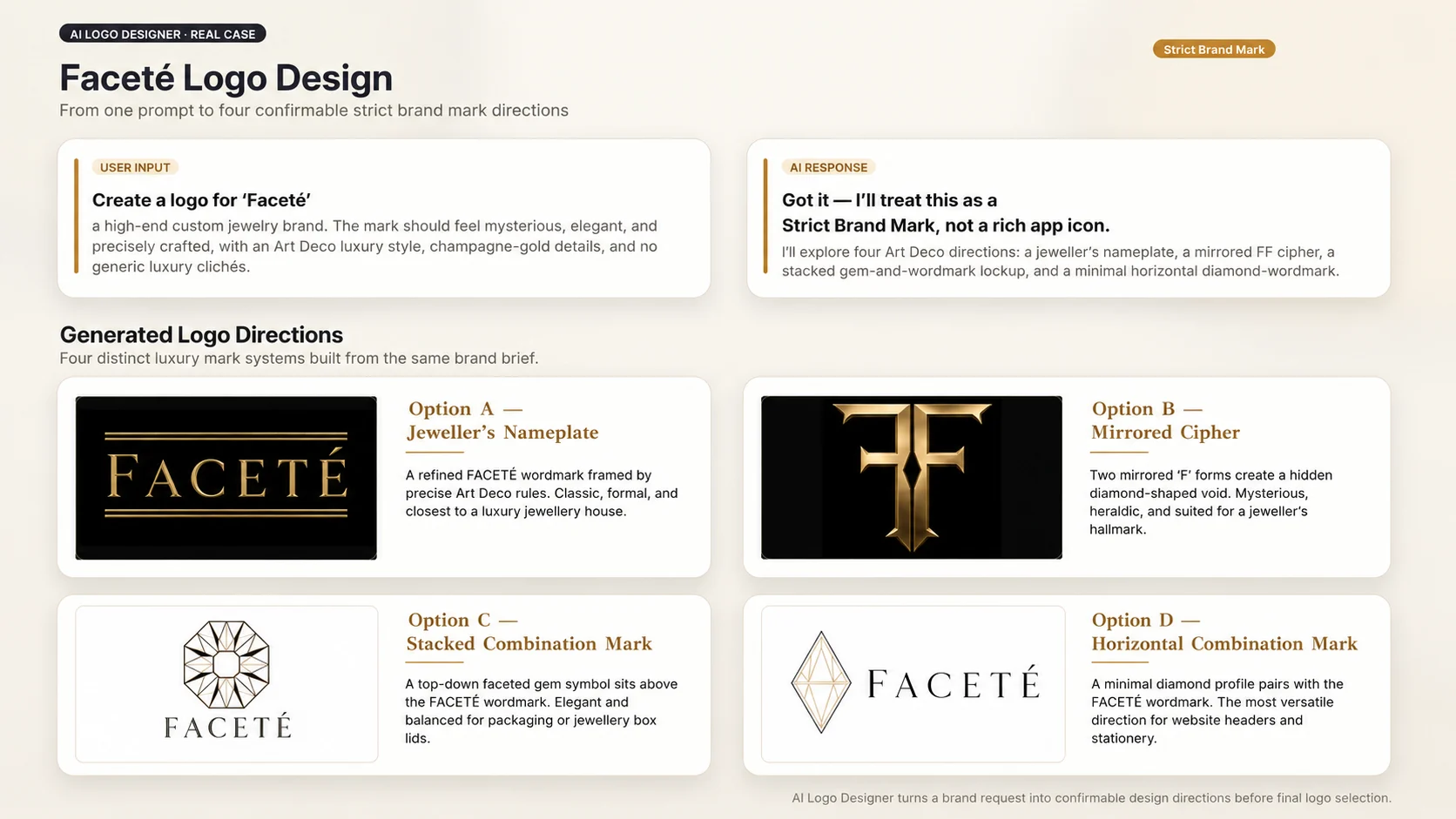
It works like a designer, not a one-shot generator: it reads what kind of mark you need (rich app icon by default, traditional brand mark on request), turns your idea into a design brief you confirm, generates deliberately, looks at every result, and refines with purpose.
📐 Brief before generation
You don't jump straight from a description to an image. First, it produces a Design Brief — declaring which mode it's reading your request as (rich app icon by default, or strict brand mark), plus visual elements, color and composition, and overall meaning — and shows you its interpretation so you can confirm or correct it. A wrong brief or wrong mode sends every image after it in the wrong direction, so this step comes first.
⚙️ From idea to finished mark
- ✏️ You share your brand name and what it does (1–3 sentences)
- 📋 It drafts a Design Brief — including the mode it read you as — and you confirm or adjust the direction
- 🎨 It generates the first logo from the confirmed brief
- 🔍 It inspects every generated image and refines one deliberate change at a time
- ✅ You approve a logo; it's delivered as your final
🖌️ Ten built-in styles
Used across both modes — strict brand marks and rich app icons alike.
| Style | Look |
|---|---|
| 🧸 3D Plastic Mascot | Friendly character as a glossy vinyl toy |
| 💎 Glass Premium Material | A mark in refined frosted glass |
| 🎨 Watercolor Illustration | Soft, hand-painted mark |
| ✨ Art Deco | Geometric 1920s ornament, gold-on-dark |
| 🌿 Botanical | Organic leaf and stem forms, earthy tones |
| ⚡ Cyberpunk | Neon glow on a dark, glitchy void |
| 📼 Vaporwave | 80s retro-future neon and chrome |
| 📻 Retro | Mid-century vintage badge, print-faded color |
| ✏️ Sketch | Hand-drawn pencil and ink line work |
| 📖 Humanist Literary | Calm warm serif emblems, editorial restraint |
Not on the list? It can design a custom style built for your brand.
🎯 What it's best for
- App icons, SKILL icons, marketplace cover icons — tailored to your brand, eye-catching at thumbnail size, designed to earn the click in a busy listing
- Illustrated and mascot logos — characters, painted marks, story-telling brands
- Material and 3D icons — frosted glass, glossy plastic, dimensional surface
- Emblem and badge marks — decorative, ornate, distinctive
📥 What to share
- Your brand name and a short description of what it does
- Optional: a reference image (style inspiration, an element to include, or an existing logo)
- Optional: a style preference, or let the brief recommend one
外部 API
openai