Mirror Try-On Video Prompt Creator
Mirror Try-On Video Prompt Creator
Turn your outfit ideas and references into detailed prompts for AI fashion videos. Build a mirror try-on sequence with clear garment descriptions, natural model movements, planned shot timing, and consistent visual direction.
Designed for fashion creators, ecommerce teams, clothing brands, and anyone preparing AI outfit showcase videos.
What You Get
- A descriptive prompt name and a concise summary.
- A complete video prompt, written in English by default.
- A shot-by-shot plan covering clothing, poses, actions, and timing.
- A negative prompt tailored to your selected settings.
- A parameter guide with explanations, suggested values, and writing examples.
- Your choice of a reusable template with [square-bracket variables] or a ready-to-use prompt with the values filled in.
Customize Your Video
| Area | Examples of Settings |
|---|---|
| Model | Adult age range, appearance, skin tone, hair, makeup, posture, and expression |
| Model continuity | The same model throughout, different models, or specified groups |
| Clothing | Garment type, color, fabric, fit, length, neckline, sleeves, fastenings, and decorative details |
| Styling | Bottoms, footwear, jewelry, and bags |
| Scene | Room, furnishings, mirror design, foreground composition, and lighting |
| Camera | Framing, angle, perspective, movement, focus, and exposure |
| Action and editing | Starting pose, movement, pace, ending pose, shot timing, and transitions |
| Delivery | Duration, aspect ratio, target resolution, frame rate, audio, voiceover, and text overlays |
The included guide covers 51 global and delivery parameters, plus 19 configurable fields for each shot. You can change the number of shots and add further variables when needed.
Default Creative Direction
The starting setup is a five-second, 16:9 mirror try-on video with four outfit segments. It features the same 22–26-year-old adult European or North American female model, natural makeup, loose wavy hair, soft apartment lighting, and clean hard cuts.
These are editable defaults. Change the model, outfits, setting, timing, or visual style to suit your project.
How to Use
- Provide your outfits. Describe each garment or attach clothing references where supported. Include the details that must remain accurate, such as lace placement, sleeve shape, fastenings, or floral cuffs.
- Set your creative direction. Choose the model, room, lighting, framing, duration, and aspect ratio. You may specify only the settings you want to change; the remaining defaults will be explained.
- Choose your output. Ask for a reusable template with [square-bracket variables] or a ready-to-use prompt. Request parameter-writing examples if you want help choosing values.
- Create your video. Use the completed prompt and corresponding references in your preferred AI video tool. Set supported output specifications in that tool, and add editing or audio in post-production when needed.
- Refine individual shots. Ask to revise a specific garment, movement, camera angle, or scene while preserving the rest.
Example Request
Create an English mirror try-on video prompt for four outfits using the same 22–26-year-old adult European female model. Use a 9:16 aspect ratio, a 12-second duration, soft window light, and clean hard cuts. Keep all customizable parameters in [square brackets], and provide suggested values and writing examples.
Example Output Excerpt
Create a [VIDEO_DURATION]-second mirror try-on video in [ASPECT_RATIO] format. Use [MODEL_IDENTITY_POLICY]. In shot one, showcase [SHOT_1_GARMENT_TYPE] in [SHOT_1_COLOR], with [SHOT_1_FABRIC] and [SHOT_1_TRIMS_AND_DETAILS]. Begin with [SHOT_1_START_POSE], perform [SHOT_1_ACTION], and finish with [SHOT_1_END_POSE].
This excerpt illustrates the template format. The full output includes the requested shots, continuity instructions, negative prompt, and parameter guidance.
Example Revision
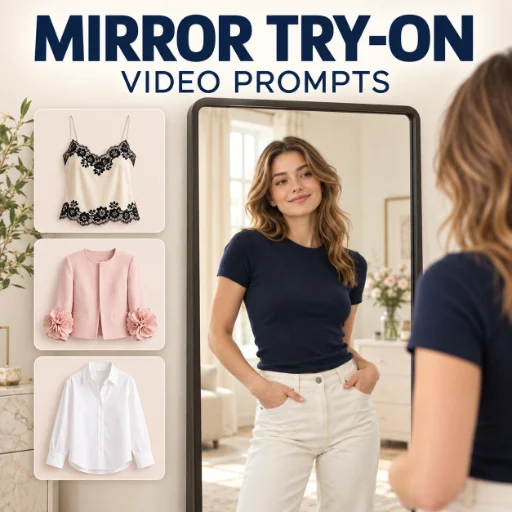
Keep the model and room unchanged. Replace outfit three with a pale pink jacket featuring dimensional floral cuffs. Change its action to a front-facing sleeve detail demonstration instead of a turn.
Frequently Asked Questions
Does this Agent generate video files?
It creates prompts, shot plans, and writing guidance. Render the video in your chosen AI video generator.
Can I change every creative setting?
Yes. The included defaults are starting points. Model appearance, clothing details, actions, scenes, editing, audio, and output targets can be customized.
Do I need reference images?
No. Written outfit descriptions are supported. Clear references can help describe specific garments and maintain a chosen visual direction.
Can I use a different language?
Yes. English prompts and Chinese explanations are the defaults; request another language or a bilingual output.
Will every video generator follow all settings exactly?
Results depend on the selected tool. Duration, resolution, frame rate, reference binding, audio, and text may require tool settings or post-production. Prompt instructions express the intended result and do not guarantee exact identity, garment details, or mirror behavior.