Agent Team: Plan and Coordinate Multi-Agent Work
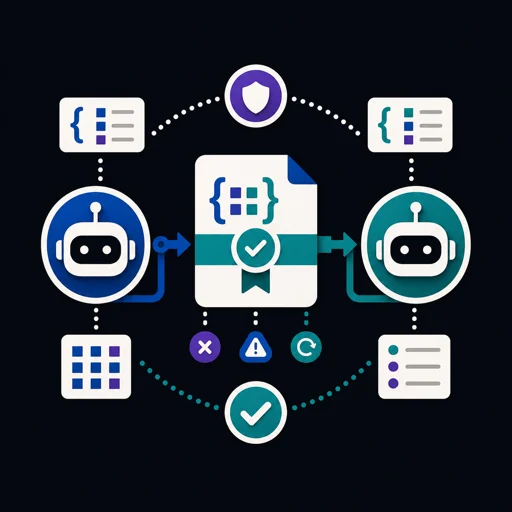
Agent Team gives your agent two small tools for work that is too big for one pass or needs more than one agent. One checks the plan your agent writes for a task: steps with a role, a model tier (fast, balanced or deep), dependencies and a verify line, sorted into waves that can run in parallel. The other lets several agents hand work to each other through plain message files in a coordination/ folder of your repository. Git carries the files: no server, no account.
What you get
SKILL.md: the instructions your agent follows, including when to ask you first.scripts/flow.py(local only): reads the one JSON plan file you name and writes nothing.checklists errors (duplicate or unknown step ids, loops, a missing role, task, verify line or tier, a number where text belongs) and warnings (every step set to deep, no review step at the end).wavesprints what can run at the same time, in order.briefprints one worker's brief.scripts/team.py(local only): reads and writes text files insidecoordination/in the folder you run it from, and reads the message body file you name.initcreatesteam.json, aREADME.mdof team rules andmessages/.sendadds a message file.inboxlists what is open or claimed for one agent.claimanddoneupdate a message.boardwritesSTATUS.md: counts per agent and messages left open for 3 days or more.checkreports missing fields, unknown agents and duplicate ids.references/github-action.md: an optional GitHub Actions workflow that opens an issue for each new message. Installed only if you ask.
Requirements and install
Python 3.8 or newer (tested on 3.13), standard library only: nothing to pip install. Git is needed only to share coordination/ between machines. Unzip the download: you get one folder named agent-team. Put that folder in your agent client's skills folder. It is written for agent clients that read SKILL.md and can run a shell command, such as Claude Code or Codex CLI.
How to use
- "Plan this as an agent workflow and tell me who does what with which model: add a pricing page to the site that lists our three cake sizes and their prices."
- "Set up a team for my agent and Priya's agent in this repository, then hand her the pricing page."
Sample run
From a small website project. The skill folder path is shortened.
$ python "<skill folder>/scripts/flow.py" check plan.json
{
 "ok": true,
 "steps": 5,
 "errors": [],
 "warnings": []
}
$ python "<skill folder>/scripts/team.py" send sam priya "Build the pricing page" body.md P2
{
 "sent": "2026-11-12-sam-001",
 "file": "coordination/messages/sam-to-priya/2026-11-12-001-build-the-pricing-page.md",
 "next": "git add, commit and push so the recipient sees it"
}
Output format
Both scripts print JSON to standard output. On an error they print {"error": "..."} to standard error and exit with code 1. flow.py check also exits with code 1 when the plan has errors, with the list in its JSON. The files team.py writes are plain Markdown and JSON. Your agent answers in plain text or Markdown in the chat.
Network and data
The scripts send nothing: they contain no network code, start no other program, read no environment variables and need no API keys. When you approve it, your agent runs git push, which uploads the coordination/ message files to your own Git remote. The optional workflow, if you install it, runs in your own GitHub account and puts message subjects into issues there. The skill calls no AI service itself. Your agent client sends the conversation, including command output, to the model provider you use.
What is automatic and what asks first
Automatic, on local files only: checking a plan, and creating or updating files under coordination/. The scripts never delete a file and never run git. init and board also write coordination/.gitignore, so the generated status board is never committed.
Asks first: your agent shows you the plan and waits for a yes before running any step. Every git pull, commit and push is your agent's own action and needs your go-ahead. Merging, rebasing, force-pushing, resolving a conflict and deleting anything each need a separate yes. Every change is a text file that git diff shows before it is committed, so you can revert it.
Limits
- Turn-based, not live: an agent sees a message only after
git pull. - It coordinates work. It does not start or run other agents or models: your agent does that with what its client offers. The tier is advice your agent maps to the models it has.
- No access control: anyone who can push can send or close a message.
- A plan holds at most 20 steps.
flow.pychecks a plan's structure, not its quality. - Two machines sending under one agent name on the same day can produce a duplicate message id.
checkreports it.
FAQ
Do I need more than one agent? No. Planning works for one agent, with or without subagents. Messages need at least two named agents.
Does it need GitHub? No. Any Git remote works, and one machine needs none. Only the optional issue workflow is GitHub-specific.
Will it commit or push by itself? No. The scripts never run git. Your agent runs git only after you agree.
Licence
Proprietary. Copyright (c) 2026 Abdullah Rathore, all rights reserved. Licensed to the buyer under the marketplace's end-user licence: personal and non-transferable, no redistribution or resale. What you generate with the skill is yours. Provided as is, without warranty.