

AI Tool Intel Digest/ AI 工具情報站產生器
AI Tool Intel Digest
You're tracking AI tools across bookmarked tweets, screenshots, and a dozen browser tabs of product pages, and want a clean list for your team or your audience, but the organizing step keeps getting skipped. This skill turns that scattered intel straight into a database and ready-to-post copy.
【WHO THIS IS FOR】
- Creators running an AI tool directory, newsletter, or social account who need to keep the tool list current without manually rebuilding it every week
- Marketing ops or PMs building an internal tool stack list that needs to drop straight into Notion or Airtable
- Social media managers who spotted a few new tools this week and need an IG or LinkedIn post drafted fast
- Anyone building a tool directory site on Manus, Framer, or Softr who needs seed data to populate the database on day one
【WHAT IT DOES】
【Mode 1: Directory Builder】
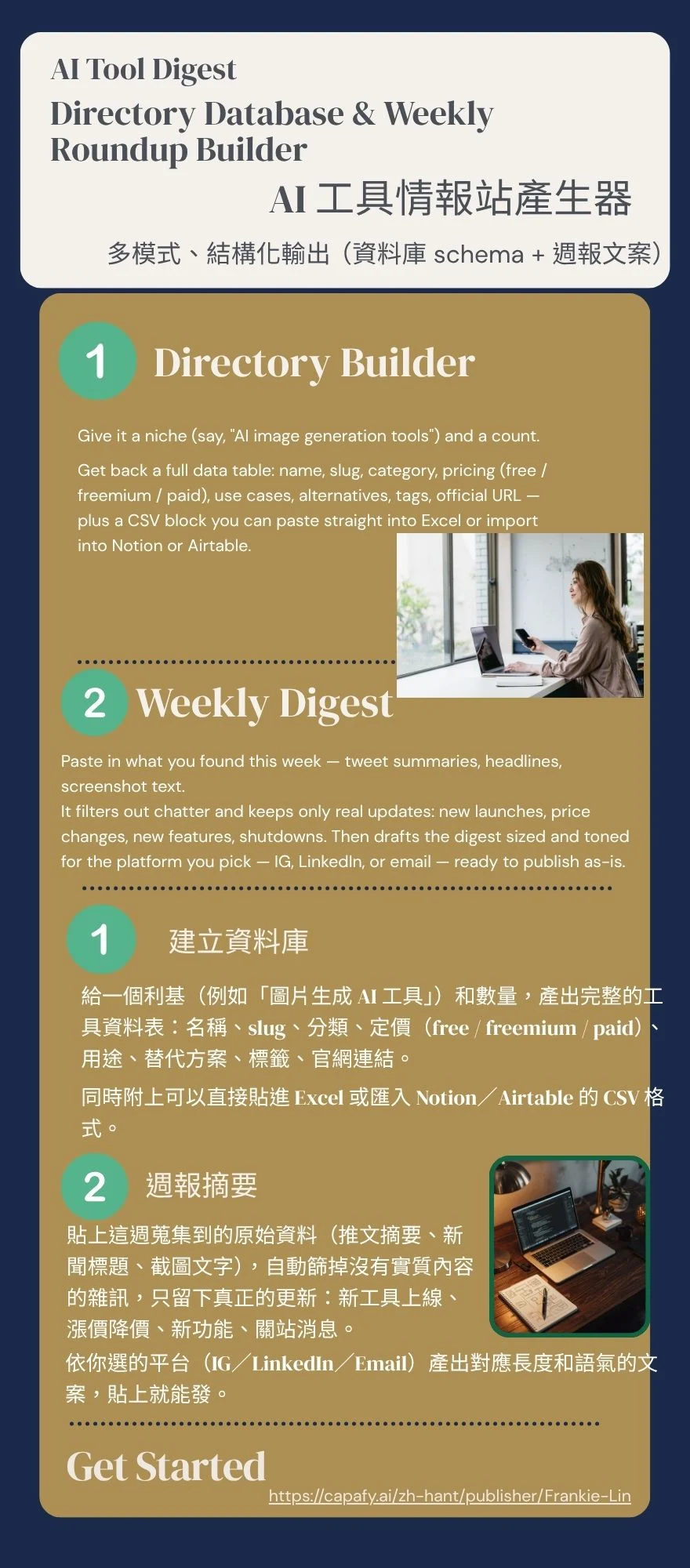
Give it a niche, say AI image generation tools, and a count. Get back a full data table: name, slug, category, pricing (free / freemium / paid), use cases, alternatives, tags, official URL, plus a CSV block you can paste straight into Excel or import into Notion or Airtable.
【Mode 2: Weekly Digest】
Paste in what you found this week: tweet summaries, headlines, screenshot text. It filters out chatter and keeps only real updates: new launches, price changes, new features, shutdowns. Then drafts the digest sized and toned for the platform you pick, IG, LinkedIn, or email, ready to publish as-is.
【WHERE THIS BEATS A GENERIC ROUNDUP GENERATOR】
A typical AI tool roundup gives you an article you have to reformat into a table yourself. This skill hands you the database schema plus an importable CSV. Most roundups skip the weekly digest entirely; this one auto-formats per platform. Most are single-language; this one is written natively in both Chinese and English, not machine-translated. Most need reformatting before use; this one pastes straight into your import or your post.
【SAMPLE OUTPUT】
Input: Mode: Directory Builder, Niche: AI video generation tools, Count: 3, Language: English only
【Output (excerpt)】:
Runway, runway, freemium, video generation / green-screen removal / motion tracking, alternatives: Pika, Luma
Pika, pika, freemium, short video generation / style transfer, alternatives: Runway, Kling
Plus the matching CSV block, paste-ready for Excel or Notion import.
【WHAT YOU GET】
✅ Structured tool data table plus CSV
✅ Every entry includes category, pricing, use cases, alternatives, tags
✅ Weekly digest copy, auto-formatted per platform (IG / LinkedIn / email)
✅ Bilingual output, each version written natively, not machine-translated
✅ Uncertain data flagged clearly instead of guessed at
【WHAT THIS SKILL WILL NEVER DO】
❌ It won't live-scrape real-time pricing, output relies on what you provide or existing knowledge, so verify anything time-sensitive yourself
❌ It won't turn your data request into a prose article instead of the table you asked for
❌ It won't pad copy with words like revolutionary, game-changing, or cutting-edge
❌ It won't invent user counts, funding numbers, or stats you didn't give it
AI Tool Intel Digest — AI 工具情報生成器
你追蹤 AI 工具追到一半,資料散落在收藏的推文、截圖、還有十幾個分頁的官網介紹裡......想做一個給自己團隊或觀眾看的工具清單,卻卡在整理這一步。這個 skill 直接把情報變成資料庫和文案。
【適合誰用】
- 經營 AI 工具情報站、Newsletter 或社群帳號的創作者,需要定期更新工具清單但沒時間手動整理
- 行銷團隊的 Ops 或 PM,要幫團隊建立內部工具清單,資料要能匯入 Notion 或 Airtable 直接用
- 自媒體帳號小編,這週看到幾個新工具,想快速產出一則 IG 或 LinkedIn 貼文分享
- 正在用 Manus、Framer、Softr 這類工具建立自己的 AI 工具目錄網站,需要初始資料快速填滿資料庫
【功能說明】
模式一:建立資料庫
給一個利基(例如「圖片生成 AI 工具」)和數量,產出完整的工具資料表:名稱、slug、分類、定價(free / freemium / paid)、用途、替代方案、標籤、官網連結。同時附上可以直接貼進 Excel 或匯入 Notion/Airtable 的 CSV 格式。
模式二:週報摘要
貼上這週蒐集到的原始資料(推文摘要、新聞標題、截圖文字),自動篩掉沒有實質內容的雜訊,只留下真正的更新:新工具上線、漲價降價、新功能、關站消息。依你選的平台(IG/LinkedIn/Email)產出對應長度和語氣的文案,貼上就能發。
【跟其他工具的差異】
一般 AI 工具懶人包輸出是一篇文章,你還要自己拆成表格;這個 skill 直接給資料庫 schema 加可匯入的 CSV。一般懶人包沒有週報功能;這個 skill 依平台自動排版。一般懶人包通常單語;這個 skill 中英文各自獨立撰寫,不是機翻。一般懶人包貼上還要再整理;這個 skill 貼上就能匯入或發文。
【範例輸出】
輸入:模式:建立資料庫|利基:AI 影片生成工具|數量:3|語言:純中文
輸出(節錄):
Runway,runway,freemium,影片生成/綠幕移除/動作追蹤,替代方案:Pika、Luma
Pika,pika,freemium,短影片生成/風格轉換,替代方案:Runway、Kling
附上對應 CSV block,可直接貼進 Excel 或匯入 Notion。
【輸出包含】
✅ 結構化工具資料表(含 CSV)
✅ 每個工具含分類、定價、用途、替代方案、標籤
✅ 週報文案,依平台自動排版(IG/LinkedIn/Email)
✅ 雙語版本,各自獨立撰寫,非機器翻譯
✅ 資訊不確定時明確標註「需人工確認」,不會亂編價格或網址
【不會出現的東西】
❌ 不會即時爬蟲抓最新價格,資料以你提供或既有知識為準,重大更新請自行確認
❌ 不會生成一篇文章取代你要的資料表
❌ 不會用「賦能」「顛覆」「引領」這類空話填字數
❌ 不會捏造使用人數、募資金額等你沒提供的數字


