
Outline to PPTX — Local Kit (Download)
Outline to PPTX
What you're buying: a download package (skill instructions + a Python script) that runs on your own computer inside your own AI agent — it is not a cloud service.
You need: an AI agent that supports skills (e.g. Claude Code or Codex) — its subscription or API costs are yours; Python 3.9+ andpython-pptx. Optional: Microsoft PowerPoint or LibreOffice for PDF/PNG export.
Third-party services: none. The script works offline and calls no APIs.
Turn ideas, meeting notes or a long document into a deck you can present. The output is a native PowerPoint file — every word, bullet and table is editable, not pasted images.
What you get
- 📊 16:9 .pptx deck that opens and edits in PowerPoint, Keynote and Google Slides
- 🗣️ Speaker notes written for every slide
- 📄 PDF (optional, when PowerPoint or LibreOffice is installed)
- 🔍 Per-slide PNG check: your agent looks at every slide to make sure nothing overflows
Example
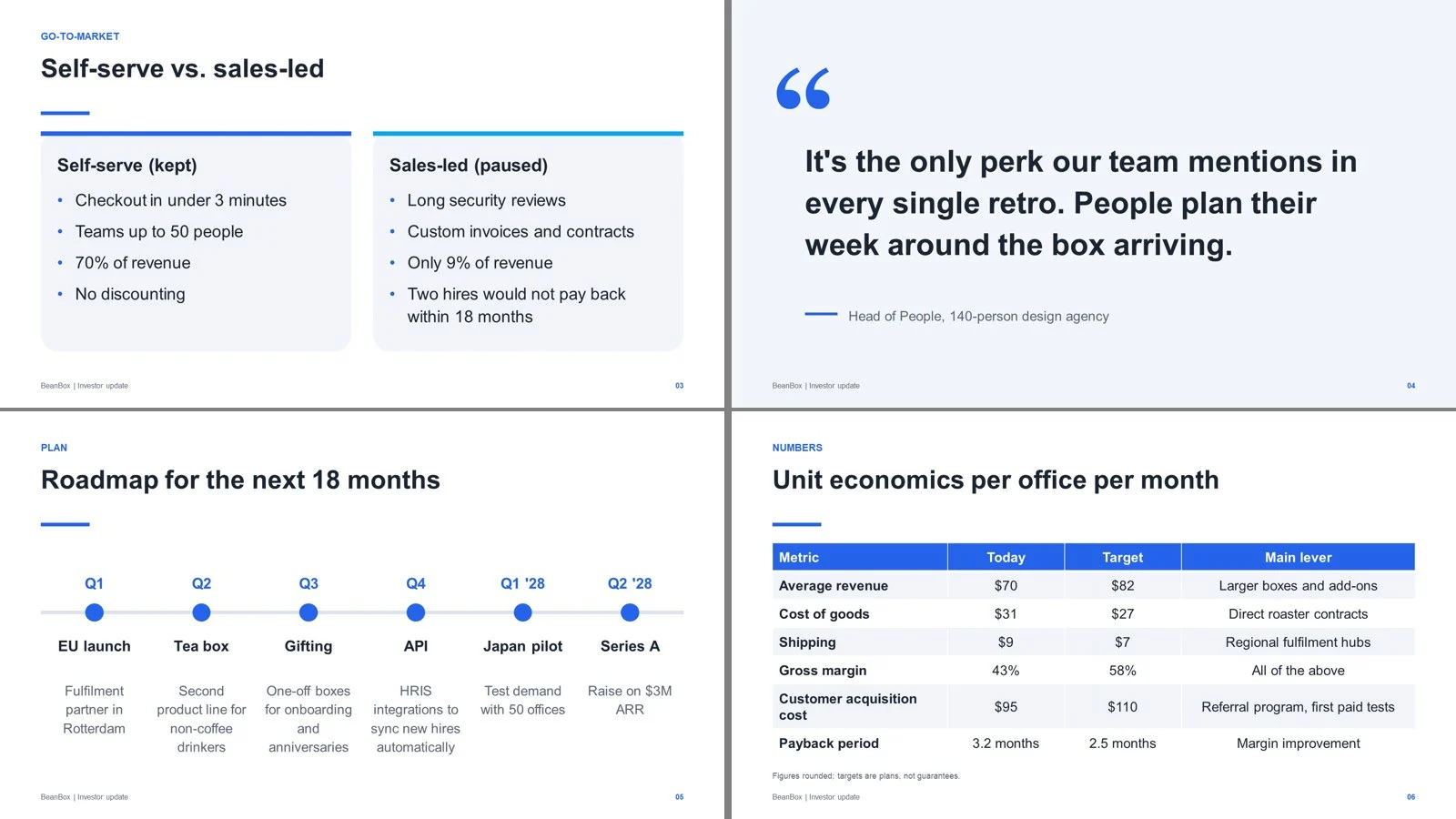
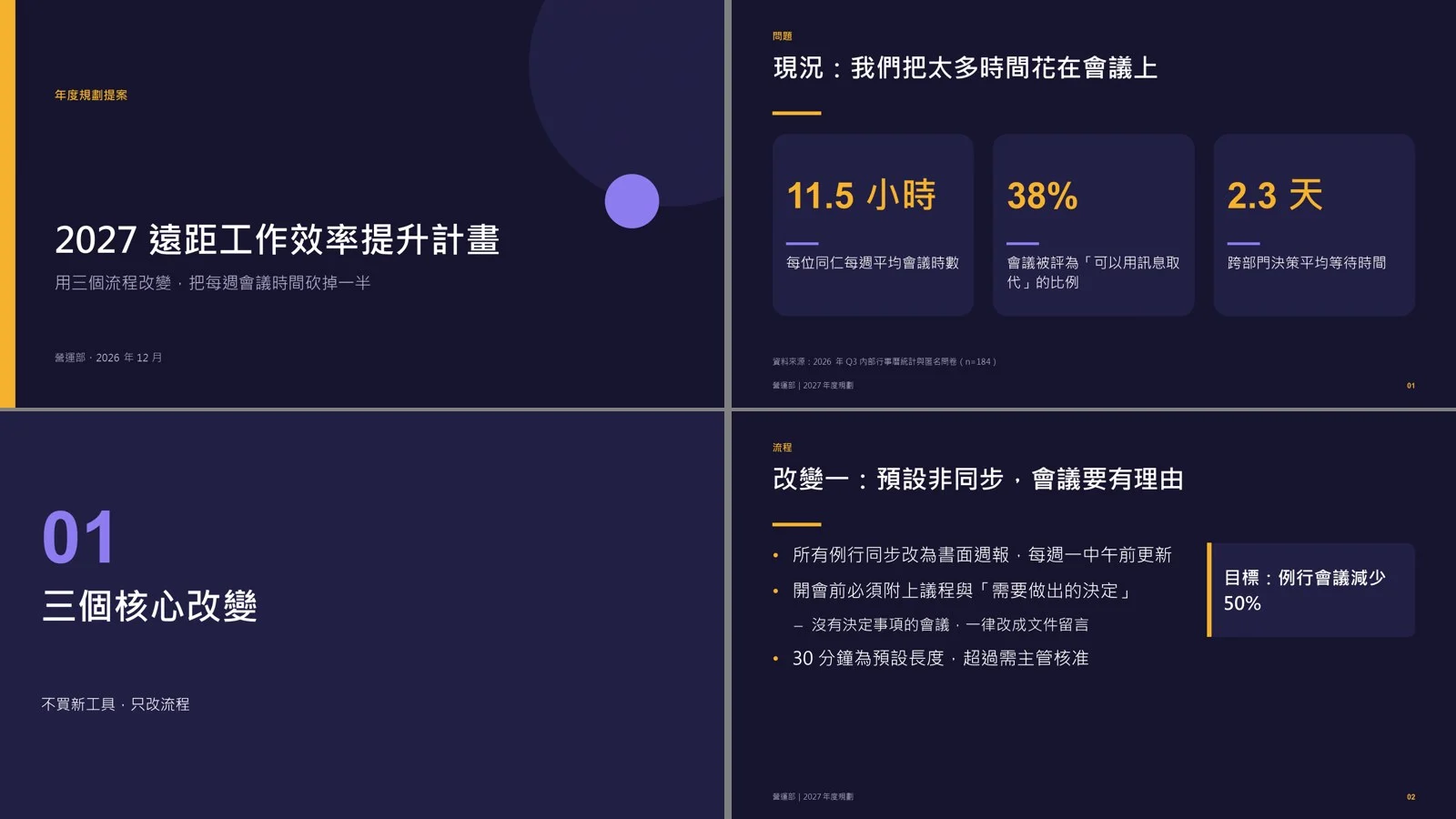
A 10-slide plan, "2027 Remote Work Productivity Plan", in the midnight theme: cover, stat cards (3 big numbers), section divider, bullets with a callout box, side-by-side comparison, quote, 4-step timeline, 4×4 table, bullets and closing slide. Every content slide has a page number and footer, speaker notes are filled in, and every line of text stays inside its box (checked slide by slide in PowerPoint). An English 10-slide deck in the clean theme was tested too.
Chinese deck — CJK fonts and line breaks handled automatically:
Try it — copy a prompt
- "Make a 10-slide pitch deck from these notes for investors, midnight theme, with speaker notes."
- "Turn this 5-page report into a 12-slide team update in English, clean theme, and export a PDF."
Why buy it
One payment, as many decks as you need — no monthly subscription for an AI slide tool, and the files are yours to edit.
Who it's for
Consultants, managers, teachers, students, founders and anyone who has the content but not the time to lay out slides.
How it works
- Tell your agent the topic, audience and purpose (persuade, report or teach) — or paste a long document.
- The agent follows built-in storyline rules (answer first, action titles, one idea per slide) and shows you a slide-by-slide outline to approve.
- The script builds the deck; the agent checks each slide for overflow, orphaned words or crowding, rewrites and rebuilds if needed.
- You get the files plus a list of any
[placeholders]where you need to add real data.
9 layouts
Cover, section divider, bullets (with optional callout box), two-column comparison, big-number cards (1–4), quote, timeline (2–6 steps), table, closing slide.
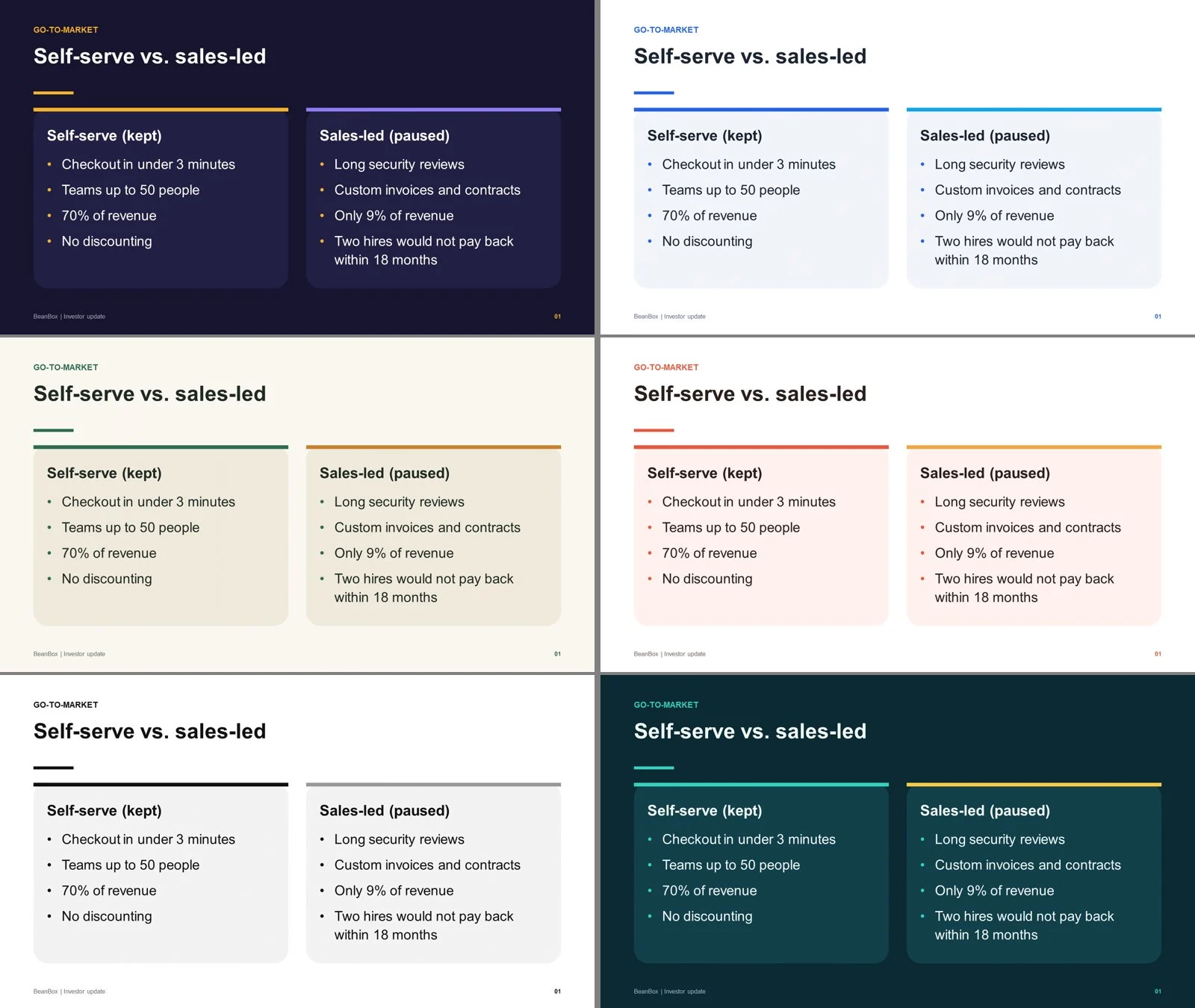
6 themes
midnight (navy + amber), clean (white + blue), forest (cream + deep green), coral (white + coral), mono (black-and-white minimal), ocean (teal + aqua).
Details that matter
- Auto font size: picks the largest size that fits — text never overflows its box
- No orphans: titles and body text avoid a last line with just one or two words
- Real bullets: wrapped lines keep their hanging indent
- CJK-safe fonts: Traditional/Simplified Chinese, Japanese and Korean use system fonts on Windows and Mac
Requirements
- Python 3.9+
pip install python-pptx- Optional: Microsoft PowerPoint or LibreOffice (for PDF and PNG export)
Limitations (please read)
- Content is written with AI help — you are responsible for checking facts. The AI does not invent numbers, quotes or sources; missing data is marked as
[placeholder]for you to fill in. - No image generation, no charts drawn from raw data, no animations (tables and big-number cards are supported).
- It does not apply your company template; it uses the 6 built-in themes, and you can change colours and fonts afterwards.
- The per-slide PNG check needs Windows + PowerPoint; on other systems, check the PDF instead.
- Download buyers get all future updates free.
Files
SKILL.md— agent workflowscripts/build_deck.py— deck builderreferences/storyline.md— storyline and action-title rulesreferences/slide-types.md— deck.json format and layoutsreferences/example_zh.json/example_en.json— Chinese and English examples